1. Ro-ràdh
This user manual provides essential information for the proper handling, installation, and maintenance of the Ricoh Internal Finisher Staple Refill (Model 415010). This product is designed to provide reliable stapling for your Ricoh multifunction devices equipped with compatible internal finishers.
For optimal performance and to prevent damage to your equipment, please read these instructions carefully before use.
2. Toradh thallview
The Ricoh Internal Finisher Staple Refill is an OEM (Original Equipment Manufacturer) consumable designed specifically for Ricoh internal finishers. Each cartridge contains 5,000 staples, and this product package includes 2 cartridges, totaling 10,000 staples.
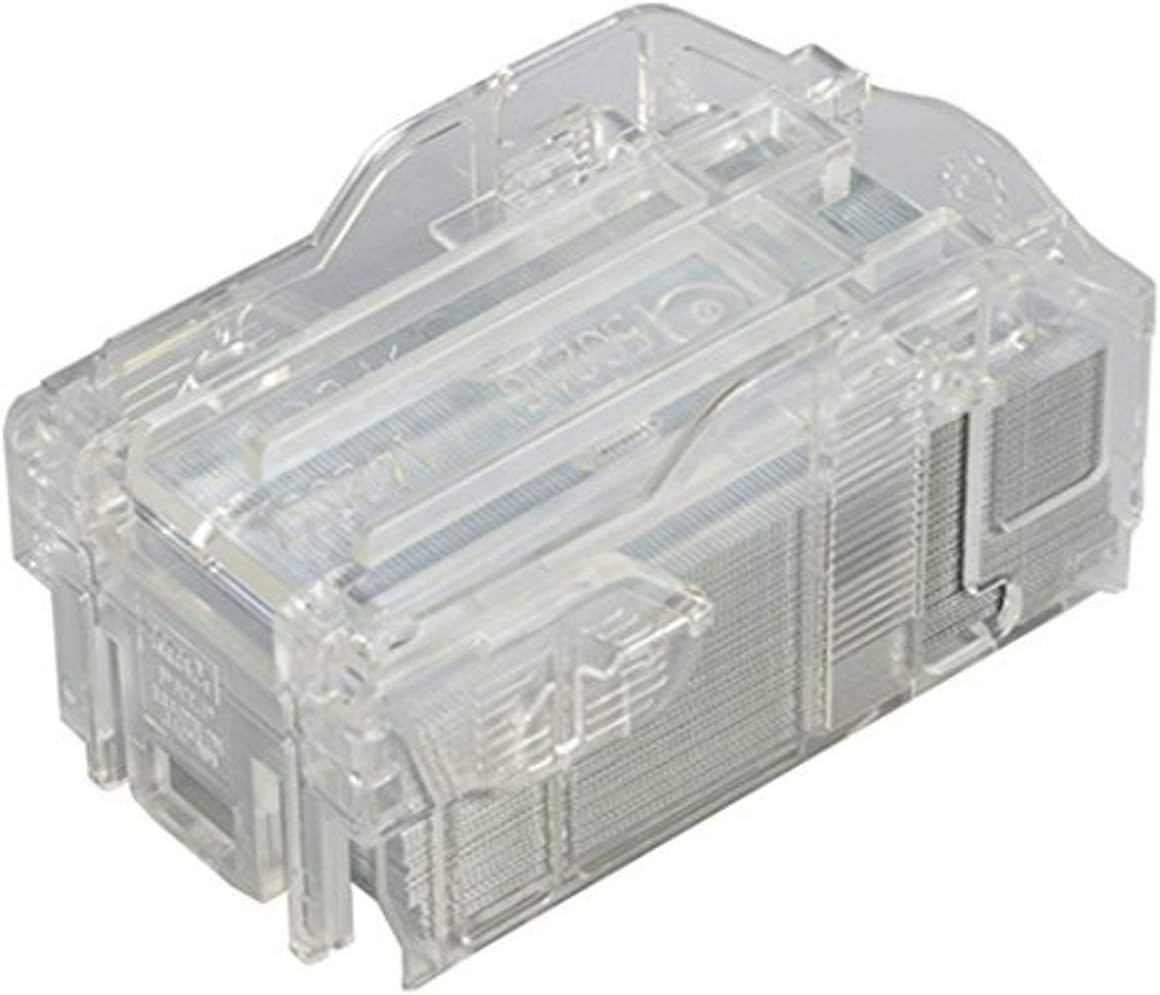
Figure 2.1: Ricoh Internal Finisher Staple Refill cartridge.
This image shows the clear plastic casing of the staple refill cartridge, filled with thousands of small metal staples. The design allows for easy insertion into compatible Ricoh finisher units.

Figear 2.2: Taobh view of the staple refill cartridge.
This image provides a slightly different angle of the staple refill cartridge, highlighting its compact and robust design, ready for installation into a Ricoh finisher.
3. Co-fhreagarrachd
This staple refill is compatible with the following Ricoh Internal Finisher models:
- Ricoh SR3140
- Ricoh SR5020
- Ricoh SR5030
- Ricoh SR5040
Always verify your finisher model number before purchasing or installing staple refills to ensure compatibility.
4. Stiùiridhean stàlaidh
Follow these steps to safely and correctly install the staple refill cartridge into your Ricoh internal finisher:
- Power Off (Recommended): While not always strictly necessary for staple replacement, it is good practice to power off or place your multifunction device in standby mode before opening any internal compartments.
- Locate the Finisher: Identify the internal finisher unit on your Ricoh device. Refer to your device's main user manual for the exact location of the finisher and its staple cartridge compartment.
- Open the Finisher Cover: Carefully open the cover or door that provides access to the staple unit. This is typically indicated by a label or icon.
- Remove the Empty Cartridge:
- Press any release levers or buttons associated with the staple cartridge.
- Gently pull the empty staple cartridge straight out of its slot.
- Dispose of the empty cartridge responsibly according to local regulations.
- Unpack the New Cartridge: Remove the new Ricoh staple refill cartridge from its packaging. Avoid touching the staples directly.
- Cuir a-steach an Cartridge Ùr:
- Align the new cartridge with the slot in the finisher. Ensure it is oriented correctly (there is usually only one way it can fit).
- Push the cartridge firmly but gently into the slot until it clicks into place. Do not force it.
- Close the Finisher Cover: Close the finisher cover or door securely. The device should recognize the new cartridge.
- Gnìomhachd deuchainn: Perform a test print or copy job that requires stapling to confirm the new cartridge is working correctly.
If you encounter any resistance or difficulty during installation, do not force the cartridge. Re-check the alignment and consult your device's main user manual for specific instructions related to your finisher model.
5. Cleachdadh
Once installed, the Ricoh Internal Finisher Staple Refill will automatically provide staples for your document finishing needs. The device's control panel will typically indicate when the staple cartridge is low or empty, prompting for replacement.
Ensure that the paper type and thickness are within the specifications of your finisher for optimal stapling performance and to prevent jams.
6. Cumail suas
Proper maintenance ensures the longevity and performance of your staple refills and finisher unit:
- Stòradh: Store new staple cartridges in their original packaging in a cool, dry place, away from direct sunlight and extreme temperatures.
- Làimhseachadh: Handle cartridges carefully to avoid bending or damaging the staples.
- Fuasgladh: Dispose of empty cartridges according to your local recycling or waste disposal guidelines. Ricoh encourages environmentally responsible disposal.
- Finisher Cleaning: Periodically clean the staple unit area within your finisher as recommended by your device's main user manual to prevent dust or paper debris from affecting performance.
7. A ’dèanamh trioblaid
If you experience issues with stapling, consider the following common troubleshooting steps:
- "Staple Low" or "Staple Empty" Message: Replace the staple cartridge with a new one.
- Staple Jams:
- Carefully open the finisher cover and locate the jammed staples.
- Follow the instructions in your device's main user manual for clearing staple jams. Never force jammed staples, as this can damage the finisher.
- Ensure you are using genuine Ricoh staple refills.
- Poor Staple Quality:
- Check if the staple cartridge is fully seated.
- Verify that the paper stack is within the finisher's capacity.
- Ensure the paper type is suitable for stapling.
- Cartus gun aithneachadh: Remove and re-insert the cartridge. Ensure it clicks into place. If the issue persists, the cartridge may be faulty, or there might be an issue with the finisher unit itself.
For persistent issues, refer to your Ricoh device's comprehensive user manual or contact Ricoh customer support.
8. Sònrachaidhean
| Feart | Mion-fhiosrachadh |
|---|---|
| Brand | Ricoh |
| Modail Àireamh | 415010 |
| Meudan toraidh | 3 x 3.5 x 2 òirleach |
| Cuideam nì | 13.6 unnsa |
| Staples per Cartridge | 5,000 |
| Cartridges per Pack | 2 |
| Total Staples | 10,000 |
| Dath | No color (clear cartridge) |
| Dèanadair | Ricoh Innovations Corporation |
9. Barantas agus Taic
This Ricoh product is manufactured to high-quality standards. For information regarding product warranty, please refer to the warranty documentation provided with your Ricoh multifunction device or contact Ricoh customer support directly.
For technical assistance, troubleshooting beyond this manual, or to inquire about service, please visit the official Ricoh support website or contact their customer service line. Always provide your product model number (415010) and the model of your Ricoh multifunction device when seeking support.
Oifigeil Ricoh Weblàrach: www.ricoh.com


