
1. Ro-ràdh
The Monster TVLink 300 wireless TV headphones are designed to provide a personal audio experience for television viewing. This system includes comfortable over-ear headphones and a transmitter charging base, allowing for clear, synchronized sound without disturbing others. The headphones feature Bluetooth 5.3 for stable connectivity and a long battery life for extended listening sessions.
2. Pasgan-susbaint
Dèan cinnteach gu bheil a h-uile nì an làthair sa phacaid agad:
- Monster TVLink 300 Wireless Headphones
- Bunait Cosgais Tar-chuir
- Càball claisneachd optigeach
- Càball claisneachd 3.5mm AUX
- Càball Adaptor RCA
- Càball cosgais USB-C
- Leabhar-làimhe cleachdaiche

Image: Components of the Monster TVLink 300 system, including headphones, charging base, and various audio cables.
3. Toradh thallview
Familiarize yourself with the main components and controls of your Monster TVLink 300 headphones and transmitter base.
Image: Labeled diagram of the headphones and transmitter base, indicating buttons, ports, and indicator lights.
Fòn-cluaise
- Putan air / dheth: Cuiridh e na fònaichean-cluaise air no dheth.
- Putan fuaim suas: Increases audio volume. Also functions as 'previous song' in Bluetooth mode.
- Putan sìos sìos: Decreases audio volume. Also functions as 'next song' in Bluetooth mode.
- Multi-function button (MFB): Controls playback (play/pause), answers/ends calls.
- Port cosgais USB-C: For direct charging of headphones.
- Solas comharra: A’ sealltainn inbhe cumhachd is ceangail.
- Mic: Micreofon togte airson gairmean.
Bunait Cosgais Tar-chuir
- Port cosgais USB-C: Powers the transmitter base.
- Teachd a-steach optigeach: Connects to TV via optical cable.
- Aux-in port: Connects to TV via 3.5mm AUX cable.
- Solas comharra LED: Shows connection status and charging status.
- Eadar-aghaidh cosgais: For automatic charging of headphones when placed on the base.
4. Stiùireadh Stèidheachaidh
Follow these steps to set up your Monster TVLink 300 system:
- Power the Transmitter Base: Connect the USB-C charging cable to the transmitter base and plug the other end into a power adapter (not included) or a USB port on your TV. The LED indicator on the base will light up.
- Ceangail ris an telebhisean agad: Choose one of the following audio connection methods:
- Optical (Recommended): Connect the optical audio cable from the transmitter's optical input to your TV's optical audio output (often labeled 'Digital Audio Out' or 'Optical Out'). Ensure your TV's audio output is set to 'PCM' format if necessary.
- AUX: Connect the 3.5mm AUX audio cable from the transmitter's Aux-in port to your TV's 3.5mm audio output (headphone jack).
- RCA: If your TV has RCA audio outputs (red and white ports), use the RCA adapter cable with the 3.5mm AUX cable to connect to the transmitter's Aux-in port.
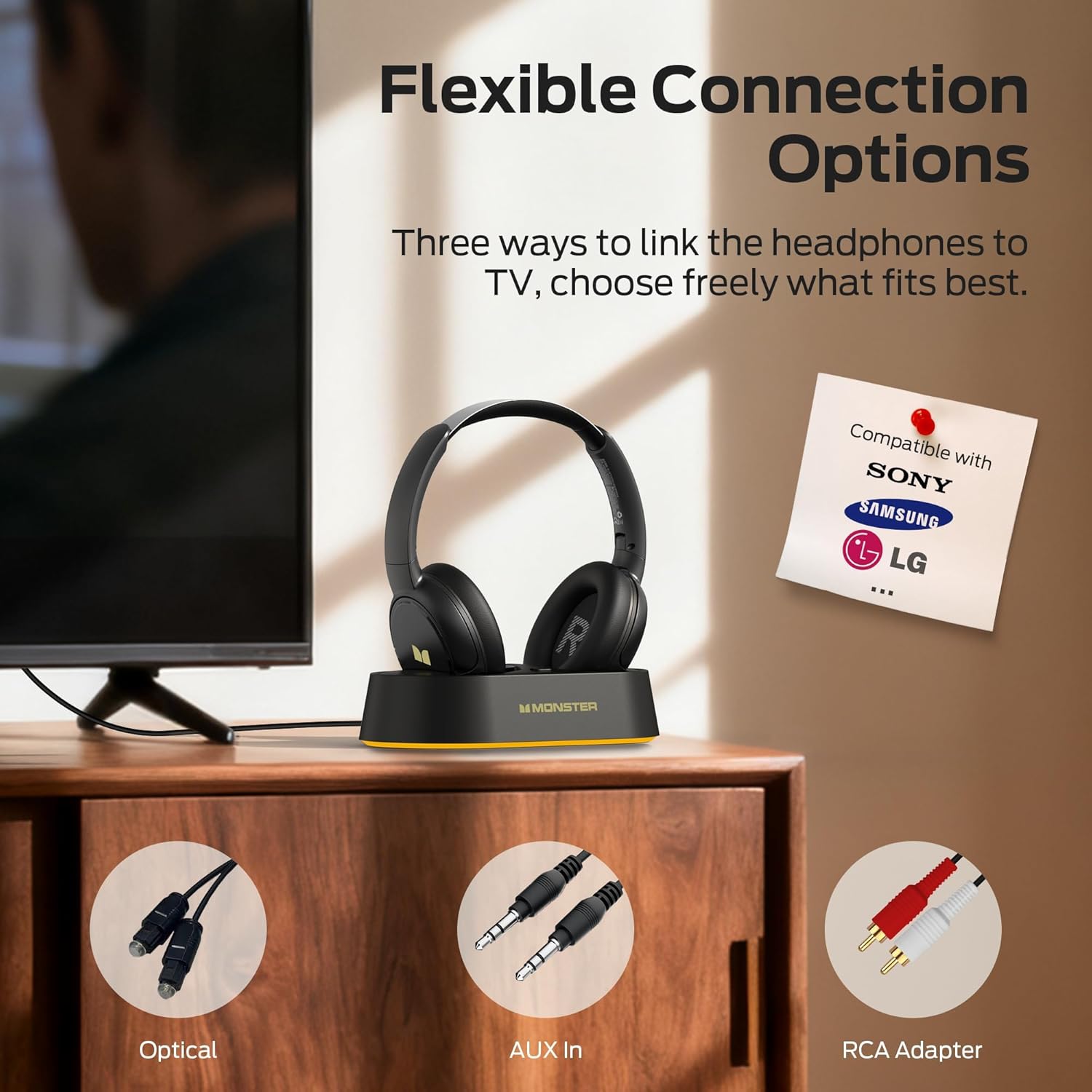
Image: Flexible connection options for the transmitter base, including Optical, AUX, and RCA.
- Cuir cosgais air na fònaichean-cluaise: Place the headphones onto the transmitter charging base. Ensure the charging contacts align. The headphone indicator light will show charging status. A full charge provides up to 45 hours of playback.
- Power On Headphones: Press and hold the On/Off button on the headphones until the indicator light illuminates. The headphones will automatically connect to the transmitter base.
Once connected, audio from your TV will be transmitted wirelessly to your headphones.
5. Stiùireadh Obrachaidh
5.1 Gnìomh Bunaiteach
- Cumhachd air / dheth: Press and hold the On/Off button on the headphones for approximately 3 seconds.
- Smachd tomhas-lìonaidh: Use the Volume Up (+) and Volume Down (-) buttons on the headphones to adjust the listening volume.
- Ceangal fèin-ghluasadach: After initial setup, the headphones will automatically connect to the transmitter base when powered on and within range.
5.2 A 'cur cosgais
To charge the headphones, simply place them onto the transmitter charging base. The headphones will begin charging automatically. The indicator light on the headphones will show charging status (e.g., red for charging, off or blue for fully charged, refer to specific LED behavior in the quick start guide if available). You can also charge the headphones directly using a USB-C cable connected to their USB-C port.
5.3 Bluetooth Mode (Independent Use)
The headphones can also be used independently via Bluetooth 5.3 with other devices like smartphones or tablets.
- Càraid: With the headphones powered off, press and hold the On/Off button for approximately 5-7 seconds until the indicator light flashes rapidly (indicating pairing mode).
- ceangail: On your device, enable Bluetooth and select "Monster TVLink 300" from the list of available devices.
- Smachd Playback: Use the Multi-function button (MFB) for play/pause, and the Volume Up/Down buttons for next/previous track.

Image: The Monster TVLink 300 system demonstrating compatibility with various devices including TV, laptop, and smartphone.
6. Cumail suas
Nì cùram ceart cinnteach gum mair na fònaichean-cluaise agad fad-beatha agus gum bi iad ag obair gu math:
- Glanadh: Use a soft, dry cloth to clean the headphones and transmitter base. Do not use abrasive cleaners or solvents.
- Stòradh: When not in use, store the headphones on the charging base or in a cool, dry place. The foldable design allows for compact storage.
- Cùram Bataraidh: To maintain battery health, avoid fully discharging the headphones frequently. Charge them regularly, even if not used for extended periods.
- Seachain Tais: Cùm an inneal air falbh bho uisge agus cus taiseachd.
7. A ’dèanamh trioblaid
Ma thachras tu ri duilgheadasan, thoir sùil air na fuasglaidhean cumanta a leanas:
| Trioblaid | Adhbhar a dh’fhaodadh a bhith ann | Fuasgladh |
|---|---|---|
| Gun fhuaim bho chluas-cinn. | Headphones not powered on or not connected. TV audio output settings incorrect. Cables loose or incorrect. | Ensure headphones are powered on and charged. Check that the transmitter base is powered and connected to the TV. Verify TV audio output is set to the correct source (e.g., PCM for optical). Re-seat all audio cables. |
| Audio lag or delay. | Interference or distance from transmitter. | Ensure headphones are within optimal range of the transmitter. Minimize obstacles between headphones and transmitter. |
| Headphones not charging on base. | Improper placement on base. Base not powered. Dirty charging contacts. | Ensure headphones are correctly seated on the base and contacts align. Verify the transmitter base is powered. Clean charging contacts on both headphones and base with a dry cloth. |
| Cannot pair headphones via Bluetooth. | Headphones not in pairing mode. Device Bluetooth off. | Ensure headphones are powered off, then press and hold the On/Off button for 5-7 seconds to enter pairing mode. Verify Bluetooth is enabled on your device. |
8. Sònrachaidhean
| Feart | Mion-fhiosrachadh |
|---|---|
| Ainm Modail | Monster TVLink 300 |
| Teicneòlas ceangail | Wireless (Bluetooth) |
| Tionndadh Bluetooth | 5.3 |
| Suidheachadh cluais | Thar Cluas |
| Factor foirm | Thar Cluas |
| Beatha bataraidh | Suas gu 45 uairean |
| Innealan co-fhreagarrach | Telebhisean |
| Feartan a bharrachd | Paisgte |
| Jack headphone | Gun Jack |
| Dath | Dubh |
| Dèanadair | Uilebheist |
| Meudan parsail | 21.3 x 19.8 x 8.4cm; 680g |
9. Barantas agus Taic
Airson fiosrachadh barantais agus taic do luchd-cleachdaidh, thoir sùil air a’ chairt barantais a tha anns a’ phacaid toraidh agad no tadhail air làrach-lìn oifigeil Monster weblàrach. Cùm do chuidhteas ceannach airson tagraidhean barantais.