
1. Ro-ràdh
The Monster Mission 350 is a versatile wireless gaming headset designed for an immersive audio experience across various platforms. It features dual connectivity options (2.4GHz wireless and Bluetooth 6.0), a detachable microphone, and comfortable over-ear design. This manual provides instructions for setup, operation, maintenance, and troubleshooting to ensure optimal use of your headset.
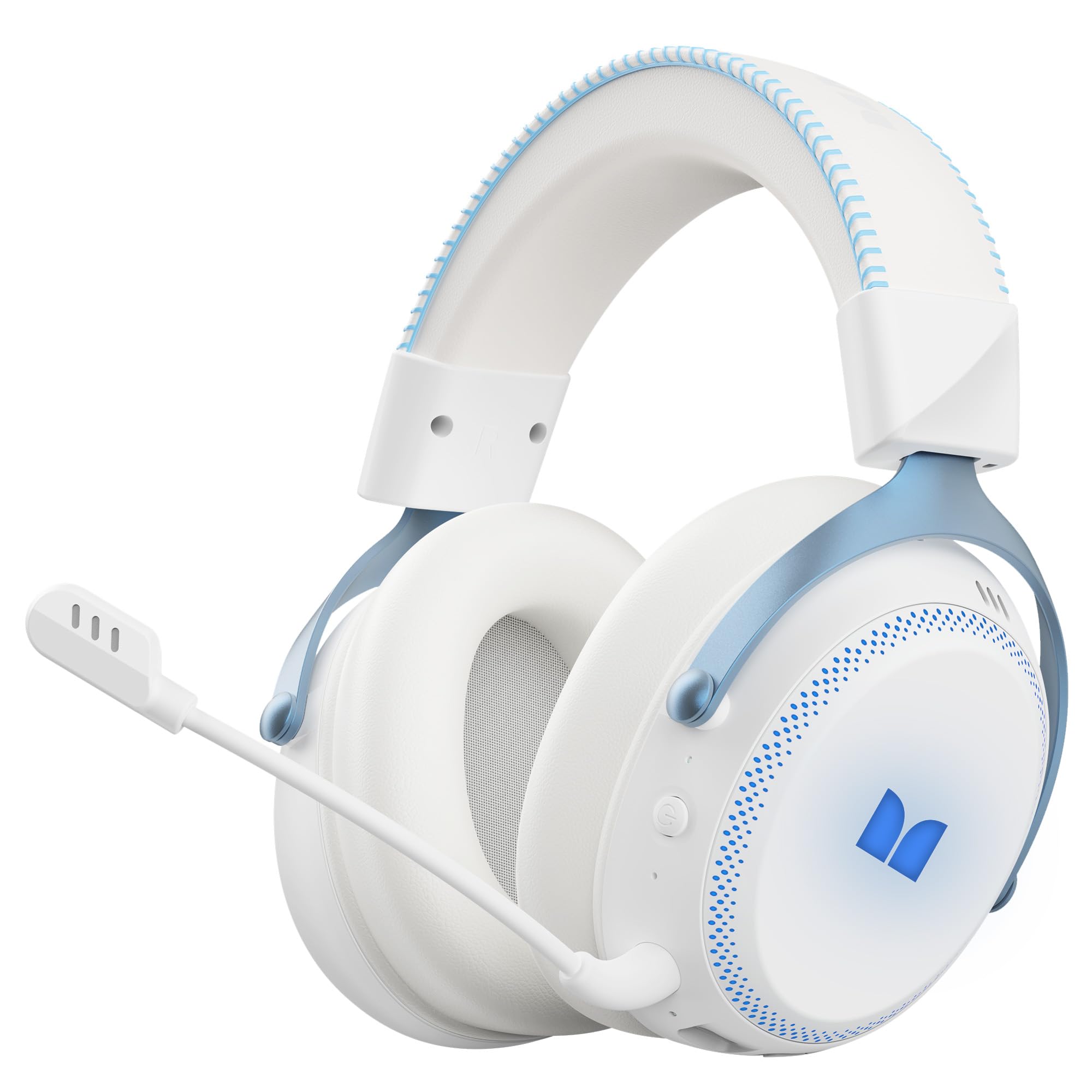
Figear 1.1: The Monster Mission 350 headset providing 7.1 surround sound, allowing users to pinpoint audio cues like gunshots, explosions, vehicle sounds, and enemy footsteps for an immersive gaming experience.
2. Pasgan-susbaint
Thoir sùil air a’ phacaid airson nan nithean a leanas:
- Monster Mission 350 Wireless Gaming Headset x1
- 2.4GHz USB Wireless Dongle x1
- Detachable Microphone x1
- Càball Cìsean USB x1
- Càball claisneachd 3.5mm x1
- Leabhar-làimhe cleachdaiche x1
3. Toradh thallview
Familiarize yourself with the components and controls of your Monster Mission 350 headset.
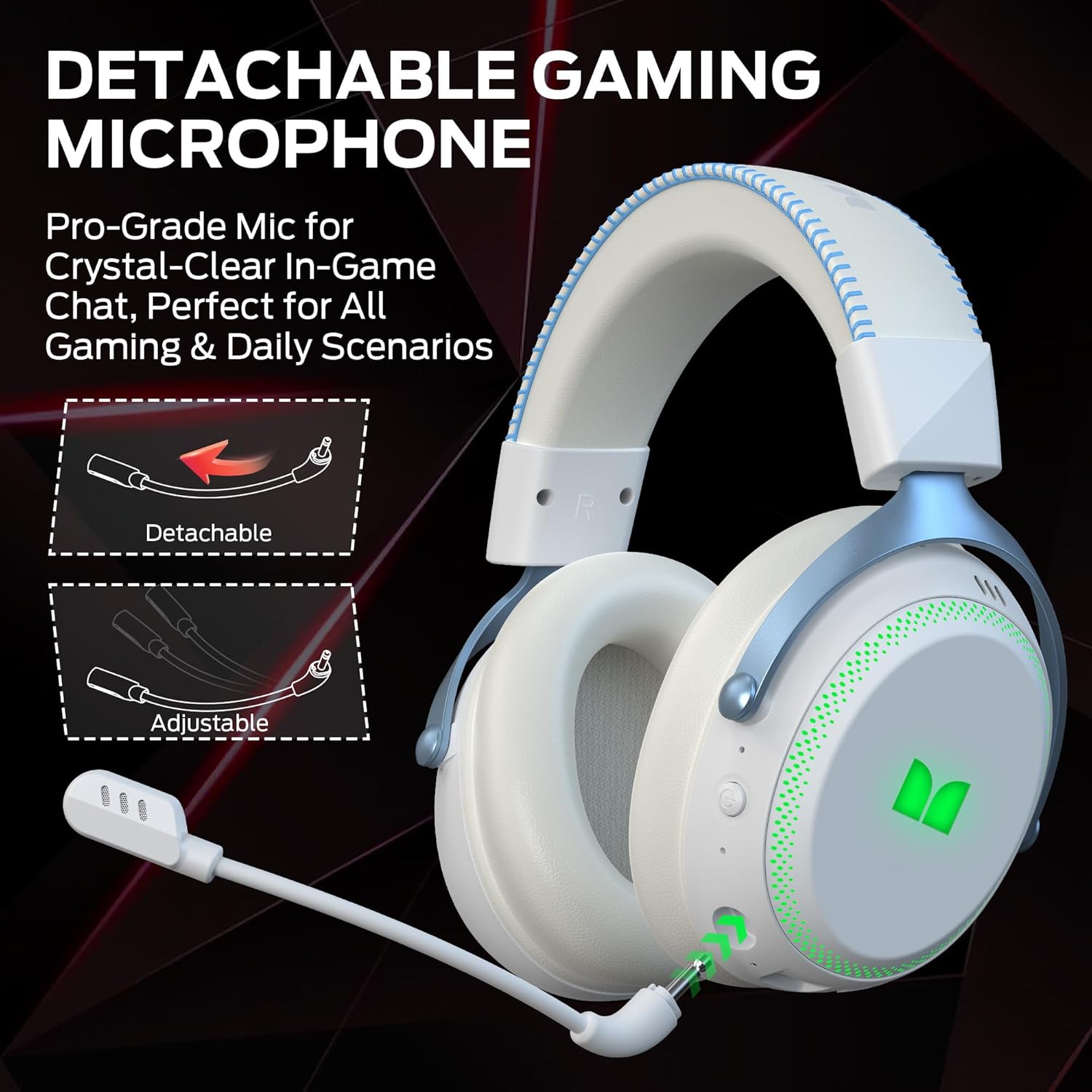
Figear 3.1: The headset features a detachable and adjustable gaming microphone, designed for clear in-game communication and versatile use in various scenarios.

Figear 3.2: The headset includes customizable RGB lighting effects on the earcups, allowing users to personalize their gaming setup and enhance the aesthetic appeal.
Headset Controls (Refer to diagram in physical manual for exact placement)
- Putan Cumhachd: Brùth agus cum gus cumhachd air / dheth.
- Cuibhle Tomhais: Atharraichidh seo ìre toraidh claisneachd.
- Putan Mute Micreofon: Cuiridh seo am micreofon air/dheth.
- Putan Solais RGB: Cycles through lighting modes or turns RGB off.
- Jack claisneachd 3.5mm: Airson ceangal uèirleasach.
- Port cosgais USB-C: Airson headset luchdadh a-nuas.
4. Suidhich
4.1. A 'cur cosgais air an Headset
Before first use, fully charge the headset. Connect the USB charging cable to the headset's USB-C port and the other end to a USB power source (e.g., computer, wall adapter). The charging indicator light will show charging status and turn off or change color when fully charged. A full charge takes approximately 2 hours.
4.2. A’ ceangal tro lìonra gun uèir 2.4GHz
This method provides a low-latency connection ideal for gaming.
- Insert the 2.4GHz USB wireless dongle into an available USB port on your gaming console, desktop, or laptop.
- Power on the Monster Mission 350 headset.
- The headset should automatically connect to the dongle. A status indicator light on the headset will confirm the connection.
- Adjust audio settings on your device to ensure the headset is selected as the input and output device.
4.3. A 'ceangal tro Bluetooth
Use Bluetooth for connecting to mobile devices, tablets, or other Bluetooth-enabled devices.
- Power on the Monster Mission 350 headset.
- Press and hold the Bluetooth pairing button (refer to physical manual for location) until the indicator light flashes, indicating pairing mode.
- On your device, go to Bluetooth settings and search for "Monster Mission 350".
- Select the headset to pair. The indicator light on the headset will become solid when connected.
4.4. Connecting via 3.5mm Audio Cable
For wired connections to devices with a 3.5mm audio jack, or when the battery is depleted.
- Ceangail aon cheann den chàball claisneachd 3.5mm ri seacaid claisneachd 3.5mm an headset.
- Ceangail an ceann eile ris an toradh claisneachd 3.5mm air an inneal agad.
- The headset will operate in passive mode, and power is not required for audio playback.

Figear 4.1: The Monster Mission 350 supports dual audio connections, featuring Bluetooth 6.0 for mobile devices and a dedicated 2.4GHz wireless dongle for low-latency gaming on compatible platforms.
5. Stiùireadh Obrachaidh
5.1. Cumhachd air / dheth
Press and hold the Power button for approximately 3 seconds to turn the headset on or off. An audible prompt or indicator light will confirm the status.
5.2. Smachd tomhas-lìonaidh
Rotate the Volume wheel located on the earcup to increase or decrease the audio volume.
5.3. Cleachdadh microfòn
Attach the detachable microphone to the designated port on the headset. Press the Microphone Mute button to toggle the microphone on or off. The microphone can be adjusted for optimal positioning.
5.4. Smachd Solais RGB
Press the RGB Lighting button to cycle through different lighting effects or to turn the RGB lighting off. This feature allows for customization of the headset's appearance.
5.5. Battery Life and Indicators
The headset provides approximately 70 hours of battery life for general use, or 45 hours with RGB lights continuously on. A low battery indicator will alert you when charging is required.

Figear 5.1: The Monster Mission 350 headset offers extended battery performance, with a 2-hour charge providing up to 90 hours of gaming, 45 hours with RGB lights active, or 70 hours for calls.
6. Cumail suas agus Cùram
Nì cùram ceart cinnteach gum mair do chluas-cinn fad-beatha agus gum bi iad ag obair gu math.
- Glanadh: Cleachd clò bog, tioram airson na cluasan-cluaise a ghlanadh. Airson cluasan-cluaise, sguab gu socair le clò beagan tioram.amp clò ma tha sin riatanach, agus leig leis tiormachadh gu tur san adhar mus cleachd thu e. Seachain ceimigean cruaidh no stuthan sgrìobach.
- Stòradh: Stòraich na headset ann an àite fionnar, tioram air falbh bho sholas dìreach na grèine agus teòthachd anabarrach.
- Seasmhachd uisge: The headset is chan eil dìonach-uisge. Seachain conaltradh ri lionntan.
- Cùram Bataraidh: To maintain battery health, avoid fully discharging the battery frequently. Charge the headset regularly, even if not in use for extended periods.

Figear 6.1: The Monster Mission 350 headset is designed for all-day comfort, featuring comfortable memory foam earcups, an adjustable headband, and soft, breathable earpads to reduce fatigue during extended use.
7. A ’dèanamh trioblaid
If you encounter issues with your Monster Mission 350 headset, refer to the following common problems and solutions:
| Trioblaid | Fuasgladh comasach |
|---|---|
| Chan eil an headset a’ dol air. | Ensure the headset is fully charged. Press and hold the Power button for 3-5 seconds. |
| Gun fhuaim no meud ìosal. | Check headset volume wheel. Verify device's audio output settings. Ensure headset is properly connected (2.4GHz dongle, Bluetooth, or 3.5mm cable). |
| Microphone nach eil ag obair. | Ensure microphone is securely attached and not muted. Check device's input settings to confirm the headset microphone is selected. |
| Chan urrainnear ceangal a dhèanamh tro lìonra gun uèir 2.4GHz. | Ensure the USB dongle is fully inserted. Try a different USB port. Power cycle both the headset and the device. |
| Chan urrainnear paidhir a dhèanamh tro Bluetooth. | Ensure headset is in pairing mode. Turn off and on Bluetooth on your device. Forget the device from your Bluetooth list and try pairing again. |
| Chan eil solais RGB ag obair. | Press the RGB Lighting button to cycle through modes. Ensure the headset has sufficient battery charge. |
8. Sònrachaidhean
Detailed technical specifications for the Monster Mission 350 Wireless Gaming Headset:
| Feart | Mion-fhiosrachadh |
|---|---|
| Modail Àireamh | Monster Mission 350 |
| Teicneòlas ceangail | 2.4GHz Wireless, Bluetooth 6.0, 3.5mm Jack |
| Raon gun uèir | Up to 33 Feet (Bluetooth) |
| Meud driver fuaim | Dràibhear Dynamic 55 mm |
| bacadh | 32 Ach |
| Cugallachd | 120 dB |
| Suidheachadh cluais | Thar Cluas |
| Stuth cuairteachaidh | Leathar (cluais-phlàtaichean) |
| Beatha bataraidh | Up to 70 Hours (general use), 45 Hours (with RGB lights on) |
| Ùine cosgais bataraidh | Mu 2 uair a thìde |
| Seòrsa smachd | Button Control (Push Button, Siri compatible) |
| Innealan co-fhreagarrach | Gaming Consoles, Desktops, Tablets, Laptops, Cellphones |
| Cuideam nì | 0.54 cileagram |
| Ìre an aghaidh uisge | Gun a bhith an aghaidh uisge |

Figear 8.1: The Monster Mission 350 headset is equipped with a 55mm dynamic driver, engineered to deliver clear and powerful audio performance for gaming and multimedia.
9. Fiosrachadh Barantais
The Monster Mission 350 Wireless Gaming Headset comes with a Barantas 3 mìosan bho cheann-latha a’ cheannaich. Tha am barantas seo a’ còmhdach lochdan saothrachaidh fo chleachdadh àbhaisteach. Chan eil e a’ còmhdach milleadh air adhbhrachadh le droch chleachdadh, tubaistean, atharrachaidhean gun chead, no caitheamh is deòir àbhaisteach. Feuch an glèidh thu dearbhadh do cheannach airson tagraidhean barantais.
10. Taic teachdaiche
For further assistance, technical support, or warranty inquiries, please refer to the contact information provided with your product packaging or visit the official Monster website. When contacting support, please have your product model number (Monster Mission 350) and proof of purchase readily available.