
Ro-ràdh
Thank you for choosing the Cillso Smartwatch. This manual provides detailed instructions on how to set up, operate, and maintain your device. This smartwatch features a 1.95-inch HD display, Bluetooth calling capabilities, IP68 water resistance, comprehensive health monitoring including SpO2 and sleep tracking, over 100 sports modes, and integrated Alexa for voice control. Please read this manual carefully to ensure optimal performance and longevity of your smartwatch.
Suidhich
1. A’ cur cosgais air an uaireadair-smart
Before initial use, fully charge your smartwatch. Connect the provided charging cable to the charging port on the back of the watch and to a standard USB power adapter (not included). A full charge typically takes approximately 2 uairean. The watch has a Bataraidh 300mAh, a' solarachadh 5-7 days of normal use agus suas ri 30 latha de ùine feitheimh.

Image: The smartwatch display indicating a 1.95-inch screen, 2 hours charging time, 5-7 days normal use, 30 days standby time, and a 300mAh battery capacity.
2. Stàladh is Paidhreachadh Aplacaidean
- Luchdaich sìos an App: Scan the QR code in the quick start guide or search for the companion app (e.g., 'GloryFit' as suggested by watch dial image) in your smartphone's app store (Android or iOS).
- Clàraich/Log a-steach: Lean an stiùireadh air-sgrion gus cunntas a chruthachadh no log a-steach.
- Paidhir an Smartwatch: Ensure Bluetooth is enabled on your smartphone. Open the app, navigate to the device section, and select 'Add Device'. Choose your Cillso Smartwatch from the list of available devices. Confirm the pairing request on both your phone and the smartwatch.
Stiùireadh Obrachaidh
1. Seòladh Bunaiteach
- Sgrion-touch: Sguab suas, sìos, clì no deas gus seòladh tro chlàran-taice agus fiosan. Tap gus nithean a thaghadh.
- Putan Taobh: Press the side button to return to the home screen or to wake up the display.
2. Gairm Bluetooth
Tha an smartwatch a’ toirt taic Bluetooth 5.3 calling, allowing you to make and receive calls directly from your wrist when connected to your smartphone. It features a micreofon togte and supports clàran fòn agus suas ri 100 fios.
- A' freagairt ghairmean: When an incoming call notification appears, tap the green phone icon to answer.
- A ’diùltadh gairmean: Tap the red phone icon to reject an incoming call.
- A’ dèanamh gairmean: Access the dial pad or contact list on your smartwatch to initiate a call.
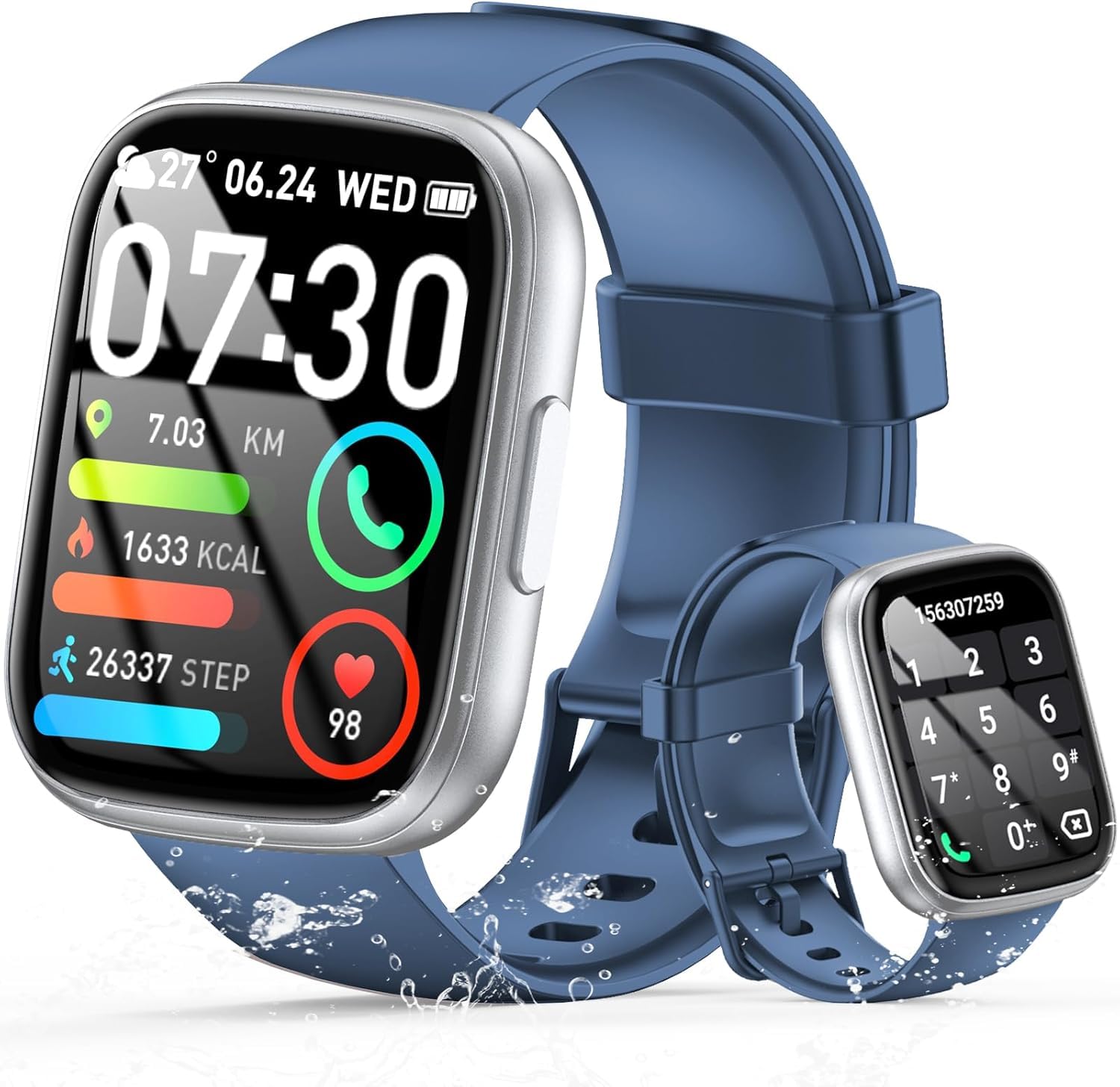
Image: The smartwatch displaying an incoming call, along with icons for built-in mic, Hi-Fi Spectra, call records, and 100 contacts. Examples of dial pad and contact list are also shown.
3. Sgrùdadh Slàinte
The smartwatch provides continuous health monitoring features to help you track your well-being.
- Sgrùdadh Ìre Cridhe: The watch continuously monitors your heart rate throughout the day. View your heart rate data on the watch or in the app.
- Sgrùdadh ocsaidean fala (SpO2): Tomhais ìrean sùghaidh ocsaidean san fhuil agad.
- Sgrùdadh cadail: Tracks your sleep patterns, including deep sleep, light sleep, and wake times, to provide insights into your sleep quality.

Image: Visual representation of heart rate, blood oxygen (SpO2), and sleep monitoring graphs and data on the smartwatch and a person sleeping while wearing the watch.
4. Modhan Spòrs
Tha an smartwatch a’ toirt taic over 100 sports modes to accurately track your workouts. Common modes include running, basketball, climbing, skipping, swimming, and badminton. It tracks metrics such as steps, distance, calories burned, and exercise duration.

Image: A person cycling with the smartwatch, illustrating various sports modes like running, basketball, climbing, skipping, swimming, and badminton. Also shows tracking for steps, distance, and calories.
5. Amalachadh Alexa
Le Alexa integrated, you can use voice commands to control music playback, check weather, set alarms, and more directly from your smartwatch.
6. Personalized Watch Dials
Customize your smartwatch with over 200 stylish watch faces available through the companion app. You can also upload your favorite photos to create personalized watch dials. The display features wide color gamut, AM LED technology, and color accuracy.

Ìomhaigh: An taisbeanadh smartwatchasing multiple personalized watch dial options, highlighting wide color gamut, AM LED, and color accuracy features.
7. Multifunctional Features
- Smachd Ciùil: Cluich, stad, leum slighean, agus atharraich meud a’ chiùil a tha a’ cluich air an fhòn-smart ceangailte agad.
- Smachd camara: Remotely control your smartphone's camera to frame, focus, and snap photos or start/stop video recording.
- Cloc rabhaidh: Suidhich innealan-rabhaidh gus do dhùsgadh no gus tachartasan cudromach a chuir nad chuimhne.
- Feartan Eile: Includes weather forecasts, stopwatch, timer, and more.

Image: The smartwatch displaying interfaces for music control, remote camera control, and alarm clock settings, along with icons for other features like temperature, weather, and microphone.
Cumail suas
1. Glanadh
Sguab an uaireadair smart gu cunbhalach le clò bog, tioram. Airson salachar stòlda, cleachd clò beagan tioram.amp clò agus an uair sin tiormaich gu mionaideach. Seachain ceimigean cruaidh no stuthan sgrìobach a chleachdadh.
2. Seasmhachd Uisge (IP68)
The Cillso Smartwatch is IP68 uisge-dhìonach, meaning it is protected against dust ingress and can withstand immersion in water up to 1.5 meters for up to 30 minutes. It is suitable for daily use, hand washing, and light rain. However, it is not recommended for hot showers, saunas, or diving, as steam and high water pressure can compromise the seal.
3. Cùram Bataraidh
- Seachain teòthachd anabarrach, a dh’ fhaodadh beatha bataraidh a mhilleadh.
- Cuir làn-chosgais air an inneal mus bi thu neo-ghnìomhach airson ùine mhòr.
- Cleachd dìreach an càball cosgais a chaidh a thoirt seachad.
Fuasgladh thrioblaidean
- Uaireadair nach eil a’ tionndadh air: Dèan cinnteach gu bheil an uaireadair làn-luchdaichte. Ceangail e ris an charger airson co-dhiù 30 mionaid.
- Chan urrainnear paidhir a dhèanamh leis a’ fòn: Dèan cinnteach gu bheil Bluetooth air a chomasachadh air an fhòn agad agus gu bheil an uaireadair taobh a-staigh ruigsinneachd. Ath-thòisich an dà inneal agus feuch ri paidhreachadh a-rithist tron aplacaid.
- Dàta slàinte neo-mhearachdach: Dèan cinnteach gu bheil an uaireadair air a chaitheamh gu teann air do chaol-dùirn, gun a bhith ro theann no ro sgaoilte. Glan na mothachairean gu cunbhalach.
- Fiosan nach deach fhaighinn: Check app permissions on your phone to ensure the companion app has access to notifications. Verify that notifications are enabled within the app settings.
- Chan eil Alexa a’ freagairt: Ensure the watch is connected to your phone and has an active internet connection. Check Alexa settings within the companion app.
Sònrachaidhean
| Modail Àireamh | B0GQGYDJS7 |
| Brand | Cillso |
| Meud sgrion | 1.95 òirlich |
| Teicneòlas ceangail | Bluetooth 5.3 |
| Ìre an aghaidh uisge | IP68 |
| Comas Bataraidh | 300 mAh (Lithium-polymer) |
| Ùine cosgais | Mu thuairmeas. 2 uairean |
| Beatha Bataraidh Cleachdaidh Àbhaisteach | 7-10 làithean |
| Am Fuireach | Suas gu 30 latha |
| Comas stòraidh cuimhne | 1 GB |
| Cur a-steach eadar-aghaidh daonna | Micreofon, Sgrion-suathaidh |
| Co-phàirtean air an toirt a-steach | Càball cosgais |
Barantas agus Taic
Warranty information for your Cillso Smartwatch is typically provided with your purchase documentation. Please refer to those materials for details regarding warranty coverage and terms. For technical support, product inquiries, or assistance with troubleshooting beyond this manual, please contact Cillso customer service through the contact information provided with your product or on the official Cillso weblàrach.