
Ro-ràdh
This manual provides detailed instructions for the operation and maintenance of your PUSOKEI MP3 Player. Please read this manual thoroughly before using the device to ensure proper functionality and to maximize your user experience. Keep this manual for future reference.
Susbaint pacaid
Dèan cinnteach gu bheil na nithean gu lèir a tha air an liostadh gu h-ìosal air an toirt a-steach don phacaid agad:
- 1 x PUSOKEI MP3 Player
- 1 x càball USB
- 1 Paidhir de chluas-cinn
- 1 x còmhdach dìon
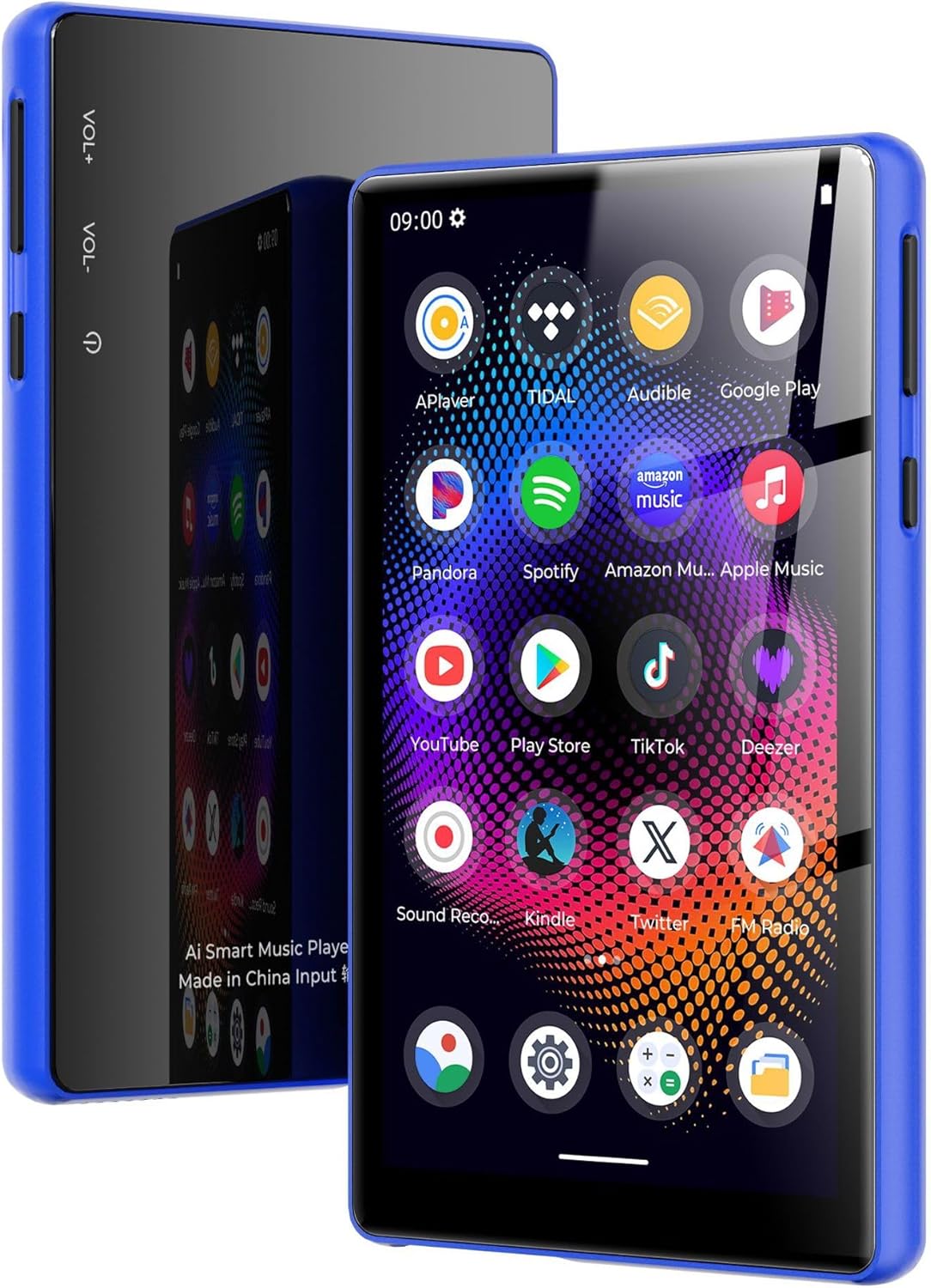
Image: PUSOKEI MP3 Player with its included accessories: USB cable, headphones, and protective cover.
Bathar seachadview
The PUSOKEI MP3 Player features a 5.0-inch full touchscreen, an 8-core processor, 4GB RAM, and 64GB internal storage, expandable up to 256GB with a microSD card. It supports Bluetooth 5.0 and dual-band Wi-Fi (2.4G/5G) for versatile connectivity.

Image: The PUSOKEI MP3 Player shown in different lifestyle settings, highlighting its portability and versatility for music and entertainment.

Ìomhaigh: Mion-fhiosrachadh view of the device's 5-inch full touchscreen, emphasizing its high-definition display for an immersive viewann an eòlas.
Suidhich
1. A 'cur cosgais air an inneal
Before first use, fully charge the MP3 player. Connect the provided USB cable to the device's charging port and the other end to a USB power adapter (not included) or a computer's USB port. The charging indicator will show the charging status.

Image: An illustration depicting the 2500mAh battery capacity and estimated usage times for music and video playback, as well as standby time.
2. Cumhachd air / dheth
- Gus cumhachd a thoirt air: Brùth is cum sìos am putan Cumhachd (mar as trice air an taobh) gus an las an scrion suas.
- Gus cumhachd a thoirt dheth: Press and hold the Power button, then select "Power Off" from the options that appear on the screen.
- Gus ath-thòiseachadh: Brùth is cum sìos am putan Cumhachd, agus an uair sin tagh “Ath-thòisich” bho na roghainnean.
3. Rèiteachadh Tòiseachaidh
Nuair a chuireas tu an inneal air an toiseach, lean na stiùiridhean air an sgrion gus an inneal agad a stèidheachadh:
- Tagh an cànan as fheàrr leat.
- Connect to a Wi-Fi network (if available) to access online features and app downloads.
- Suidhich ceann-latha agus àm.
4. A ’gluasad Files
Gus ceòl, bhideothan no rudan eile a ghluasad filebhon choimpiutair agad chun chluicheadair MP3:
- Ceangail an cluicheadair MP3 ris a 'choimpiutair agad a' cleachdadh a 'chàball USB a chaidh a thoirt seachad.
- On your computer, the device should appear as a removable storage drive.
- Open the device's storage and drag-and-drop your desired files into the appropriate folders (e.g., "Music", "Videos").
- Tilg an inneal a-mach às a’ choimpiutair agad gu sàbhailte mus dì-cheangail thu an càball USB.
5. Inserting/Removing a MicroSD Card
The device supports microSD cards up to 256GB for expanded storage.
- Gus cuir a-steach: Locate the microSD card slot. Gently push the card into the slot until it clicks into place.
- Gus a thoirt air falbh: Gently push the inserted microSD card until it springs out, then pull it out.
Stiùireadh Obrachaidh
1. Seòladh Bunaiteach
The device operates using a full touchscreen interface. Swipe left/right/up/down to navigate between screens and menus. Tap icons to open applications or select options.
2. Cluich Ciùil
Open the "Music" application. You can browse your music by artist, album, song, or playlist. The player supports various audio formats including WAV, MP3, MP2, AAC, APE, FLAC, WMA.

Image: The MP3 player screen showing a vibrant music playback interface, indicating support for various audio formats and online/offline listening.
3. Video Playback
Access the "Video" application to play stored video files. The device supports 720p or 1080p resolution and formats such as RM, AVI, 3GP, FLV, MP4, DAT, MKV, MPG, MOV, TS without conversion.

Image: The MP3 player screen displaying a high-definition video of an astronaut, demonstrating its 1080P full touchscreen capabilities.
4. Ceangal Bluetooth
To connect to Bluetooth headphones, speakers, or car audio systems:
- Rach gu "Roghainnean" > "Bluetooth".
- Tionndaidh air Bluetooth.
- Dèan cinnteach gu bheil an goireas Bluetooth agad ann am modh paidhreachaidh.
- Tagh an goireas agad bhon liosta de dh’ innealan a tha rim faighinn airson paidhir.
The device features Bluetooth 5.0 with bidirectional transmit support.
5. Ceangal Wi-Fi
To connect to a Wi-Fi network for online services:
- Rach gu "Roghainnean" > "Lìonra is Eadar-lìon" > "Wi-Fi".
- Tionndaidh air Wi-Fi.
- Tagh an lìonra a tha thu ag iarraidh bhon liosta agus cuir a-steach am facal-faire ma thèid iarraidh ort.
The device supports dual-band Wi-Fi (2.4GHz and 5GHz).

Image: The MP3 player screen surrounded by icons representing wireless connectivity options like Bluetooth headphones, car audio, and Wi-Fi, emphasizing its wide connectivity.
6. Rèidio FM
To use the FM Radio function:
- Connect the headphones (they act as an antenna).
- Open the "FM Radio" application.
- Scan for available stations within the 87MHz-108MHz frequency range.

Image: The MP3 player screen showing the FM Radio interface tuned to 99.1, with visual representations of sound waves.
7. Leughadair leabhraichean-d
The device includes an e-book reader application. Supported formats include PDF, TXT, EPUB, FB2. Transfer your e-book files to the device and open them through the e-book app.
8. Using Pre-installed Applications
The MP3 player comes with pre-installed applications such as Spotify and Audible. Ensure you are connected to Wi-Fi to use these online services. You may need to log in to your existing accounts or create new ones.
Cumail suas
- Glanadh: Cleachd clò bog, tioram gus an sgrion agus corp an inneil a ghlanadh. Seachain a bhith a 'cleachdadh cheimigean cruaidh no stuthan sgrìobach.
- Cùram Bataraidh: To prolong battery life, avoid fully discharging the battery frequently. Charge the device regularly and store it in a cool, dry place when not in use for extended periods.
- Ùrachaidhean bathar-bog: Periodically check for system updates in the device's settings to ensure optimal performance and access to the latest features.
Fuasgladh thrioblaidean
If you encounter issues with your PUSOKEI MP3 Player, refer to the following common solutions:
- Cha tèid an inneal air: Ensure the battery is charged. Connect the device to a charger for at least 30 minutes before attempting to power it on again.
- Chan eil an sgrion a’ freagairt: Feuch ri an inneal ath-thòiseachadh le bhith a’ cumail a’ phutan cumhachd. Mura freagair e, leig leis a’ bhataraidh drèanadh gu tur agus an uairsin ath-lìon e.
- Chan urrainn ceangal ri Wi-Fi/Bluetooth: Ensure Wi-Fi/Bluetooth is enabled in settings. Check if other devices can connect to the network/accessory. Restart the MP3 player and the router/Bluetooth accessory.
- Gun fhuaim bho chluas-cinn: Check if headphones are properly plugged in. Ensure volume is not muted or too low. Test with different headphones if possible.
- Files not appearing: Dèan cinnteach files are transferred to the correct folders. Check file cruthan airson co-chòrdalachd.
- Device is slow or freezing: Close unnecessary background applications. Clear cache for frequently used apps. Consider a factory reset if issues persist (Note: A factory reset will erase all data on the device. Back up important files an toiseach.).
Sònrachaidhean
| Feart | Sònrachadh |
|---|---|
| Brand | PUSOKEI |
| Ainm Modail | PUSOKEI23zwimn9ak-14 |
| Siostam-obrachaidh | Android 11 |
| Prìomh chip | MTK MT6762 |
| Cuimhne (RAM) | 4 GB |
| Stòradh a-staigh | 64GB (with 128GB pre-installed memory card) |
| Stòradh a ghabhas leudachadh | A ’toirt taic do suas ri cairt MicroSD 256GB (gun a thoirt a-steach) |
| Meud sgrion | 5.0 òirlich |
| Fuasgladh sgrion | 720x1280 (supports 720p/1080p video playback) |
| Bataraidh | Bataraidh Li-ion 2500mAh |
| Tionndadh Bluetooth | 5.0 (bidirectional transmit) |
| Wi-Fi | 2.4G, 5G |
| FM Output Frequency | 87MHz-108MHz |
| Cruthan claisneachd | WAV, MP3, MP2, AAC, APE, FLAC, WMA |
| Cruthan bhidio | RM, AVI, 3GP, FLV, MP4, DAT, MKV, MPG, MOV, TS (third-party player) |
| Cruthan Dealbhan | JPG, BMP, GIF, PNG |
| Foirmean e-leabhraichean | PDF, TXT, EPUB, FB2 |
Barantas agus Taic
This PUSOKEI MP3 Player is covered by a manufacturer's warranty for 90 days from the date of purchase.
For technical support, warranty claims, or further assistance, please contact PUSOKEI customer service through the retailer's platform or the official PUSOKEI website. Please have your model number (PUSOKEI23zwimn9ak-14) and proof of purchase ready when contacting support.