
1. Ro-ràdh
This manual provides essential information for the proper setup, operation, and maintenance of your MESWAO 15.6-inch Android 14 Tablet (Model MES-B3). Please read this manual thoroughly before using the device to ensure optimal performance and longevity. Keep this manual for future reference.
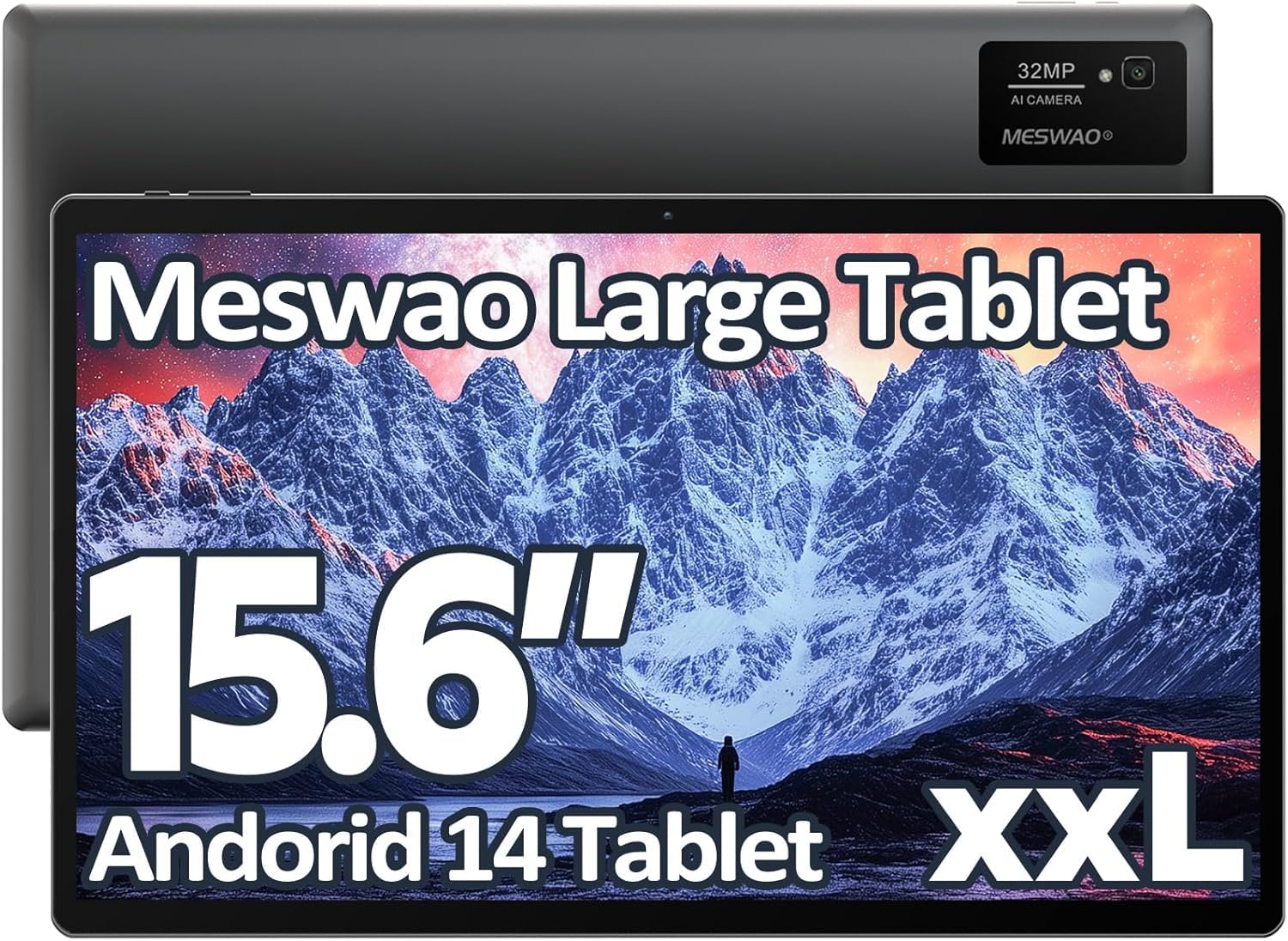
Image: The MESWAO 15.6-inch Android 14 Tablet, showcasinan taisbeanadh mòr agus an dealbhadh caol aige.
2. Suidhich
2.1 Fosgladh a’ bhogsa agus sgrùdadh tùsail
Carefully remove all components from the packaging. Verify that all items listed in the package contents are present and undamaged. If any items are missing or damaged, contact customer support immediately.
2.2 A’ cur cosgais air an tablaid
Before first use, fully charge the tablet. Connect the provided USB-C cable to the tablet's charging port and the other end to the power adapter. Plug the power adapter into a wall outlet. The charging indicator will illuminate. A full charge typically takes approximately 3 hours with the 30W fast charging capability.
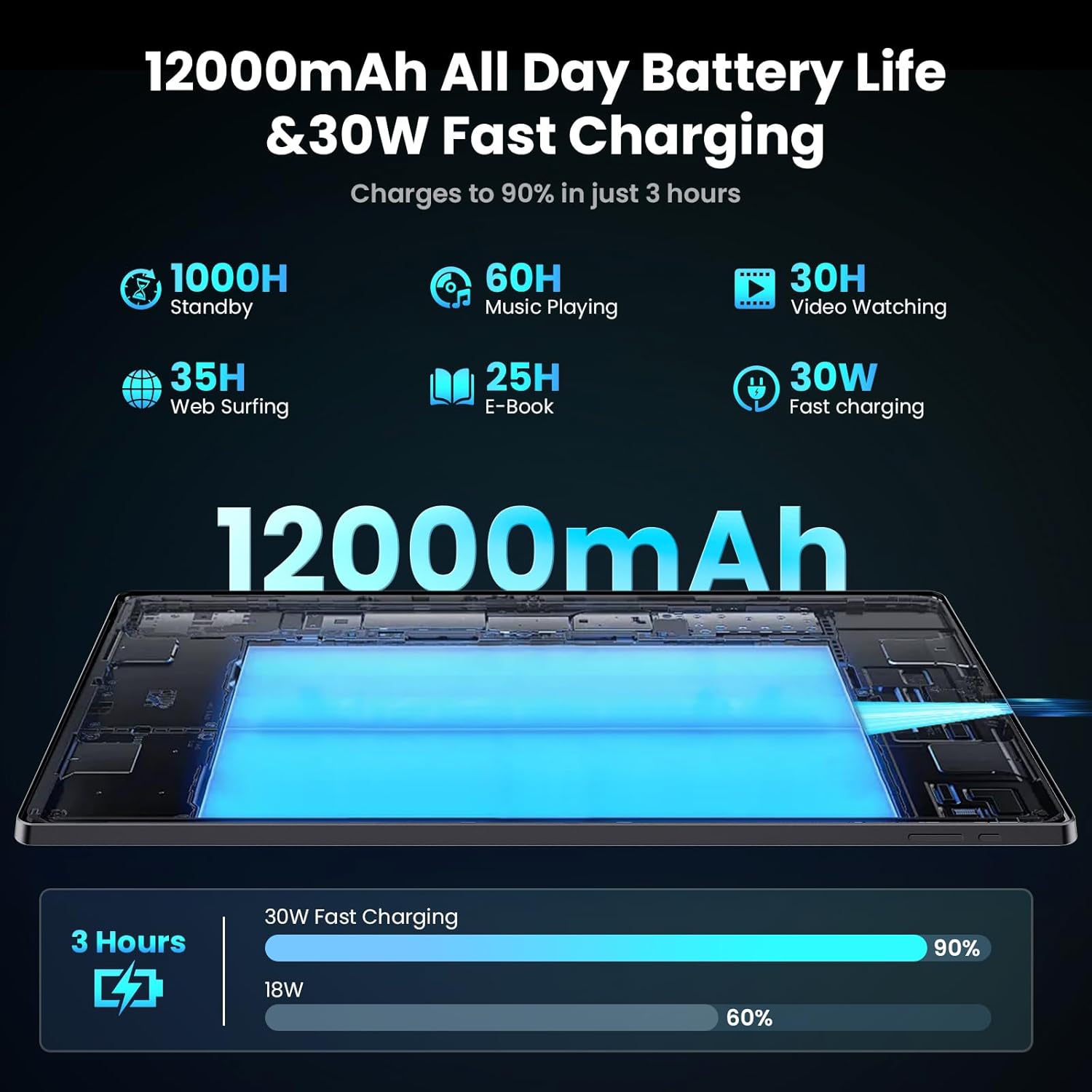
Image: Diagram illustrating the 12000mAh battery capacity and 30W fast charging feature, showing a charge to 90% in 3 hours.
2.3 A’ cur cumhachd air agus rèiteachadh tùsail
- Press and hold the Power button until the MESWAO logo appears.
- Lean na stiùiridhean air an sgrion gus do chànan agus roinn a thaghadh, agus ceangal ri lìonra Wi-Fi.
- Log a-steach leis a’ chunntas Google agad no cruthaich fear ùr gus faighinn gu Google Play Store agus seirbheisean eile.
- Complete any remaining setup steps, such as setting up a screen lock (PIN, pattern, or password) and reviewroghainnean prìobhaideachd.
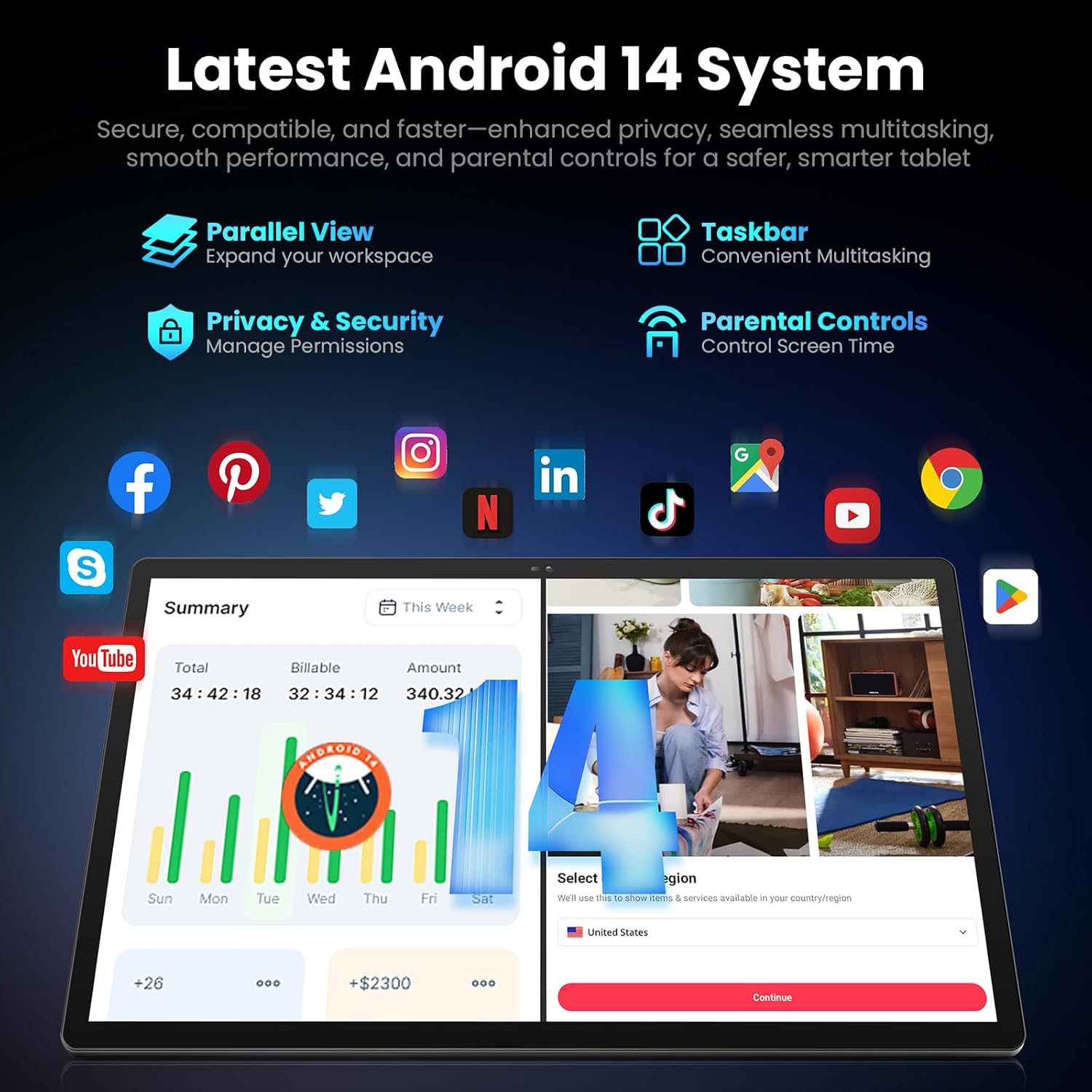
Image: Screenshot of the Android 14 system interface on the MESWAO tablet, highlighting features like Parallel View, Taskbar, Privacy & Security, and Parental Controls.
3. Stiùireadh Obrachaidh
3.1 Seòladh Bunaiteach
- Gluasadan suathaidh: Tap gus taghadh, swipe gus sgrolaich, prìne gus zoom.
- Sgrion Dachaigh: Faigh cothrom air aplacaidean, widgets, agus fiosan.
- Pannal Fiosrachaidh: Swipe sìos bho mhullach na sgrìn gu view fiosan agus roghainnean luath.
- Drathair an aplacaid: Swipe suas bho bhonn na sgrìn gus faighinn gu na h-aplacaidean stàlaichte uile.
3.2 Taisbeanadh agus Eòlas Lèirsinneach
The 15.6-inch Full HD (1920x1080) IPS display offers vivid colors and wide viewing angles. Adjust brightness and display settings in the Settings menu under "Display" for optimal viewing comfort. The large screen is ideal for multitasking and immersive media consumption.

Image: The MESWAO tablet displaying a high-definition image, emphasizing the 1920x1080P Full HD IPS display with eye protection features.
3.3 Coileanadh agus Stòradh
Equipped with an Octa-Core Helio G99 processor and Android 14, the tablet provides smooth performance for various applications. It includes 8GB RAM and 256GB internal storage, expandable up to 1TB via a TF (microSD) card. To insert a TF card, locate the card slot on the side of the tablet, open the tray, and carefully place the card into the designated slot before reinserting the tray.
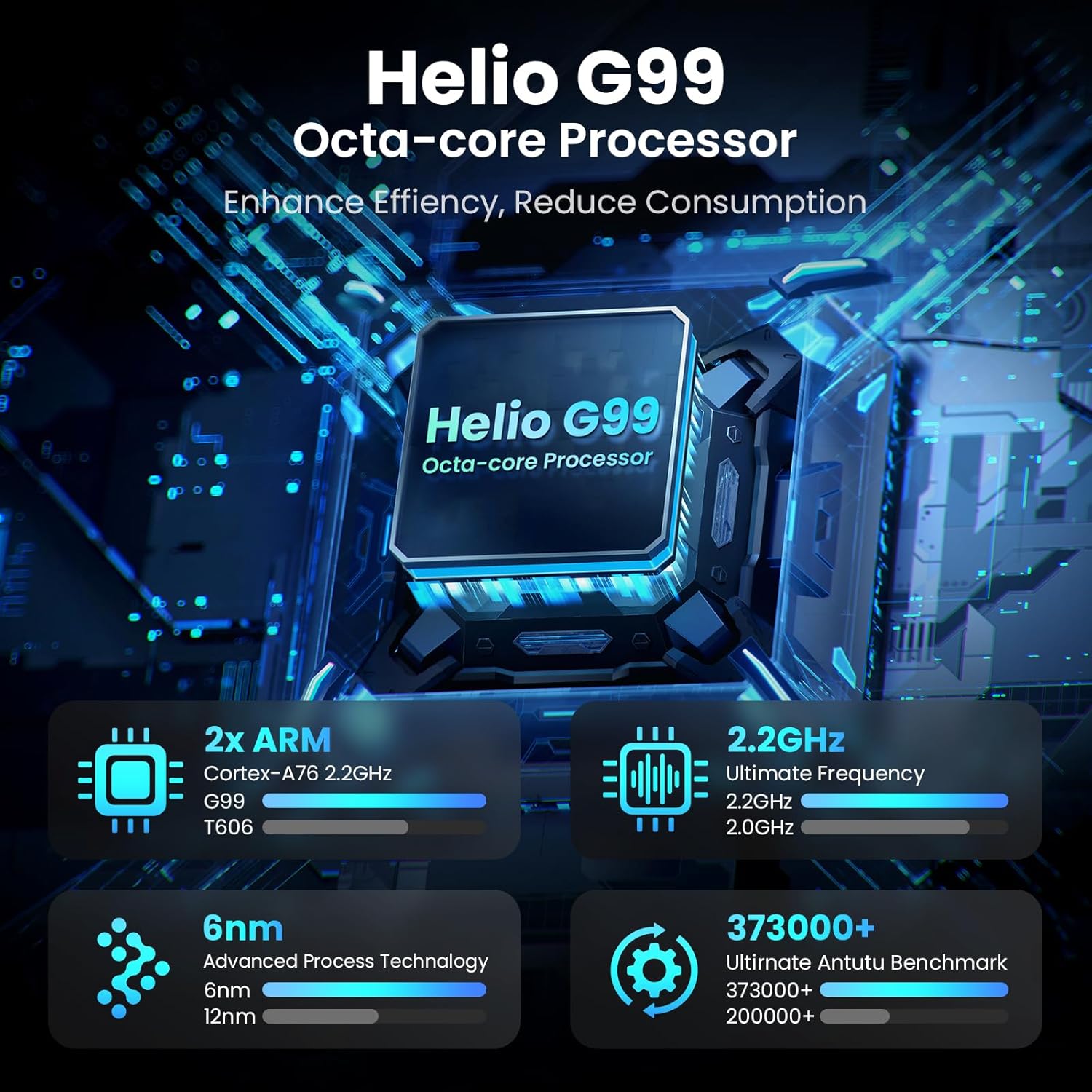
Image: Visual representation of the Helio G99 Octa-core Processor, detailing its architecture and performance metrics like 2.2GHz frequency and 6nm process technology.

Image: The MESWAO tablet screen showing multiple open applications and storage capacity details: 8GB RAM, 256GB ROM, and support for up to 1TB external storage.
3.4 Cleachdadh Camara
The tablet features a 32MP rear camera with flash and a 5MP front camera. Open the Camera application to capture photos, record videos, or engage in video calls. Ensure good lighting for best results.

Image: A visual demonstrating the MESWAO tablet's 5MP front camera and 32MP rear camera, showing a family photo being taken and a video call in progress.
3.5 Ceangalachd
The tablet supports dual-band Wi-Fi (2.4GHz & 5GHz) for stable internet connectivity. Bluetooth is also available for connecting wireless accessories. Access these settings via the Notification Panel or the main Settings app.
4. Cumail suas
4.1 Glanadh an Tablaid
Cleachd clò bog, gun lint gus an sgrion agus corp a’ chlàir-bhùird a ghlanadh. Airson smugaid stòlda, beagan dampnigh an clò le uisge no le fuasgladh glanaidh a tha sàbhailte airson sgrionaichean. Seachain ceimigean cruaidh no stuthan sgrìobach a chleachdadh.
4.2 Ùrachaidhean bathar-bog
Thoir sùil gu cunbhalach airson ùrachaidhean siostaim agus stàlaich iad gus dèanamh cinnteach gu bheil na feartan, na badan tèarainteachd agus na leasachaidhean coileanaidh as ùire aig an tablet agad. Rach gu Roghainnean > Siostam > Ùrachadh siostaim gus sùil a thoirt airson ùrachaidhean.
4.3 Cùram Bataraidh
- Seachain teòthachd anabarrach, oir faodaidh iad beatha bataraidh a mhilleadh.
- Na leig leis a’ bhataraidh drèanadh gu tur gu tric.
- Cleachd an charger a chaidh a thoirt seachad no charger co-chòrdail le teisteanas a-mhàin.
5. A ’dèanamh trioblaid
5.1 Clàr gun a bhith a’ tionndadh air
- Ensure the tablet is sufficiently charged. Connect it to the charger for at least 30 minutes before attempting to power on again.
- Brùth is cum sìos am putan Cumhachd airson 10-15 diogan gus ath-thòiseachadh èignichte a dhèanamh.
5.2 Cùisean Ceangail Wi-Fi
- Check if Wi-Fi is enabled in the Quick Settings or Settings menu.
- Ath-thòisich an router Wi-Fi agad agus an tablet.
- Dìochuimhnich an lìonra ann an roghainnean Wi-Fi agus ceangail a-rithist.
- Dèan cinnteach gu bheil thu taobh a-staigh ruigsinneachd comharra Wi-Fi.
5.3 Coileanadh Mall
- Dùin tagraidhean cùl-fhiosrachaidh neo-riatanach.
- Clear cache data for frequently used apps (Roghainnean > Aplacaidean > [Ainm an Aplacaid] > Stòradh is tasgadan > Glan tasgadan).
- Ensure sufficient free storage space. Delete unused files no aplacaidean.
- Ath-thòisich an tablet bho àm gu àm.
5.4 Sgrion Neo-fhreagairteach
- Perform a forced restart (hold Power button for 10-15 seconds).
- Dèan cinnteach gu bheil an sgrion glan agus saor bho taiseachd no sprùilleach.
6. Sònrachaidhean
| Feart | Mion-fhiosrachadh |
|---|---|
| Ainm Modail | MES-B3 |
| Meud taisbeanaidh | 15.6 òirlich |
| Fuasgladh sgrion as àirde | 1920 x 1080 Pixels (Full HD IPS) |
| Siostam-obrachaidh | Android 14 |
| Pròiseasar | Octa-Core Helio G99 (up to 2.2 GHz) |
| RAM | 8 GB |
| Stòradh a-staigh (ROM) | 256 GB |
| Stòradh a ghabhas leudachadh | Suas ri 1TB (Cairt TF) |
| Comas Bataraidh | 12000 mAh |
| A 'cur cosgais | 30W cosgais luath |
| Camara cùil | 32MP le Flash |
| Camara aghaidh | 5MP |
| Ceangalachd | Dual-band Wi-Fi (2.4GHz & 5GHz), Bluetooth |
| Meudan (LxWxH) | 14.53 x 8.78 x 0.43 òirleach |
| Cuideam nì | 3.84 not |
7. Barantas agus Taic
7.1 Fiosrachadh Barantais
MESWAO products are covered by a limited warranty. Please refer to the warranty card included in your product packaging for specific terms and conditions. Keep your proof of purchase for warranty claims.
7.2 Taic teachdaiche
For technical assistance, troubleshooting, or warranty inquiries, please contact MESWAO customer support. Contact information can typically be found on the official MESWAO weban làrach no air a’ chairt barantais.
Online resources such as FAQs and support forums may also be available on the MESWAO weblàrach.