
Bathar seachadview
The Baseus USB-C to USB-C cable is engineered for durability and high-performance charging. Crafted with reinforced connectors and a dual-layer design, it withstands bending and resists wear to prevent breakage, ensuring reliable daily use without compromising performance.
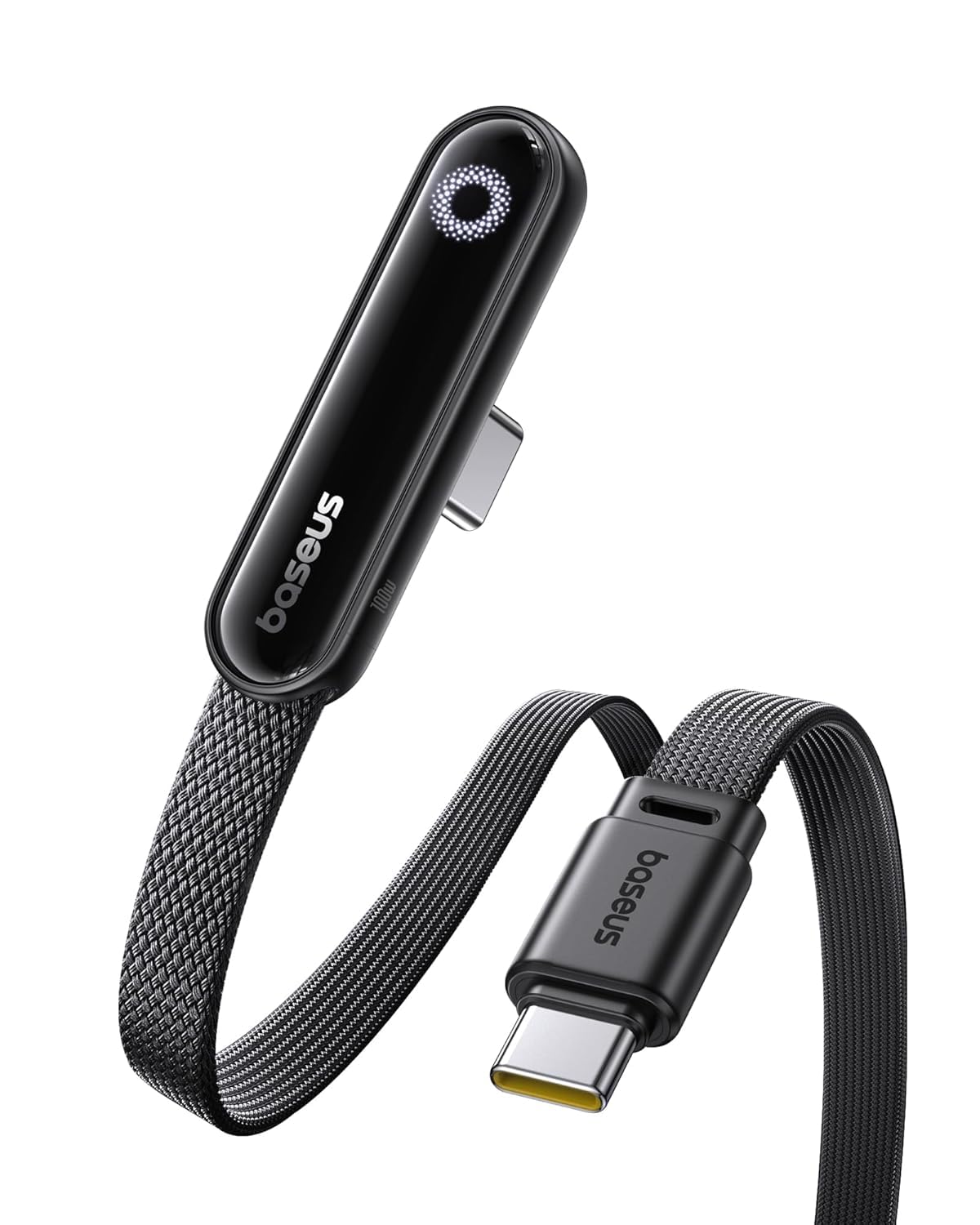
- LED Display Cable: Features a built-in E-Marker chip to support high power and current (20V/5A). The integrated LED module automatically identifies and displays the charging power required by different electronic devices.
- Secure 100W Fast Charging: Supports up to 100W fast charging, designed with reinforced copper cores and an intelligent E-Marker chip for safe, reliable power delivery. Enjoy faster, more efficient charging while protecting your device’s battery health.
- Air a thogail mu dheireadh: Constructed with reinforced connectors and a dual-layer design, this USB-C to USB-C cable is designed to endure daily use, resisting bending and wear.
- Co-fhreagarrachd farsaing: Compatible with most USB-C devices, including laptops, tablets, and smartphones, offering a versatile charging solution across various electronics.
Toiseach tòiseachaidh
Susbaint pacaid
- 1 x Baseus LED Display USB C Cable (6.6ft)
A ’ceangal an inneal agad
- Connect one end of the Baseus USB-C cable to a compatible USB-C power adapter (not included).
- Connect the other end of the cable to the USB-C charging port of your electronic device (e.g., laptop, tablet, smartphone).
- Once connected, the integrated LED display on the cable will illuminate, showing the real-time charging power (voltage agus gnàthach).
Stiùireadh Cleachdaidh
Taisbeanadh cumhachd LED
- The integrated LED screen provides real-time information on the charging voltage agus gnàthach.
- This display allows you to monitor the charging status and ensure your device is receiving optimal power.
Fastadh cosgais
- For optimal fast charging performance (up to 100W), ensure that both your power adapter and the connected device support the necessary fast charging protocols.
- The intelligent E-Marker chip within the cable automatically manages power delivery to match your device's requirements, ensuring safe and efficient charging.
Co-fhreagarrachd inneal
- This cable is designed for broad compatibility with a wide range of USB-C enabled devices, including various models of laptops, tablets, and smartphones.
Cùram is cumail suas
- Avoid extreme bending or sharp angles of the cable, especially near the connectors, to prevent internal wire damage.
- Keep the USB-C connectors clean and free from dust, lint, or debris, which can interfere with proper connection and charging.
- Glèidh an càball ann an àite fionnar, tioram nuair nach eilear ga chleachdadh gus a bheatha a leudachadh.
- Do not expose the cable to liquids, excessive moisture, or extreme temperatures.
Stiùireadh Troubleshooting
Inneal gun luchdachadh
- Ensure both ends of the USB-C cable are securely and fully inserted into the power adapter and your device.
- Verify that the power adapter is functional and properly plugged into a live electrical outlet.
- Check your device's USB-C port for any visible obstructions, dirt, or damage.
- If possible, test the cable with a different compatible power adapter and device to isolate the issue.
Cìsean slaodach
- Confirm that your power adapter supports the required wattage for fast charging (e.g., 100W) and that your device is also capable of receiving fast charging.
- Close any unnecessary background applications on your device to reduce power consumption during charging.
Taisbeanadh LED nach eil ag obair
- Ensure the cable is properly connected to both a power source and a device, and that charging is active. The LED display only shows power when current is flowing.
- If the cable is charging your device but the LED display remains off, please contact customer support for assistance.
Sònrachaidhean Bathar
| Seòrsa ceangail | Seòrsa C USB |
| Cumhachd cosgais | Suas gu 100W (20V / 5A) |
| Fad Càball | 6.6 troigh |
| Stuth | Zinc Alloy, Nylon Braided |
| Feartan sònraichte | LED Display, E-Marker Chip, Reinforced Connectors |
| Modail Àireamh | E0028Z |
| Dèanadair | Baseus |
| Meudan toraidh | 4.3 x 2.7 x 0.5 òirleach |
Barantas agus Taic Luchd-cleachdaidh
Fiosrachadh Barantais
This product includes 24-Hour Carefree Customer Service. For detailed warranty terms and conditions, please refer to the product packaging or visit the official Bùth Baseus.
Cuir fios gu neach-taic
For any inquiries, technical support, or assistance, please contact Baseus customer service through their official channels.