
1. Toradh thallview
The MiiCoffee PT2 is a portable electric burr coffee grinder designed for convenience and consistent grinding performance. Featuring a durable aluminum body and stainless steel conical burrs, it offers precise grind size adjustments for various brewing methods, from espresso to French press. Its USB-C rechargeable battery and auto-stop function enhance user experience.
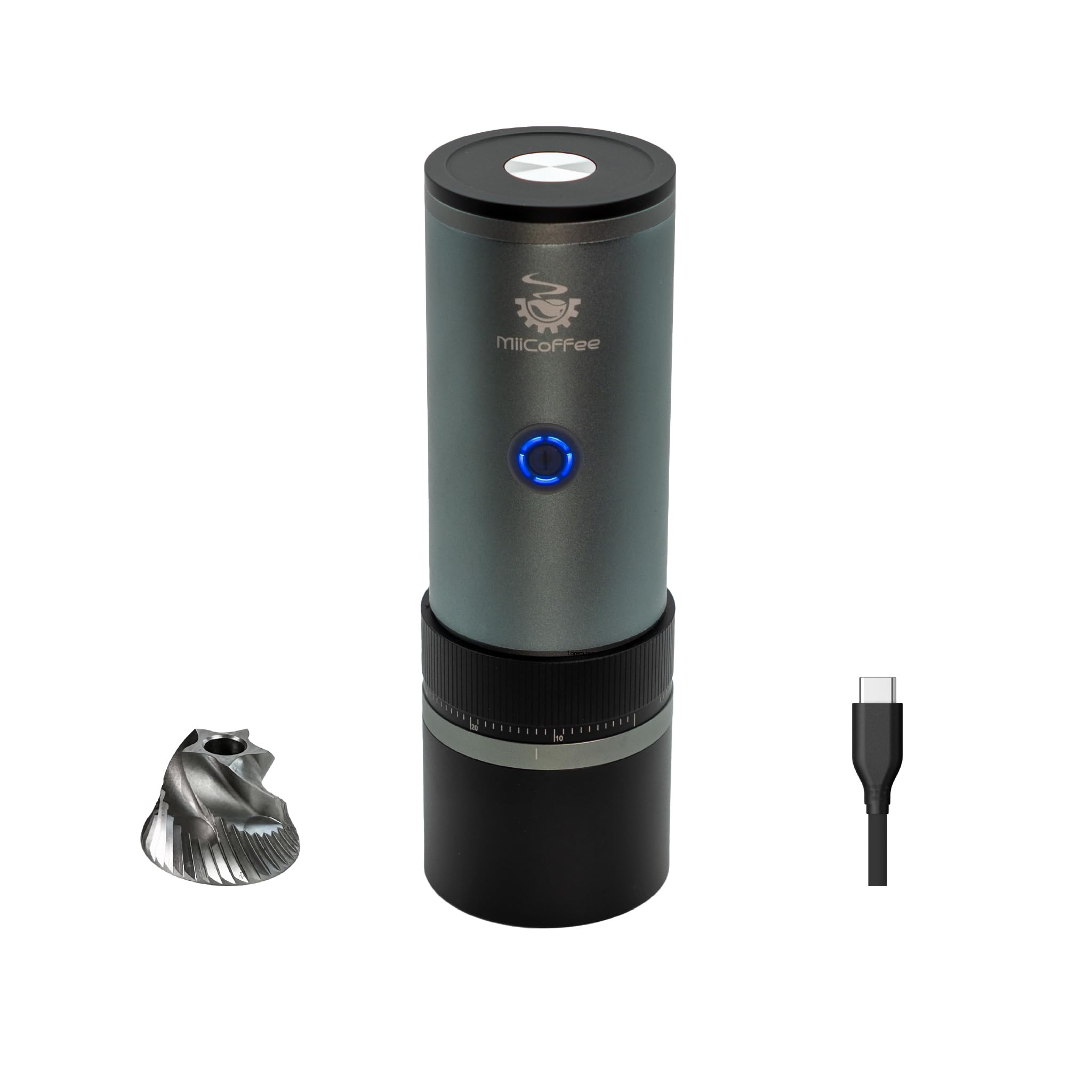
Image: MiiCoffee PT2 Portable Electric Burr Coffee Grinder in gray, showcasing an dealbhadh caol aige.
Prìomh fheartan:
- Togail meatailt: The body is made of aluminum, and burrs are stainless steel for enhanced durability.
- Stainless Steel Conical Burrs: Provides stable and uniform grinding, outlasting ceramic burrs.
- External 85 Clicks Adjustment Ring: Offers precise grind size control for espresso, pour-over, and French press.
- Stad fèin-ghluasadach: Automatically stops grinding once all beans are processed.
- Built-in 800mAh Battery & USB-C Charging: Supports 20 to 30 grinds per charge and fast USB-C charging.
- Furasta a ghlanadh: Designed for full disassembly for convenient cleaning, includes a cleaning brush.
2. Suidhich
2.1 Fosgladh a’ bhogsa agus sgrùdadh tùsail
Carefully remove all components from the packaging. Verify that all included items are present: MiiCoffee PT2 Portable Coffee Grinder, cleaning brush, and USB-C charging cable. Inspect the grinder for any visible damage.
2.2 A’ cur cosgais air a’ mhuileann
Before first use, fully charge the grinder. Connect the provided USB-C cable to the grinder's charging port and a compatible USB-C power adapter (not included). The built-in 800mAh battery supports most fast-charging USB-C chargers. The indicator light will show charging status.

Image: Close-up of the MiiCoffee PT2 showing the USB-C charging port.
2.3 Seanadh
The MiiCoffee PT2 features magnetic components for easy assembly and disassembly. The grinding chamber and grounds container attach magnetically to the main body. Ensure they are securely connected before use.

Image: The MiiCoffee PT2 disassembled, highlighting the magnetic jar and lid for easy attachment.
3. Stiùireadh Obrachaidh
3.1 A’ gleusadh meud bleith
The grinder features an external adjustment ring with 85 click settings. Rotate the ring to select your desired grind size. A finer grind is suitable for espresso, while coarser settings are for pour-over and French press.

Image: The MiiCoffee PT2 showing the external adjustment ring for precise grind settings.
3.2 A’ cur pònairean cofaidh ris
Remove the top lid and pour whole coffee beans into the hopper. The grinder has a capacity of 30 grams. Replace the lid securely.
3.3 A’ bleith cofaidh
Press the power button to start grinding. The grinder will automatically stop once all the beans have been ground, thanks to its auto-stop feature. This ensures efficient operation and prevents unnecessary battery drain.
Video: An official MiiCoffee video demonstrating the PT2 Portable Electric Burr Coffee Grinder in action, highlighting its features and ease of use.
4. Cumail suas agus Glanadh
Regular cleaning ensures optimal performance and extends the lifespan of your grinder.
4.1 Sgaoileadh airson Glanadh
The MiiCoffee PT2 can be fully disassembled for thorough cleaning. Gently separate the magnetic grounds container and the top lid from the main body. The burr set can also be accessed for cleaning.
4.2 Cleaning the Burrs and Components
Use the included cleaning brush to remove any residual coffee grounds from the burrs and internal components. Wipe down the exterior with a soft, damp aodach. Dèan cinnteach gu bheil na pàirtean uile gu tur tioram mus tèid an ath-chruinneachadh.

Dealbh: A view of the MiiCoffee PT2's stainless steel conical burrs, emphasizing their stability and uniform grinding capability.
5. A ’dèanamh trioblaid
- Chan eil an inneal-bleith a’ tòiseachadh: Dèan cinnteach gu bheil am bataraidh air a ghearradh. Brùth am putan cumhachd gu daingeann.
- Gràin neo-sheasmhach: Check that the burr set is clean and free of old coffee grounds. Ensure the grind adjustment ring is set correctly and securely.
- Stad an grinder gun dùil: The auto-stop feature activates when beans are fully ground. If it stops prematurely, check for blockages in the burr chamber or low battery.
- Cùisean cosgais: Ensure the USB-C cable is properly connected and the power adapter is functional.
6. Sònrachaidhean
| Feart | Mion-fhiosrachadh |
|---|---|
| Brand | MiiCafaidh |
| Modail | PT2 |
| Dath | Glas |
| Stuth | Aluminium |
| Seòrsa Burr | Burrs cianail de stàilinn gun staoin |
| Suidhich bleith | 85 Clicks (External Adjustment) |
| Comas Bean Hopper | 30 gram |
| Comas Bataraidh | 800 mAh |
| Port luchdadh a-nuas | USB-C |
| Cuideam nì | 0.89 cileagram |
| Meudan (L x W x H) | 2.5"F x 2.5"L x 7.5"À |
| Co-phàirtean air an toirt a-steach | Brush, Protection Bag & Manual, MiiCoffee PT2 Portable Coffee Grinder |

Image: Visual representation of the MiiCoffee PT2's dimensions and key features like all-metal construction, USB-C charging, and 85 size adjustments.
7. Barantas agus Taic
For product support, please contact MiiCoffee customer service. Information regarding product warranty and extended protection plans (such as 3-Year, 4-Year, or Complete Protect plans) can be found on the official MiiCoffee weblàrach-lìn no tron neach-reic agad.