
1. Ro-ràdh
This manual provides instructions for the installation, operation, and maintenance of your PUSOKEI 27-Inch Privacy Screen Filter. This product is designed to protect your digital privacy, reduce glare, block blue light, and safeguard your monitor from scratches.
2. Pasgan-susbaint
Mus tèid thu air adhart leis an stàladh, dèan cinnteach gu bheil na pàirtean uile an làthair sa phacaid agad:
- 1 x 27-Inch Computer Privacy Screen Filter
- 4 x Snap-on Accessories
- 1 x Aodach glanaidh
- 4 x Magnet Pieces

3. Setup agus Stàladh
It is crucial to confirm your computer screen's width and height before installation to ensure compatibility. This filter is designed for 27-inch widescreen displays with a 16:9 aspect ratio, measuring approximately 23.85 inches (606mm) in width and 13.42 inches (341mm) in height.
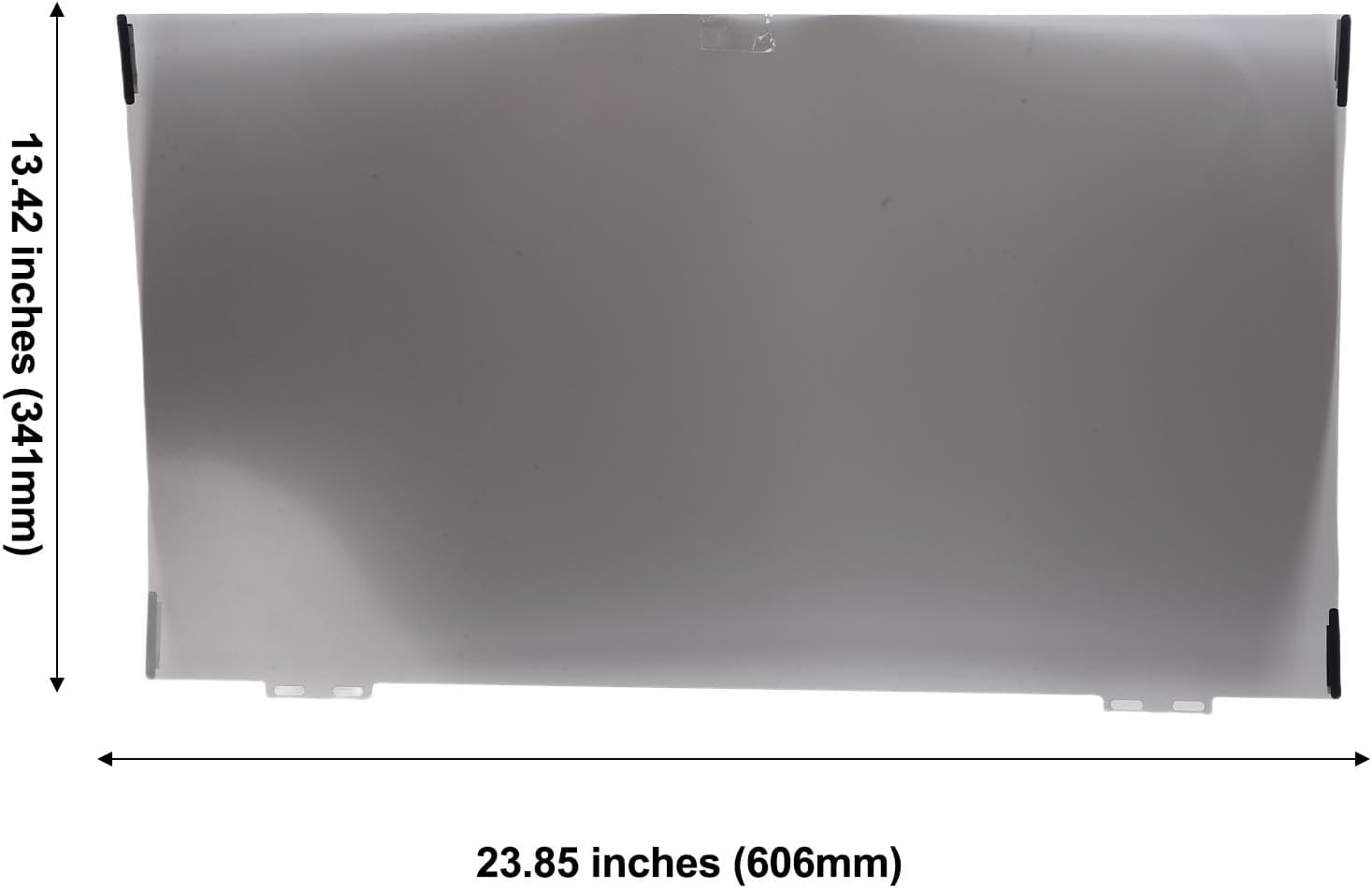
The privacy screen filter offers two attachment options:
3.1 Ceangal Magnetic
This method allows for easy attachment and removal. Simply align the magnetic strips on the filter with the edges of your monitor. The magnets will securely hold the filter in place.

3.2 Snap-on Method
For a more permanent installation, use the provided snap-on accessories. These clips attach to the display frame, allowing the filter to be secured and opened or closed as needed. Refer to the accessory packaging for specific snap-on instructions.
4. Operating the Privacy Screen Filter
The PUSOKEI privacy screen filter is designed to provide privacy and enhance viewing comhfhurtachd.
4.1 Dìon Dìomhaireachd
The filter ensures that your screen content is visible only to those directly in front of the monitor. When viewed from a side angle of 30 degrees or more, the screen appears dark, effectively protecting your information from prying eyes. This feature applies to both the left and right sides.


4.2 Eye Protection and Anti-Glare
The filter incorporates blue light reduction technology, blocking approximately 30% of harmful blue light (380-495nm) to help alleviate eye fatigue during prolonged use. It also features anti-glare and anti-reflective properties, improving visual comfort. The filter has a dual-use design: a matte side with an anti-glare coating and a glossy side for clearer picture quality. Choose the side that best suits your viewann an roghainn.

5. Cumail suas
To maintain the clarity and effectiveness of your privacy screen filter, follow these cleaning guidelines:
- Use the provided cleaning cloth to gently wipe the surface of the filter.
- For more stubborn smudges, lightly dampen the cleaning cloth with water or a screen-safe cleaning solution. Avoid harsh chemicals.
- The filter is washable and reusable. If it becomes excessively dirty, it can be carefully rinsed with water and allowed to air dry before reinstallation.

5.1 Protection from Scratches
The privacy screen also helps protect your monitor from dust and scratches, acting as a protective layer.

6. A ’dèanamh trioblaid
If you encounter any issues with your privacy screen filter, consider the following:
- Meud ceàrr: Ensure you have measured your monitor screen's width and height accurately before purchasing. The filter is specifically designed for 27-inch, 16:9 aspect ratio displays.
- Privacy Effect Not Working: Verify that the filter is correctly oriented. The privacy effect is most pronounced from side angles.
- Clarity Issues: Remember the filter has two sides. The matte side reduces glare, while the glossy side offers clearer picture quality. Try flipping the filter to see if it resolves your clarity preference.
- Cùisean ceangail: If using magnetic attachment, ensure the magnet pieces are properly aligned and clean. For snap-on, ensure clips are securely fastened to the monitor frame.
7. Sònrachaidhean
| Seòrsa nì | Computer Privacy Screen Filter |
| Brand | PUSOKEI |
| Meud | 27 òirlich |
| Co-mheas taobh | 16:9 |
| Meudan (W x H) | 606mm x 341mm (23.85in x 13.42in) |
| Stuth | Peata |
| Feartan | Privacy Protection, Anti-Glare, Anti-Reflective, Blue Light Reduction, Scratch Protection |
| Ceàrn prìobhaideachd | Effective beyond 30 degrees from center (60-degree total viewceàrn) |
8. Barantas agus Taic
This PUSOKEI product comes with a manufacturer warranty for 90 days from the date of purchase. Please retain your proof of purchase for warranty claims.
For technical support, warranty inquiries, or further assistance, please contact PUSOKEI customer service through the retailer where the product was purchased or refer to the official PUSOKEI weblàrach-lìn airson fiosrachadh conaltraidh.