
KAER 2412C-1447
KAER Biometric Gun Safe Rifle (Model 2412C-1447) Instruction Manual
Your guide to safe and secure firearm storage.
Ro-ràdh
This manual provides essential instructions for the safe and effective use of your KAER Biometric Gun Safe Rifle. Please read all instructions carefully before assembly and operation to ensure proper functionality and security.
Bathar seachadview
The KAER Biometric Gun Safe Rifle is designed for secure storage of firearms and valuables. It features a robust alloy steel construction, multiple access methods, and adjustable interior configurations.
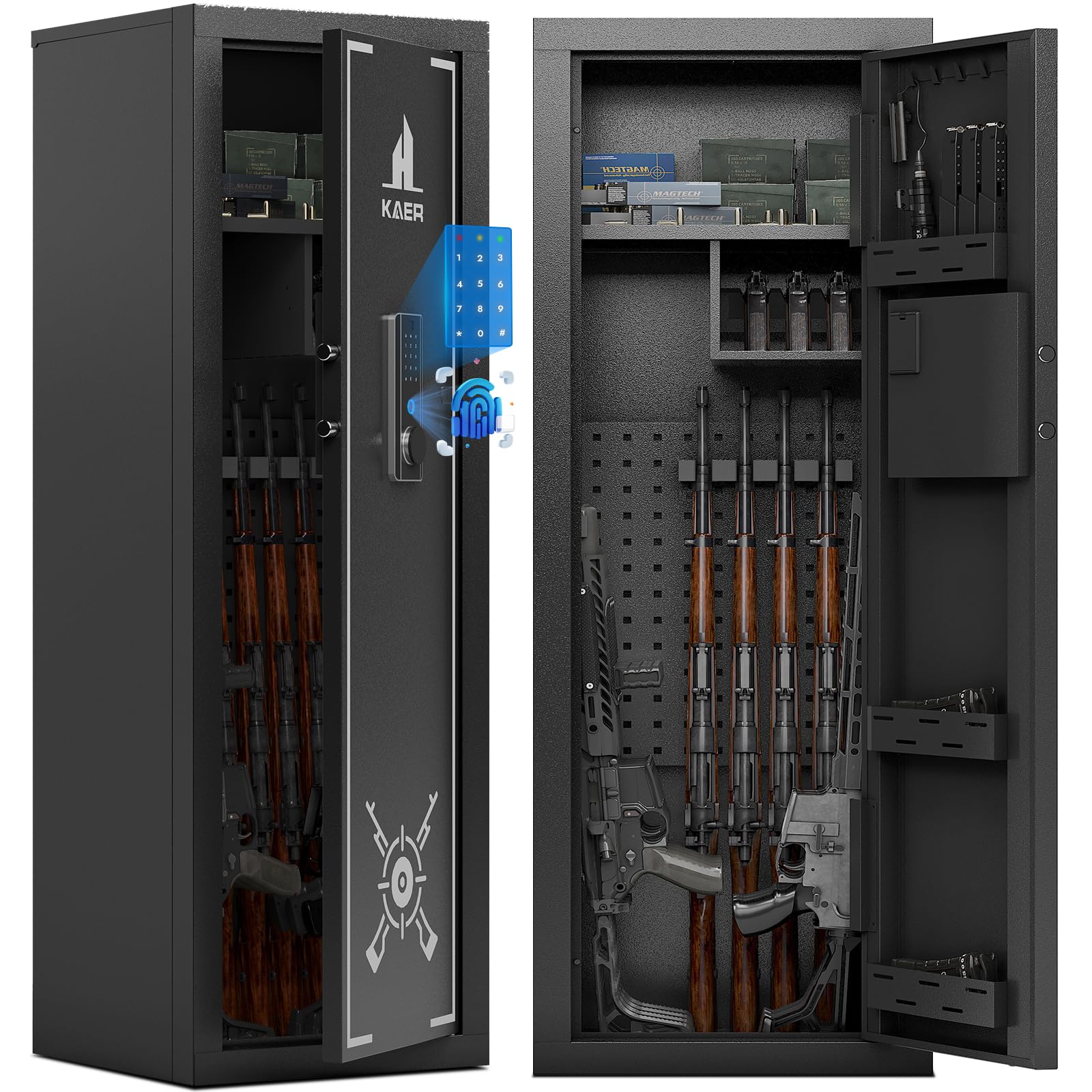
Ìomhaigh: Aghaidh view of the KAER Biometric Gun Safe Rifle, showcasing its sleek black design and biometric keypad.
Susbaint pacaid
Dèan cinnteach gu bheil na pàirtean uile an làthair agus gun mhilleadh nuair a dh’fhosglas tu am pasgan.
- Leabhar-làimhe cleachdaiche
- Sgrobhadair
- Bogsa Cumhachd Taobh a-muigh
- Expansion bolts (for mounting)
- Backup keys (2)
- Gun Racks (3)
- Gun Stock (1)
- Folding Lockers (1)
- Back Gun Bracket (1)
- Gun Bracket-R (1)
- Gun Bracket-L (1)
- Sgriothan fèin-tapadh (46)
- Boltaichean (4)
- Partition Buckle (various)
Video: Product assembly video demonstrating the unpacking and initial setup of the gun safe components.
Stàladh agus stàladh
Seanadh
The gun safe features a user-friendly, easy-to-assemble structure. Follow the included instructions and use the provided screwdriver and self-tapping screws for assembly. Ensure all panels are securely fastened.
A' cur suas
To prevent tipping, especially when the door is open and the safe is empty, it is highly recommended to anchor the safe to a wall or floor. Use the provided expansion bolts for secure mounting. The safe has four anchor points: two at the top rear and two at the bottom rear.

Image: The KAER gun safe shown installed in different environments such as a garage, living room, and bedroom, highlighting its versatile placement options.
Stiùireadh Obrachaidh
Dòighean Ruigsinneachd
Your KAER gun safe offers multiple secure access methods:
- Iuchair èiginn: Use the provided backup keys for manual access.
- Meur-chlàr didseatach: Enter your programmed digital password (3-12 digits).
- Biometric Fingerprint: Utilize advanced fingerprint scanning technology (stores up to 30 fingerprints).
- Emergency Power Box: In case of battery depletion, connect the external power box to temporarily power the keypad for access.

Image: Visual guide illustrating the four quick unlocking methods: Emergency Key, Digital Password, Biometric Fingerprints, and Emergency Power Box with Password/Fingerprint.
Setting Passwords and Fingerprints
To set or change your digital password or register fingerprints, locate the "SETTING BUTTON" inside the safe, usually near the battery compartment. Follow the specific instructions in the user manual for detailed steps.
Video: Guide on how to set the password and register fingerprints for the gun safe's electronic lock.
Features and Capacity
The safe is designed to accommodate 13-15 firearms, including rifles, shotguns, and other long guns up to 45.5 inches in height. It also provides storage for compact handguns and accessories.
- Adjustable Racks: Removable racks allow for flexible configuration based on firearm height.
- Pistol Storage: An overhead storage compartment is included for handguns and accessories.
- Eagrachadh a-staigh: Door interior hooks and ammo storage boxes help keep contents organized.

Ìomhaigh: Fosgailte view of the gun safe's interior, demonstrating its capacity for multiple long guns and handguns, with dimensions indicated.
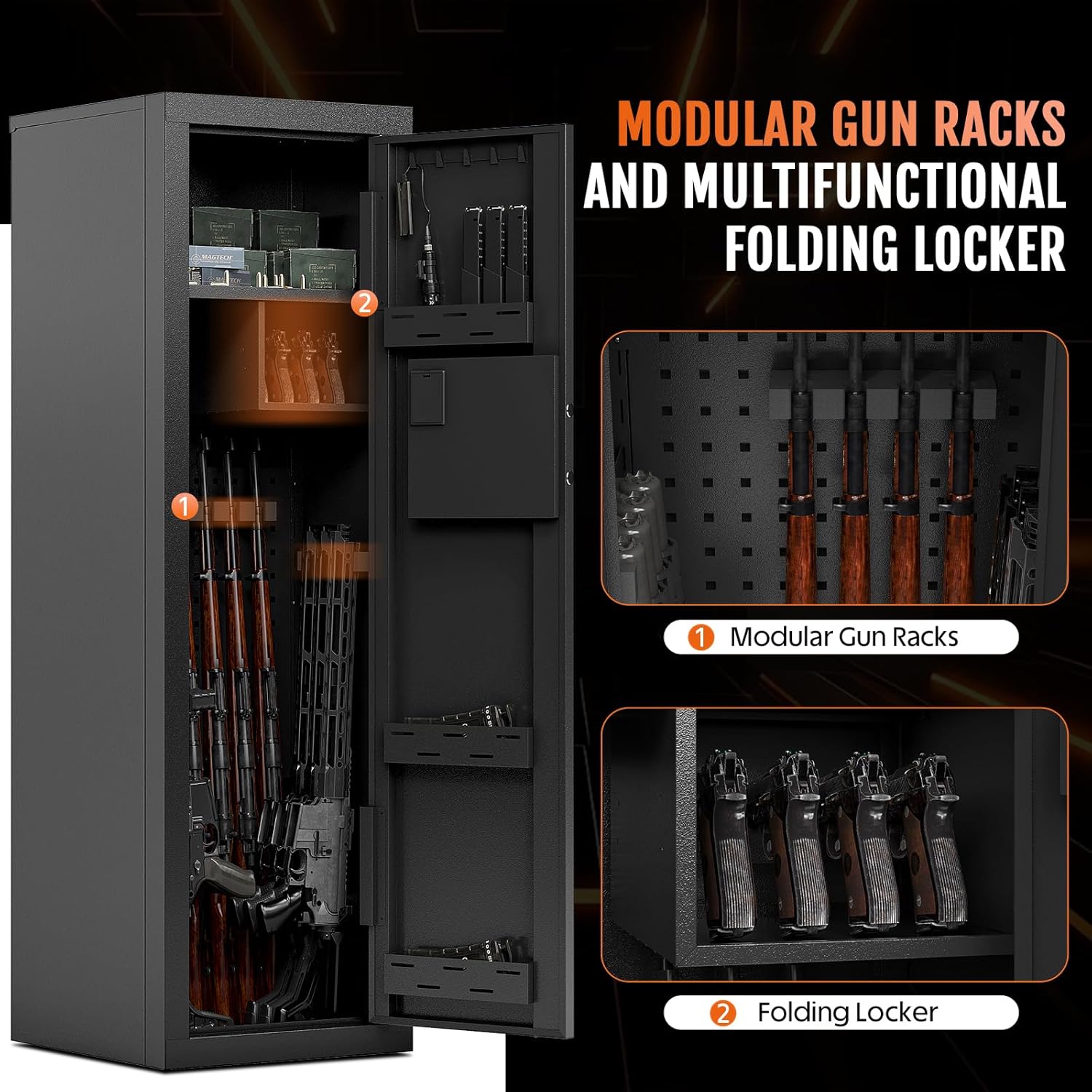
Ìomhaigh: Dlùth-shealladh view of the modular gun racks and a folding locker within the safe, illustrating internal storage flexibility.
Feartan tèarainteachd
Constructed from heavy-duty 15-gauge cold-rolled steel, the safe provides robust protection against unauthorized access. Its rugged design ensures long-term reliability.
Siostam rabhaidh
The safe includes a built-in alarm system. The alarm will activate if the fingerprint or password is incorrectly entered continuously, or if the gun cabinet is shaken violently. A silent mode can be activated to disable audible alerts.

Image: Depiction of the safe's alarm mode, triggered by incorrect entries or violent shaking, and the silent mode option.
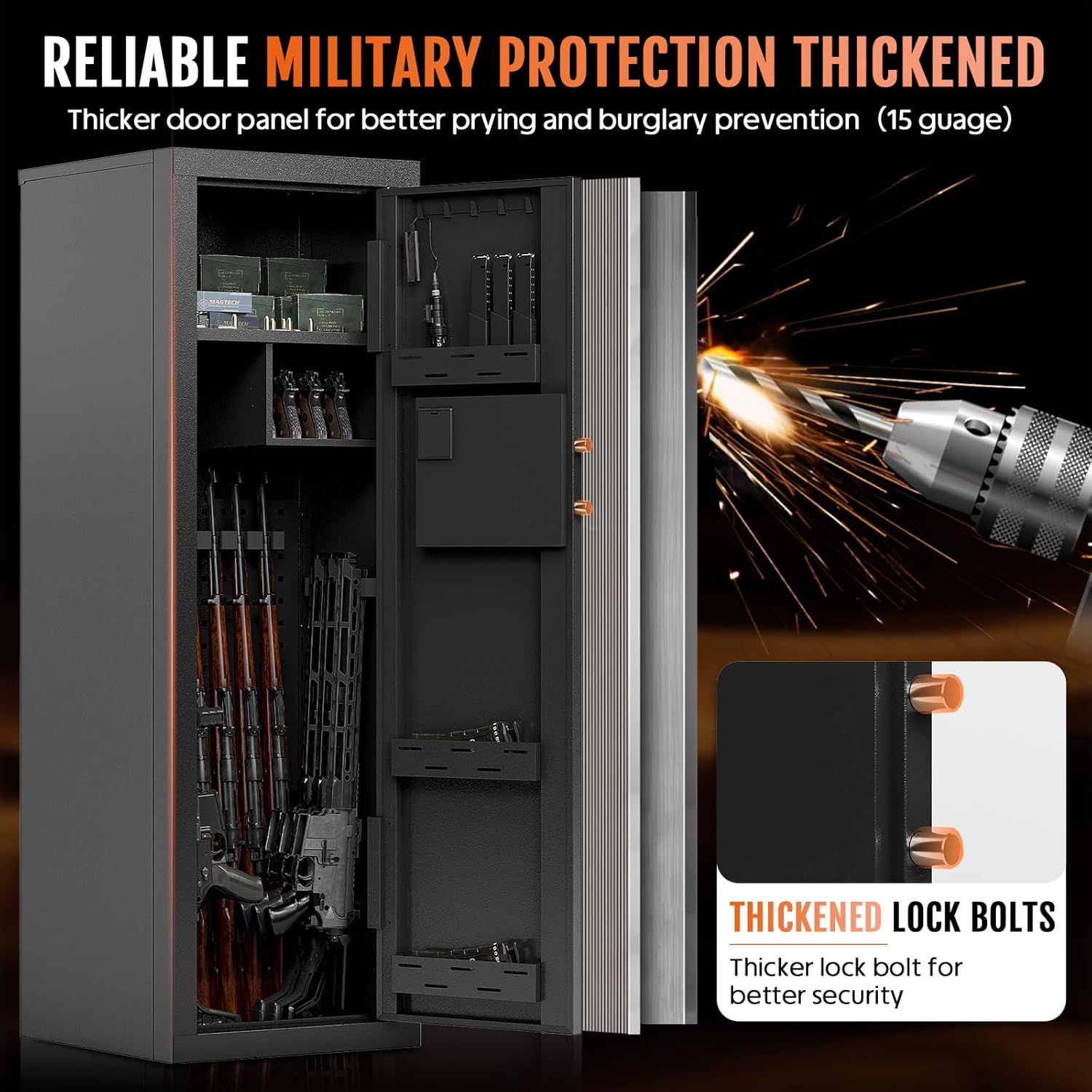
Image: Illustration of the safe's thickened door panel and lock bolts, emphasizing its robust anti-pry and anti-burglary features.
Sònrachaidhean
| Feart | Mion-fhiosrachadh |
|---|---|
| Brand | KAER |
| Meudan toraidh | 15.8"D x 18.5"W x 57"H |
| Seòrsa glasaidh | Biometric, glas measgachadh dealanach, iuchair |
| Dath | Dubh |
| Comas | 13-15 Firearms (up to 45.5" height), 13 Cubic Yards |
| Stuth | Alloy Steel, Carbon Steel (15-gauge cold-rolled steel) |
| Feartan sònraichte | Adjustable Shelf, Anti-Tipping, Biometric Fingerprint, Heavy Duty |
| Seòrsa stàladh | Floor Mount, Under Counter Mount, Wall Mount |
| Cuideam nì | 78 Punnd |
| Modail Àireamh | 2412C-1447 |
| UPC | 749614638291 |
Cumail suas
Ath-nuadhachadh bataraidh
The electronic lock requires 4 AA alkaline batteries. Ensure to replace all batteries simultaneously and avoid mixing different brands or types of batteries. If the internal battery is low, use the external power box for temporary access.
Cùram Coitcheann
Regularly inspect the safe for any signs of wear or damage. Keep the exterior clean with a soft, dry cloth. Avoid using abrasive cleaners or solvents.
Fuasgladh thrioblaidean
Gnìomhachadh rabhaidh
If the alarm activates due to incorrect password/fingerprint entries or violent shaking, ensure correct access attempts. The alarm will sound for 30 seconds after multiple incorrect attempts.
Lost Access / Dead Batteries
If the batteries die and you cannot access the safe via digital means, use the provided backup keys. Alternatively, connect the external power box to the designated port on the keypad to temporarily restore power and use your digital password or fingerprint.
Barantas agus Taic
KAER offers a 365-day warranty service for this product. We also provide 30 days money-back and replacement, along with lifelong after-sales service. For any questions or concerns regarding your product, please contact us via email. Our customer support team aims to respond quickly within 8 hours.
Ask a question about this manual
Ask about setup, troubleshooting, compatibility, parts, safety, or missing instructions. Manuals+ will review the question and use this page’s manual context to help answer it.