
Ro-ràdh
The MINIX 100W USB C Charger (NEO P3 Pro) is a versatile 3-port GaN charger designed for rapid charging of various devices, including laptops, tablets, and smartphones. It features a smart display for real-time charging information and a compact, travel-friendly design. This manual provides essential information for the safe and efficient use of your charger.

Image: The MINIX 100W USB C Charger (NEO P3 Pro) connected to a laptop, illustrating its fast charging capability.
What's in the Box (Setup)
Your MINIX 100W USB C Charger package includes the following items:
- 1x MINIX P3 PRO 100W Charger
- 1x EU Plug Adapter
- 1x UK Plug Adapter
- 1x Leabhar-làimhe Cleachdaiche
- Bag stòraidh 1x

Image: The MINIX P3 Pro charger, EU plug, UK plug, and storage bag, as included in the package.
Attaching the Correct Plug Adapter
The MINIX P3 Pro charger comes with interchangeable plug adapters (US, EU, UK) to ensure compatibility in various regions. To attach an adapter:
- Align the desired plug adapter with the charger's prongs.
- Gently push the adapter onto the charger until it clicks securely into place.
- To remove, press the release button (if present) and slide the adapter off.

Image: The MINIX charger with its switchable US, EU, and UK plug adapters.
Stiùireadh Obrachaidh
Innealan ceangail
The MINIX P3 Pro features two USB-C ports and one USB-A port. Connect your devices using appropriate charging cables. For optimal 100W charging, use a 100W 5A cable connected to a single USB-C port.
- USB-C1: Up to 100W Max output.
- USB-C2: Up to 100W Max output.
- USB-A1: Up to 30W Max output.

Image: The MINIX P3 Pro charging three devices concurrently: a laptop via USB-C1, a tablet via USB-C2, and a smartphone via USB-A1.
Smart Display and Touch Control
The integrated smart display provides real-time information about your charging status. You can interact with the display using the touch control button.
- Inbhe Cìsean: View the current wattage toradh.
- Mion-fhiosrachadh sònraichte don phort: Tap the touch button to cycle through individual port outputs.
- Temperature Reminder: The display may show temperature-related information for safety.
- Ùine iomlan: Displays the total charging duration.
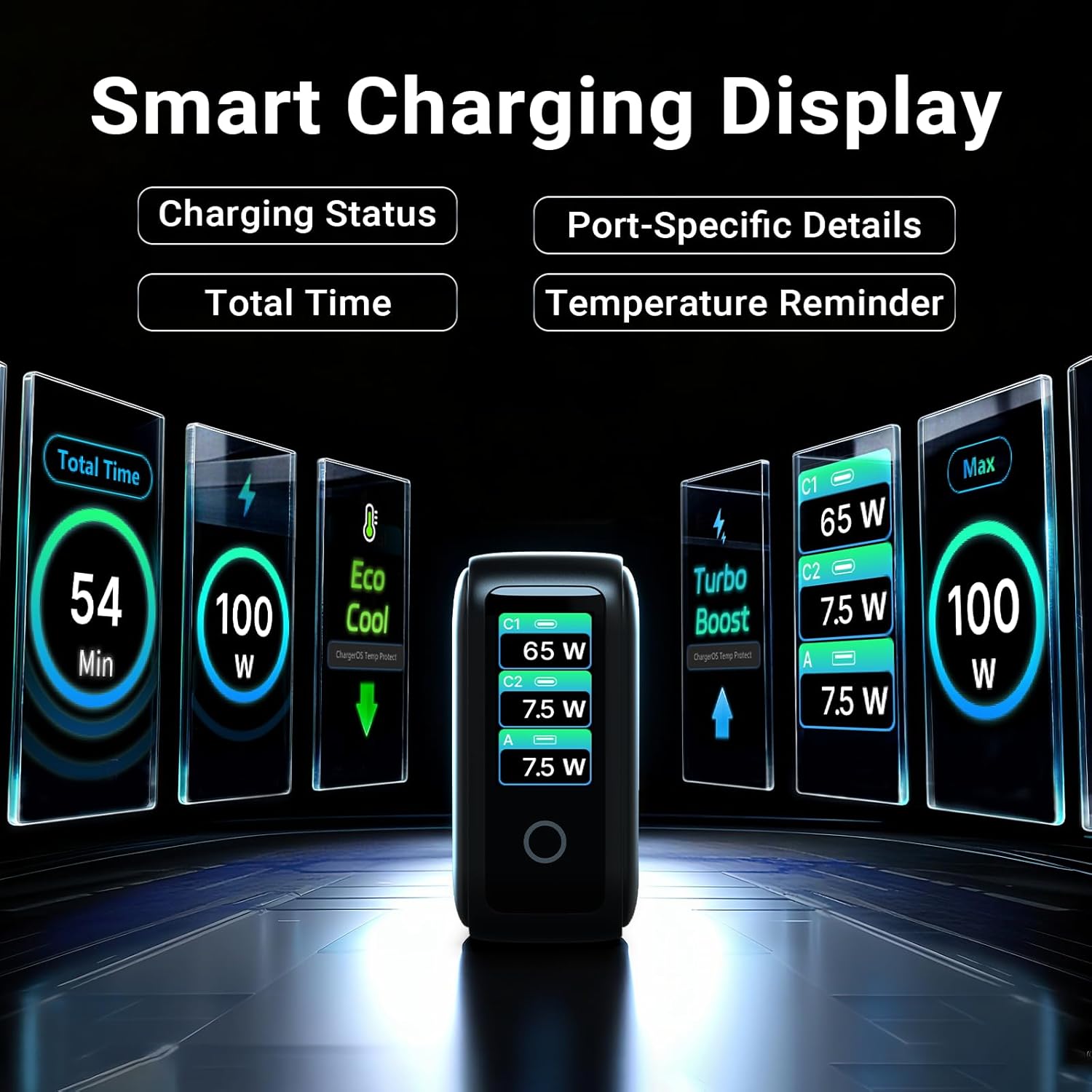
Image: The smart display of the MINIX P3 Pro, showcasing real-time charging status and port-specific details.
Cuairteachadh sgrion
To adapt the display orientation to your wall outlet, press and hold the touch control button for 3 seconds. The screen will rotate 180°.
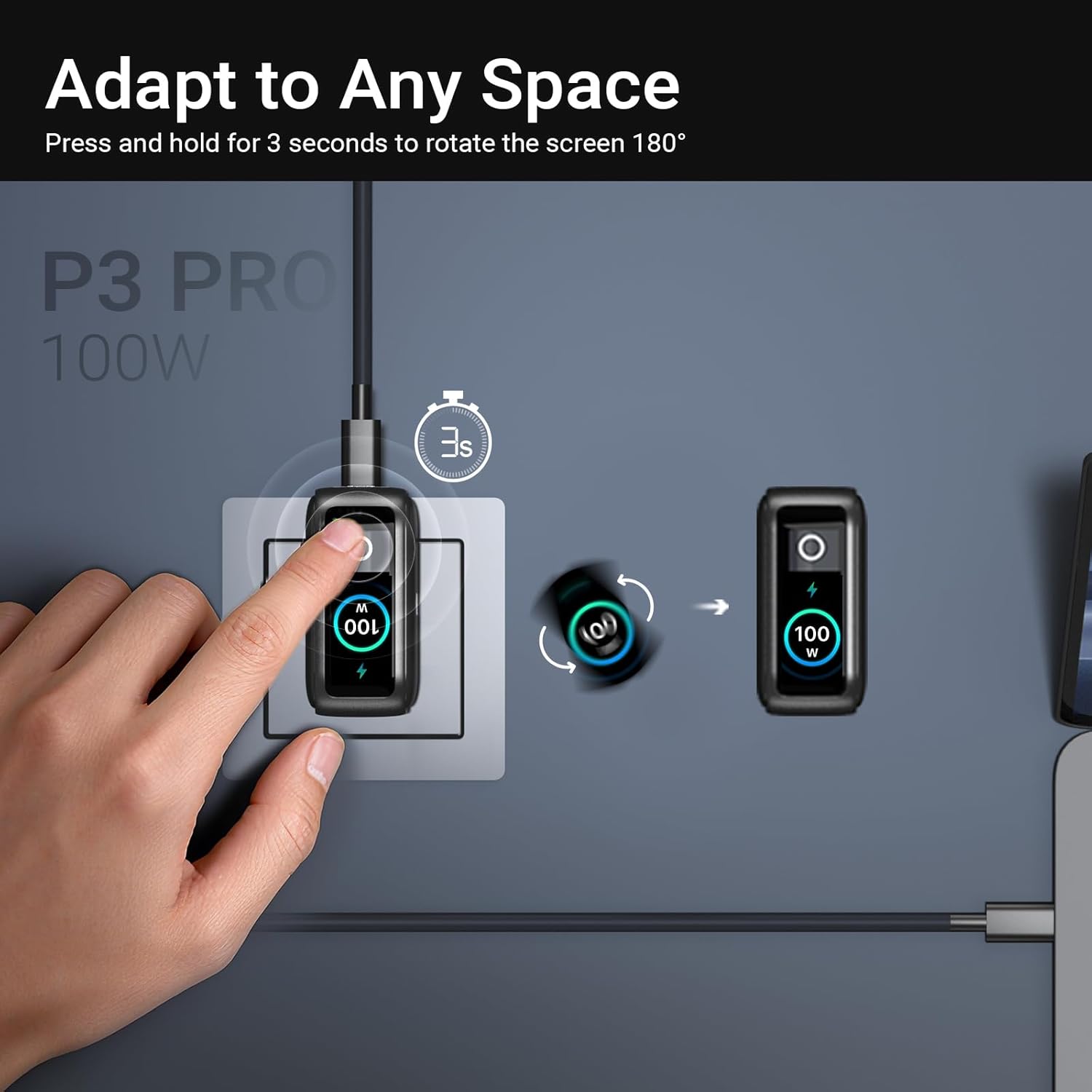
Image: The MINIX P3 Pro charger plugged into a wall socket, illustrating how to rotate the smart display by 180 degrees for better viewing.
Sgaoileadh cumhachd
The charger intelligently redistributes power based on the number of connected devices and their power requirements. Below is a general guide to power output configurations:
- 1 Toradh Port:
- USB-C1: 100W
- USB-C2: 100W
- USB-A1: 30W
- Toradh 2 Phort:
- USB-C1 + USB-C2: 65W + 30W
- USB-C1 + USB-A1: 65W + 7.5W
- USB-C2 + USB-A1: 7.5W + 7.5W
- Toradh 3 Phort:
- USB-C1 + USB-C2 + USB-A1: 65W + 7.5W + 7.5W
Video: An official product introduction video for the MINIX P3 Pro, demonstrating its features and functionality, including power distribution across multiple ports.
Cumail suas
To ensure the longevity and optimal performance of your MINIX P3 Pro charger, follow these maintenance guidelines:
- Cùm an charger glan agus saor bho dhuslach is sprùilleach. Cleachd clò bog, tioram airson a ghlanadh.
- Seachain an charger a nochdadh do theodhachd anabarrach, taiseachd no solas dìreach na grèine.
- Na leig leis an charger a bhith air a leigeil sìos agus na cuir e fo bhuaidhean làidir.
- Store the charger in the provided storage bag when not in use, especially during travel, to protect it from scratches and damage.
- Ensure proper ventilation around the charger during operation to prevent overheating.
Sònrachaidhean
| Feart | Mion-fhiosrachadh |
|---|---|
| Brand | MINIX |
| Modail Àireamh | P5010 |
| Gu h-iomlan puirt USB | 3 (2x USB Seòrsa-C, 1x USB Seòrsa-A) |
| Dètage | 100W (Air a char as àirde) |
| Input Voltage | 240 Volt |
| Toradh gnàthach | 5 Amps |
| Toradh Voltage | 120 Volt |
| Seòrsa ceangail | USB Seòrsa A, USB Seòrsa C |
| Innealan co-fhreagarrach | Laptops, Tablets, Samsung Galaxy S21-S24 Series, iPhone 17/16/15/14/13/12 Series, iPhone SE (3rd Gen) |
| Feartan sònraichte | Fast Charging, Lightweight Design, Multi-Device Charging, Travel-Friendly, Smart Display, Touch Control |
| Dath | Dubh |
| Cuideam nì | 200 gram |
| Stuth | Elastomer teirmeaplastaig (TPE) |
| Teisteanasan | CE, FCC, WEEE |
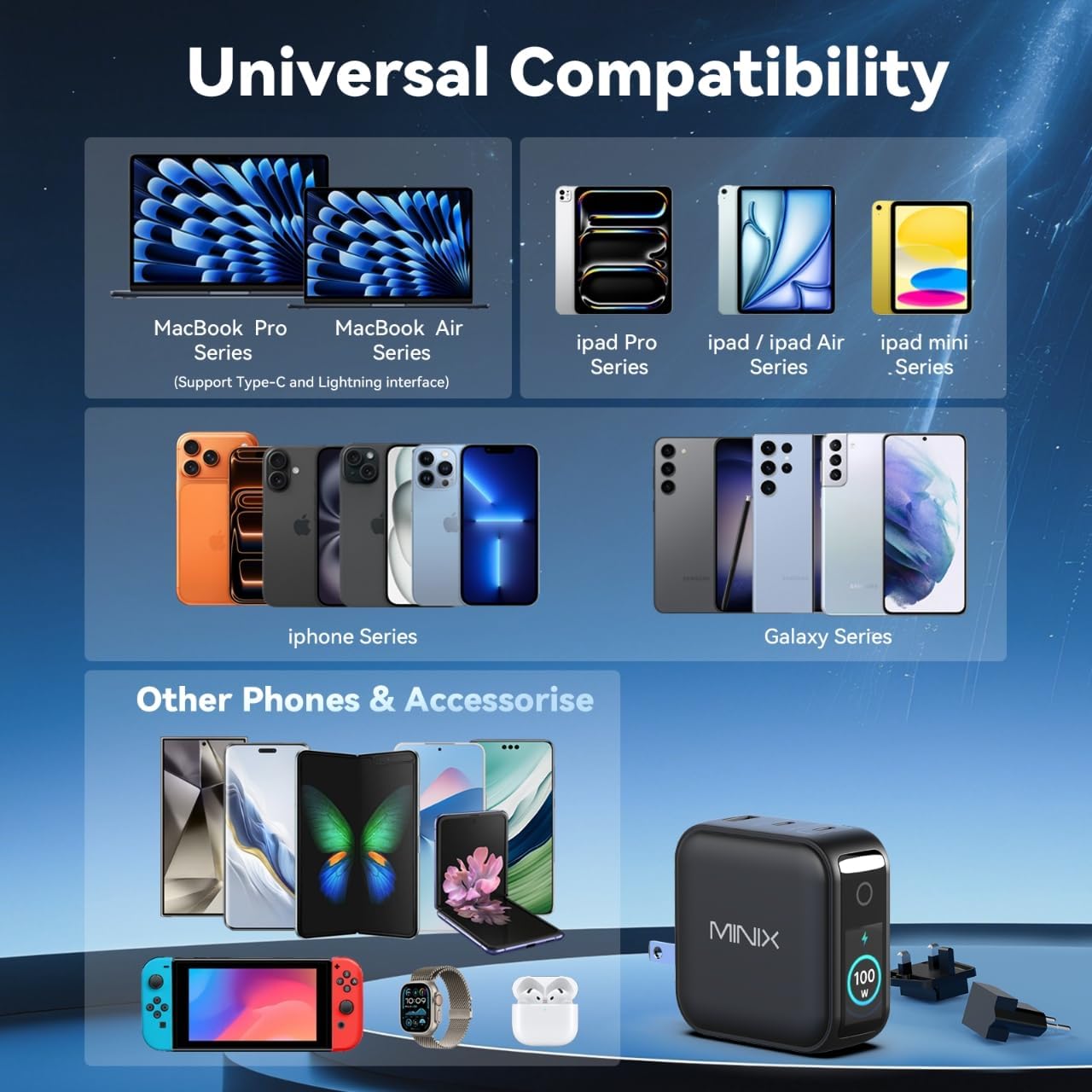
Image: A visual representation of the MINIX P3 Pro's universal compatibility with various devices.
Fuasgladh thrioblaidean
If you encounter issues with your MINIX P3 Pro charger, please refer to the following common troubleshooting steps:
- Chan eil an charger ag obair air:
- Dèan cinnteach gu bheil an charger air a phlugaigeadh gu tèarainte a-steach do socaid balla ag obair.
- Verify that the correct regional plug adapter is firmly attached.
- Inneal gun a bhith a’ cur cosgais no a’ cur cosgais gu slaodach:
- Dèan cinnteach gu bheil an càball cosgais ceangailte gu tèarainte ris an charger agus ris an inneal agad.
- Ensure the charging cable is not damaged and supports the required power delivery (e.g., 100W for high-power devices).
- Feuch port eadar-dhealaichte air an charger.
- If charging multiple devices, note that power is distributed, which may reduce individual port output. Refer to the "Power Distribution" section.
- Ensure your device supports the charging protocols (PPS, PD3.0, QC3.0) supported by the charger.
- Smart display not working or showing incorrect information:
- Ensure the charger is powered on and a device is connected.
- Tap the touch button to cycle through display modes.
- If the display is unresponsive, unplug the charger from the wall for a few seconds and then plug it back in.
- Tha an charger a’ faireachdainn blàth nuair a thathar ga chleachdadh:
- Tha e àbhaisteach don charger fàs blàth fhad ’s a tha e ag obrachadh, gu h-àraidh nuair a thathar a’ cur cosgais àrd-chumhachd air.
- Ensure there is adequate ventilation around the charger. If it becomes excessively hot, disconnect it immediately and contact support.
Fiosrachadh Sàbhailteachd
Please read and follow these safety precautions to prevent damage to the product or injury to yourself:
- Na cuir an charger fosgailte do uisge, taiseachd no taiseachd àrd.
- Avoid using the charger in environments with extreme temperatures.
- Do not disassemble, modify, or attempt to repair the charger yourself. This will void the warranty.
- Cùm an charger a-mach à ruigsinn clann is peataichean.
- Use only compatible cables and devices with the charger.
- Dì-phlugaich an charger rè stoirmean dealanaich no nuair nach tèid a chleachdadh airson ùine mhòr.
- The charger includes built-in safety features such as over-current, over-voltage, cus teòthachd, agus dìon cuairt ghoirid.
Barantas agus Taic
The MINIX 100W USB C Charger (NEO P3 Pro) comes with a Barantas an neach-dèanamh 1-bliadhna.
Taic Luchd-cleachdaidh
For any questions, technical assistance, or warranty claims, please contact MINIX customer service:
- Taic air-loidhne: Tadhail air an Bùth MINIX air Amazon and use the "Ask Product Question" feature.
- Offline Maintenance Service: Feuch an tadhal thu air an oifigeach againn weblàrach airson tuilleadh fiosrachaidh.
Please have your product model number (P5010) and purchase details ready when contacting support.