
1. Toradh thallview
The MAHANCRIS Computer Tower Stand with Power Outlet, Model PCHS215E01, is designed to provide a mobile and organized solution for your computer tower and peripherals. This stand features a height-adjustable design, allowing it to fit under various desks and accommodate different PC tower sizes. It includes an integrated power outlet with AC, USB-A, and Type-C ports for convenient charging and power access. Equipped with swivel casters for easy movement and adjustable feet for stable placement, this stand enhances the functionality of your home office or gaming setup.
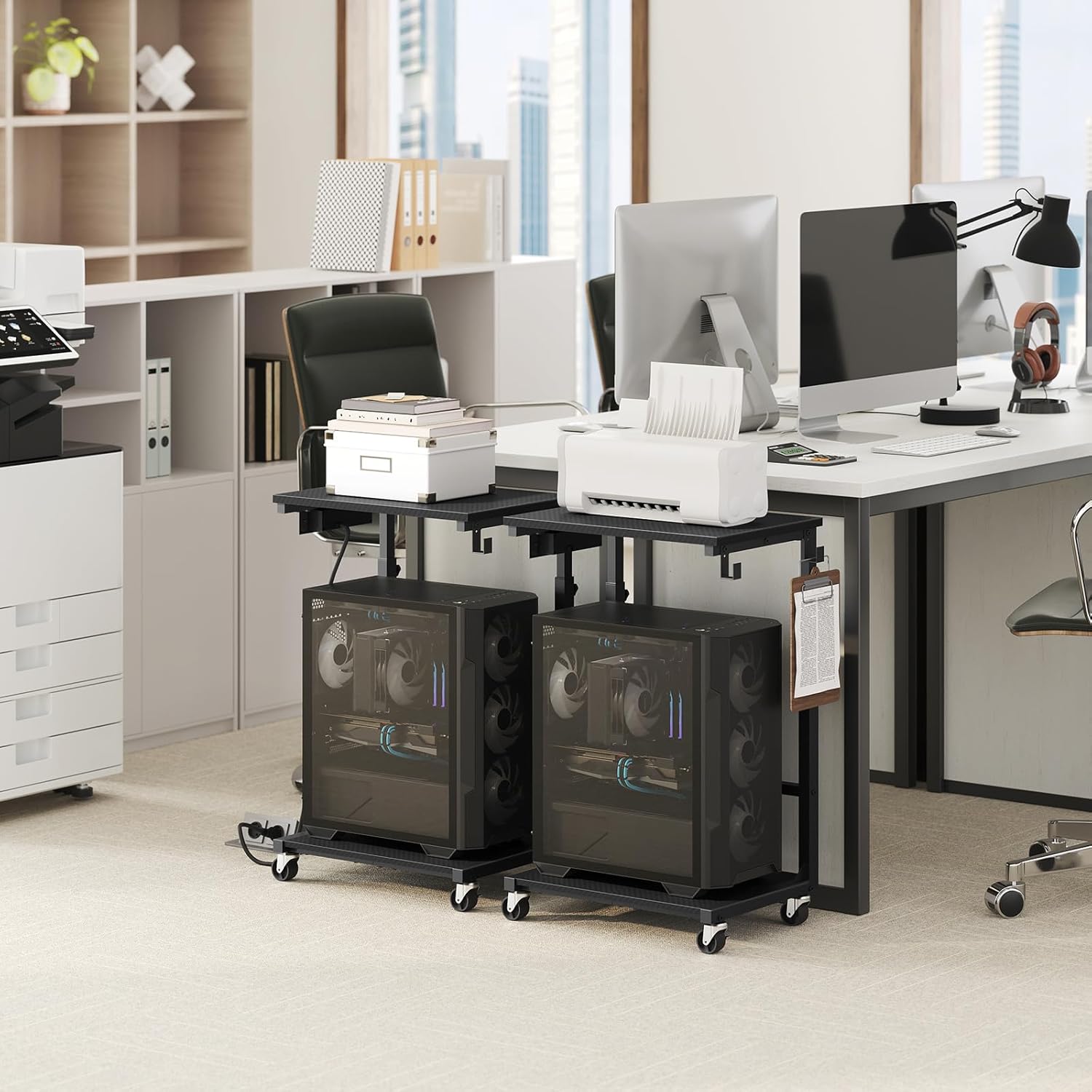
Image 1.1: The MAHANCRIS Computer Tower Stand in an office environment, showcasing its use with multiple computer towers and printers.

Image 1.2: The MAHANCRIS Computer Tower Stand positioned in a home office, supporting a computer tower and a decorative plant.
2. Stiùireadh Co-chruinneachadh
Assembly of the MAHANCRIS Computer Tower Stand is designed to be straightforward. All necessary parts are numbered, and the required tools are included. Please follow the instructions provided in the packaging for detailed step-by-step guidance.
2.1 Key Components and Dimensions
Familiarize yourself with the components and their respective dimensions and weight capacities before beginning assembly.

Image 2.1: Diagram illustrating the dimensions (19.7"L x 11.0"W, 26.6"-32.7"H) and weight capacities (top: 33 lbs, bottom: 88 lbs) of the stand.
2.2 Stiùireadh Bhidio airson Cruinneachadh
For visual assistance during assembly, please refer to the official product video below.
Video 2.1: An official MAHANCRIS video demonstrating the assembly and features of the Adjustable Rolling Computer Tower Stand.
3. Stiùireadh Obrachaidh
3.1 Atharrachadh àirde
The stand's height can be adjusted from 26.6 inches to 32.7 inches to suit your specific needs. To adjust the height, loosen the adjustment knobs on the vertical supports, set the desired height, and then securely tighten the knobs. Ensure both sides are adjusted evenly for stability.
3.2 Gluasadachd agus Seasmhachd
The stand is equipped with four swivel casters for easy movement. Two of these casters include locks to secure the stand in place. To move the stand, unlock the casters. To keep it stationary, engage the caster locks. Alternatively, four adjustable feet are provided for a stable, level position on uneven surfaces, which can be used instead of the casters if mobility is not required.

Image 3.1: Detail of the swivel casters with locking mechanism and the adjustable feet for stationary use.
3.3 Stèisean Cosgais Amalaichte
A side-mounted power outlet provides convenient access to power. It includes two standard AC outlets, one USB-A port (5V/2A), and one Type-C port (5V/2A). The integrated 4.9-foot power cord connects the unit to a wall outlet, allowing for centralized charging and cable management.
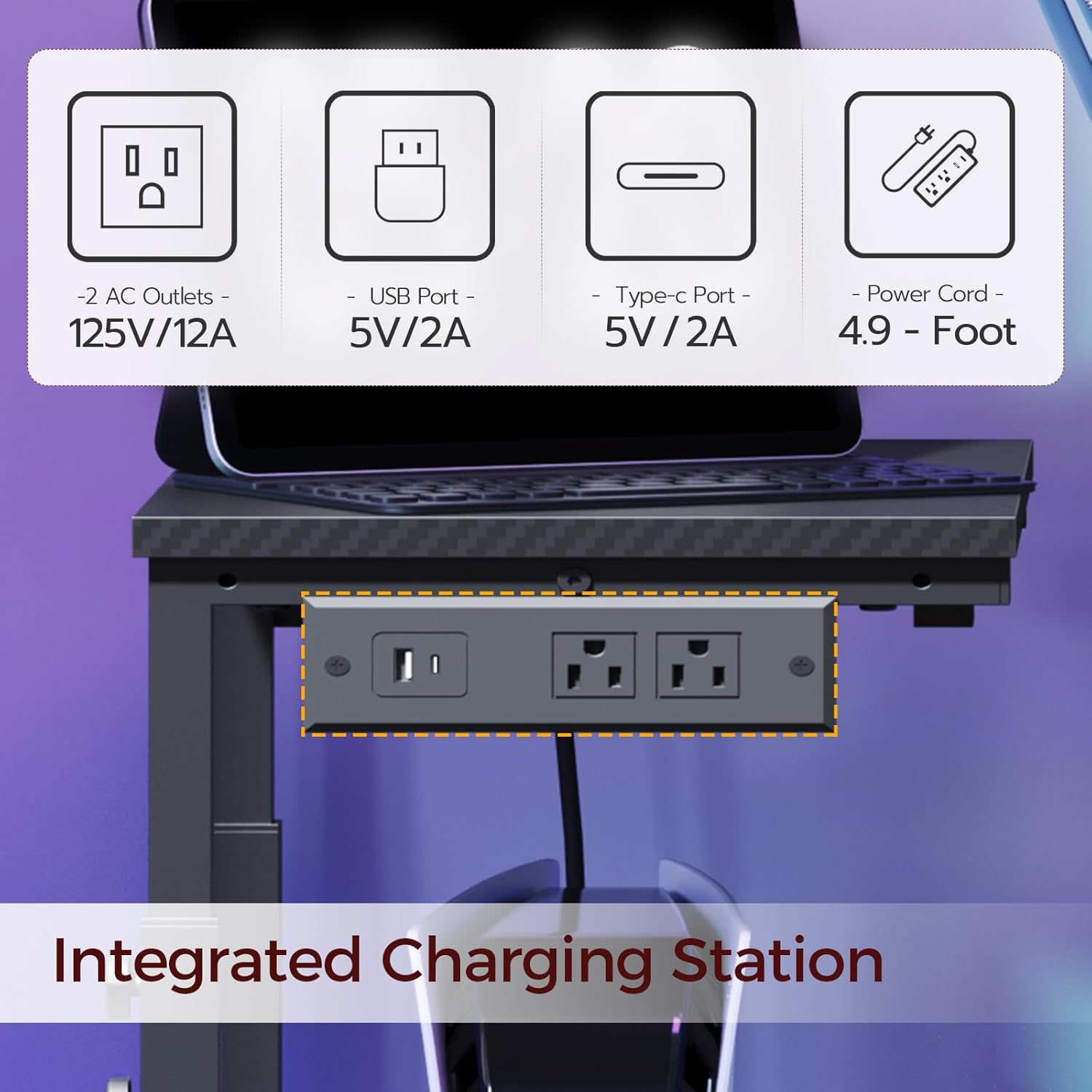
Image 3.2: The integrated charging station featuring AC outlets, USB-A, and Type-C ports.
3.4 Headphone Hooks
Two L-shaped hooks are included for hanging headphones or other small accessories, helping to keep your workspace tidy.

Image 3.3: Detail of the L-shaped hooks designed for headphones or accessories.
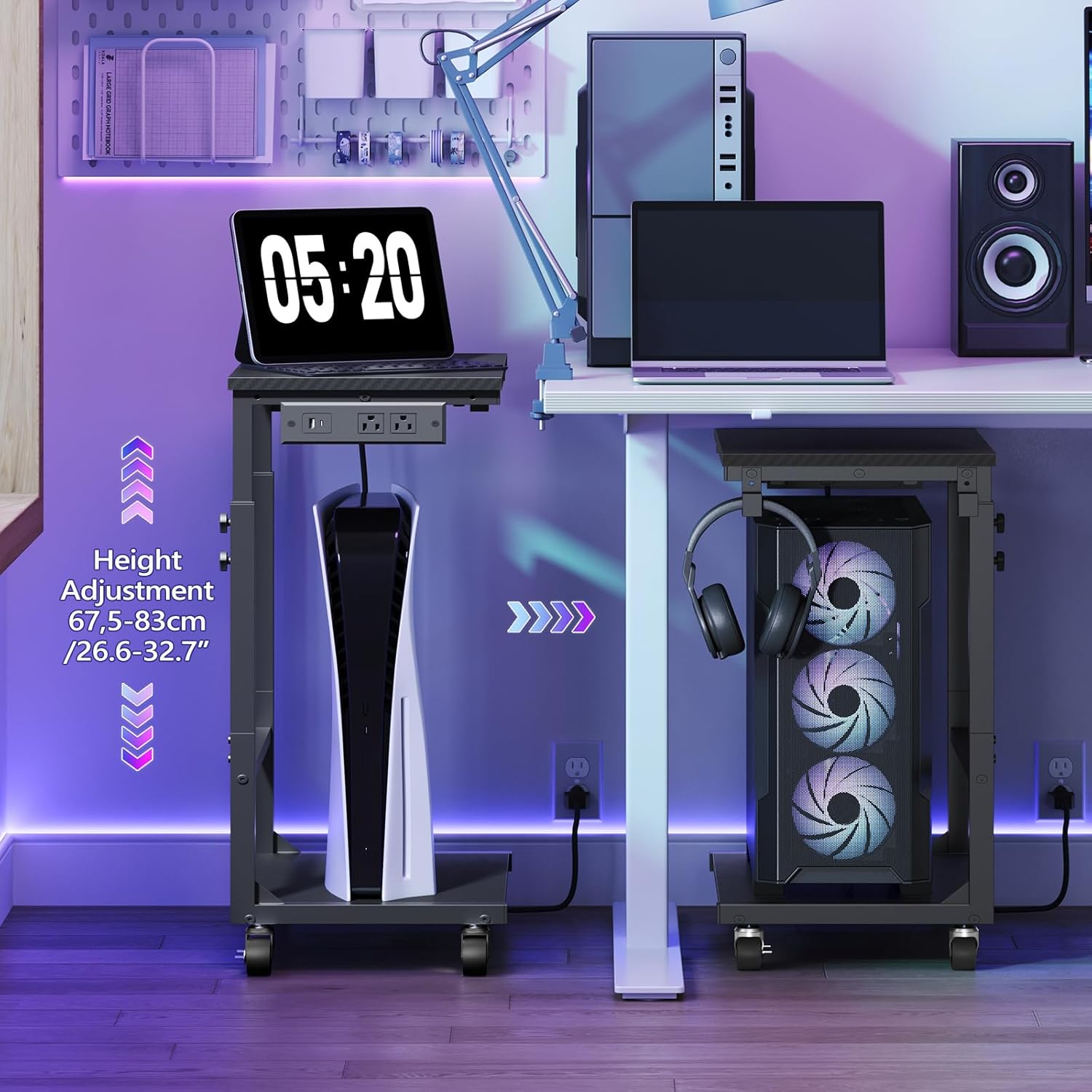
Image 3.4: The stand in a gaming setup, demonstrating its use for a PC tower, a console, and headphone storage.
4. Cumail suas
- Glanadh: Sguab an uachdar le bog, damp clò. Seachain ceimigean cruaidh no innealan-glanaidh sgrìobach.
- Crìochan cuideam: Do not exceed the stated weight capacities: 33 lbs for the top surface and 88 lbs for the bottom surface. Overloading can compromise the stand's stability and structural integrity.
- Fasteners: Thoir sùil bho àm gu àm air na sgriothan is na ceanglaichean uile gus dèanamh cinnteach gu bheil iad fhathast teann. Teannaich a-rithist mar a dh’fheumar gus an cumail seasmhach.
5. A ’dèanamh trioblaid
- Crith/Neo-sheasmhachd:
- Dèan cinnteach gu bheil na sgriothan agus na boltaichean cruinneachaidh uile air an teannachadh gu tur.
- If using adjustable feet, ensure they are evenly adjusted on a flat surface.
- If using casters, ensure they are locked when the stand is stationary.
- Verify that the weight on the stand does not exceed the specified limits (33 lbs top, 88 lbs bottom).
- Rothairean nach eil a’ roiligeadh gu rèidh:
- Thoir sùil airson sprùilleach no bacadh sam bith anns na cuibhlichean tionndaidh.
- Ensure casters are properly installed and not bent or damaged.
- Socaidean Cumhachd nach eil ag Obrachadh:
- Ensure the stand's power cord is securely plugged into a functional wall outlet.
- Check if the wall outlet itself is receiving power.
6. Sònrachaidhean
| Brand | MAHANCRIS |
| Modail Àireamh | PCHS215E01 |
| Dath | Dubh |
| Stuth | Fiodh Innleadaichte, Meatailt |
| Meudan nì (L x W x H) | 19.7 x 11.0 x 26.6 òirleach |
| Raon rèiteachaidh àirde | 26.6" - 32.7" |
| Comas Cuideam Sgeilp as Àirde | 33 lb |
| Comas cuideam sgeilp ìosal | 88 lb |
| Cuideam nì | 11.5 Punnd |
| Cumhachd a-mach | 2 socaidean AC (125V/12A), 1 port USB-A (5V/2A), 1 port Seòrsa-C (5V/2A) |
| Fad sreang cumhachd | 4.9 troigh |
7. Barantas agus Taic
For warranty information, technical support, or any inquiries regarding your MAHANCRIS Computer Tower Stand, please refer to the contact information provided with your purchase or visit the official MAHANCRIS weblàrach. Cùm do chuidhteas ceannach airson tagraidhean barantais.