
Ro-ràdh
Thank you for choosing the NexiGo Wireless Controller NS32-A9. This controller is designed to enhance your gaming experience on Nintendo Switch and Switch 2 consoles, offering advanced features such as no deadzone thumbsticks, customizable RGB lighting, adjustable vibration, six-axis gyroscope, and a turbo function. Please read this manual carefully to ensure proper setup and operation.
Feartan toraidh
- No Deadzone Thumbsticks: Experience precise control with minimal input delay, ensuring accurate movements in games.
- Dual Motors and Six-Axis Gyroscope: Enjoy immersive haptic feedback and responsive motion controls for a dynamic gaming experience.
- Comharra LED: The thumbsticks feature LED activity indicator rings that light up and flash during use, providing visual feedback.
- Cìs luath: The controller can be fully charged in 2-3 hours, providing up to 10 hours of gameplay.
- Ceangal Bluetooth: Easily pairs wirelessly with your Nintendo Switch console. Initial pairing requires a wired connection.
- Comfortable Non-Slip Design: Constructed from durable ABS material with ergonomic, non-slip grips to reduce hand fatigue during extended play sessions.
- Dreuchd Turbo: Allows for partial and full automatic button mashing for repetitive actions in games.
- Crith atharrachail: Customize the intensity of the haptic feedback with four distinct levels.
- Co-fhreagarrachd farsaing: Compatible with Nintendo Switch, Nintendo Switch OLED, Nintendo Switch Lite, and PC.
- Switch Wake-Up Function: Conveniently wake up your Nintendo Switch console directly from the controller.

Image: No Deadzone Precision

Image: Wide Compatibility Overview
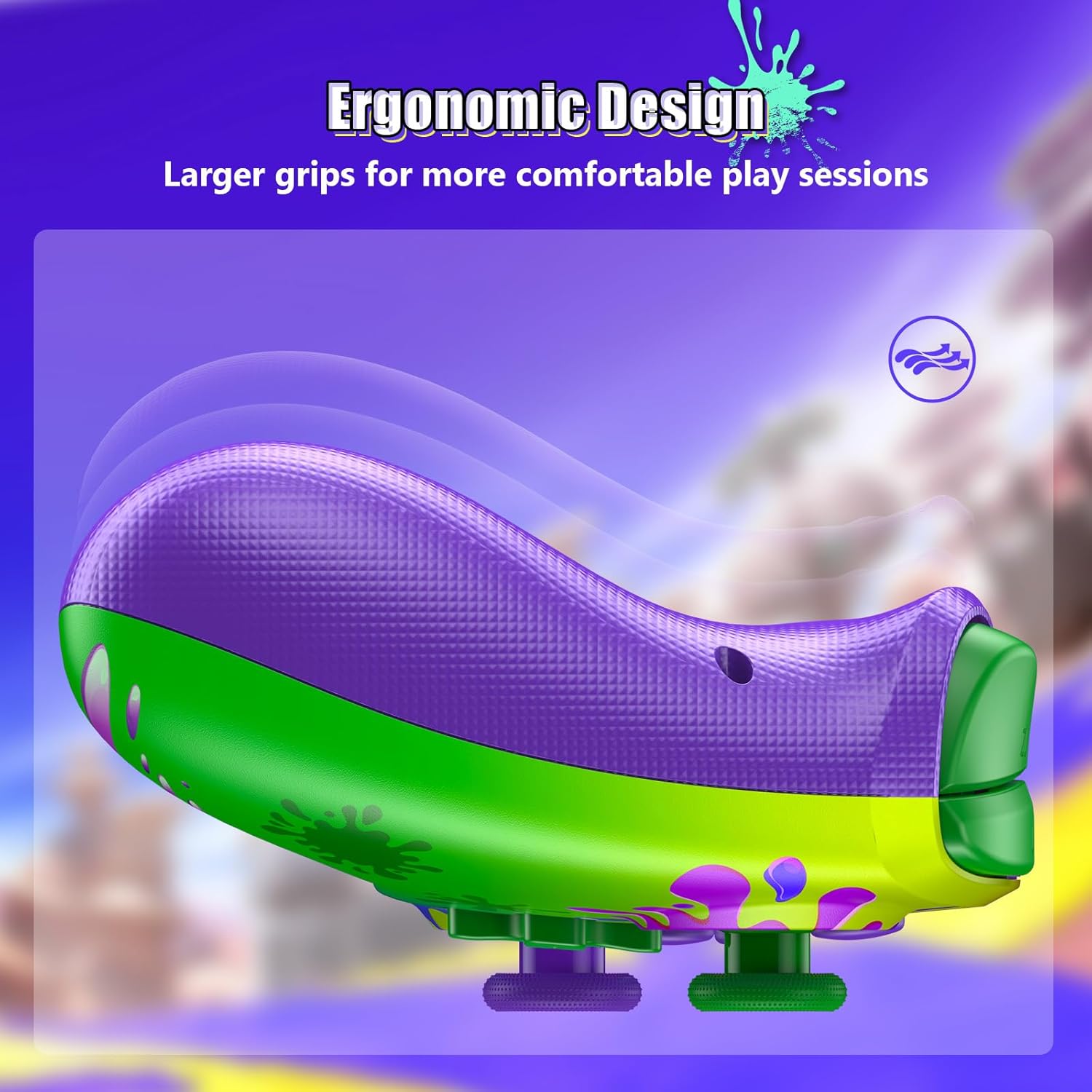
Image: Ergonomic Design for Comfort
Setup: Wireless Connection
Follow these steps to connect your NexiGo Wireless Controller to your Nintendo Switch console:
- Ceum 1: Turn on your Nintendo Switch console and navigate to the "Controllers" menu from the HOME screen.
- Ceum 2: Select "Change Grip/Order" from the list of options.
- Ceum 3: Press and hold the Pairing button on the top of your controller for at least two seconds. The Pairing button is typically a small, circular button located near the charging port.
- Ceum 4: The LEDs on your controller will flash during the pairing process and remain solid when the connection is successful.
Thoir an aire: You can only connect your controller wirelessly after pairing it once via a USB cable for the initial setup.
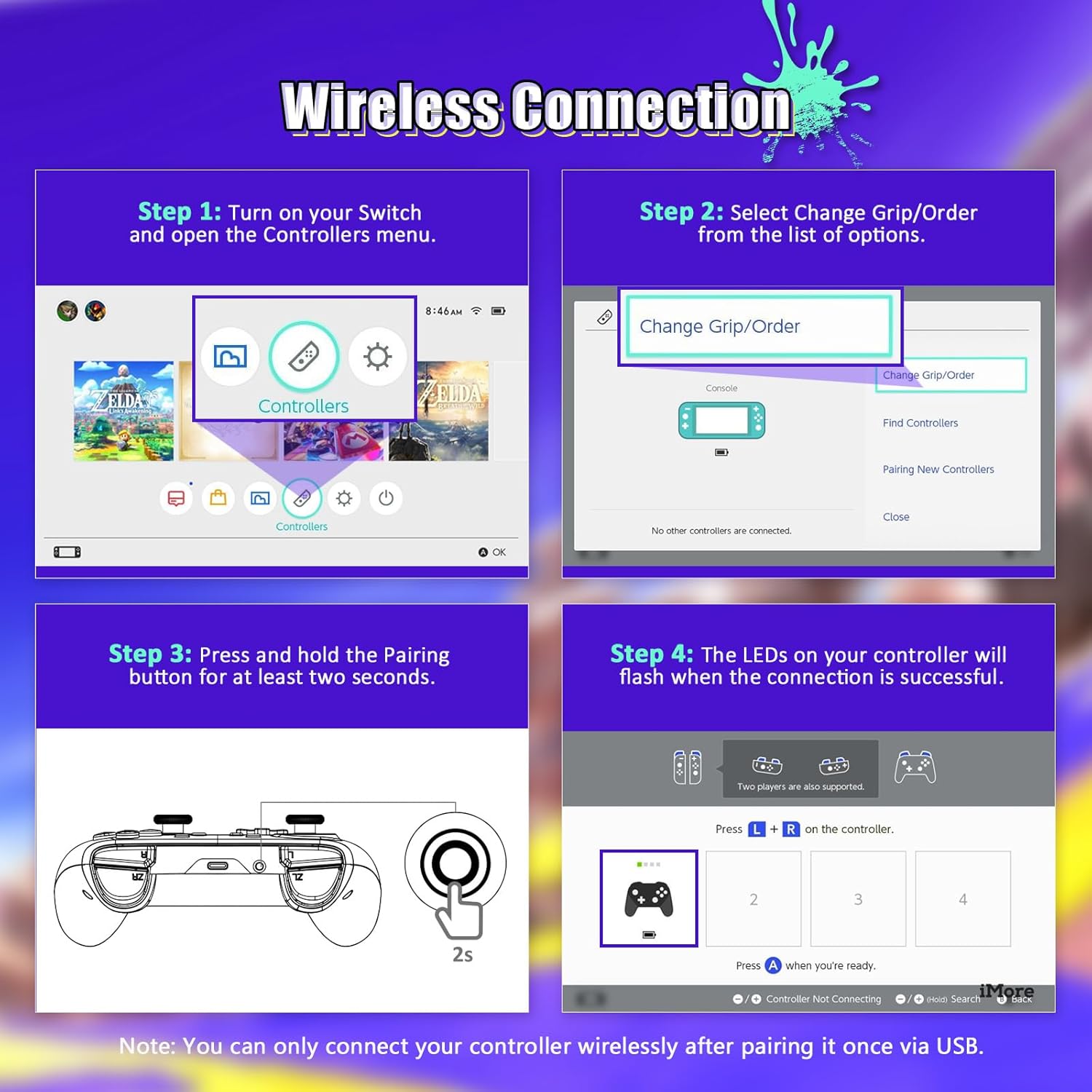
Image: Wireless Connection Setup Guide
Stiùireadh Obrachaidh
Dreuchd Turbo
The Turbo function allows you to assign rapid-fire capabilities to specific buttons. This is useful for games requiring quick, repeated button presses.
- Turbo a chur an gnìomh: Press and hold the button you wish to assign Turbo to, then press the Turbo button (usually located on the back or bottom of the controller). The button will now rapidly input when held down.
- A’ cur dheth Turbo: Repeat the activation steps for the same button to turn off the Turbo function.
- Ag atharrachadh astar Turbo: (If applicable, consult specific controller documentation for speed adjustment methods, often involves Turbo button + D-pad up/down).

Image: Turbo Mode in action
Vibration a ghabhas atharrachadh
The controller features four levels of vibration intensity. You can adjust this to suit your preference or the game you are playing.
- A’ gleusadh crith: Typically, this is done by holding a specific button (e.g., Turbo or Function button) and pressing the D-pad Up or Down. Refer to the quick start guide for your specific model's button combination.
- The four levels are usually 0% (off), 30%, 75%, and 100% intensity.

Image: Adjustable Vibration Levels
Giroscop sia-aiseach
The built-in six-axis gyroscope provides precise motion control for games that support it. This allows for intuitive tilt and motion-based gameplay.
- Dèan cinnteach gu bheil smachdan gluasad aig a’ gheama a tha thu a’ cluich.
- Calibrate the gyroscope if you experience inaccurate motion sensing. This option is usually found in the Nintendo Switch system settings under "Controllers and Sensors."
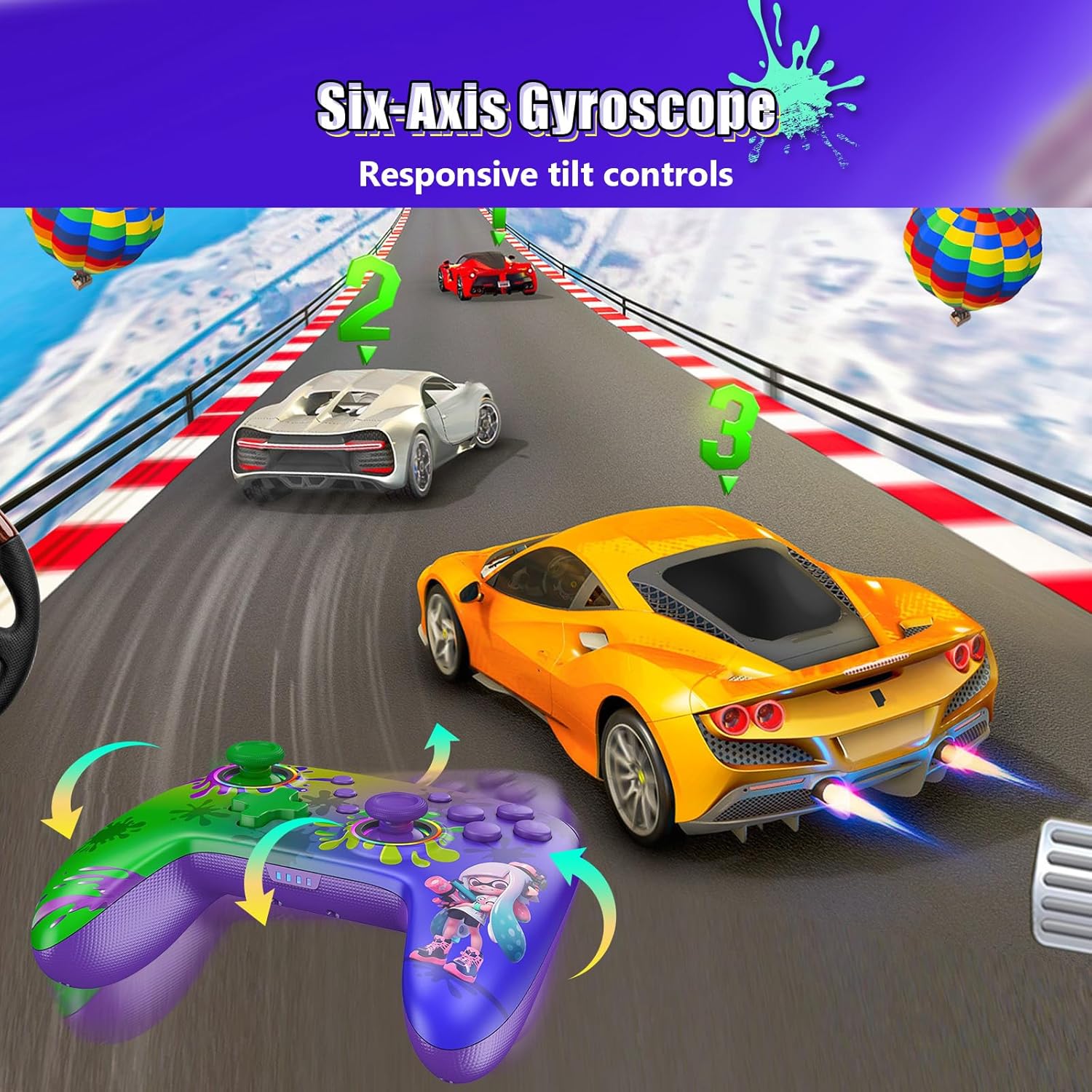
Image: Six-Axis Gyroscope in use
RGB Thumbsticks
The controller features customizable RGB lighting around the thumbsticks. These lights can be adjusted for color, brightness, and mode.
- Changing Colors/Modes: Refer to the controller's quick start guide for specific button combinations to cycle through seven colors, adjust brightness, and select from three lighting modes (e.g., breathing, cycling, static).
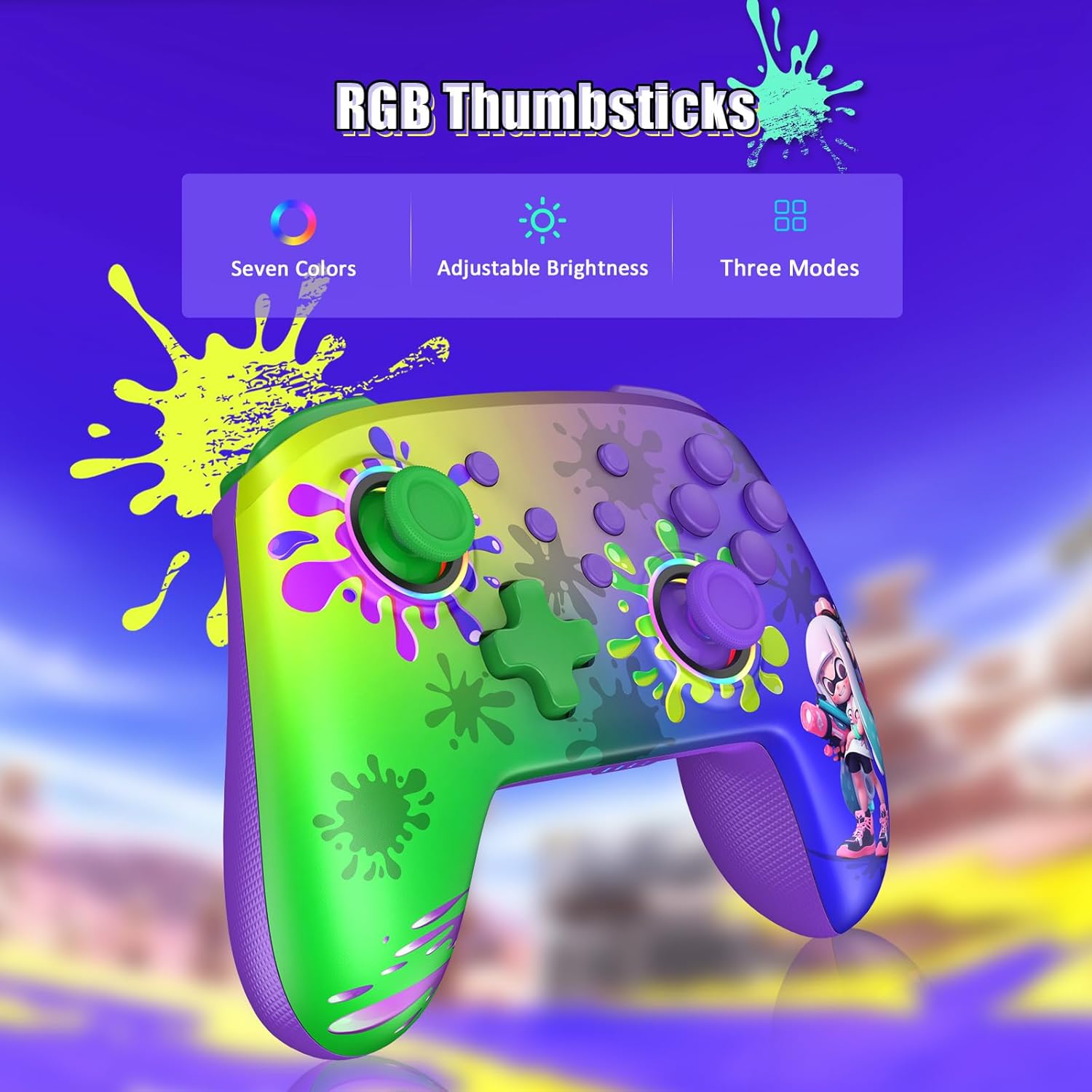
Image: RGB Thumbsticks Features
Cumail suas
- Glanadh: Cleachd clò bog, tioram airson an rianadair a ghlanadh. Seachain ceimigean cruaidh no stuthan sgrìobach a chleachdadh.
- Stòradh: Stòraich an rianadair ann an àite fionnar, tioram air falbh bho sholas dìreach na grèine agus teòthachd anabarrach.
- Cùram Bataraidh: Gus beatha a’ bhataraidh a leudachadh, seachain an rianadair a dhì-luchdachadh gu tur gu tric. Cuir cosgais air gu cunbhalach, eadhon ged nach eil e ga chleachdadh gu cunbhalach.
- Seachain Drops: Dìon an rianadair bho bhoitean is buaidhean, a dh’ fhaodadh milleadh a dhèanamh air na pàirtean a-staigh.
Fuasgladh thrioblaidean
- Rianadair gun cheangal:
- Dèan cinnteach gu bheil uallach air an rianadair.
- Verify Bluetooth is enabled on your Nintendo Switch.
- Attempt to re-pair the controller by following the "Wireless Connection" steps.
- Try connecting the controller via USB cable to confirm it powers on.
- Input Lag or Unresponsive Buttons:
- Ensure there are no obstructions between the controller and the console.
- Thoir sùil airson eadar-theachd bho innealan gun uèir eile.
- Update the controller's firmware if an update is available (check the NexiGo official weblàrach).
- Crith gun a bhith ag obair:
- Thoir sùil air roghainnean sa gheama gus dèanamh cinnteach gu bheil crith air a chomasachadh.
- Adjust the vibration intensity using the controller's dedicated function.
- Motion Controls Inaccurate:
- Calibrate the gyroscope in the Nintendo Switch system settings.
- Ensure the controller is held steadily during calibration.
Sònrachaidhean
| Modail Àireamh | NS32-A9 |
| Meudan toraidh | 6.14 x 4.02 x 2.56 òirleach |
| Cuideam nì | 10.6 unnsa |
| Ceangalachd | Bluetooth |
| Beatha bataraidh | Suas ri 10 uairean a thìde (timcheall air) |
| Ùine cosgais | 2-3 uairean (timcheall air) |
| Dèanadair | Air adhart INC |
Barantas agus Taic
NexiGo products are designed for reliability and performance. For any issues or questions, please refer to the following support information:
- Taic teachdaiche: NexiGo offers quick response customer support, typically within 24 hours.
- Poileasaidh Tilleadh: Products can be returned within 30 days for an exchange or refund, subject to terms and conditions.
- Taic Teicnigeach: Lifetime technical customer support is provided for your NexiGo product.
- For detailed warranty information and to contact support, please visit the official NexiGo weblàrach-lìn no thoir sùil air a’ chairt barantais a tha air a ghabhail a-steach leis an toradh agad.