
Ro-ràdh
The MAIWO K3015CF6 is a versatile 6-bay CFast Card Reader and 1-to-5 Offline Cloner designed for efficient data management. It supports CFast 2.0 cards and offers both online read/write capabilities via USB 3.0 and standalone offline cloning. This manual provides detailed instructions for setting up, operating, and maintaining your device.
Susbaint pacaid
Dèan cinnteach gu bheil a h-uile nì an làthair sa phacaid agad:
- 1x MAIWO CFast Card Reader & Cloner (K3015CF6)
- 1x USB-C to USB-C + USB-A Cable
- Solar cumhachd 1x 12V/5A
- Stiùireadh Tòiseachaidh Luath 1x

Bathar seachadview
Familiarize yourself with the physical components and indicators of your MAIWO CFast Card Reader & Cloner.
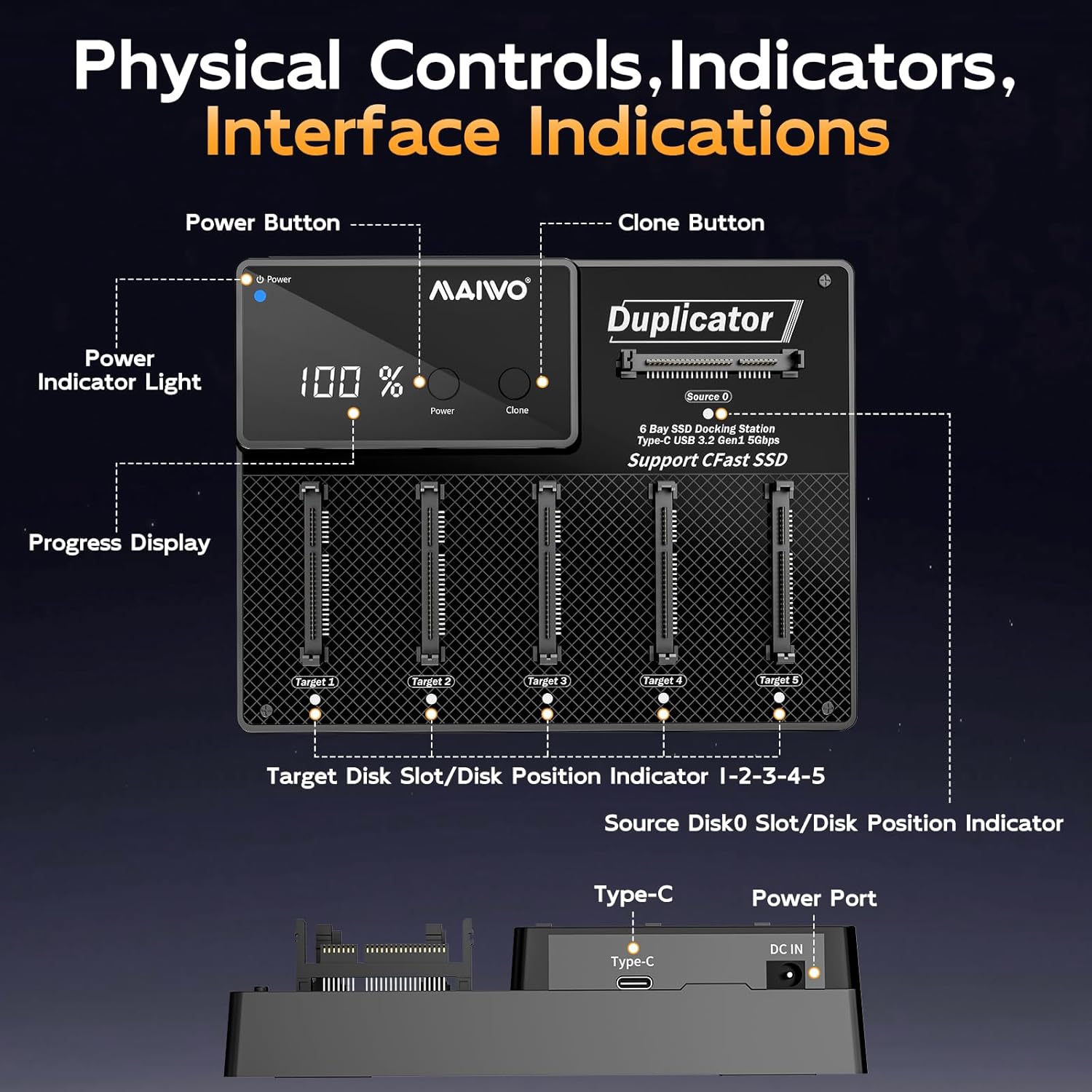
- Putan Cumhachd: Tionndaidh an inneal air no dheth.
- Putan Clònaidh: A’ tòiseachadh air a’ phròiseas clònaidh far-loidhne.
- Solas Comharra Cumhachd: A’ nochdadh suidheachadh cumhachd.
- Progress Display: Shows cloning progress or other status information.
- CFast Card Slots (Source 0, Target 1-5): Bays for inserting CFast cards.
- Port Seòrsa C: USB 3.1 data transfer interface for PC connection.
- DC ANN AN Port: For connecting the 12V/5A power supply.
Solais Comharra
The device uses indicator lights to communicate its status:
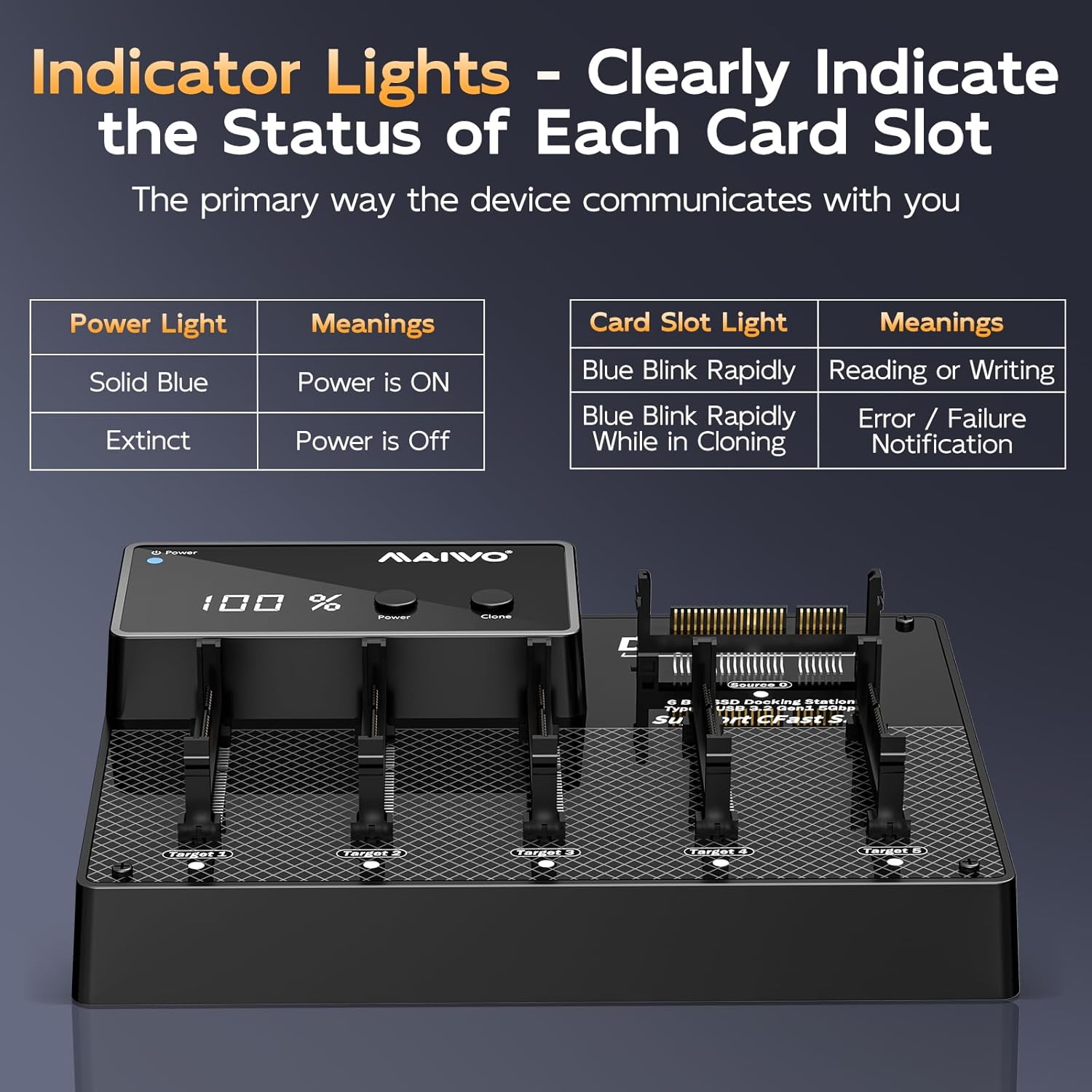
| Comharra | Inbhe | Ciall |
|---|---|---|
| Solas cumhachd | Gorm cruaidh | Tha cumhachd AIR |
| Solas cumhachd | A dhol à bith | Tha cumhachd OFF |
| Card Slot Light | Blue Blink Rapidly | Reading or Writing |
| Card Slot Light | Blue Blink Rapidly While in Cloning | Error / Failure Notification |
Suidhich
Follow these steps to set up your MAIWO CFast Card Reader & Cloner:
- Ceangal cumhachd: Plug the provided 12V/5A power adapter into the DC IN port on the back of the device, then connect the adapter to a power outlet.
- Cumhachd air: Press the Power button on the device. The Power Indicator Light should turn solid blue.
- (Roghainneil) Ceangail ri PC: If you intend to use the device as a card reader, connect the USB-C end of the provided cable to the Type-C port on the device, and the other end (USB-C or USB-A) to your computer.

Stiùireadh Obrachaidh
Online Read & Write Operations (PC Connected)
When connected to a computer, the device functions as a multi-card reader, allowing independent access to each CFast card.
- Ensure the device is powered on and connected to your computer via the USB cable.
- Insert CFast cards into any of the available slots (Source 0, Target 1-5).
- Your computer's operating system (Windows, macOS, Linux) will detect the inserted cards as separate drives.
- You can now read from or write to the CFast cards as you would with any external storage device.

Offline Cloning Process (Standalone Operation)
The device supports 1-to-5 offline cloning without requiring a computer.
- Ullaich Cairtean: Ensure the source CFast card (the card you want to copy from) is inserted into the Stòr 0 slot. Insert up to five destination CFast cards (the cards you want to copy to) into the Targaid 1 troimhe Targaid 5 sliotan.
- Riatanas Comas: Each target card must have equal or greater physical storage capacity than the source card.
- Cumhachd air: Dèan cinnteach gu bheil cumhachd aig an inneal.
- Tòisich air clònadh: Brùth agus cùm an Clone button for approximately 3-5 seconds until the cloning process begins. The progress display will show the cloning percentage, and the target card slot lights will blink rapidly.
- Crìochnachadh: The cloning process is complete when the progress display shows 100% and the indicator lights for the target cards stop blinking.
- Toirt air falbh sàbhailte: Once cloning is complete, power off the device before removing the CFast cards.


Cumail suas
To ensure the longevity and optimal performance of your MAIWO CFast Card Reader & Cloner, follow these maintenance guidelines:
- Glanadh: Cleachd clò bog, tioram gus taobh a-muigh an inneil a ghlanadh. Seachain innealan-glanaidh leaghaidh no fuasglaidhean a chleachdadh.
- Stòradh: Stòraich an inneal ann an àite fionnar, tioram air falbh bho sholas dìreach na grèine agus teòthachd anabarrach.
- Làimhseachadh: Handle CFast cards and the device with care to prevent physical damage to connectors and slots.
- Sgaoileadh teas: The device features an aluminum alloy chassis for passive cooling. Ensure adequate airflow around the device during operation to prevent overheating.

Fuasgladh thrioblaidean
Ma thachras tu ri duilgheadasan leis an inneal agad, thoir sùil air na duilgheadasan agus na fuasglaidhean cumanta a leanas:
- Inneal nach eil a’ cur cumhachd air:
- Ensure the 12V/5A power adapter is securely connected to both the device and a working power outlet.
- Dèan cinnteach gu bheil an t-ionad cumhachd obrachail.
- CFast Cards Not Detected (PC Connected):
- Check if the USB cable is securely connected to both the device and the computer.
- Feuch port USB eile air a’ choimpiutair agad.
- Ensure the CFast cards are fully inserted into their respective slots.
- Test with a different CFast card to rule out card issues.
- Offline Cloning Fails or Stops:
- Ensure the source card is in the Stòr 0 slot and target cards are in Target 1-5 sliotan.
- Verify that all target cards have equal or greater capacity than the source card.
- Check for any error indications on the card slot lights (rapid blinking during cloning indicates an error).
- Ensure the cards are properly seated.
- Try cleaning the card contacts and reinserting.
- Astar Gluasaid Dàta Mall:
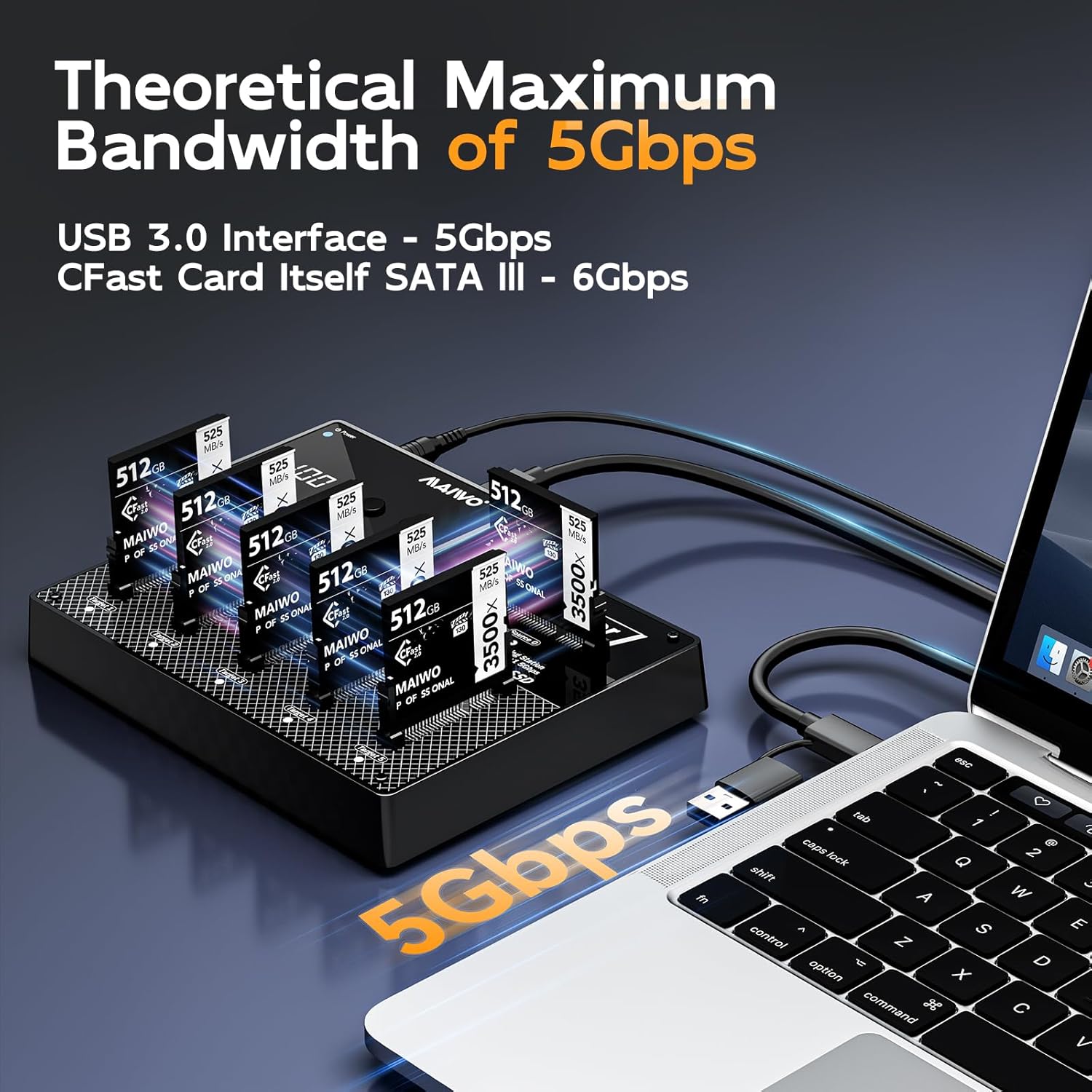
- Ensure you are using a USB 3.0 compatible port on your computer for optimal speeds.
- The actual speed may vary depending on the CFast card's speed and your computer's system performance.
Sònrachaidhean
| Feart | Mion-fhiosrachadh |
|---|---|
| Modail Àireamh | K3015CF6 |
| Brand | MAIWO |
| Dath | Dubh |
| Eadar-aghaidh bathar-cruaidh | Seòrsa C USB |
| Feart sònraichte | Plug agus Cluich |
| Innealan co-fhreagarrach | Desktops, Gaming Consoles, Laptops, Tablets |
| Gu h-iomlan puirt USB | 6 (for CFast cards) |
| Ìre gluasad dàta | 5 Gigabit gach diog (USB 3.1) |
| Co-fhreagarrachd siostam-obrachaidh | Windows, Mac OS, Linux |
| Stuth cuairteachaidh | Styrene acrylonitrile butadiene (ABS) |
| Meudan nì (L x W x H) | 3.46"F x 2.24"L x 1.5"À |
| Cuideam nì | 2 Punnd |
| Solar cumhachd | 12V/5A |
| Comas as àirde | 3TB (6 x 512GB CFast cards) |

Barantas agus Taic
The MAIWO K3015CF6 CFast Card Reader & Cloner comes with a Barantas 12 mìosan from the date of purchase, covering manufacturing defects. For technical support, warranty claims, or further assistance, please contact MAIWO customer service through the retailer where you purchased the product or visit the official MAIWO weblàrach-lìn airson fiosrachadh conaltraidh.
Cùm dearbhadh do cheannach airson adhbharan barantais.