
Bathar seachadview
The DIERYA DK68 is a 60% compact mechanical keyboard designed for versatility and performance. It features triple-mode connectivity, allowing seamless switching between Bluetooth 5.0, 2.4GHz wireless, and USB-C wired connections. Equipped with clicky blue mechanical switches and vibrant RGB backlighting, it offers a responsive and customizable typing experience for both gaming and office use.

Figure 1: DIERYA DK68 Wireless Mechanical Keyboard showcasina dhealbhadh teann agus solais RGB.
Susbaint pacaid
Dèan cinnteach gu bheil a h-uile nì anns a’ phacaid:
- DIERYA DK68 Wireless Mechanical Keyboard
- Càball USB-C gu USB-A
- Puller Keycap
- 2.4GHz USB Receiver (stored in the keyboard's back compartment)
- Leabhar-làimhe cleachdaiche (an sgrìobhainn seo)
Suidheachadh agus Ceangal
The DK68 keyboard supports three connection modes: USB-C wired, 2.4GHz wireless, and Bluetooth 5.0. Choose the mode that best suits your needs.
1. Modh Uèirle USB-C
- Ceangail an càball USB-C a tha air a thoirt seachad ri port USB-C a’ mheur-chlàir.
- Ceangail ceann USB-A a’ chàball ri port USB a tha ri fhaighinn air a’ choimpiutair agad.
- Thèid am meur-chlàr aithneachadh gu fèin-ghluasadach agus bidh e deiseil airson a chleachdadh.
Modh gun uèir 2. 2.4GHz
- Locate the 2.4GHz USB receiver in the compartment on the back of the keyboard.
- Remove the receiver and plug it into an available USB port on your computer.
- Turn on the keyboard using the switch located on the back.
- The keyboard should automatically connect to the receiver. If not, press Fn + G (labeled '2.4G' on the key) to activate 2.4GHz pairing mode.

Figure 2: Triple-mode connectivity options including 2.4GHz wireless.
3. Modh Bluetooth 5.0
The keyboard can connect to up to three Bluetooth devices.
- Turn on the keyboard using the switch on the back.
- Brùth agus cum Fn + z (labeled 'BT1'), Fn + X (labeled 'BT2'), or Fn + c (labeled 'BT3') for 3-5 seconds until the corresponding key's backlight flashes rapidly. This indicates pairing mode.
- On your device (PC, laptop, tablet, phone), enable Bluetooth and search for "DIERYA DK68".
- Select the keyboard to pair. The key's backlight will stop flashing once connected.
- Gus atharrachadh eadar innealan Bluetooth paidhir, dìreach brùth Fn + Z/X/C.

Figure 3: Bluetooth connectivity for multiple devices.
Stiùireadh Obrachaidh
Smachd air Solais-cùil RGB
The DK68 features 20 built-in RGB lighting effects and 16.8 million customizable colors. Use the following key combinations to control the lighting:
- Fn + Cùl-raon: Turn backlighting On/Off.
- Fn + tionndadh: Switch light colors.
- Fn + Cuir a-steach: Switch light modes (20 dynamic RGB modes).
- Fn + Saighead Suas: Meudaich soilleireachd.
- Fn + Saighead sìos: Decrease brightness.
- Fn + Saighead chlì: Decrease light speed.
- Fn + Saighead cheart: Increase light speed.

Figure 4: RGB lighting control key combinations for the DK68 keyboard.
Gnàthachadh Iuchrach agus Macros
The DIERYA DK68 supports full key anti-ghosting and N-Key Rollover (NKRO) for accurate input. For advanced customization, including key remapping, macro programming, and additional lighting effects, dedicated software is available. Please refer to the official DIERYA weblàrach-lìn airson luchdachadh sìos bathar-bog agus stiùireadh.

Figure 5: Full N-Key Rollover and software customization capabilities.
Suidsichean gorm meacanaigeach
The keyboard is equipped with clicky blue mechanical switches, providing a distinct tactile bump and an audible click with each keystroke. These switches are ideal for users who prefer clear feedback and a satisfying typing experience. They feature a medium 60gf actuation force (±15gf) and 2.3mm travel (±0.6mm), with a lifespan of 50 million clicks.

Figear 6: Mionaideach view of mechanical blue switches and their specifications.
Cumail suas
Riaghladh Bataraidh
The keyboard is powered by a 3000mAh lithium battery. To charge, connect the keyboard via the USB-C cable to a power source. The keyboard can be used while charging.
- Usage Time (Backlighting On): Suas gu 12 uairean.
- Usage Time (Backlighting Off): Suas gu 333 uairean.
- Modh Auto-Cadal: The keyboard enters auto-sleep mode after 3 minutes of inactivity to conserve power.
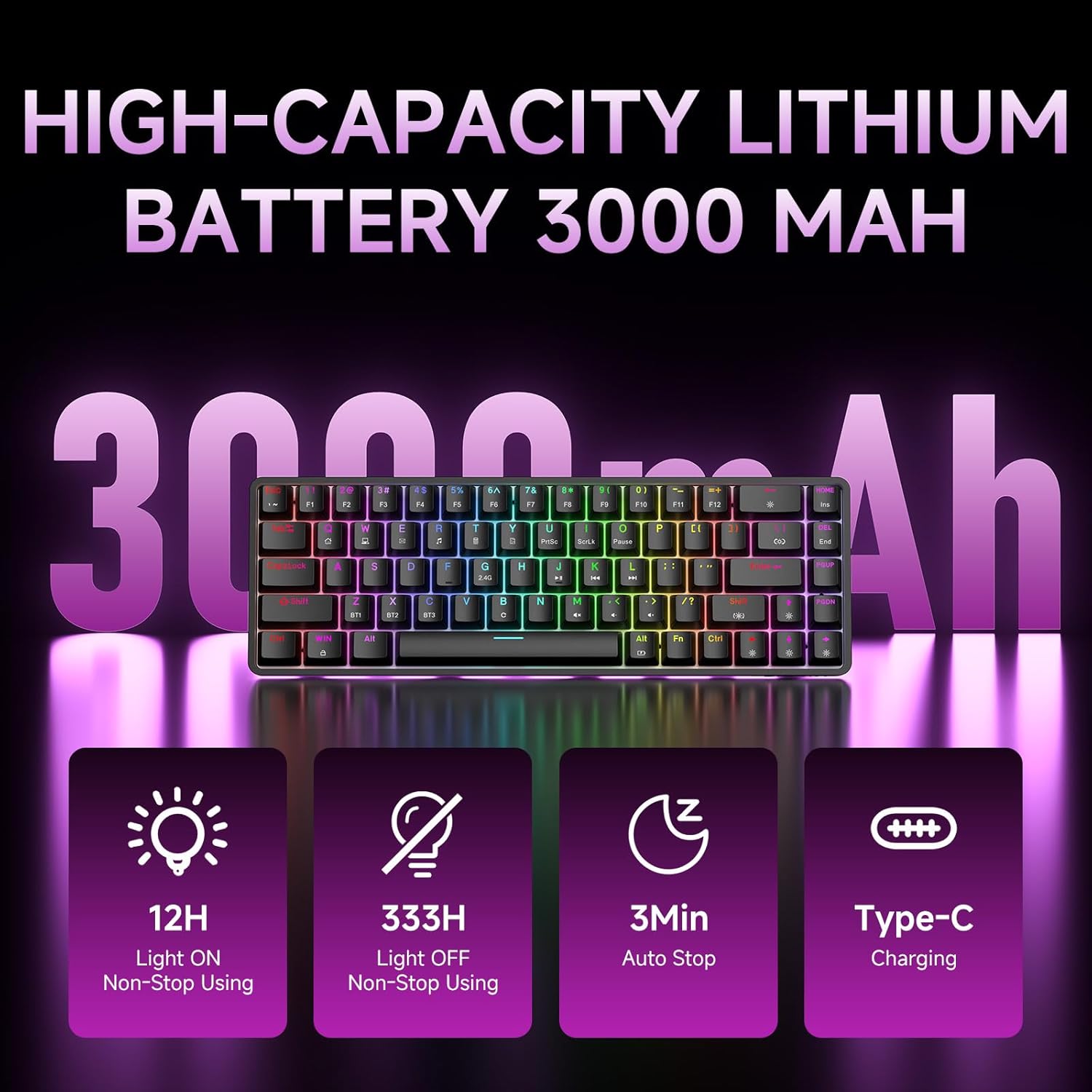
Figure 7: Battery capacity and power-saving features of the DK68.
Glanadh agus cùram
- Use the provided keycap puller to carefully remove keycaps for cleaning.
- Clean the keyboard surface with a soft, damp clò. Seachain cus taiseachd.
- Na cleachd ceimigean gruamach no innealan glanaidh sgrìobach.
- Dèan cinnteach gu bheil am meur-chlàr dheth mus glan thu e.
Fuasgladh thrioblaidean
- Meur-chlàr nach eil a 'freagairt:
- Check the power switch on the back of the keyboard.
- Ensure the correct connection mode (wired, 2.4GHz, or Bluetooth) is selected.
- Airson 2.4GHz, dèan cinnteach gu bheil an glacadair USB air a phlugaigeadh a-steach gu tèarainte.
- Airson Bluetooth, dèan cinnteach gu bheil am meur-chlàr paidhir agus air a thaghadh air an inneal agad. Feuch ri ath-phaidhireadh ma tha sin riatanach.
- If using wired mode, try a different USB port or cable.
- Chan eil an solas-cùil ag obair:
- Brùth Fn + Cùl-raon to toggle the backlighting.
- Check battery level; low battery may disable backlighting.
- Iuchraichean nach eil a’ clàradh:
- Ensure the keyboard is properly connected and powered on.
- If specific keys are not working, try removing and re-seating their keycaps.
Sònrachaidhean
| Feart | Mion-fhiosrachadh |
|---|---|
| Modail Àireamh | DK68 |
| Teicneòlas ceangail | Gun uèir 2.4GHz, Bluetooth 5.0, USB-C le uèir |
| Seòrsa Switch | Clicky Blue Mechanical Switches |
| Cruth na h-iuchrach | 68 iuchraichean (60% cruth) |
| Cùl-sholais | RGB (16.8 Million Colors, 20 Effects) |
| Comas Bataraidh | Polymer lithium 3000mAh |
| Innealan co-fhreagarrach | Consól Gèam, Laptop, PC, Tablet |
| Anti-Taibhse | Full Key Anti-Ghosting & NKRO |
| Stuth | Plastaig |
| Cuideam nì | 1.76 notaichean (timcheall air 800g) |
| Meud pacaid | 14.33 x 4.37 x 1.73 òirleach |

Figure 8: Keyboard dimensions and compact 68-key layout.
Barantas agus Taic
For warranty information and technical support, please refer to the documentation included with your product or visit the official DIERYA website. Amazon's return policy for this product is 30 days from the date of receipt.