
Bigme B6
Bigme B6 Color Ebook Reader User Manual
Model: B6 | Brand: Bigme
1. Ro-ràdh
This manual provides detailed instructions for the safe and efficient operation of your Bigme B6 Color Ebook Reader. Please read this manual thoroughly before using the device and retain it for future reference.
Susbaint pacaid
- Leughadair leabhraichean-d Bigme B6
- Cùis Dìon
- Leabhar-làimhe cleachdaiche (an sgrìobhainn seo)
- Càball cosgais

Image 1.1: Bigme B6 Color Ebook Reader and included protective case.
2. Toradh thallview
Familiarize yourself with the components and features of your Bigme B6 device.
Prìomh fheartan
- Taisbeanadh: 6-inch Color E-paper display, 300 PPI resolution.
- Pròiseasar: Octa-core CPU for responsive performance.
- Cuimhne & Stòradh: 4GB RAM and 64GB internal storage, expandable via Micro-SD card (up to 1TB).
- Siostam-obrachaidh: Android 14, providing access to various applications.
- Ceangal: Bluetooth and Wi-Fi for wireless communication.
- Fuaim: Integrated Hi-Fi Speakers.
- Dealbhadh: Pro ultra-tanafile at 6.98mm.
- Comhfhurtachd nan sùilean: Features Zero Blue Light and Flicker-Free technology, TUV Rheinland certified for reduced eye strain.

Dealbh 2.1: Thairisview of the Bigme B6 Ebook Reader's main features.
3. Suidhich
3.1 Cìs tòiseachaidh
Before first use, fully charge your Bigme B6. Connect the device to a power source using the provided charging cable. The charging indicator will show the charging status.
3.2 Cumhachd air / dheth
- Gus a chumhachdachadh: Brùth is cum sìos am putan cumhachd gus an las an scrion suas.
- To power off: Press and hold the power button, then select "Power Off" from the options.
- To sleep/wake: Briefly press the power button.
3.3 Ceangal Lìonra (Wi-Fi)
- Bhon sgrìn dachaigh, seòl gu Suidhichidhean.
- Tagh Lìonra & eadar-lìon.
- Tog suas Wi-Fi gu AIR.
- Tagh an lìonra Wi-Fi a tha thu ag iarraidh bhon liosta.
- Cuir a-steach am facal-faire ma thèid iarraidh ort agus tap air Ceangail.
3.4 Rèiteachadh Tùsail an t-Siostaim
Upon first power-on or after a factory reset, follow the on-screen prompts to select your language, connect to Wi-Fi, and set up your Google account (optional, for app store access).
4. Stiùireadh Obrachaidh
4.1 Seòladh Bunaiteach
- Sgrion-suathaidh: Tap to select items, swipe to scroll, pinch to zoom.
- Sgrion Dachaigh: Displays installed applications and widgets.
- Pannal Fiosrachaidh: Swipe sìos bho mhullach na sgrìn gus faighinn gu roghainnean luath agus fiosan.
- Ionad Smachd: Access system settings like Wi-Fi, Bluetooth, brightness, and refresh modes.
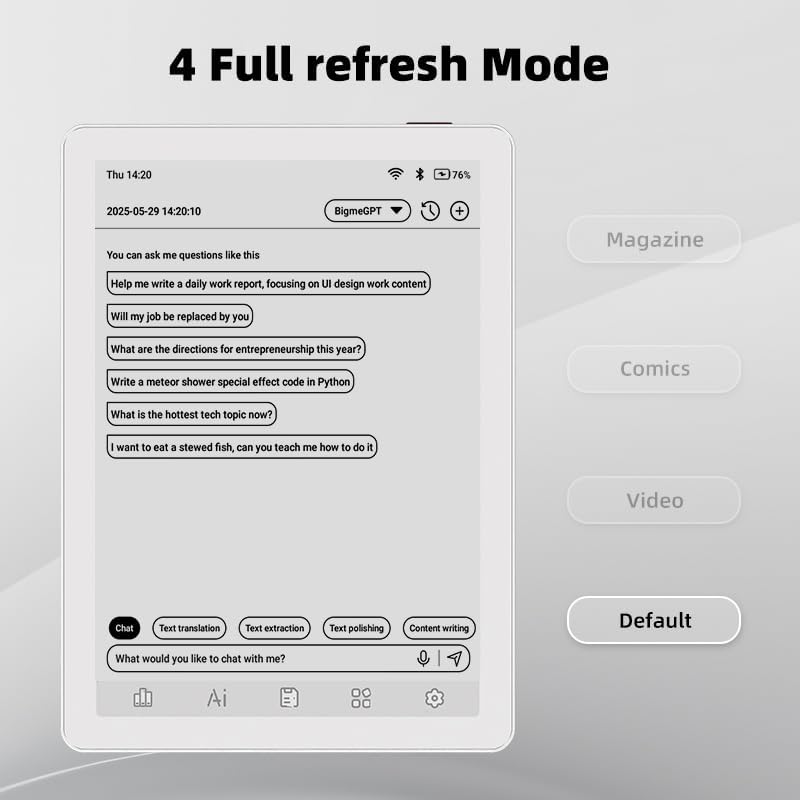
Image 4.1: The Bigme B6 home screen displaying various application icons.

Image 4.2: Accessing the Control Center for quick adjustments to device settings.
4.2 Reading eBooks
The Bigme B6 supports over 19 eBook formats, including PDF, TXT, EPUB, MOBI, and more. You can load books via USB or download them directly through reading applications.
- Open a reading application (e.g., the default reader or a downloaded app like Kindle or Libby).
- Select the book you wish to read from your library.
- Tap the left or right side of the screen to turn pages.
- Tap the center of the screen to access reading options (font size, line spacing, contrast, etc.).
- To highlight text: Press and hold on a word, then drag the selection handles to cover the desired text. Options for highlighting or notes will appear.

Image 4.3: Reading an eBook and highlighting text with color on the Bigme B6.
4.3 Riaghladh nan Aplacaidean
As an Android 14 device, you can install applications from the Google Play Store or other compatible sources.
- Stàladh Apps: Fosgail an App Store icon (Google Play Store) on your home screen, search for the desired app, and follow the installation prompts.
- A’ dì-stàladh aplacaidean: Rach gu Roghainnean> Apps, tagh an aplacaid, agus tap air Dì-stàlaich.
4.4 Audiobooks and Media Playback
The device supports audiobook playback through its built-in Hi-Fi speakers or connected Bluetooth headphones.
- Playing Audiobooks: Use a compatible audiobook application.
- Connecting Bluetooth Headphones: Rach gu Roghainnean > Innealan ceangailte > Bluetooth, enable Bluetooth, and pair with your headphones.

Image 4.4: The Bigme B6 supports audiobooks, allowing for hands-free listening.
4.5 Display Refresh Modes
The Bigme B6 offers multiple refresh modes to optimize display performance for different content types.
- Access refresh modes from the Control Center or Display Settings.
- Tha na modhan cumanta a’ gabhail a-steach:
- Ro-shealladh: Standard reading mode.
- Iris: Optimized for images and text in magazines.
- Comics: Enhanced for comic book viewing.
- Bhidio: Provides a smoother refresh rate for video content (note: e-paper displays have limitations for video).

Image 4.5: Selecting from various refresh modes to suit different content types.
5. Cumail suas
5.1 A ’glanadh an inneal
- Use a soft, lint-free cloth to gently wipe the screen and body of the device.
- Airson smùid stòlda, beagan dampnigh an clò le uisge no le inneal-glanaidh sgrion a chaidh a dhealbhadh gu sònraichte airson electronics.
- Seachain ceimigean cruaidh, stuthan sgrìobach, no cus taiseachd a chleachdadh.
5.2 Cùram Bataraidh
- Cuir cosgais air an inneal gu cunbhalach, ach seachain a fhàgail gu tur gun chosgais airson ùine mhòr.
- Do not expose the device to extreme temperatures, as this can affect battery life.
- Use only the provided or a certified charging cable and adapter.
5.3 Stòradh
When not in use for extended periods, store the device in a cool, dry place, away from direct sunlight and extreme temperatures. It is recommended to charge the device to about 50% before long-term storage.
6. A ’dèanamh trioblaid
| Trioblaid | Adhbhar a dh’fhaodadh a bhith ann | Fuasgladh |
|---|---|---|
| Chan eil cumhachd aig an inneal. | Bataraidh ìosal; inneal reòta. | Cuir cosgais air an inneal airson co-dhiù 30 mionaid. Dèan ath-thòiseachadh èignichte le bhith a’ cumail a’ phutan cumhachd airson 10-15 diogan. |
| Screen is unresponsive or slow. | Temporary software glitch; too many apps running. | Restart the device. Close unnecessary background applications. Check for system updates. |
| Chan urrainn dhuinn ceangal a dhèanamh ri Wi-Fi. | Facal-faire ceàrr; duilgheadas leis an router; Wi-Fi à comas. | Ensure Wi-Fi is enabled and the password is correct. Restart your Wi-Fi router. Try connecting to a different network. |
| Bidh bataraidh a’ drèanadh gu sgiobalta. | High screen brightness; many background apps; frequent Wi-Fi/Bluetooth use. | Reduce screen brightness. Close unused applications. Disable Wi-Fi and Bluetooth when not needed. Adjust refresh mode settings. |
| Applications crash or freeze. | App incompatibility; insufficient memory. | Update the application. Clear the app's cache (Settings > Apps > [App Name] > Storage & cache). If issues persist, uninstall and reinstall the app. |
7. Sònrachaidhean
| Ainm Modail | US-B6 |
| Taisbeanadh | 6-inch Color E-paper, Electronic Ink, 300 PPI |
| Siostam-obrachaidh | Android 14 |
| RAM | 4 GB |
| Stòradh a-staigh | 64 GB |
| Stòradh a ghabhas leudachadh | Micro-SD card (up to 1TB support) |
| Ceangalachd | Bluetooth, WiFi |
| Bataraidh | 1 Bataraidh Neo-àbhaisteach (air a ghabhail a-steach) |
| Meudan (L x L x Àirde) | 5.88" x 4.25" x 0.28" (14.94 cm x 10.8 cm x 0.71 cm) |
| Cuideam nì | 6.2 unnsa (175.77 gram) |
| Cruthan eBook le taic | PDF, TXT, EPUB, EPUB3, HTML, HTM, AZW3, FB2, DOC, DOCX, MOBI, OEB, CBR, RPC, RTF, DJVU, ZIP |
8. Barantas agus Taic
8.1 Fiosrachadh Barantais
Please refer to the warranty card included with your product for specific warranty terms and conditions. The warranty typically covers manufacturing defects for a specified period from the date of purchase.
8.2 Taic teachdaiche
For technical assistance, troubleshooting not covered in this manual, or warranty claims, please contact Bigme customer support. Contact details can usually be found on the Bigme official weblàrach no air pacaigeadh an toraidh.
Faodaidh tu cuideachd tadhal air an Bigme Store on Amazon airson fiosrachadh a bharrachd mu thoraidhean agus goireasan taic.