
1. Ro-ràdh
Thank you for choosing the AJAZZ AKP03 Macro Keypad Stream Controller. This device is designed to enhance your productivity and streamline your workflow for gaming, streaming, and office tasks. With its programmable keys and intuitive software, you can customize shortcuts and macros to execute complex actions with a single press. Please read this manual carefully to ensure proper setup and optimal use of your new device.
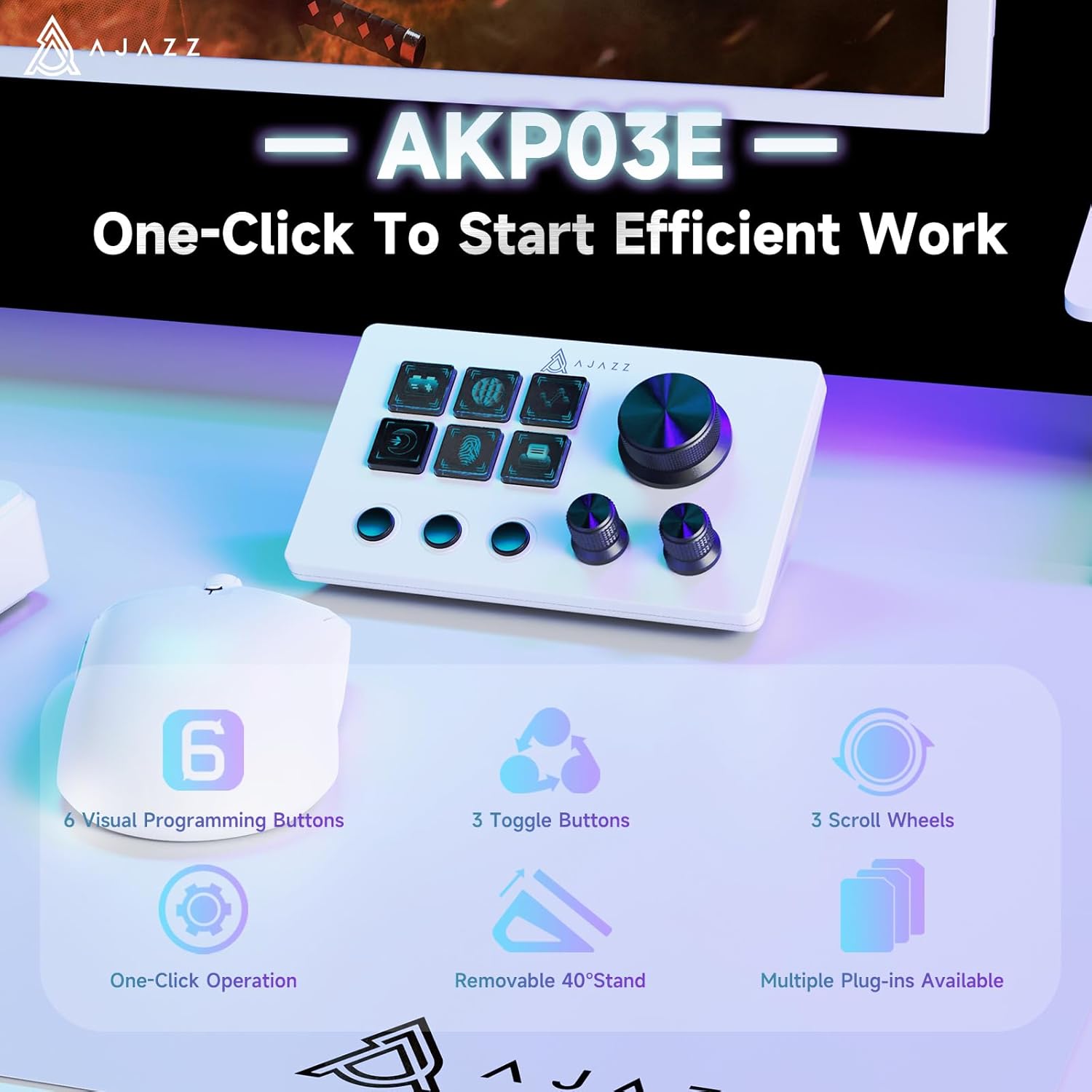
Image: AJAZZ AKP03 Macro Keypad showcasing its key features and design.
2. Feartan
- Six Programmable Macro Keys: The live streaming console features six customizable macro keys with LCD displays, three physical knobs, and three toggle switches. These offer flexibility for assigning single or continuous actions to optimize workflows, from game combos to launching applications or controlling media.
- Obrachadh aon-bhriog: Achieve instant execution with a single press through the customizable USB macro keyboard. Launch macro commands, input text, open files agus websites, and control media with speed and precision.
- Driver Software Settings: Utilize simple drag-and-drop functionality to assign desired actions to the six customizable keys and configure their properties. This allows for triggering single or multiple actions with a single key press, offering an intuitive and quick learning curve.
- Co-fhreagarrachd farsaing: This live streaming controller integrates seamlessly with various software, applications, and plugins. It supports platforms like Streamlabs, Twitch, and YouTube on your streaming computer. The console store offers a vast selection of plugins and icons for comprehensive enhancement of your setup.
- Càileachd air leth: Crafted from premium materials and subjected to rigorous quality control, the AJAZZ Computer Media Controller Board Macro Keyboard ensures lasting performance. It includes practical plugins such as schedule reminders, clock, stopwatch, weather, and calendar functions.

Image: Detailed diagram illustrating the programmable buttons and knobs of the AKP03.
3. Pasgan-susbaint
Thoir sùil air a’ bhogsa airson nan nithean a leanas:
- AJAZZ AKP03 Macro Keypad Stream Controller
- Càball USB-A gu USB-C
- Removable 40° Stand
- Leabhar-làimhe cleachdaiche (an sgrìobhainn seo)
Video: Unboxing the AJAZZ Desktop Console, showing the contents of the package.
4. Suidhich
4.1 Ceangal Corporra
- Connect one end of the provided USB-A to USB-C cable to the USB-C port on the back of the AKP03 Macro Keypad.
- Connect the other end of the cable to an available USB-A port on your computer (PC or Mac).
- Bu chòir don inneal tionndadh air gu fèin-ghluasadach.
4.2 Stàladh Bathar-bog Draibhear
To unlock the full customization capabilities of your AKP03, you need to install the dedicated driver software.
- Fosgail do web browser and navigate to the official AJAZZ weblàrach: www.a-jazz.com.
- Look for the 'Driver Download' or 'Support' section on the weblàrach.
- Lorg airson 'AKP03' or 'AKP03E' in the product model search bar.
- Download the driver software corresponding to your operating system (Windows or Mac).
- Once downloaded, run the installer and follow the on-screen instructions to complete the installation.
- Às dèidh an stàlaidh, ath-thòisich do choimpiutair ma thèid iarraidh ort.
Video: Guide on downloading and installing the driver software for the Stream Controller Deck.
4.3 Attaching the Removable Stand
The AKP03 comes with a removable 40° stand for optimal viewing and ergonomic use.
- Align the stand with the slots on the underside of the AKP03.
- Gently push the stand until it snaps securely into place.
- Ensure the stand is firmly attached before placing the device on your desk.

Image: The AKP03 with its removable 40° stand, providing a clear view of all buttons.
5. Stiùireadh Obrachaidh
5.1 Bathar-bog thairisview
The 'Stream Dock AJAZZ' software is your central hub for customizing the AKP03. After installation, launch the software to begin personalizing your device.
5.2 Customizing Keys and Knobs
- In the software interface, you will see a visual representation of your AKP03.
- To assign an action, simply drag and drop a desired function (e.g., launch application, media control, macro) from the software's library onto one of the six programmable keys.
- The LCD display on each key will update to show the assigned icon or text.
- The three physical knobs can be configured for various functions such as volume control, scrolling, or other continuous adjustments.
- The three toggle switches can be assigned to on/off functions or quick mode changes.

Image: The 'Simply Drag And Drop' feature in the AJAZZ software for assigning actions to keys.
Video: Demonstrating how to trigger desktop assistant functions with a simple click.
Video: Illustrating one-click actions to launch web pages and software.
5.3 Advanced Customization
The software allows for creating multiple profiles or 'scenes' for different applications or workflows. You can switch between these profiles to instantly change the functions of your keys and knobs, adapting to diverse scenarios like:
- Game Programming and Development
- Ìomhaigh Leigheil
- Deasachadh Ìomhaighean
- Sruth beò
- Riochdachadh Ciùil
- Film and Television Color Grading

Image: The AKP03 adapting to diverse professional and creative scenarios.
Bhidio: Taisbeanadhasing the AKP03 as a multifunctional assistant for boosting work efficiency.
6. Cumail suas
6.1 Glanadh
- To clean the device, use a soft, dry, lint-free cloth.
- Avoid using harsh chemicals, solvents, or abrasive cleaners, as these may damage the surface or internal components.
- Airson salachar stòlda, beagan dampen the cloth with water, ensuring no liquid enters the device openings.
6.2 Stòradh
- Store the AKP03 in a cool, dry place away from direct sunlight and extreme temperatures.
- If storing for an extended period, disconnect it from your computer.
7. A ’dèanamh trioblaid
7.1 Inneal gun aithneachadh
- Thoir sùil air ceangal càball: Ensure the USB-C cable is securely connected to both the AKP03 and your computer. Try a different USB port.
- Stàladh an dràibhear: Verify that the correct driver software for your operating system is installed. Refer to Section 4.2 for installation instructions.
- Ath-thòisich an coimpiutair: Sometimes a simple restart can resolve connection issues.
7.2 Keys/Knobs Not Responding
- Software Mapping: Open the 'Stream Dock AJAZZ' software and ensure that functions are correctly assigned to the keys and knobs.
- Ùrachaidhean bathar-bog: Check for any available software updates for the 'Stream Dock AJAZZ' application.
- Ath-stàladh draibhear: If issues persist, try uninstalling and reinstalling the driver software.
7.3 Software Crashing/Freezing
- Riatanasan an t-siostaim: Ensure your computer meets the minimum system requirements for the software.
- Dùin Aplacaidean Cùl-fhiosrachaidh: Other running applications might interfere with the software. Close unnecessary programs.
- Ath-stàlaich bathar-bog: Perform a clean reinstallation of the 'Stream Dock AJAZZ' software.
8. Sònrachaidhean
| Feart | Mion-fhiosrachadh |
|---|---|
| Brand | AJAZZ |
| Ainm Modail | AKP03 |
| Innealan co-fhreagarrach | PC |
| Seòrsa Rianadair | Meur-chlàr |
| Teicneòlas ceangail | USB C |
| Feartan a bharrachd | Ergonomic |
| Meud a' Phutain | 6 |
| Àrd-ùrlar bathar-cruaidh | Lap-uchd |
| Stòr cumhachd | Electric Corded |
| Cuideam nì | 0.72 Punnd |
| Meudan nì D x W x H | 6"D x 3.9"W x 2.7"H |
| Dath | AKP03E White |
9. Barantas & Taic
9.1 Fiosrachadh Barantais
The AJAZZ AKP03 Macro Keypad Stream Controller comes with a Barantas cuibhrichte 1-bliadhna from the date of purchase. This warranty covers manufacturing defects and workmanship under normal use. It does not cover damage caused by misuse, accidents, unauthorized modifications, or external factors.
9.2 Taic teachdaiche
AJAZZ is committed to providing excellent customer service. We offer Taic luchd-cleachdaidh 24/7 to assist you with any questions or issues you may encounter. Additionally, we provide free software updates to ensure your device remains optimized and compatible with the latest systems.
For further assistance, driver downloads, or to contact support, please visit our official weblàrach: www.a-jazz.com.


