
Ro-ràdh
This manual provides detailed instructions for the OQIMAX Kids Alarm Clock, Model WA175USKM. This device is designed to assist children with sleep training, provide a comforting night light, and offer reliable dual alarm functions. Please read this manual thoroughly before use to ensure proper operation and maintenance.
Fiosrachadh Sàbhailteachd
- Ensure the device is plugged into a compatible power source (Type-C). An adapter is not included.
- Cùm an inneal air falbh bho uisge no cus taiseachd.
- Na feuch ri an inneal a thoirt às a chèile no a chàradh thu fhèin. Cuir fios gu taic luchd-cleachdaidh ma thachras cùisean.
- Tha an toradh seo airson a chleachdadh a-staigh a-mhàin.
Susbaint pacaid
- OQIMAX Kids Alarm Clock (Model WA175USKM)
- Càball USB Type-C
- Leabhar-làimhe stiùiridh
Bathar seachadview
The OQIMAX Kids Alarm Clock features a friendly cat-shaped design with a digital display and intuitive controls. It combines multiple functions to support children's routines:
- Sleep Training: Visual cues (moon/sun icons, colored lights) guide children for bedtime and wake-up.
- Solas na h-oidhche: 11 vibrant colors and adjustable brightness levels create a soothing ambiance.
- Music & Sounds: 10 soothing melodies, nature sounds, or white noise options.
- Alarm dà-chànanach: Two independent alarms with customizable schedules and a snooze function.
- Glasadh Cloinne: A’ cur casg air atharrachaidhean gun fhiosta air roghainnean.

Figear 1: Os a chionnview of the OQIMAX Kids Alarm Clock highlighting its main features.
Suidhich
- Ceangal cumhachd: Connect the provided Type-C USB cable to the clock and plug it into a suitable USB power adapter (not included). The clock will power on automatically.
- Suidheachadh Ùine Tùsail: The clock has a power-off memory function, but it's recommended to set the correct time upon first use or after extended power loss.
Stiùireadh Obrachaidh
Gnìomhan Putan
Familiarize yourself with the buttons located on the front of the alarm clock:

Figure 2: Button layout and functions for the OQIMAX Kids Alarm Clock.
- SET TIME: Short press to adjust time, long press to enter time setting mode.
- SUN/MOON ON/OFF: Short press to turn sun/moon icon on/off, long press to set appearance time of the moon.
- TUNES: Short press to select music (10 options), long press for 3 seconds to activate/deactivate child lock.
- DISPLAY: Atharraich soilleireachd taisbeanaidh.
- UP (U/P): Increase value, adjust RGB brightness.
- DOWN (DOWN): Decrease value, adjust volume.
- uachdar àrd: Press the top of the clock to change night light colors or activate snooze.
A 'suidheachadh an ama
- Brùth fada air an SEANN TIOMNAIDH putan gus am bi na h-àireamhan uair a’ priobadh.
- Cleachd an UP or DOWN putanan gus an uair a rèiteachadh.
- Brùth SEANN TIOMNAIDH again to move to minute adjustment, then use UP or DOWN.
- Lean air adhart a 'bruthadh SEANN TIOMNAIDH to cycle through year, month, day settings, adjusting each with UP or DOWN.
- Brùth SEANN TIOMNAIDH aon uair mu dheireadh gus dearbhadh agus falbh.
Sleep Training Function
The sleep training feature uses visual cues to help children understand bedtime and wake-up times.
- Bedtime (Moon Icon): From 7 PM to 11 PM, a moon icon lights up, and the night light glows a gentle red, signaling it's time for bed. The red night light automatically turns off after 1 hour.
- Wake-Up (Sun Icon): 20 minutes before the set alarm time, a soft yellow light will appear. When the alarm rings, the light turns green, indicating it's time to wake up.

Figure 3: Bedtime mode with red light and moon icon.

Figure 4: Wake-up mode with yellow light and sun icon.
Gnìomh solais oidhche
The clock offers 11 vibrant light colors and 5 brightness levels for the display and nightlight.
- Ag atharrachadh dathan: Press the top surface of the alarm clock to cycle through the 11 light colors (7 solid colors + 4 dynamic colors).
- Ag atharrachadh soilleireachd: Cleachd an UP or DOWN buttons to adjust the brightness of the night light. The display brightness can be adjusted using the LAOIDH putan.

Figure 5: Night light color options and how to change them.

Figure 6: Demonstrating 5 levels of screen brightness and automatic night brightness adjustment.
Music and Sound Selection
Choose from 10 soothing music melodies, nature sounds, or white noise options.
- Selecting Tunes: Brùth goirid air an TUNES putan gus rothaireachd tro na 10 fonn a tha rim faighinn.
- Ag atharrachadh meud: Cleachd an DOWN button to adjust the volume level (4 levels available).
Video 1: Demonstration of the OQIMAX Kids Alarm Clock's 11 colors night light and sound options.
Alarm Setup and Snooze
The clock supports two independent alarms with customizable schedules.
- A' suidheachadh rabhaidh: Use the dedicated Alarm 1 and Alarm 2 buttons (located on the back) to set individual alarm times and modes.
- Workday Modes: Choose from four workday modes:
- 1-1: Single day alarm
- 1-5: Diluain gu Dihaoine
- 1-7: Diluain gu Didòmhnaich
- 6-7: Saturday and Sunday
- Dreuchd Snooze: When an alarm sounds, press the top surface of the clock to activate a 5-minute snooze.
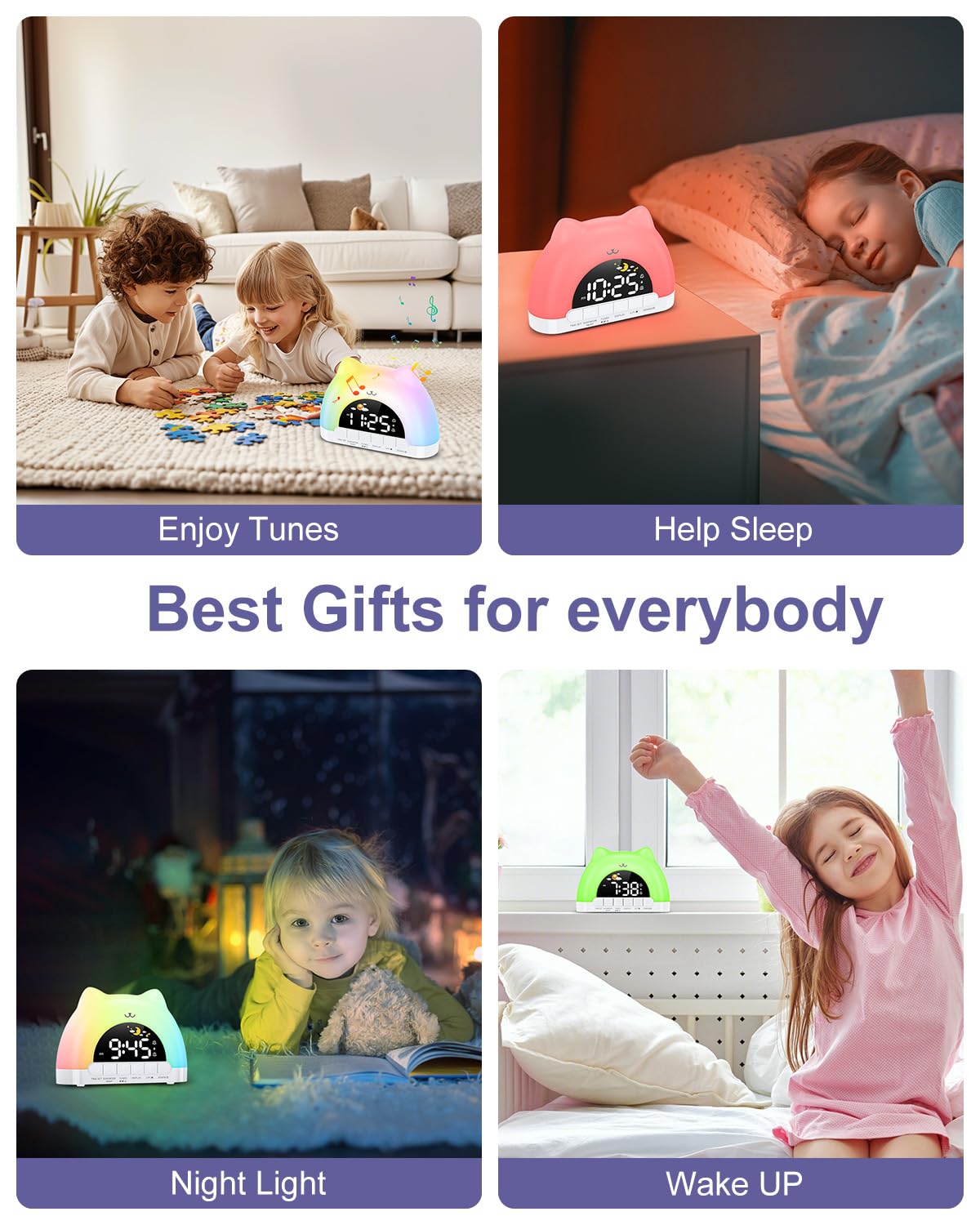
Figure 7: Dual alarm clock and snooze feature.
Glasadh Cloinne
To prevent accidental changes to settings, activate the child lock.
- Cuir an gnìomh / cuir dheth: Cùm an dà chuid TUNES buttons for 3 seconds. When active, children can still enjoy music and lights without altering critical settings.
Cumail suas
- Glan an inneal le clò bog, tioram. Na cleachd innealan-glanaidh sgrìobach no fuasglaidhean.
- Keep the device free from dust and debris to ensure optimal performance.
Fuasgladh thrioblaidean
| Trioblaid | Adhbhar a dh’fhaodadh a bhith ann | Fuasgladh |
|---|---|---|
| Chan eil an cloc a’ tionndadh air. | Not properly plugged in or power adapter issue. | Ensure the Type-C cable is securely connected and the power adapter is working. |
| Chan eil an inneal-rabhaidh a’ fuaimeachadh. | Alarm not set, volume too low, or child lock active. | Verify alarm settings, increase volume, and check child lock status. |
| Night light not changing colors. | Incorrect button press or child lock active. | Ensure you are pressing the top surface of the clock. Check if child lock is active. |
Sònrachaidhean
| Feart | Mion-fhiosrachadh |
|---|---|
| Meudan toraidh | 6.69 x 1.5 x 5.12 òirleach |
| Cuideam nì | 8.1 unnsa (0.23 cileagram) |
| Modail Àireamh | WA175USKM |
| Brand | OQIMAX |
| Stòr cumhachd | Type-C Plug-in (Adapter not included) |
| Dathan Solais na h-Oidhche | 11 (7 solid, 4 dynamic) |
| Music Melodies | 10 roghainnean |
| Taisbeanadh soilleireachd | 5 ìrean |
| Ìrean Tomhais | 4 ìrean |
Barantas agus Taic
For warranty information or technical support, please refer to the product packaging or contact OQIMAX customer service directly. Keep your purchase receipt for any warranty claims.