
1. Ro-ràdh
This manual provides essential information for setting up, operating, and maintaining your DOOGEE Anywise W1 Smart Watch. Please read this manual thoroughly to ensure proper use and to fully utilize all features of your device.
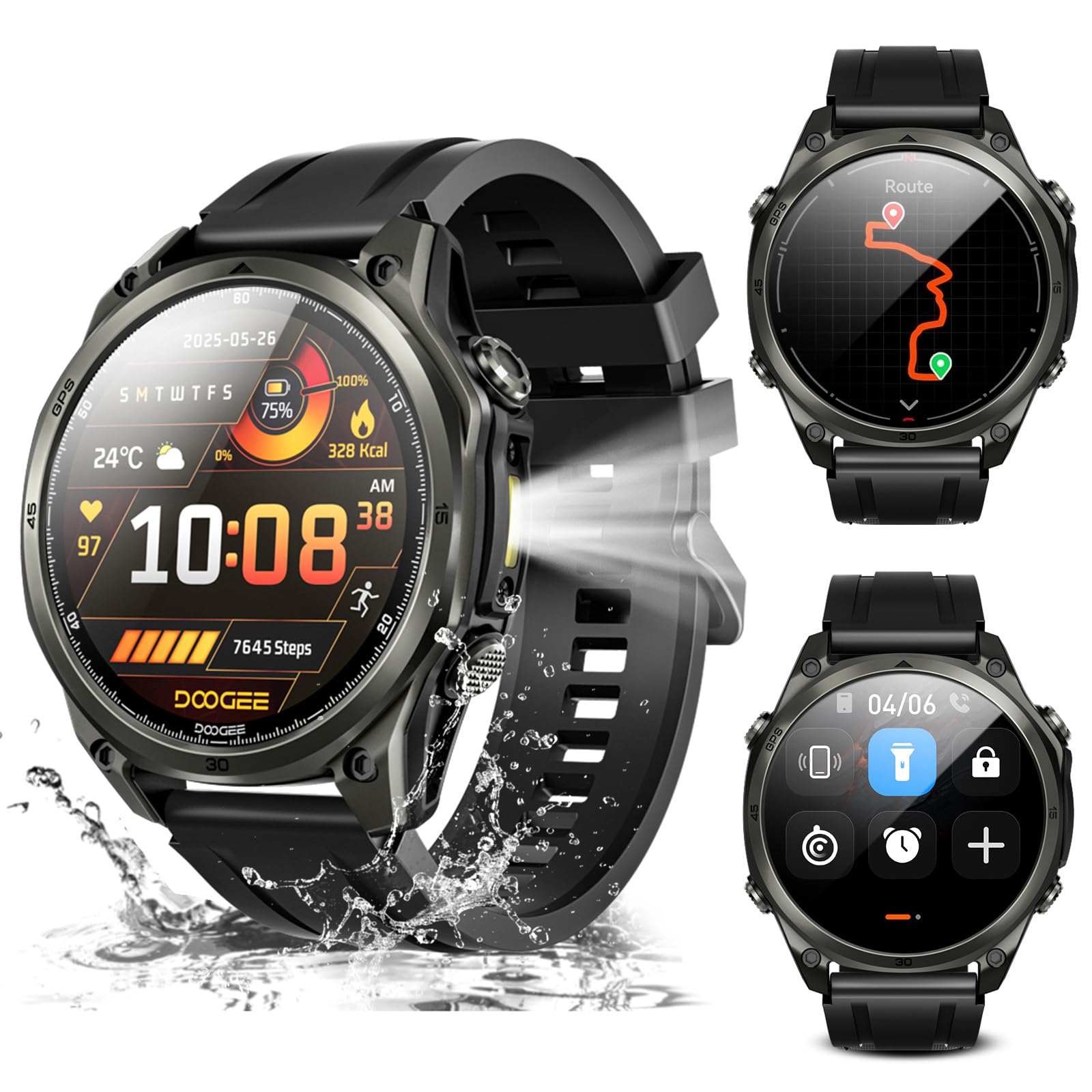
Ìomhaigh: Tharview of the DOOGEE Anywise W1 Smart Watch and its main features.
2. Pasgan-susbaint
Dearbhaich gu bheil a h-uile nì an làthair anns a’ phacaid toraidh agad:
- 1 X Anywise W1 Smartwatch
- 1 X Magnetic Charging Cable
- 2 X Watch Straps (1*Silicone Strap + 1*Braided Strap)
- 1 X Stiùireadh Cleachdaiche
- 1 X Stiùireadh Stiùireadh
- 1 X Service Card
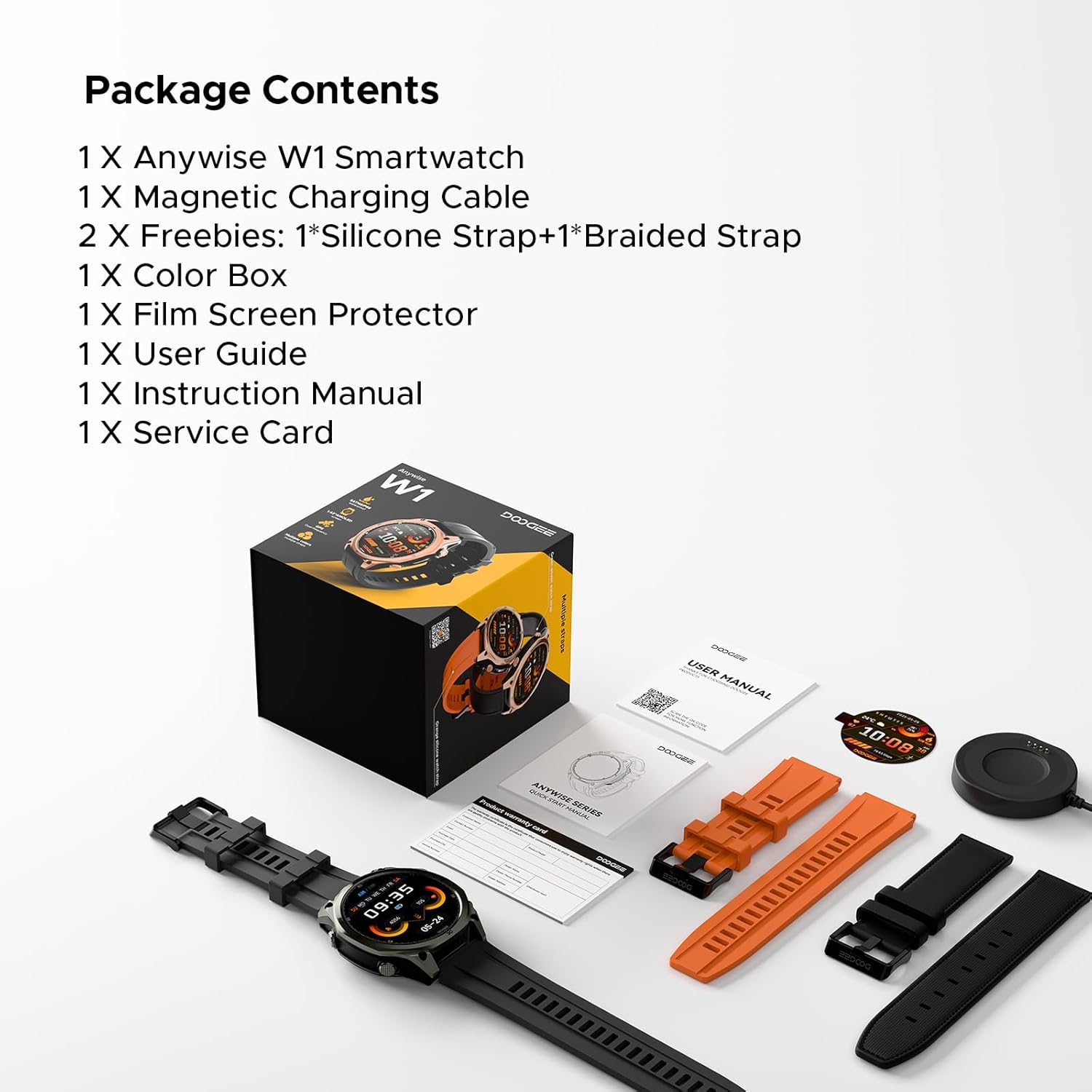
Image: The DOOGEE Anywise W1 Smart Watch and its accessories as found in the box.
3. Suidhich
3.1 Cìs tòiseachaidh
Before first use, fully charge your DOOGEE Anywise W1 Smart Watch. Connect the magnetic charging cable to the charging pins on the back of the watch and plug the USB-A end into a compatible power source. The watch display will indicate charging status.
Video: Demonstrates connecting the magnetic charging cable to the watch and a USB power source.
3.2 Stàladh is Paidhreachadh Aplacaidean
- Download the official DOOGEE Fit application from your smartphone's app store (compatible with Android and iPhone).
- Fosgail an aplacaid agus cruthaich cunntas no clàraich a-steach.
- Follow the on-screen prompts to set up your personal profile (gender, height, weight, age, daily goals).
- Enable Bluetooth on your smartphone and allow the DOOGEE Fit app to access Bluetooth.
- In the app, select 'Add Device' and choose 'DOOGEE Anywise W1' from the list of available devices.
- Dearbhaich an t-iarrtas paidhreachaidh air an dà chuid an fhòn-smart agad agus an uaireadair.
Video: Shows the process of setting up the DOOGEE Fit application on a smartphone and pairing it with the watch.
3.3 Taghadh Cànain
After initial charging and pairing, you may need to select your preferred language on the watch. Tap the screen to navigate through language options and select 'English'.
4. Stiùireadh Obrachaidh
4.1 Taisbeanadh agus Seòladh
The DOOGEE Anywise W1 features a 1.43-inch AMOLED high-definition touch screen, providing clear visibility in various conditions. Navigate the watch interface by swiping left, right, up, or down, and tapping to select options.

Image: The watch display showing a notification, highlighting its clarity.
4.2 Gnìomhachd GPS
The watch includes built-in Dual-Band GPS (L1+L5) with six-satellite support (GPS, GLONASS, Beidou, Galileo, QZSS, AGPS) for fast and accurate location tracking during outdoor activities.

Image: The watch displaying GPS navigation during a run.
4.3 Seasmhachd uisge
The DOOGEE Anywise W1 has a 5ATM waterproof rating, making it suitable for swimming, showering, and use in various harsh environments.

Image: The watch being used in water, showcasing its water resistance.
4.4 Beatha Bataraidh
Equipped with a 550mAh high-capacity battery, the watch offers up to 12 days of daily use and 40 hours of continuous GPS positioning.

Image: Visual representation of the watch's extended battery life.
4.5 modhan spòrs
The watch supports over 170 sports modes. Connect to the app to download more. It monitors critical data like workout heart rate, distance, speed, and calories in real-time.

Ìomhaigh: Examples of different sports modes available on the watch.
4.6 Sgrùdadh Slàinte
The watch provides comprehensive health monitoring, including real-time heart rate, sleep tracking, stress levels, and blood oxygen saturation. Access these metrics through the DOOGEE Fit app.
4.7 Communication & AI Features
- Call Bluetooth: Make and answer calls directly from the watch. Up to 100 contacts can be imported via the app.
- Neach-taic Guth AI: Utilize AI functions for dialing, Q&A, and real-time translation (voice input to text display and voice announcements).
- Brathan: The watch alerts you to incoming messages and calls. Note: The watch cannot reply to messages.
4.8 Feartan a bharrachd
- Flashlight LED: A 60 LM LED flashlight with 4 brightness levels.
- Compass: Integrated compass function for outdoor navigation.
- Daily Tools: Music control, weather updates, stopwatch, alarm, camera control, SOS mode, and voice recording.
4.9 Aghaidhean Uaireadair Atharrachadh
Customize your watch's appearance by changing watch faces through the DOOGEE Fit app. Navigate to the watch face section in the app to browse and apply different styles.
4.10 Changing Watch Straps
The watch comes with two interchangeable straps (silicone and braided). To change a strap, locate the small pin on the underside of the strap connection point, slide it to release, and then attach the new strap by aligning the pins and releasincuir iad a-steach do chnapan an uaireadair.
5. Cumail suas
To ensure the longevity and optimal performance of your DOOGEE Anywise W1 Smart Watch, follow these maintenance guidelines:
- Glanadh: Regularly clean the watch and straps with a soft, damp clò. Seachain ceimigean cruaidh no stuthan sgrìobach.
- A 'tiormachadh: After exposure to water, ensure the watch is completely dry before charging or using buttons.
- Stòradh: Stòraich an uaireadair ann an àite fionnar, tioram nuair nach eilear ga chleachdadh.
- Seachain suidheachaidhean fìor: While rugged, prolonged exposure to extreme temperatures or direct sunlight can affect battery life and component integrity.
6. A ’dèanamh trioblaid
If you encounter issues with your DOOGEE Anywise W1 Smart Watch, refer to the following common solutions:
- Uaireadair nach eil a’ tionndadh air: Dèan cinnteach gu bheil an uaireadair làn-luchdaichte. Ceangail e ris an charger airson co-dhiù 30 mionaid.
- Cha ghabh paidhir a dhèanamh le fòn cliste: Check that Bluetooth is enabled on your phone and the watch. Ensure the watch is within range of your phone. Restart both devices and try pairing again.
- Dàta slàinte neo-mhearachdach: Dèan cinnteach gu bheil an uaireadair air a chaitheamh gu teann air do chaol-dùirn, gun a bhith ro theann no ro sgaoilte. Glan na mothachairean air cùl an uaireadair.
- GPS gun cheangal: Dèan cinnteach gu bheil thu ann an àite fosgailte a-muigh le solas soilleir view of the sky. Allow a few minutes for the watch to acquire a signal.
- Fiosan nach eil a’ nochdadh: Check the notification settings in the DOOGEE Fit app and your smartphone's system settings to ensure permissions are granted.
For further assistance, consult the DOOGEE Fit app's help section or contact customer support.
7. Sònrachaidhean
| Feart | Sònrachadh |
|---|---|
| Comas stòraidh cuimhne | 35 GB |
| Inbhe conaltraidh gun uèir | Bluetooth |
| Meud sgrion | 1.43 òirlich |
| Brand | DOOGEE |
| Dath | Dubh |
| Seòrsa Stuth Còmhlan | Silicone, Braided |
| Iarrtas le taic | Fitness Tracker, Sleep Monitor, Heart Rate Monitor, Pedometer, Blood Pressure Monitor, Multisport Tracker, Reminders, Calendar |
| Meatairean air an Tomhais | Heart Rate Monitor, Sleep Duration, Stress Monitor, Blood Oxygen Monitor |
| Maximum Display Brightness | 800 Nit |
| Communication Feature | Bluetooth |
8. Barantas agus Taic
For warranty information and customer support, please refer to the Service Card included in your package or visit the official DOOGEE website. You can also find additional resources and FAQs within the DOOGEE Fit application.