
Ro-ràdh
The ShanWan Wireless Controller is a versatile gaming peripheral designed for use across multiple platforms, including PC, iPhone, Android, Nintendo Switch, and Steam. It offers tri-mode connectivity (Bluetooth, 2.4G wireless, and USB-C wired) to ensure a seamless gaming experience. This manual provides detailed instructions for setup, operation, maintenance, and troubleshooting to help you maximize your controller's performance.
Note: This controller is not compatible with Xbox or PlayStation 4/5 consoles.
Susbaint pacaid
- ShanWan Wireless Controller
- Càball cosgais USB-C
- Dongle gun uèir 2.4G
- Leabhar-làimhe cleachdaiche (an sgrìobhainn seo)
Rianadair Os a chionnview
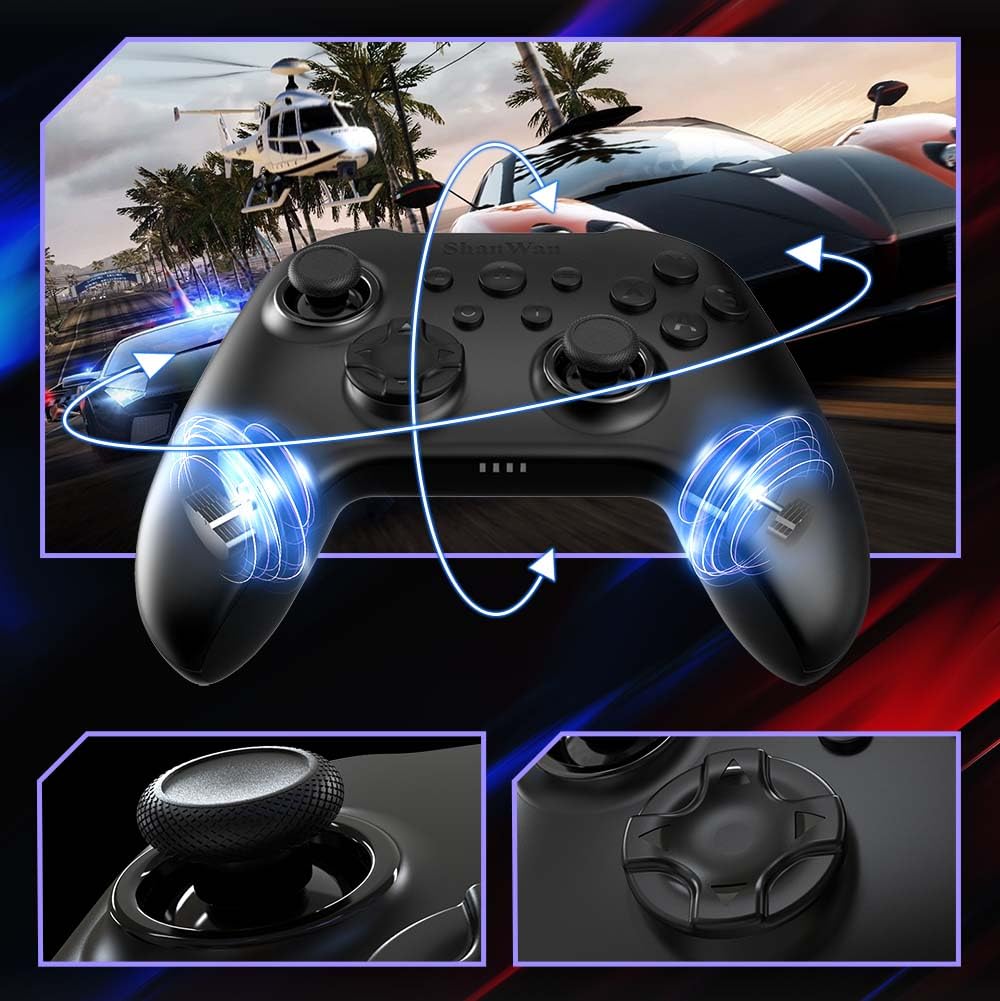
Ìomhaigh: Aghaidh view of the ShanWan Wireless Controller, showcasing its ergonomic design, dual joysticks, D-pad, and face buttons (A, B, X, Y).
Ìomhaigh: Air ais view of the ShanWan Wireless Controller, highlighting the mode switch for different platforms (X, D, S).
Prìomh fheartan:
- Luing-stiùiridh Buaidh Talla: Designed for precision with no dead zones and anti-drift capabilities.
- Durable Gel Buttons: Conductive gel buttons tested for 1 million clicks for long-lasting performance.
- Gioragòp 6-Axis: A’ toirt seachad mothachadh gluasad mionaideach airson cluiche-cluiche bogaidh.
- Motairean crith dùbailte: Delivers strong and subtle haptic feedback for an enhanced gaming experience.
- Dreuchd Turbo: Allows for rapid, repeated button presses.
Suidhich
1. A’ cur cosgais air an rianadair
Before initial use, fully charge the controller using the provided USB-C cable. Connect the USB-C end to the controller and the USB-A end to a power source (e.g., computer USB port, USB wall adapter). The charging indicator lights will show charging status and turn off when fully charged.
2. A’ ceangal ri innealan
The ShanWan Wireless Controller supports three connection modes: Bluetooth, 2.4G Wireless, and USB-C Wired. Ensure the mode switch on the back of the controller is set to the appropriate platform before attempting to connect.

Ìomhaigh: Visual representation of the controller's tri-mode connectivity, illustrating Bluetooth, 2.4G wireless, and USB-C wired options.
Mode Switch Settings:
- 'S' Mode: For Nintendo Switch.
- 'X' Mode: For PC (X-input), Android.
- 'D' Mode: For PC (D-input), iOS.
Ceangal Bluetooth:
- Set the mode switch on the back of the controller to the desired platform ('S', 'X', or 'D').
- Press and hold the pairing button (usually a small button on the top or back) until the indicator lights flash rapidly.
- On your device (PC, iPhone, Android, Switch), go to Bluetooth settings and search for new devices.
- Select "ShanWan Controller" or a similar name from the list to pair.
- Once paired, the indicator lights on the controller will become solid.
2.4G Wireless Connection (for PC/Switch):
- Set the mode switch on the back of the controller to 'X' (for PC) or 'S' (for Switch).
- Insert the 2.4G wireless dongle into a USB port on your PC or Switch dock.
- Press the Home button on the controller to power it on. It should automatically connect to the dongle.
- The indicator lights will become solid once connected.
Ceangal uèirleasach USB-C:
- Connect the USB-C cable to the controller and the other end to your PC or Switch dock.
- The controller will automatically be recognized as a wired device.
- No specific mode switch setting is required for wired connection, but setting it to the correct platform mode ('X' for PC, 'S' for Switch) is recommended for optimal compatibility.
Stiùireadh Obrachaidh
Cumhachd air / dheth:
- Cumhachd air: Press the Home button once.
- Cumhachd dheth: Press and hold the Home button for 3-5 seconds, or the controller will automatically power off after a period of inactivity.
Smachd Gluasad:
The built-in 6-axis gyroscope provides motion control capabilities, particularly useful for games on Nintendo Switch or other compatible platforms. Ensure the game supports motion controls for this feature to function.
Fios air ais air crith:
The dual vibration motors provide haptic feedback during gameplay. The intensity of the vibration can often be adjusted through game settings or the Gamepad Space app.
Dreuchd Turbo:
Gus an gnìomh Turbo a ghnìomhachadh airson putan sònraichte:
- Press and hold the button you wish to set to Turbo.
- While holding the button, press the Turbo button (refer to controller layout for location).
- The button will now repeatedly register presses as long as it is held down.
To deactivate Turbo for a button, repeat the process.
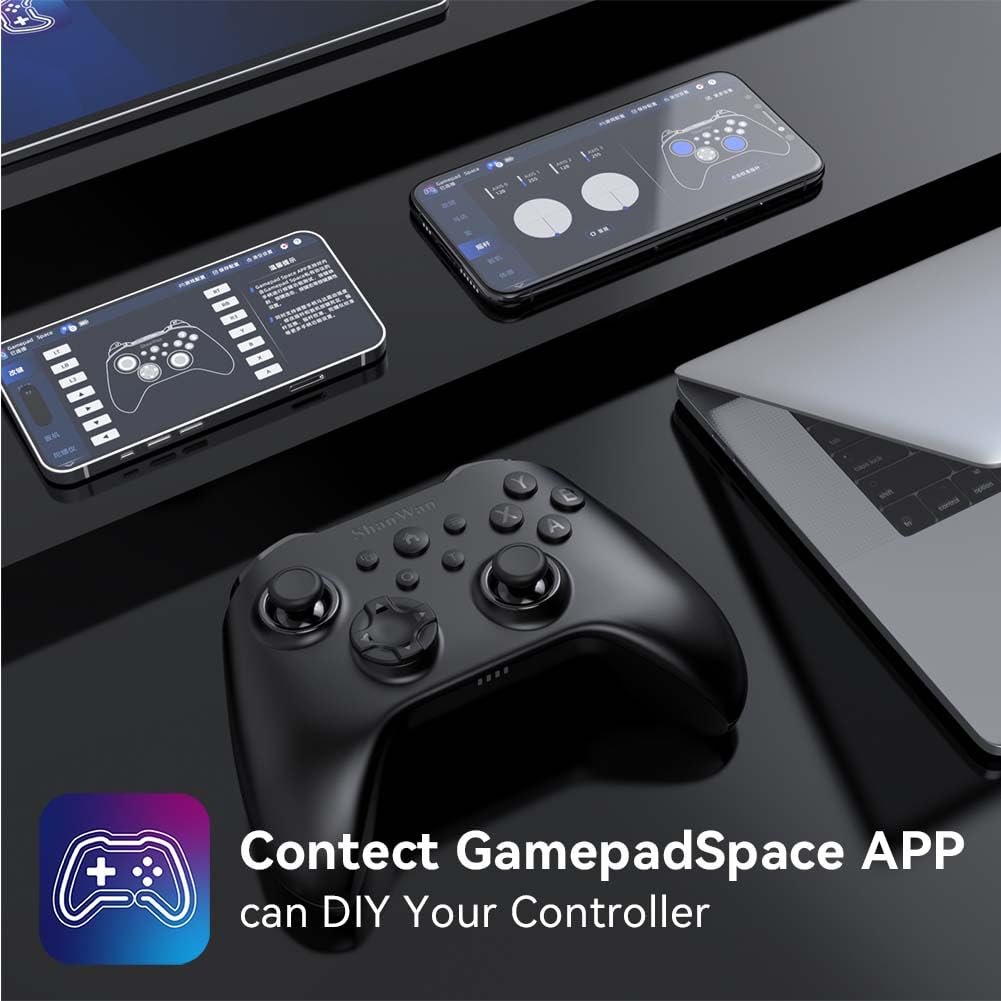
Software Customization (Gamepad Space App):
Enhance your gaming experience by customizing controller settings using the Gamepad Space mobile application.

Ìomhaigh: A ShanWan controller alongside smartphones displaying the Gamepad Space app, illustrating options for calibration and on-the-fly adjustments.
- Download the "Gamepad Space" app from your mobile device's app store.
- Connect your controller to your mobile device via Bluetooth.
- Taobh a-staigh an aplacaid, faodaidh tu:
- Ùraich firmware.
- Adjust stick and trigger dead zones.
- Customize vibration intensity.
- Test buttons.
Cumail suas
- Glanadh: Cleachd clò bog, tioram airson an rianadair a ghlanadh. Seachain ceimigean cruaidh no stuthan sgrìobach a chleachdadh.
- Stòradh: Stòraich an rianadair ann an àite fionnar, tioram air falbh bho sholas dìreach na grèine agus teòthachd anabarrach.
- Cùram Bataraidh: Gus beatha a’ bhataraidh a leudachadh, seachain an rianadair a dhì-luchdachadh gu tur gu tric. Cuir cosgais air gu cunbhalach, eadhon ged nach eil e ga chleachdadh gu cunbhalach.
Fuasgladh thrioblaidean
Rianadair gun cheangal:
- Dèan cinnteach gu bheil uallach air an rianadair.
- Verify the mode switch on the back of the controller is set correctly for your platform (S, X, or D).
- For Bluetooth, ensure your device's Bluetooth is on and the controller is in pairing mode.
- For 2.4G wireless, ensure the dongle is properly inserted and the controller is in the correct mode.
- Feuch ri an rianadair agus an inneal agad ath-thòiseachadh.
Lag no dì-cheangal cuir-a-steach:
- Dèan cinnteach nach eil bacadh làidir electromagnetic faisg air làimh.
- Move closer to your device for a stronger wireless signal.
- Dèan cinnteach nach eil bataraidh an rianadair ìosal.
- Consider using a wired USB-C connection for the most stable experience.
Joystick Drift or Unresponsive Buttons:
- Calibrate the joysticks and test buttons using the Gamepad Space app.
- Ensure the controller's firmware is up to date via the Gamepad Space app.
- Glan timcheall air na putanan agus na luing-stiùiridh gus sprùilleach sam bith a thoirt air falbh.
Sònrachaidhean
| Modail | B0FS13DT2B |
| Teicneòlas ceangail | Bluetooth, 2.4G Wireless, USB-C Wired |
| Innealan co-fhreagarrach | Android, iOS, Nintendo Switch, Nintendo Switch 2, PC |
| Seòrsa Rianadair | Gamepad |
| Meud a' Phutain | 12 |
| Feartan sònraichte | Hall Effect Joysticks, 6-Axis Gyroscope, Dual Vibration, Turbo Function, Software Customization |
| Stòr cumhachd | Cumhachd bataraidh |
| Cuideam nì | 300 gram |
| Meudan nì (D x W x H) | 2.5" x 4" x 6" |
Barantas agus Taic
ShanWan products are designed for reliability and performance. For specific warranty information, please refer to the documentation included with your purchase or visit the official ShanWan support website. If you encounter any issues not covered in this manual, please contact ShanWan customer support for assistance.
Taic air-loidhne: Visit the ShanWan Store on Amazon