
1. Ro-ràdh
Thank you for choosing the Baseus Nomos 160W 5-in-1 Charging Station. This device is designed to provide a comprehensive and efficient charging solution for multiple electronic devices, including laptops, tablets, and smartphones. Featuring GaN technology, Qi2 certified wireless charging, and a retractable cable, it aims to simplify your charging experience and declutter your workspace.
Leugh an leabhar-làimhe seo gu faiceallach mus cleachd thu an toradh gus dèanamh cinnteach gu bheil e ag obair ceart agus gus a bheatha a mheudachadh. Cùm an leabhar-làimhe seo airson fiosrachadh san àm ri teachd.
2. Toradh thallview
The Baseus Nomos 160W Charging Station integrates multiple charging technologies into a compact design:
- Toradh iomlan 160W: Efficiently charges up to five devices simultaneously.
- Qi2 Certified 15W Magnetic Wireless Charger: Provides fast and precise magnetic alignment for compatible iPhones (12-16 series).
- 100W Retractable USB-C Cable: Built-in 80cm (2.6ft) braided cable for convenient and tidy charging.
- Ioma puirt: Includes 3 USB-C ports and 1 USB-A port for versatile connectivity.
- Teicneòlas GaN: Ensures high efficiency and a compact form factor.
- BPS3.0 Smart Power Allocation: Intelligently distributes power to connected devices for optimal charging speed and safety.
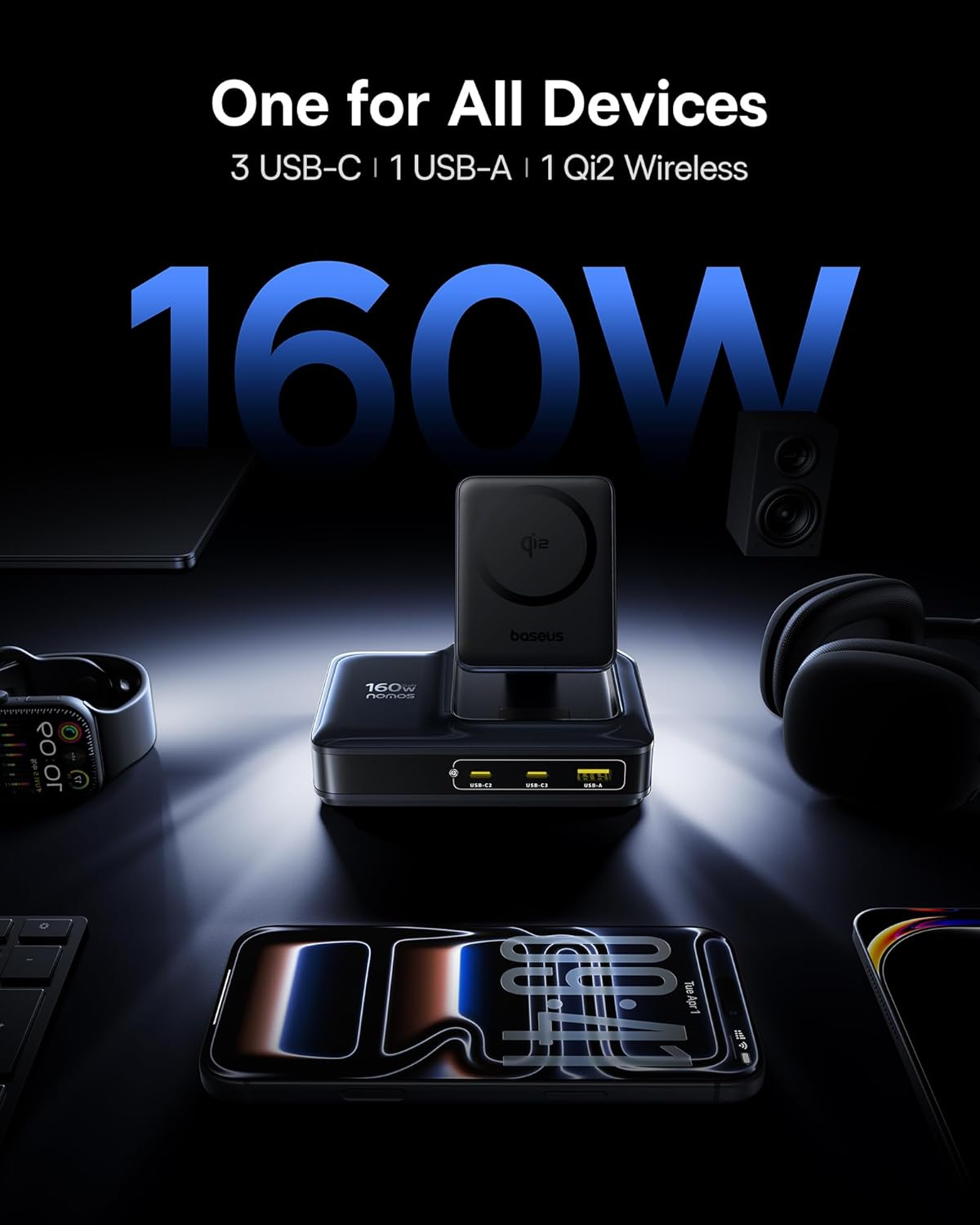
Image: The Baseus Nomos 160W Charging Station shown powering a laptop, tablet, smartphone, and earbuds simultaneously, demonstrating its multi-device charging capability.
3. Stiùireadh Stèidheachaidh
- Unpack an inneal: Carefully remove the charging station and any included accessories from its packaging.
- Ceangail ri cumhachd: Plug the provided AC power cord into the charging station's power input, then connect the other end to a standard wall outlet.
- Suidheachadh: Place the charging station on a stable, flat surface. Ensure adequate ventilation around the device. The anti-slip silicone pad on the bottom helps secure its position.
- Càball a ghabhas a tharraing air ais: To use the built-in retractable USB-C cable, gently pull it out to the desired length (up to 80cm / 2.6ft). To retract, pull the cable again slightly, and it will smoothly coil back into the station.
- Ionad cosgais gun uèir: The Qi2 wireless charging pad can be adjusted for optimal viewing angles. Simply tilt the magnetic pad to your preferred position.

Image: The Baseus Nomos 160W Charging Station showcasing its integrated retractable USB-C cable, extended for use, highlighting its cable management feature.
4. Stiùireadh Obrachaidh
The Baseus Nomos Charging Station is designed for intuitive use. Simply connect your devices to the appropriate ports or place them on the wireless charging pad.
4.1 Wired Charging (USB-C & USB-A)
- Puirt USB-C: Connect your USB-C compatible devices (laptops, tablets, phones) to the USB-C1, USB-C2, or USB-C3 ports. USB-C1 supports up to 100W, while USB-C2/C3 can deliver up to 140W each when used individually.
- Port USB-A: Connect your USB-A compatible devices to the USB-A port. This port supports up to 18W.
- Càball a ghabhas a tharraing air ais: Utilize the built-in retractable USB-C cable for convenient charging of compatible devices.
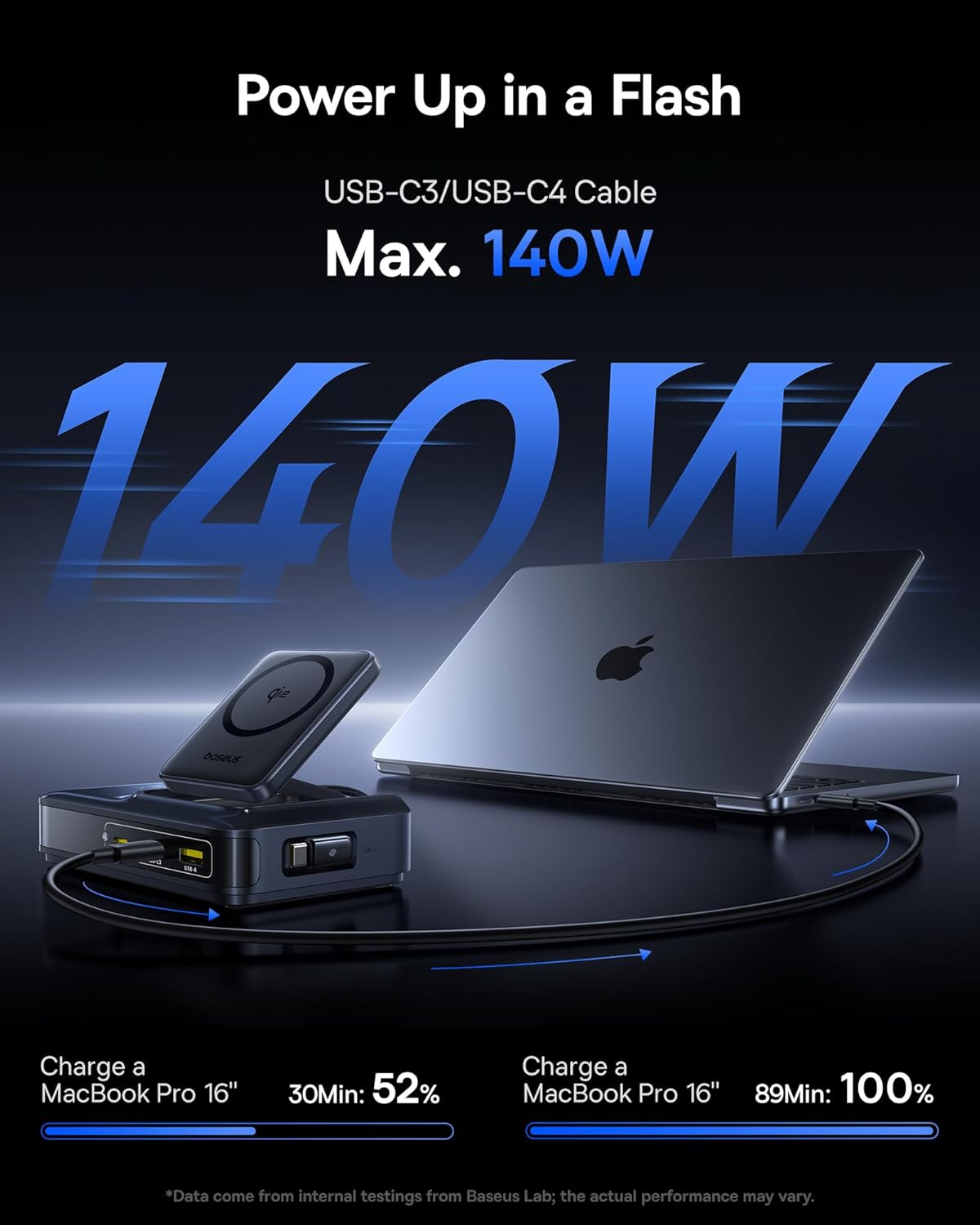
Image: A MacBook Pro 16-inch being charged by the Baseus Nomos 160W Charging Station via a USB-C cable, illustrating its high-power output capability.
4.2 Wireless Charging (Qi2)
- Suidheachadh: Place your Qi2-compatible iPhone (12-16 series) onto the magnetic wireless charging pad. The magnets will automatically align your device for optimal charging.
- Co-fhreagarrachd cùise: The wireless charger is compatible with phone cases up to 3mm thick.
- Comharra cosgais: The device will indicate when wireless charging is active (e.g., via a light indicator or on your phone screen).

Image: An iPhone being wirelessly charged on the magnetic pad of the Baseus Nomos 160W Charging Station, demonstrating the Qi2 fast wireless charging feature.
4.3 Smart Power Allocation (BPS3.0)
The charging station features BPS3.0 technology, which intelligently detects the power requirements of each connected device and allocates the optimal power output. This ensures efficient and safe charging across all ports simultaneously, preventing overcharging or damage.
Video: An official product video from Baseus Brand Store demonstrating the 160W Charging Station's features and capabilities.
5. Feartan sàbhailteachd
The Baseus Nomos Charging Station incorporates multiple safety mechanisms to protect your devices and the charger itself:
- Dìon thar-làthaireach: A’ cur casg air milleadh bho shruth ro mhòr.
- Thar-Voltage Dìon: Dìonan an aghaidh voltage spìcean.
- Dìon cuairt ghoirid: Gearraidh e cumhachd gu fèin-ghluasadach ma bhios cuairt ghoirid ann.
- Dìon thar teòthachd: A’ cumail sùil air agus a’ riaghladh teòthachd a-staigh gus casg a chur air cus teasachadh.

Ìomhaigh: Spreadhadh view of the Baseus Nomos 160W Charging Station, illustrating the GaN chip and various internal components responsible for its efficient and safe operation, including icons for over-current, over-voltage, cuairt ghoirid, agus dìon thar-teòthachd.
6. Cumail suas
- Glanadh: Disconnect the charging station from the power outlet before cleaning. Use a soft, dry cloth to wipe the surface. Do not use liquid cleaners or aerosols.
- Stòradh: Nuair nach eilear ga chleachdadh airson ùine mhòr, stòraich an inneal ann an àite fionnar, tioram air falbh bho sholas dìreach na grèine agus taiseachd.
- Cùram càball: Avoid excessive force when pulling or retracting the built-in cable. Ensure the cable is not kinked or pinched.
- Seachain Bacaidhean: Do not block the ventilation openings on the charging station, as this can lead to overheating.
7. A ’dèanamh trioblaid
- Inneal nach eil a’ cur cosgais:
- Dèan cinnteach gu bheil an stèisean cosgais air a phlugaigeadh gu ceart a-steach do socaid cumhachd beò.
- Thoir sùil a bheil an càball cosgais ceangailte gu tèarainte ris an stèisean cosgais agus ris an inneal agad.
- Verify that your device is compatible with the charging port or wireless charging standard.
- Feuch càball no port eadar-dhealaichte gus nach eil ceangal lochtach ann.
- Cìs slaodach:
- Confirm your device supports fast charging protocols (e.g., PD3.1, QC4, PPS) and that you are using a compatible cable.
- The charging station intelligently allocates power. If multiple high-power devices are connected, the output to individual ports may be adjusted.
- For wireless charging, ensure proper alignment of your device on the pad and that your phone case is not too thick (max 3mm).
- Overheating:
- Ensure the charging station has adequate ventilation and is not covered.
- If the device feels excessively hot, disconnect it from power and all devices immediately. Contact support if the issue persists.
- Retractable Cable Not Working:
- Gently pull the cable again to trigger the retraction mechanism.
- Dèan cinnteach nach eil bacadh sam bith ann a chuireas casg air a’ chàball bho bhith a’ tarraing air ais.
8. Sònrachaidhean
| Feart | Mion-fhiosrachadh |
|---|---|
| Modail Àireamh | E01217 |
| Toradh iomlan | 160W |
| Toradh USB-C1 | Suas gu 100W |
| Toradh USB-C2/C3 | Up to 140W (each, when used individually) |
| Toradh USB-A | Suas gu 18W |
| Cìs gun uèir Qi2 | 15W |
| Fad Càball a ghabhas a tharraing air ais | 80cm (2.6 troigh) |
| Input Voltage | 240 Volt |
| Meudan | 8.43 x 6.69 x 2.44 òirleach |
| Cuideam nì | 1.87 not |
| Innealan co-fhreagarrach | iPhone 12-17 series, Galaxy S20-24, OnePlus 8 Pro, Google Pixel 6-8, Sony Xperia 5, iPad, Air Pods 2-3, MacBook Pro 2023, Lenovo ThinkPad T14, Dell XPS 13, and more. |
9. Barantas agus Taic
Baseus products are manufactured to high-quality standards. This product is covered by a manufacturer's warranty against defects in materials and workmanship from the date of purchase. The specific warranty period may vary by region and retailer.
For warranty claims, technical support, or product inquiries, please contact the retailer where you purchased the product or visit the official Baseus weblàrach-lìn airson fiosrachadh seirbheis luchd-cleachdaidh.
Taic air-loidhne: www.baseus.com
Cùm dearbhadh do cheannach airson adhbharan barantais.