
Ro-ràdh
This manual provides essential information for the NIMO 15.6-inch Light Gaming Laptop N15A. It covers setup, operation, maintenance, troubleshooting, and product specifications. Please read this manual thoroughly before using your new laptop to ensure proper function and longevity.

Image: NIMO 15.6-inch Light Gaming Laptop N15A, showcasing an taisbeanadh slàn agus am meur-chlàr aige.
Susbaint pacaid
Verify that all items listed below are present in your product packaging. If any items are missing or damaged, please contact NIMO customer support.
- 1 x Coimpiutair-uchd NIMO N15A
- 1 x Charger Luath Seòrsa-C 100W PD
- 1 x Leabhar-làimhe Cleachdaiche
- Siostam-obrachaidh Windows 11 Home (ro-stàlaichte)
Bathar seachadview
The NIMO N15A laptop is designed for balanced performance, featuring an AMD Ryzen 7 Pro 6850U processor, 32GB LPDDR5 RAM, and a 1TB PCIe 4.0 SSD. It includes a 15.6-inch Full HD IPS display, a backlit keyboard, and an integrated fingerprint reader for secure access.
Prìomh fheartan:
- Pròiseasar: AMD Ryzen 7 Pro 6850U with 8 Cores and 16 Threads, up to 4.7GHz.
- Grafaigean: Integrated AMD Radeon 680M GPU.
- Cuimhne: 32GB LPDDR5 RAM for efficient multitasking.
- Stòradh: 1TB PCIe 4.0 SSD for fast boot times and data access.
- Taisbeanadh: 15.6-inch Full HD (1920x1080) IPS Anti-Glare Display.
- A' cur cosgais: 100W USB-C Power Delivery fast charging.
- Tèarainteachd: Integrated fingerprint reader for secure login.
- Meur-chlàr: Backlit keyboard for use in various lighting conditions.

Image: Visual representation of the AMD Ryzen 7 Pro 6850U processor's core and thread count, and turbo boost speed.
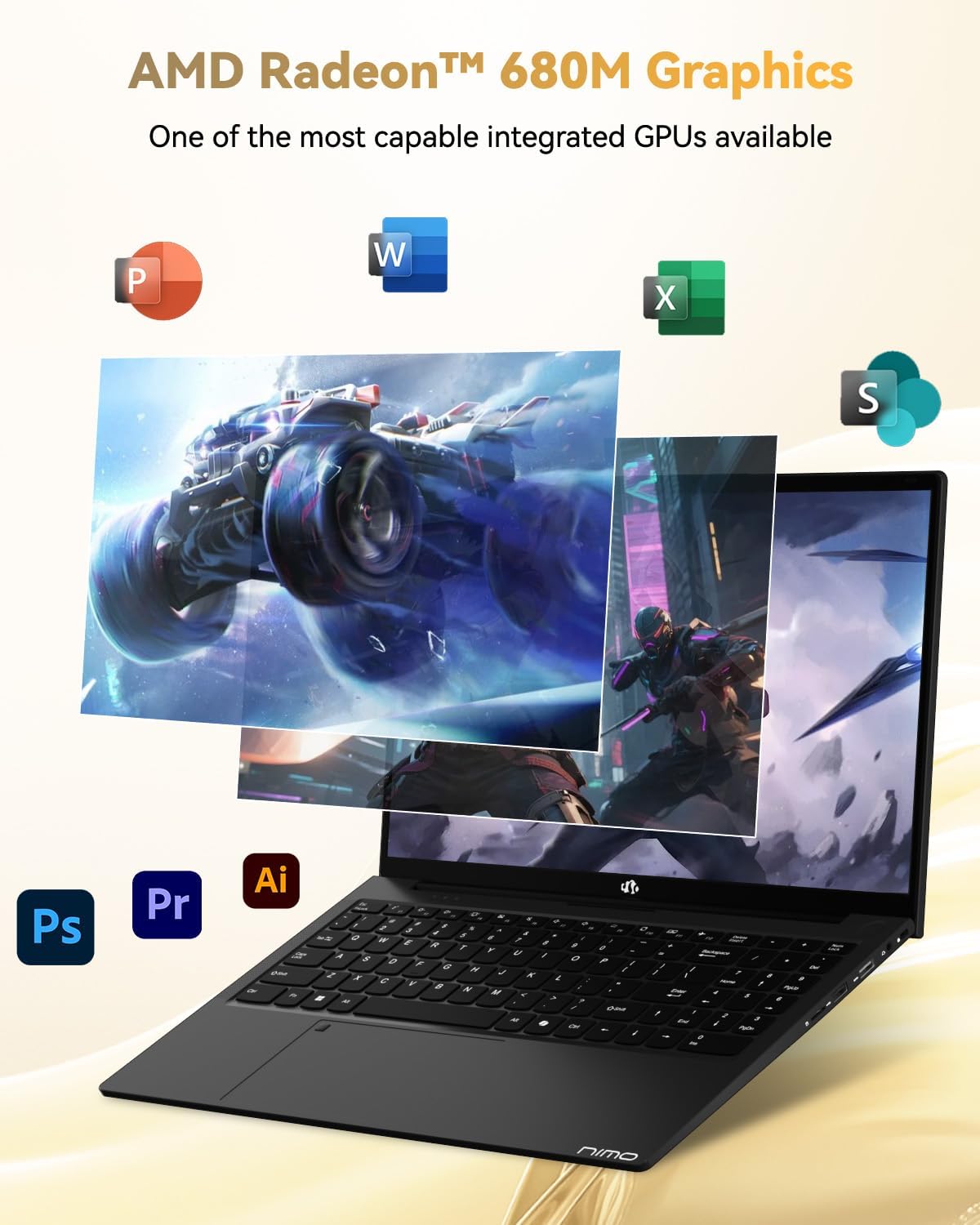
Image: Illustration highlighting the capabilities of the AMD Radeon 680M integrated graphics for various applications.

Image: Diagram showing the 32GB LPDDR5 RAM and 1TB PCIe 4.0 SSD for seamless multitasking and ample stòradh.
Image: The NIMO N15A laptop displaying a vibrant image on its 15.6-inch Full HD IPS screen.
Puirt agus Ceangal:

Image: Diagram illustrating the various ports on the NIMO N15A laptop, including USB, HDMI, and Type-C.
- Leughadair Micro SD
- Port USB 2.0
- Puirt USB 3.2 (iomadh)
- Jack headphone
- Slot Lock Kensington
- Type-C (Multifunction) Ports (supporting charging and data transfer)
- Port HDMI
Suidhich
1. Initial Charging and Power On:
- Connect the provided 100W Type-C PD Fast Charger to the laptop's Type-C charging port and a power outlet.
- Allow the laptop to charge for at least 30 minutes before initial use, or until the charging indicator shows sufficient battery.
- Brùth am putan cumhachd a tha suidhichte air a’ mheur-chlàr gus an laptop a thionndadh air.

Image: Illustration of the NIMO N15A laptop being charged with the 100W Type-C PD Fast Charger.
2. Windows 11 Initial Setup:
Follow the on-screen prompts to complete the Windows 11 setup process. This typically includes:
- A’ taghadh do roinn agus cruth a’ mheur-chlàir.
- A 'ceangal ri lìonra Wi-Fi.
- Signing in with a Microsoft account or creating a local account.
- A’ stèidheachadh PIN no facal-faire.
- Configuring privacy settings.
Stiùireadh Obrachaidh
Riaghladh Cumhachd:
- Cumhachd air: Brùth am putan cumhachd.
- Modh cadail: Close the lid or press the power button briefly.
- Dùin sìos: Briog air a’ phutan Tòisich, an uair sin Cumhachd, agus an uair sin Dùin sìos.
- Ath-thòiseachadh: Briog air a’ phutan Tòisich, an uair sin Cumhachd, agus an uair sin Ath-thòisich.
Meur-chlàr agus Touchpad:

Ìomhaigh: Dlùth-shealladh view of the NIMO N15A laptop's backlit keyboard and the integrated fingerprint reader on the touchpad.
- Meur-chlàr backlit: Use the dedicated function key (usually Fn + Fx) to toggle the keyboard backlight on/off and adjust brightness levels.
- Leughadair lorgan-meòir: The fingerprint reader is integrated into the touchpad. During Windows setup, you can configure your fingerprint for secure, quick login.
- Pad-suathaidh mionaideach: Supports multi-touch gestures for navigation. Refer to Windows settings for customization.
Ceangal Peripherals:
Utilize the various ports to connect external devices such as monitors, printers, external storage, and audio devices.
- Innealan USB: Plug USB devices into the available USB 2.0 or USB 3.2 ports.
- Taisbeanadh taobh a-muigh: Connect an external monitor or TV using the HDMI port or a compatible Type-C adapter.
- Fuaim: Use the 3.5mm headphone jack for headphones or external speakers.
Prìobhaideachd camara:

Image: Illustration of the NIMO N15A laptop's built-in privacy camera switch, allowing users to easily disable the webOrains.
The NIMO N15A laptop features a built-in privacy camera switch. This allows you to physically disable the 2.0MP webcam when not in use, ensuring your privacy.
Cumail suas
Cleaning the Laptop:
- Power off the laptop and disconnect the charger before cleaning.
- Cleachd clò bog, gun lint beagan dampair a nighe le uisge no le inneal-glanaidh sgrion airson an taisbeanaidh.
- Cleachd clò bog airson a’ mheur-chlàir agus an chassis. Seachain ceimigean cruaidh no stuthan sgrìobach.
- Cleachd èadhar teannaichte gus duslach a ghlanadh bho iuchraichean is bho fhionnaichean a’ mheur-chlàir.
Cùram Bataraidh:
- Seachain a bhith a’ leigeil às a’ bhataraidh gu tur gu tric.
- Store the laptop in a cool, dry place if not used for extended periods, with the battery charged to around 50-70%.
- Use only the original NIMO 100W Type-C PD Fast Charger.
Ùrachaidhean bathar-bog:
- Thoir sùil gu cunbhalach airson ùrachaidhean Windows agus stàlaich iad gus dèanamh cinnteach à seasmhachd agus tèarainteachd an t-siostaim.
- Keep device drivers updated, especially for graphics and chipset, by checking the NIMO support weblàrach-lìn no Ùrachadh Windows.
Fuasgladh thrioblaidean
| Trioblaid | Fuasgladh comasach |
|---|---|
| Chan eil an laptop a’ dol air. | Ensure the charger is properly connected and the power outlet is functional. Allow the battery to charge for at least 30 minutes. If the issue persists, contact support. |
| Tha an taisbeanadh bàn no a’ priobadh. | Try connecting an external monitor to check if the issue is with the laptop's display. Adjust display brightness. Restart the laptop. |
| Coileanadh slaodach. | Dùin aplacaidean neo-riatanach. Thoir sùil airson pròiseasan cùl-fhiosrachaidh a bhios ag ithe mòran ghoireasan. Dèan cinnteach gu bheil àite stòraidh gu leòr saor. Ruith sganadh siostaim airson malware. |
| Solas-cùil a’ mheur-chlàir nach eil ag obair | Press the dedicated function key combination (e.g., Fn + Fx) to toggle or adjust the backlight. Check keyboard settings in Windows. |
| Fingerprint reader not responding. | Ensure your finger is clean and dry. Re-register your fingerprint in Windows settings. Restart the laptop. |
Airson cùisean nach eil air an liostadh an seo no mura rèitich fuasglaidhean an duilgheadas, thoir sùil air an earrann Barantas is Taic airson cuideachaidh.
Sònrachaidhean
| Feart | Mion-fhiosrachadh |
|---|---|
| Brand | NIMO |
| Ainm Modail | NIMO N15AL (N15A) |
| Meud sgrion | 15.6 òirlich |
| Fuasgladh sgrion | 1920 x 1080 piogsail (làn HD) |
| Pròiseasar | AMD Ryzen 7 Pro 6850U (8 Cores, up to 4.7 GHz) |
| RAM | 32 GB LPDDR5 (6400 MHz) |
| Dràibhear cruaidh | 1024 GB SSD (PCIe 4.0, Solid State) |
| Grafaigeachd coprocessor | AMD Radeon 680M (Aonaichte) |
| Siostam-obrachaidh | Windows 11 |
| Seòrsa gun uèir | 802.11a/b/g/n/ac |
| Puirt USB 2.0 | 1 |
| USB 3.0/3.2 Ports | 4 |
| Beatha bataraidh cuibheasach | 9 Uairean |
| Cuideam nì | 3.75 not |
| Meudan toraidh | 14.07 x 8.98 x 0.76 òirleach |
| Dath | Dubh |
| Cùl WebFuasgladh cam | 2 BP |
| Feartan sònraichte | Meur-chlàr le solas cùil, Leughadair lorgan-meòir, Fuaim HD, Meur-chlàr àireamhach |
Barantas agus Taic
NIMO provides comprehensive support for your laptop.
- Barantas: Your NIMO N15A laptop comes with a 2-year manufacturer's warranty.
- Poileasaidh Tilleadh: A 90-day hassle-free return policy is offered from the date of purchase.
- Taic teachdaiche: For technical assistance, warranty claims, or product-related inquiries, please contact NIMO customer support.
Contact information for support is typically available on the official NIMO website or through the product's packaging.
Fiosrachadh Sàbhailteachd
Cudromach: Read and follow these safety guidelines to prevent damage to your device or personal injury.
- Use only original chargers and regularly inspect cables for damage.
- Handle the laptop by its base and consider using a protective case. Avoid placing heavy objects on it.
- Place the laptop on a hard, flat surface to ensure proper ventilation and prevent overheating. Keep it away from extreme temperatures and moisture.
- Do not overcharge the battery. Discontinue use if the battery shows signs of swelling or damage.
- Set strong passwords, keep software updated, use antivirus software, and regularly back up your data.
- In case of liquid spills, immediately unplug the laptop and allow it to dry completely before attempting to power it on.
- For any issues, consult qualified professionals. Do not attempt to disassemble or repair the device yourself.
Àicheadh laghail
This NIMO laptop is provided "as is," without express or implied warranties, except for any applicable manufacturer's limited warranty. Implied warranties of merchantability or fitness for a specific purpose are disclaimed. NIMO is not liable for damages resulting from misuse (e.g., non-approved chargers, unauthorized repairs), physical damage, or failure to adhere to safety guidelines, including data loss or business interruption. Users are responsible for regularly backing up their data. This disclaimer does not exclude liability for manufacturing defects or violations of mandatory local laws. By using this laptop, you accept these terms, which are governed by the laws of the applicable jurisdiction.