
1. Ro-ràdh
This manual provides essential information for setting up, operating, maintaining, and troubleshooting your NIMO N158 15.6-inch laptop. Please read this manual thoroughly before using your device to ensure optimal performance and longevity.
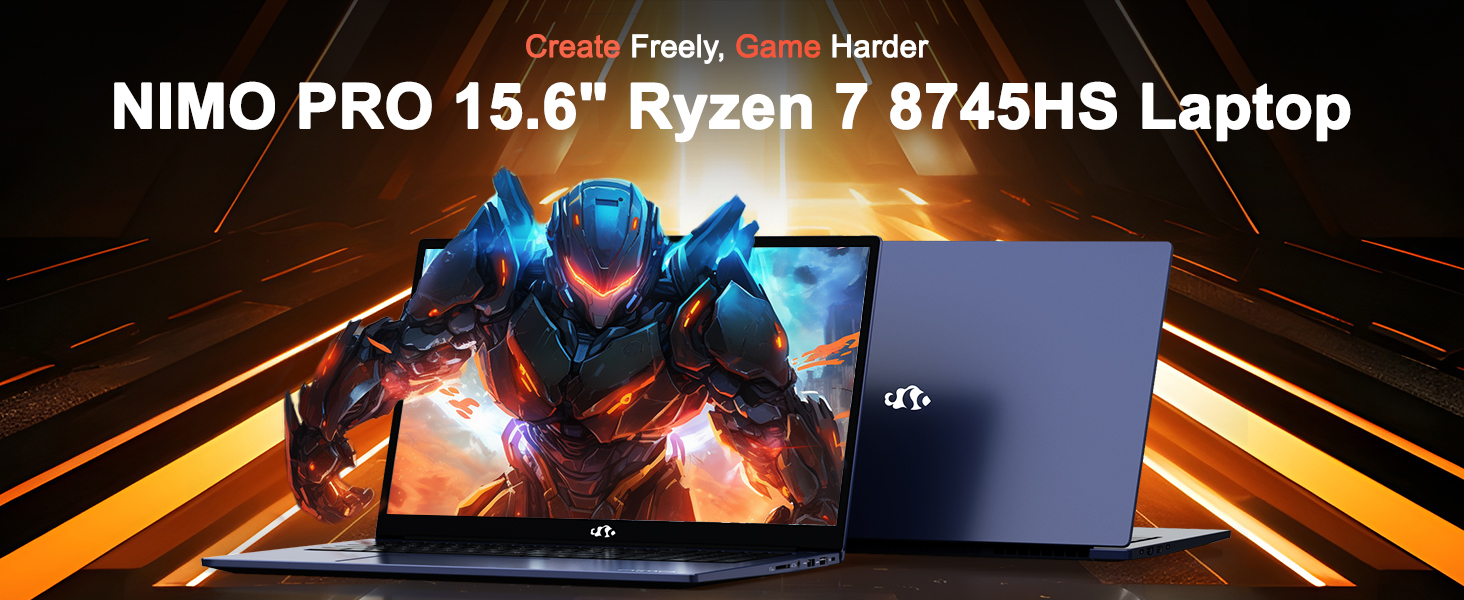
Image: The NIMO N158 15.6-inch laptop, showcasina dhealbhadh agus a phrìomh fheartan.
2. Toradh thallview
The NIMO N158 is a high-performance laptop designed for productivity and entertainment. It features an AMD Ryzen 7 8745HS processor, 64GB DDR5 RAM, and a 1TB PCIe 4.0 SSD.
2.1 Prìomh phàirtean
- Pròiseasar: AMD Ryzen 7 8745HS (8 Cores, 16 Threads, up to 4.9GHz)
- Grafaigean: Grafaigean Amalaichte AMD Radeon 780M
- Cuimhne: 64GB DDR5 RAM (4800 MHz)
- Stòradh: SSD 1TB PCIe 4.0
- Taisbeanadh: 15.6-inch Full HD (1920x1080) IPS Anti-Glare
- Siostam-obrachaidh: Windows 11 dachaigh
- Bataraidh: Poileimear Lithium 75Wh
2.2 Puirt agus Eadar-aghaidhean
The NIMO N158 laptop offers a variety of ports for connectivity:

Image: Diagram illustrating the various ports and interfaces on the NIMO N158 laptop.
- 1 x port USB 2.0
- 3 x puirt USB 3.0
- 1 x USB 4.0 Type-C Port (with 100W PD fast charging support)
- Port 1 x HDMI
- 1 x Headphone Jack
- 1 x Leughadair cairt SD
- 1 x Sliotan glas Kensington
3. Suidhich
3.1 A’ chiad chumhachd air agus a’ cur cosgais air
- Unpack the laptop and the included 100W Type-C PD Fast Charger.
- Connect the charger to the USB Type-C port on the laptop and to a power outlet. The Charger LED will illuminate.
- Leig leis an laptop cosgais a chur air airson co-dhiù 30 mionaid mus cleachd thu e an toiseach, no gus an seall comharra a’ bhataraidh gu bheil e làn-chìseach.
- Brùth am putan cumhachd gus an laptop a thionndadh.

Image: The NIMO N158 laptop connected to its 100W Type-C fast charger, illustrating the charging process.
3.2 suidheachadh siostam-obrachaidh
Upon first boot, you will be guided through the Windows 11 Home setup process. Follow the on-screen instructions to configure your language, region, network connection, and user account.
3.3 Suidheachadh Leughadair Meòir-lorg
For enhanced security, set up the integrated fingerprint reader during the Windows 11 setup or later via Windows Settings > Accounts > Sign-in options. This allows for quick and secure login.
4. Stiùireadh Obrachaidh
4.1 Meur-chlàr agus Pad-suathaidh
- Meur-chlàr backlit: The keyboard features backlighting for comfortable typing in low-light conditions. Use the designated function key (Fn + F key combination, typically) to adjust brightness or toggle the backlight.
- Meur-chlàr àireamhach: Tha meur-chlàr àireamhach sònraichte air a ghabhail a-steach airson cuir a-steach dàta èifeachdach.
- Precision Gesture Touchpad: The touchpad supports multi-touch gestures for navigation. Refer to Windows settings for customizing touchpad gestures.

Image: A user interacting with the NIMO N158 laptop, highlighting the backlit keyboard and fingerprint reader on the touchpad.
4.2 Taisbeanadh
The 15.6-inch Full HD IPS anti-glare display provides clear and vibrant visuals. Adjust display settings (resolution, brightness, color) through Windows Display Settings.

Image: The NIMO N158 laptop displaying a vibrant image on its 15.6-inch Full HD IPS screen, emphasizing visual quality.
4.3 Webcam
The laptop includes a 2MP webcam. For privacy, a physical webcam shield or switch is integrated. Ensure the webcam is open when in use and closed when not needed.

Image: A visual representation of the NIMO N158 laptop's privacy-focused camera, showing the open and closed states of the webcam switch.
4.4 Coileanadh agus Ioma-ghnìomhachd
The AMD Ryzen 7 8745HS processor and 64GB DDR5 RAM provide robust performance for demanding tasks, content creation, and gaming. The 1TB PCIe 4.0 SSD ensures fast boot times and application loading.

Image: A close-up of the AMD Ryzen 7 8745HS processor chip, highlighting its core specifications.
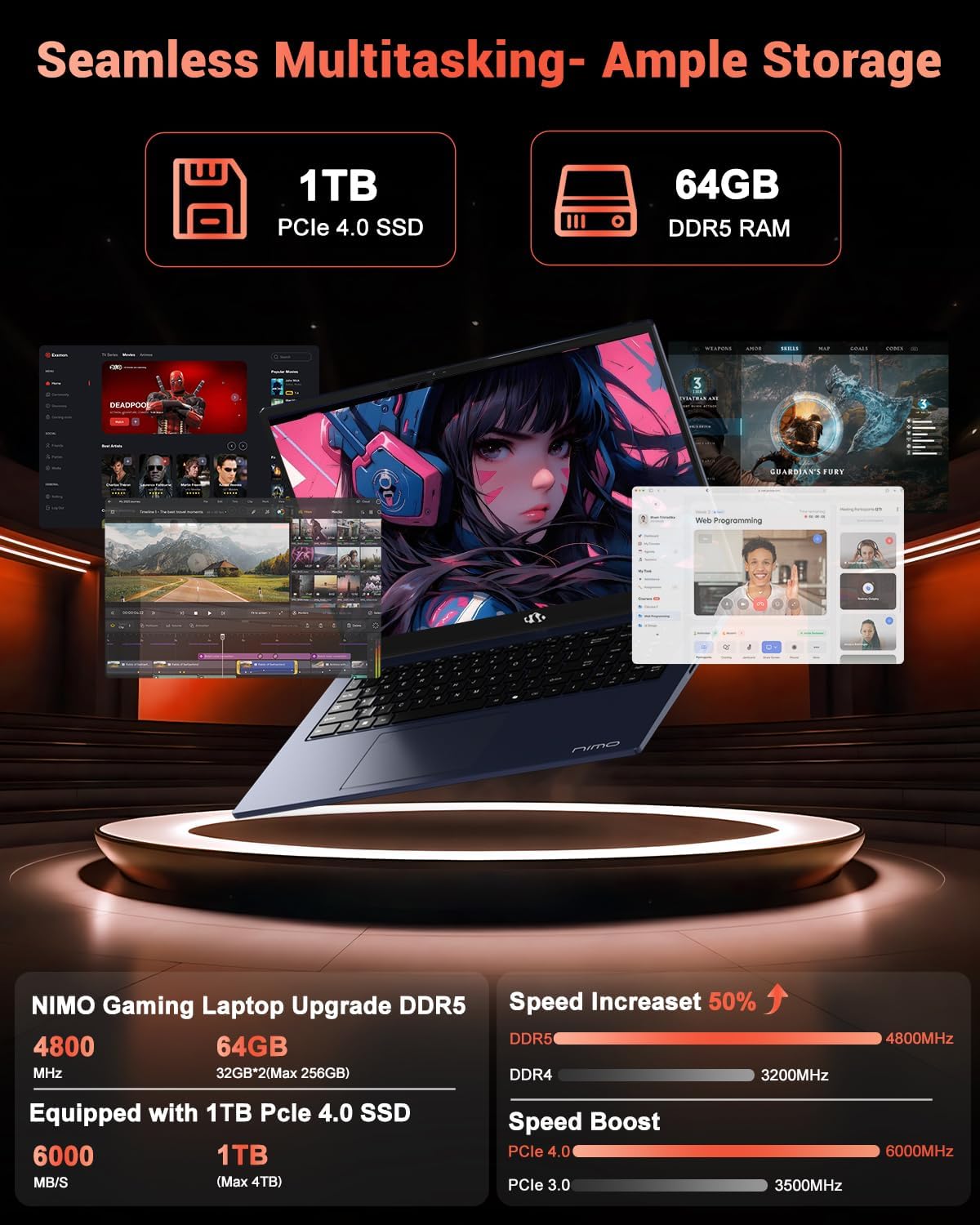
Image: The NIMO N158 laptop displaying multiple applications open, demonstrating its multitasking capabilities with 64GB RAM and 1TB SSD.
5. Cumail suas
5.1 Cùram Coitcheann
- Keep the laptop clean by wiping surfaces with a soft, dry cloth.
- Seachain an laptop a nochdadh do theodhachd anabarrach, solas dìreach na grèine no taiseachd.
- Do not place heavy objects on the laptop.
- Dèan cinnteach gu bheil fionnarachadh ceart ann le bhith gun a bhith a’ cur bacadh air na fionnaichean adhair.
5.2 Upgradability
The NIMO N158 features an upgradable design, allowing for expansion of memory (RAM) and storage (SSD). Consult a qualified technician or refer to official NIMO support resources before attempting any internal upgrades to avoid voiding your warranty.
6. A ’dèanamh trioblaid
If you encounter issues with your NIMO N158 laptop, consider the following basic troubleshooting steps:
- Gun chumhachd: Dèan cinnteach gu bheil an charger ceangailte gu tèarainte agus gu bheil an socaid cumhachd ag obair. Feuch socaid eadar-dhealaichte.
- Cùisean Taisbeanaidh: Check external display connections if using one. Adjust screen brightness. Restart the laptop.
- Coileanadh slaodach: Dùin aplacaidean neo-riatanach. Thoir sùil airson ùrachaidhean cùl-fhiosrachaidh. Dèan cinnteach gu bheil àite stòraidh gu leòr saor.
- Duilgheadasan ceangail: Restart your Wi-Fi router. Reconnect to the Wi-Fi network. Update network drivers.
- Reothadh an t-siostaim: Brùth is cum sìos am putan cumhachd airson 10-15 diogan gus dùnadh sìos a thoirt air, agus an uairsin ath-thòisich.
For persistent issues, refer to the NIMO support weblàrach-lìn no cuir fios gu seirbheis teachdaiche.
7. Sònrachaidhean
| Feart | Sònrachadh |
|---|---|
| Brand | NIMO |
| Ainm Modail | NIMO N158B |
| Meud sgrion | 15.6 òirlich |
| Fuasgladh sgrion | 1920 x 1080 piogsail (FHD IPS) |
| Pròiseasar | AMD Ryzen 7 8745HS (up to 4.9 GHz) |
| RAM | 64 GB DDR5 (4800 MHz) |
| Dràibhear cruaidh | SSD 1024 GB (PCIe 4.0) |
| Grafaigeachd coprocessor | AMD Radeon 780m |
| Siostam-obrachaidh | Windows 11 dachaigh |
| Seòrsa gun uèir | 802.11a/b/g/n/ac (Wi-Fi 6E) |
| Puirt USB 2.0 | 1 |
| Puirt USB 3.0 | 3 |
| Puirt USB 4.0 Type-C | 1 |
| Beatha bataraidh cuibheasach | 15.5 Uairean |
| Cuideam nì | 3.8 not |
| Meudan toraidh | 14.07 x 8.98 x 0.76 òirleach |
| Feartan sònraichte | Meur-chlàr le solas cùil, Leughadair lorgan-meòir, Fuaim HD, Meur-chlàr àireamhach |
8. Barantas agus Taic
NIMO is committed to providing excellent customer service and product support.
8.1 Fiosrachadh Barantais
Your NIMO N158 laptop comes with a Barantas 2-bliadhna from the date of purchase. This warranty covers manufacturing defects and hardware malfunctions under normal use. Please retain your proof of purchase for warranty claims.

Image: A technician performing maintenance on a laptop, representing the 2-year support provided by NIMO.
8.2 Poileasaidh Tilleadh
NIMO offers a Poileasaidh tilleadh gun duilgheadas 90-latha. If you are not satisfied with your purchase, you may return the product within 90 days from the date of purchase. Please refer to the official NIMO return policy for detailed terms and conditions.

Image: A delivery person handing a package to a customer, illustrating the 90-day return policy.
8.3 Taic teachdaiche
Our dedicated support team is available to assist you with any questions or issues. You can reach us via:
- Post-d: seirbheis@nimopc.com
- Air-loidhne: Visit the official NIMO weblàrach airson Ceistean Cumanta agus goireasan taic.
We strive to provide quick solutions and a worry-free experience.

Image: Customer service representatives wearing headsets, representing professional customer assistance.