
Ro-ràdh
Welcome to the CYCPLUS Smart Indoor Cycling Fan F1 user manual. This guide provides detailed instructions for the safe and efficient use of your new smart fan. Designed with a BLDC motor, 5 speed modes, and advanced connectivity options, the F1 fan enhances your indoor cycling and training experience by providing intelligent, adaptive cooling.
Fiosrachadh Sàbhailteachd
Please read all safety instructions before using the fan. Failure to follow these instructions may result in electric shock, fire, or serious injury.
- Dèan cinnteach gu bheil an neach-leantainn air a chur air uachdar seasmhach, rèidh gus casg a chur air tuiteam.
- Na cuir do chorragan no nithean sam bith a-steach do ghrile an fhònaiche.
- Keep the fan away from water or other liquids. Do not operate in wet conditions.
- Tarraing am pluga den neach-leantainn a-mach às an t-socaid cumhachd mus glan thu e no mus dèan thu obair-chàraidh sam bith.
- Do not use the fan if the power cord or plug is damaged. Contact customer support for assistance.
- Cùm a-mach à ruigsinneachd clann is peataichean.
- Cleachd dìreach an adapter cumhachd a chaidh a thoirt seachad.
Susbaint pacaid
Dèan cinnteach gu bheil a h-uile nì anns a’ phacaid:
- CYCPLUS Smart Fitness Fan (F1)
- Ground Base
- Smachd Iomallach
- Lanyard airson Iomallach
- Silicone Straps (x2) for Remote
- Adaptor Cumhachd DC
- Càball cumhachd AC
- Leabhar-làimhe cleachdaiche
- Sgrobhadair
- Sgriothan M5 (x2)

Ìomhaigh: A h-uile pàirt a tha sa phacaid CYCPLUS Smart Indoor Cycling Fan F1.
Suidhich
1. Base Installation
Place the fan securely into the provided ground base. Ensure it is stable before connecting power.
Video: Demonstrates the installation of the CYCPLUS F1 fan onto its ground base and initial setup.
2. Ceangal Cumhachd
Connect the DC power adapter to the fan and then plug the AC power cable into a standard wall outlet. The fan is now ready for operation.
Stiùireadh Obrachaidh
Cumhachd air / dheth
Brùth agus cum am putan cumhachd (⏻) on the fan's control panel for 2 seconds to turn the fan on or off.
Smachd astar làimhe
Once powered on, press the "+" no "-" buttons to manually adjust the fan speed. There are 5 speed levels available.
Taghadh Modh
Brùth am putan modh (⏻) once to cycle through the available operating modes:
- Modh Luas: The fan automatically adjusts airflow based on your cycling speed (requires ANT+ speed sensor).
- Modh ìre cridhe: The fan automatically adjusts airflow based on your heart rate (requires ANT+ heart rate monitor).
- Modh cumhachd: The fan automatically adjusts airflow based on your power output (requires ANT+ power meter or smart bike trainer).
- Modh Glic: Connects multiple devices/sensors such as speed, heart rate, and power. The fan automatically adjusts airflow in real time based on multiple data inputs, ensuring the most optimal airflow.
- Modh làimhe: Allows direct control of fan speed using the "+"agus"-" buttons or the remote control.

Image: The fan's control panel displaying icons for different smart speed modes.
Remote Control Pairing and Usage
To pair the remote control with the fan:
- Ensure the fan is in Manual Mode.
- Press any button on the remote control to wake it up and enter pairing mode (indicator light will flash).
- On the fan, press and hold the "+"agus"-" buttons simultaneously for 2 seconds.
- Once paired, the remote's indicator light will stay solid for 3 seconds, then turn off. The remote will auto-connect for future use.
Use the remote to power on/off, adjust speed, and change modes.

Image: The compact remote control for the CYCPLUS F1 fan, shown with its included silicone straps and lanyard for easy attachment.
Smachd app
Download the CYCPLUS APP from your device's app store. Pair the fan via Bluetooth within the app to fine-tune workout parameters and control the fan from your smartphone.

Image: A smartphone displaying the CYCPLUS app interface for controlling the F1 fan, positioned next to the fan itself.
Atharrachadh sruth-adhair
The fan can be manually tilted from 0 to 60 degrees to direct airflow precisely where needed. The optimal placement distance is 1 meter from the user.

Image: The CYCPLUS F1 fan demonstrating its adjustable tilt mechanism, allowing airflow to be directed between 0 and 60 degrees.
Cuimhne fèin-ghluasadach
The fan remembers your last settings and connected sensors, automatically pairing them for seamless use without repeated adjustments.
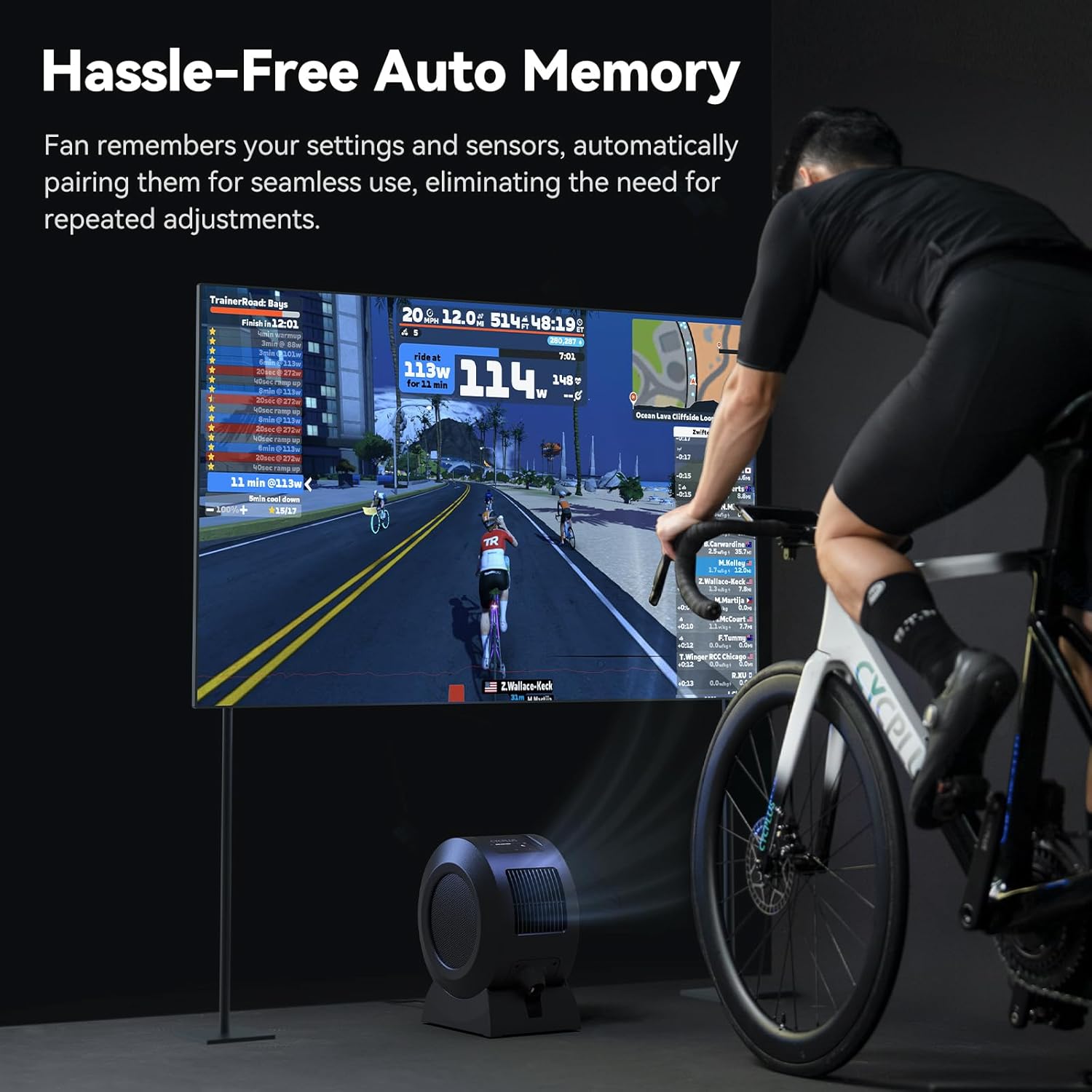
Image: The CYCPLUS F1 fan providing cooling during an indoor cycling session, with a large monitor showing real-time workout metrics.
Cumail suas
Glanadh
To clean the fan, first unplug it from the power source. The front grille is removable for easy access to the fan blades. Use a soft, dry cloth to wipe down the exterior and blades. Do not use abrasive cleaners or immerse the fan in water.

Ìomhaigh: Mion-fhiosrachadh view of the CYCPLUS F1 fan with its front grille removed, illustrating the ease of access for cleaning.
Fuasgladh thrioblaidean
- Chan eil an neach-leantainn a 'tionndadh air: Ensure the power adapter is securely connected to both the fan and a working power outlet.
- Sruth adhair lag: Check for any obstructions in the fan's intake or exhaust grilles. Clean the fan blades if dust buildup is present.
- Chan eil smachd iomallach ag obair: Ensure the remote control is paired correctly with the fan. Check the remote's battery.
- Sensor not connecting: Verify that your ANT+ sensor is powered on and within range. Ensure the fan is in the correct mode for the sensor type (Speed, Heart Rate, Power, or Smart Mode). Try re-pairing the sensor.
- Duilgheadasan ceangail aplacaid: Ensure Bluetooth is enabled on your smartphone and the fan is powered on. Restart the app and try pairing again.
Sònrachaidhean
| Feart | Mion-fhiosrachadh |
|---|---|
| Ainm toraidh | Neach-leantainn Smart Fitness |
| Ainm Modail | F1 |
| Cumhachd Rangaichte | 68 W |
| Luas rothlach as àirde | 1280 rpm |
| Sruth-adhair Max | 670 m³/u |
| Astar gaoithe Max | Mu 50 cilemeatair san uair |
| Cuideam lom | 4.3 kg (9.48 lbs) |
| Meudan toraidh | 10.5"D x 14.5"W x 8.46"H |
| Cuir-a-steach Co-chòrdail | 100-240V 50/60Hz |
| Toradh Adapter | 36V - 2.5-3A |
| Pròtacal Ceangail Braitearan | ANT+ |
| Pròtacal Ceangail Gluasadach | BLE (Bluetooth Low Energy) |
| Teòthachd Obrachaidh | 0-40 ° C |
| Seòrsa motair | Motor DC gun bhruis (BLDC) |
| An àireamh de ìrean cumhachd | 5 |

Image: A summary of the technical specifications for the CYCPLUS F1 fan.
Barantas agus Taic
For warranty information, technical support, or any inquiries regarding your CYCPLUS Smart Indoor Cycling Fan F1, please visit the official CYCPLUS weblàrach-lìn no cuir fios chun t-seirbheis teachdaiche aca gu dìreach. Cùm do chuidhteas ceannach airson tagraidhean barantais.
Official CYCPLUS Store: Bùth Amazon CYCPLUS