
1. Ro-ràdh
The Baseus Inspire XP1 Adaptive Noise Cancelling Earbuds are designed to provide a high-fidelity audio experience with advanced noise cancellation capabilities. Featuring Sound by Bose technology and Dolby Spatial Audio, these earbuds offer immersive sound and clear communication. This manual provides instructions for setup, operation, and maintenance to ensure optimal performance.
2. Pasgan-susbaint
Dèan cinnteach gu bheil a h-uile rud anns a’ phacaid agad:
- Baseus Inspire XP1 Noise Cancelling Wireless Earbuds
- Cùis Cìse
- Cluais-mheudan (meudan S/M/L)
- Càball cosgais USB-C
- Leabhar-làimhe cleachdaiche

Image: Package contents of the Baseus Inspire XP1 earbuds.
3. Toradh thallview
The Baseus Inspire XP1 earbuds feature a contoured in-ear fit with umbrella-shaped liquid silicone tips for comfort and noise isolation. They are equipped with a 6-mic sound sensor array for clear calls and touch-sensitive surfaces for control.

Image: Baseus Inspire XP1 Earbuds.
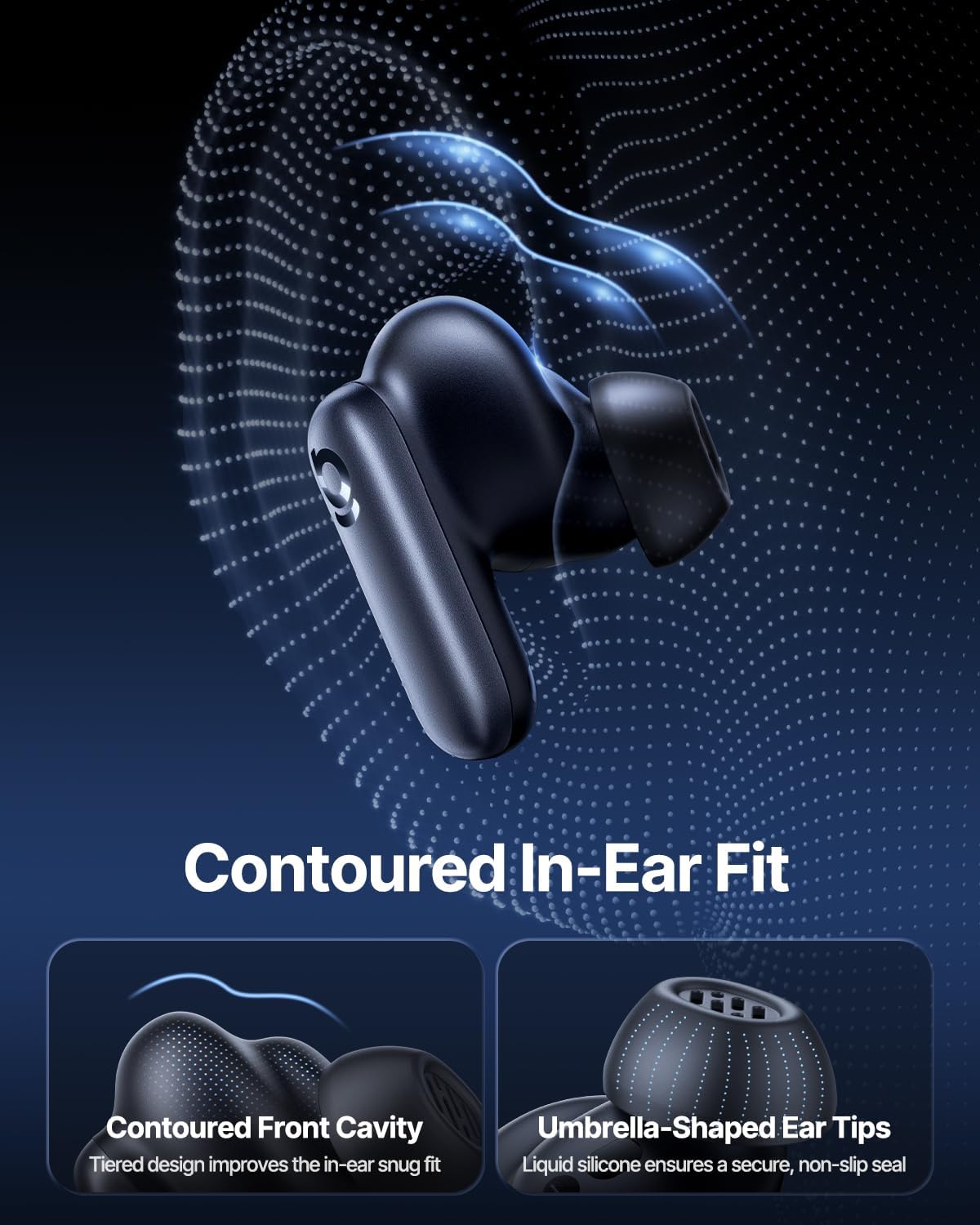
Image: Contoured In-Ear Fit and Umbrella-Shaped Ear Tips.
4. Suidhich
4.1 Paidhreachadh Tùsail
- Cuir cosgais air na Earbuds: Place both earbuds into the charging case and close the lid. Connect the USB-C charging cable to the case and a power source. The indicator light on the case will show charging status.
- Cuir an gnìomh modh paidhir: Open the charging case. The earbuds will automatically enter pairing mode, indicated by a flashing light on the earbuds or case.
- Dèan ceangal tro Bluetooth: Air an inneal agad (fòn cliste, tablet, laptop), rach gu roghainnean Bluetooth agus cuir Bluetooth an gnìomh. Lorg airson "Baseus Inspire XP1" in the list of available devices and select it to connect.
- Dearbhadh: Once connected, a voice prompt will confirm successful pairing, and the indicator light will turn solid or off.
4.2 Stàladh Aplacaid Baseus
For full functionality, including Dolby Audio, custom EQ settings, and adaptive tuning, download the official Baseus App from your device's app store (iOS App Store or Google Play Store). The app allows for personalized control of your listening experience.
Ìomhaigh: Eadar-aghaidh Smachd App Smart.
5. Stiùireadh Obrachaidh
5.1 Cumhachd air / dheth
- Cumhachd air: Fosgail a’ chùis cosgais, agus tionndaidhidh na fònaichean-cluaise air gu fèin-ghluasadach agus feuchaidh iad ri ceangal ris an inneal mu dheireadh a chaidh a chàradh.
- Cumhachd dheth: Cuir na cluasan-cluaise air ais anns a’ chùis cosgais agus dùin am mullach. Cuiridh iad dheth gu fèin-ghluasadach agus tòisichidh iad a’ cur cosgais orra.
5.2 Smachdan suathadh
The earbuds feature touch-sensitive surfaces for various functions:
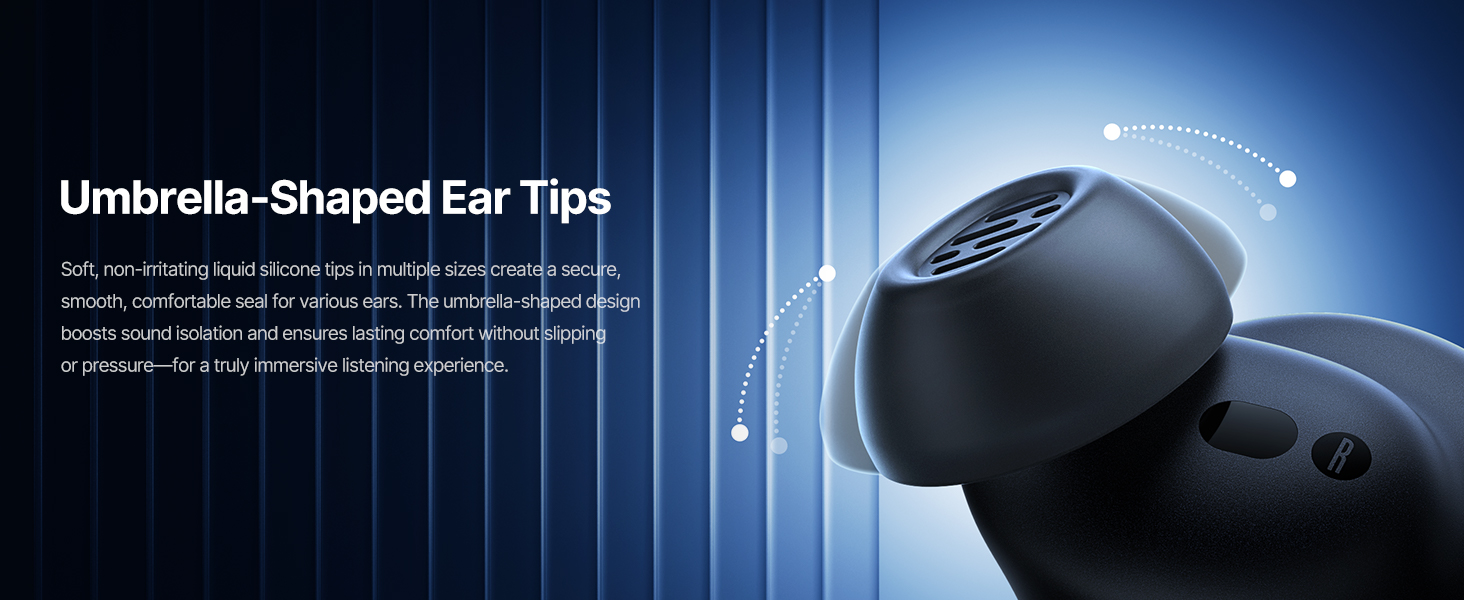
Image: Touch Control Guide.
- Cluich/Cuir stad air ceòl: Tap dà uair air aon de na cluais-fònaichean.
- Freagairt/Crìoch air gairmean: Tap dà uair air aon de na cluais-fònaichean.
- Cuir às do na gairmean: Tap agus gleidh an dàrna cuid earbud airson 1.5 diogan.
- Atharraich Modh ANC/Follaiseachd: Tap agus gleidh an dàrna cuid earbud airson 1.5 diogan.
- Cuir an gnìomh neach-taic guth: Tap trì tursan air gin de na cluais-fònaichean.
5.3 Adaptive Noise Cancellation (ANC) and Transparency Mode
The Inspire XP1 earbuds feature Premium Adaptive ANC, which dynamically adjusts noise reduction up to -50 dB based on your environment. Transparency Mode allows you to hear your surroundings without removing the earbuds.

Image: Premium Adaptive ANC in use.
Switch between ANC and Transparency Mode by tapping and holding the touch surface for 1.5 seconds, or manage settings via the Baseus App.
5.4 High-Efficiency Clear Calls
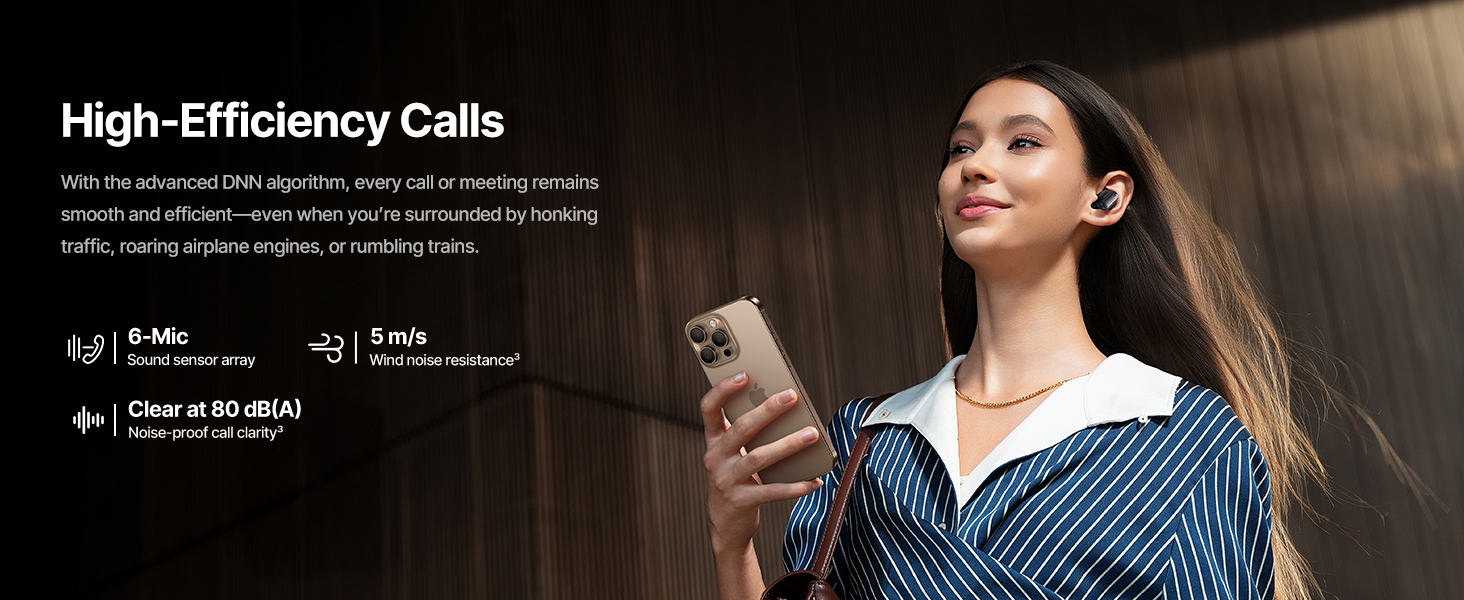
Equipped with a 6-mic sound sensor array and AI algorithms, the earbuds provide clear calls by reducing wind noise and environmental distractions up to 80 dB(A).

Image: High-Efficiency Clear Calls.
5.5 Cosgais agus Beatha Bataraidh
The earbuds offer extended playtime with the charging case:
- ANC dheth: Up to 8 hours per charge, and up to 45 hours with the charging case.
- ANC Air adhart: Up to 6 hours per charge, and up to 35 hours with the charging case.
- Cìs luath: Bheir 10 mionaidean de chosgais timcheall air 2.5 uairean de chluich.

Image: Day-and-Night Playtime.
5.6 Instant Multipoint Connection
Utilize Baseus Smart-Connect and Bluetooth 6.1 for seamless switching between two paired devices, such as a phone and a laptop, enabling uninterrupted calls and multitasking.
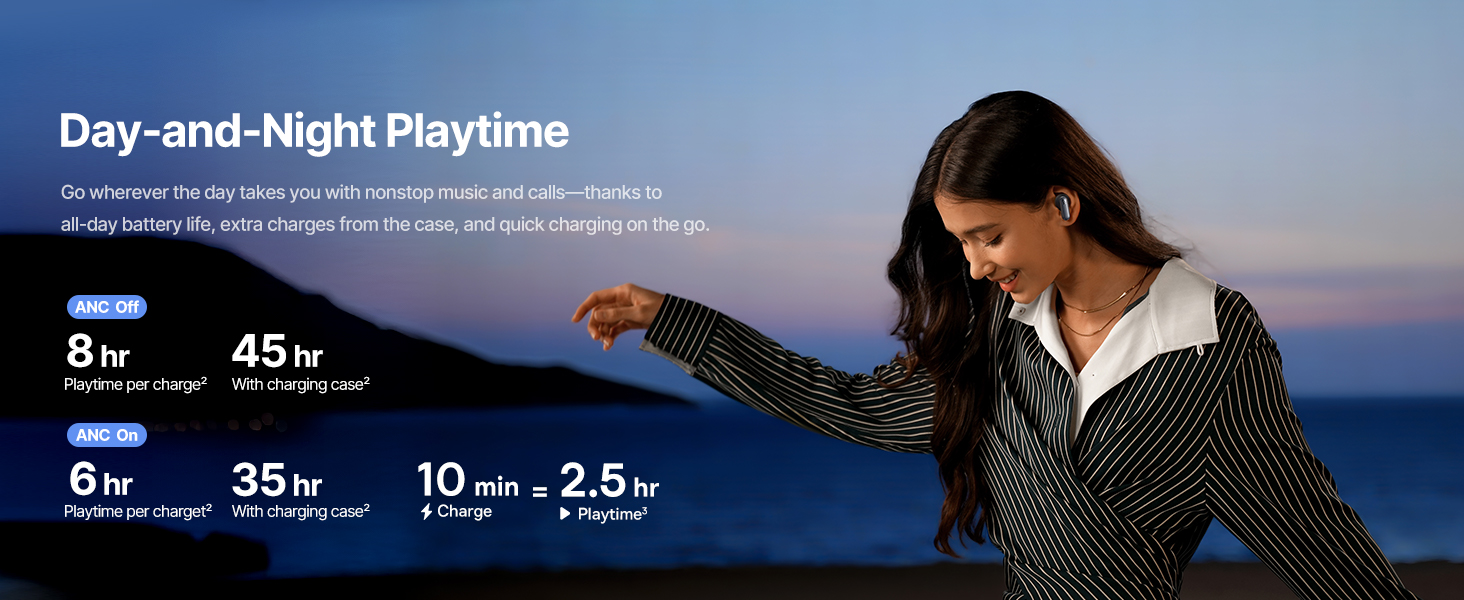
Image: Instant Multipoint Connection.
6. Cumail suas
- Glanadh: Glan na fònaichean-cluaise agus a’ chùis cosgais gu cunbhalach le clò bog, tioram, gun lint. Na cleachd stuthan sgrìobach no ceimigean cruaidh.
- Gliocas-cluaise: Remove and clean the silicone eartips with mild soap and water if necessary. Ensure they are completely dry before reattaching.
- Puirt cosgais: Cùm am port cosgais USB-C saor bho dhuslach is sprùilleach.
- Stòradh: When not in use, store the earbuds in their charging case to protect them and maintain battery life. Avoid extreme temperatures.
7. A ’dèanamh trioblaid
7.1 Fònaichean-cluaise gun a bhith a’ paidhreachadh
- Dèan cinnteach gu bheil na fònaichean-cluaise air an cur fo chasaid agus gu bheil mullach a’ chùis cosgais fosgailte.
- Cuir dheth agus air Bluetooth an uidheim agad.
- Dìochuimhnich an inneal anns na roghainnean Bluetooth agad agus feuch ri ath-chàraideachadh.
- Try resetting the earbuds (refer to the Baseus App or Baseus support for specific reset instructions).
7.2 Gun Fhuaim no Meud Ìosal
- Thoir sùil air na h-ìrean fuaim air an inneal agad agus air na fònaichean-cluaise.
- Dèan cinnteach gu bheil na fònaichean-cluaise nan suidhe gu ceart nad chluasan.
- Dearbhaich gu bheil na fònaichean-cluaise ceangailte ris an toradh claisneachd ceart air an inneal agad.
- Glan sprùilleach sam bith bho luchd-labhairt nan cluais-fòn.
7.3 Cùisean Cìsean
- Dèan cinnteach gu bheil an càball cosgais ceangailte gu tèarainte ris a’ chùis agus ris an stòr cumhachd.
- Feuch càball USB-C agus inneal-atharrachaidh cumhachd eadar-dhealaichte.
- Glan na ceanglaichean cosgais air an dà chuid na fònaichean-cluaise agus taobh a-staigh a’ chùis.
8. Sònrachaidhean
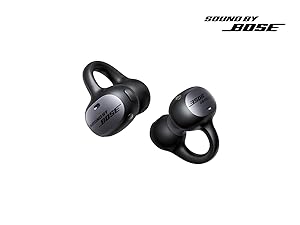
Image: Product Specifications.
| Ainm Modail | Baseus Inspire XP1 |
| Teicneòlas ceangail | Bluetooth 6.1, Gun Uèir |
| Teicneòlas conaltraidh gun uèir | Bluetooth 6.1 |
| Smachd fuaim | Adaptive Noise Cancellation, Environmental Noise Cancellation |
| Meud driver fuaim | 10 millimeters |
| Raon tricead | 20 Hz - 20,000 Hz |
| Beatha Bataraidh (ANC dheth) | 8 uairean a thìde (cluais-fònaichean), 45 uairean a thìde (le cùis cosgais) |
| Port luchdadh a-nuas | USB-C |
| Modh smachd | App, suathadh |
| Stuth | sileaconach |
| Cuideam nì | 7.8 unnsa |
9. Barantas agus Taic
Baseus products are covered by a limited warranty. For detailed warranty information, product support, or to contact customer service, please visit the official Baseus weblàrach-lìn no thoir sùil air a’ chairt barantais a tha sa phacaid agad.
Faodaidh tu cuideachd tadhal air an Bùth Baseus air Amazon airson goireasan a bharrachd agus fiosrachadh mu thoraidhean.