
Kinglucky A20
Kinglucky ClipFree A20 Open-Ear Earbuds Instruction Manual
Modail: A20
Ro-ràdh
Welcome to the Kinglucky ClipFree A20 Open-Ear Earbuds. These earbuds are designed for comfort and style, featuring an open-ear design and detachable crystal earrings. This manual provides essential information for setting up, operating, maintaining, and troubleshooting your new earbuds.
Dè th' anns a' Bhocsa
Upon opening your Kinglucky ClipFree A20 package, you should find the following items:
- Kinglucky ClipFree A20 Open-Ear Earbuds
- Cùis Cìse
- Detachable Crystal Butterfly Earrings (if included with your model)
- Càball cosgais USB-C
- Leabhar-làimhe cleachdaiche (an sgrìobhainn seo)

Image: The Kinglucky A20 earbuds, charging case, detachable butterfly earrings, and USB-C charging cable as packaged.
Suidhich
1. A’ cur cosgais air na cluasan-cluaise agus a’ chùis
Before first use, fully charge your Kinglucky A20 earbuds and charging case. Connect the provided USB-C cable to the charging port on the case and a power source. The digital display on the case will show the battery level. A full charge provides up to 8 hours of playtime for the earbuds, with the case extending total playtime to approximately 50 hours.

Image: The Kinglucky A20 earbuds resting in their charging case, displaying the battery percentage on the front.
2. Càraid Bluetooth
- Fosgail a’ chùis cosgais. Thèid na fònaichean-cluaise a-steach don mhodh paidhreachaidh gu fèin-ghluasadach.
- Air an inneal agad (fòn cliste, tablet, msaa.), rach gu roghainnean Bluetooth.
- Select "Kinglucky A20" from the list of available devices.
- Cho luath ‘s a bhios tu ceangailte, cluinnidh tu brosnachadh claisneachd, agus atharraichidh an solas comharrachaidh air na fònaichean-cluaise.
The Kinglucky A20 supports Bluetooth 5.4 for a stable connection and multipoint pairing, allowing connection to two devices simultaneously.
3. A’ caitheamh nan cluasan-cluaise
The A20 earbuds feature an open-ear clip design for comfort and stability. They do not enter the ear canal, resting gently on the ear.
- Gently open the ear cuff of the earbud.
- Position the earbud over your ear, ensuring the speaker is aligned with your ear canal for optimal sound.
- Adjust for a secure and comfortable fit.
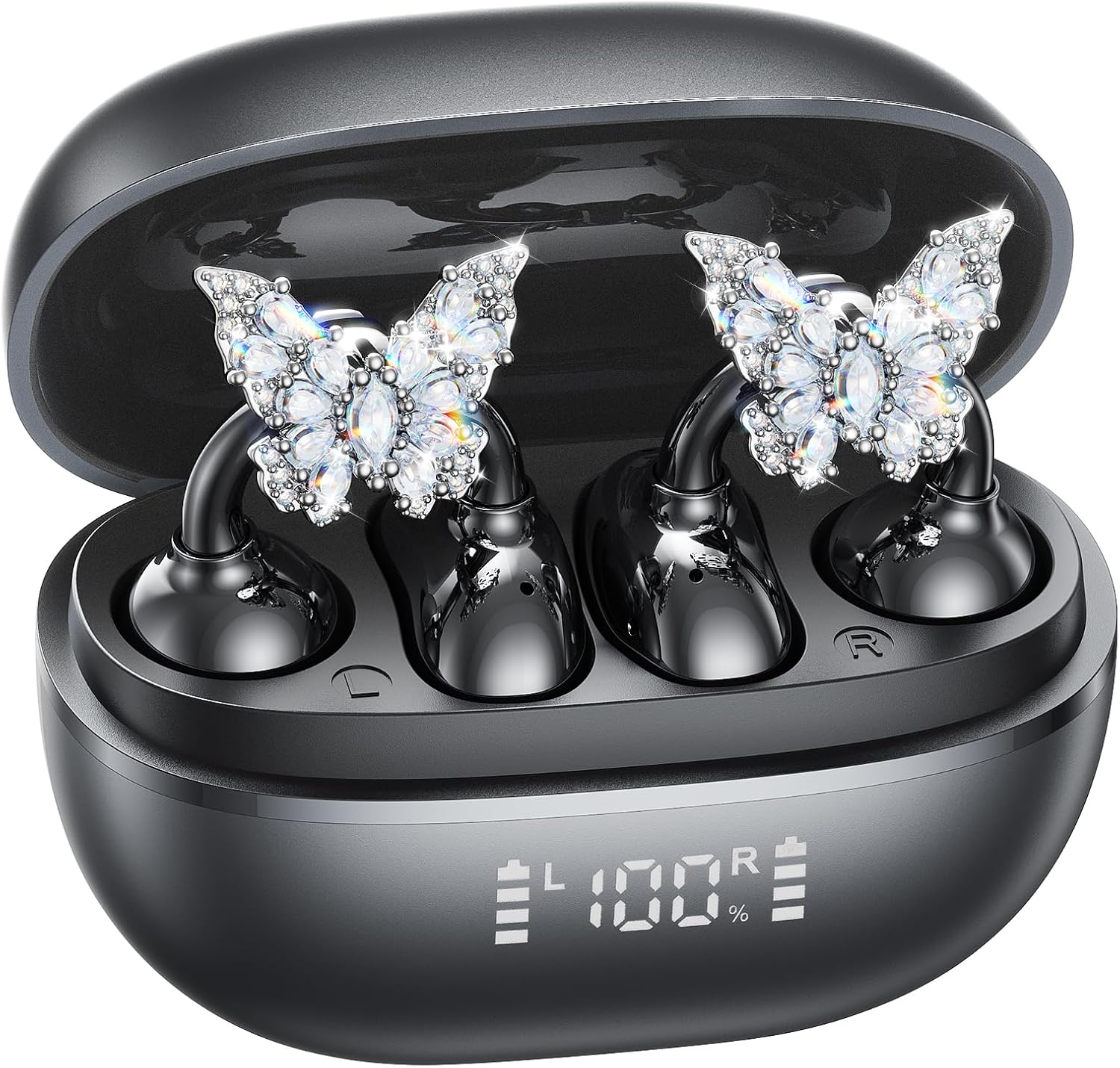
Image: A woman wearing the Kinglucky A20 earbuds with the detachable butterfly earrings, demonstrating the clip-on fit.
4. Attaching/Detaching Crystal Earrings
The crystal butterfly earrings are detachable. To attach, gently clip them onto the earphone stem. To detach, carefully unclip them. Remove the decorative earrings before storing the earbuds in the charging case to prevent damage.

Image: A visual guide illustrating the process of attaching the crystal butterfly accessory to the earbud stem.
Stiùireadh Obrachaidh
Smachdan suathaidh
The Kinglucky A20 earbuds feature intuitive touch controls on the outer surface of each earbud.
- Cluich/Cuir stad air ceòl: Dèan briogadh dùbailte air gach earbud.
- Freagairt/Cuireadh Call: Tap dà uair air aon chuid de na cluais-fònaichean nuair a tha gairm a-steach no gairm ghnìomhach ann.
- Call a dhiùltadh: Brùth is cum sìos aon seach aon de na cluais-fònaichean airson 2 dhiog rè gairm a tha a’ tighinn a-steach.
- Cuir an gnìomh neach-taic guth: Brùth agus cum an dàrna cuid earbud airson 3 dhiog.

Image: A visual representation of the touch control functions for music playback and call management on the earbuds.
Càileachd Fuaime agus Soilleireachd Ghairm
The A20 earbuds are engineered to deliver clear and balanced sound for various audio content, from podcasts to music. They feature AI-powered call clarity with 2 beamforming microphones and advanced noise-canceling technology for crisp conversations.

Image: An exploded diagram showing the internal components of the Kinglucky A20 earbud, highlighting its sound engineering.
Cumail suas
- Glanadh: Use a soft, dry cloth to wipe the earbuds and charging case. Avoid using harsh chemicals or abrasive materials.
- Stòradh: Nuair nach eilear gan cleachdadh, stòraich na fònaichean-cluaise anns a’ chùis cosgais aca gus an dìon agus gus dèanamh cinnteach gu bheil iad fo chasaid.
- Seasmhachd uisge: The earbuds are IP56 water-resistant, meaning they can withstand sweat and light rain. Do not submerge them in water.
Fuasgladh thrioblaidean
| Trioblaid | Fuasgladh |
|---|---|
| Fòn-cluaise nach eil a’ càradh | Ensure earbuds are charged. Turn off and on Bluetooth on your device. Forget "Kinglucky A20" in your device's Bluetooth settings and re-pair. |
| Gun fhuaim bho aon earbud | Cuir an dà chluas-cinn air ais anns a’ chùis cosgais, dùin am mullach, feith beagan dhiog, an uairsin fosgail agus feuch ris a-rithist. Thoir sùil air roghainnean cothromachadh claisneachd an uidheim. |
| Cùis cosgais gun a bhith a’ cur cosgais | Dearbhaich gu bheil an càball USB-C ceangailte gu tèarainte ris a’ chùis agus ris an stòr cumhachd. Feuch càball no inneal-atharrachaidh cumhachd eadar-dhealaichte. |
| Càileachd call call | Ensure earbuds are properly seated on your ears. Move closer to your connected device to avoid interference. |
Sònrachaidhean
- Ainm a' mhodail: A20
- Ceangal: Gun uèir, Bluetooth 5.4
- Suidheachadh cluais: Cluas Fosgailte
- Beatha bataraidh: Up to 8 hours (earbuds), up to 50 hours total with charging case
- Seasmhachd uisge: IP56
- Cuideam: Mu 4.0g gach cluais-fòn
- Co-phàirtean air an toirt a-steach: Earbuds, Charging Case, USB-C Cable, User Manual, Detachable Crystal Earrings
Barantas agus Taic
Kinglucky products are manufactured to high standards and undergo rigorous quality checks. For warranty information, technical support, or customer service inquiries, please refer to the contact details provided on the Kinglucky official weblàrach-lìn no sgrìobhainnean ceannach. Cùm dearbhadh ceannach airson tagraidhean barantais.
Airson tuilleadh cuideachaidh, faodaidh tu tadhal air an Kinglucky Store on Amazon.
Ask a question about this manual
Ask about setup, troubleshooting, compatibility, parts, safety, or missing instructions. Manuals+ will review the question and use this page’s manual context to help answer it.