
Fiosrachadh Sàbhailteachd Cudromach
Leugh agus tuig a h-uile stiùireadh sàbhailteachd mus cleachd thu an toradh seo. Dh’ fhaodadh fàilligeadh ann a bhith a’ leantainn nan stiùiridhean seo clisgeadh dealain, teine no dochann dona adhbhrachadh.
- Do not insert wet or hot batteries into the device.
- Avoid using the device near water or in excessively humid environments.
- Tilg air falbh bataraidhean gu sàbhailte agus a rèir riaghailtean ionadail.
- To prevent interference, avoid placing the device too close to other wireless electronic devices.
- Ensure the device is securely plugged into the car's cigarette lighter socket to prevent dislodgement during driving.
Bathar seachadview
The LENCENT BT27 is a versatile Bluetooth FM transmitter designed to enhance your in-car audio and charging experience. It features Bluetooth 5.4 for stable connections, dual USB-C PD 30W ports for rapid charging, hands-free calling, Hi-Fi deep bass, and customizable 7-color LED lighting.

Figure 1: LENCENT BT27 Bluetooth FM Transmitter
Prìomh cho-phàirtean:
- Dual USB-C PD 30W Ports: Airson innealan co-chòrdail ri cosgais luath.
- Port USB-A: For USB drive music playback (up to 64GB) and standard charging.
- Knob ioma-ghnìomh: Controls FM frequency, volume, and call management.
- Taisbeanadh LED: Shows FM frequency and car battery voltage.
- Putan Bass: A’ cur modh bas domhainn an gnìomh.
- Putan Solais: Controls 7-color LED ambient lighting.
- Micreofon: Integrated for hands-free calling with CVC noise reduction.
Feartan
- Hi-Fi Deep Bass: Enhance your audio experience with powerful bass by pressing the dedicated 'Bass' button. Features clear stereo sound and optional 7-color LED ambient lights.
- 60W Dual USB Fast Charging: Equipped with two USB-C (PD 30W) ports, delivering a total maximum output of 60W. Capable of charging an iPhone up to 70% in under 30 minutes. Includes a safe charging system to prevent overcharging and overheating.
- Teicneòlas adhartach Bluetooth 5.4: Ensures faster pairing, smoother transmission, and a more stable audio stream with extremely low latency. Supports Bluetooth audio streaming and USB drive playback (up to 64GB).
- Hands-Free Calls & Voice Control: Features a built-in microphone with CVC noise reduction for clear voice capture, reducing interference and echo. Supports voice commands for calls, podcasts, or navigation, promoting safer driving.
- Compact and Compatible Design: Its compact size saves space and makes it portable. Compatible with most 12V to 24V vehicles and a variety of Bluetooth devices.
Stàladh agus stàladh
- Insert the FM Transmitter: Plug the LENCENT BT27 into your car's 12V/24V cigarette lighter socket. The LED display will light up, showing the car battery voltage and then 'bt' (Bluetooth mode).
Figure 2: Plugging in the FM Transmitter
- Cuir Rèidio do Chàir ann an Gluais: Turn on your car's FM radio and find an empty, unused frequency (one with static, typically between 87.5 MHz and 108.0 MHz).

Figure 3: Tuning the car radio to an empty frequency
- Suidhich tricead an neach-sgaoilidh: Press and hold the multi-function knob on the BT27 until the FM frequency on its LED display starts flashing. Rotate the knob left or right to match the frequency to the empty station you found on your car radio. Once matched, the connection is established.

Figure 4: Adjusting the transmitter's FM frequency
- Paidhir tro Bluetooth: On your smartphone, enable Bluetooth and search for available devices. Select 'BT27' from the list to pair. A voice prompt will confirm successful connection. You can now stream audio from your phone to your car speakers.
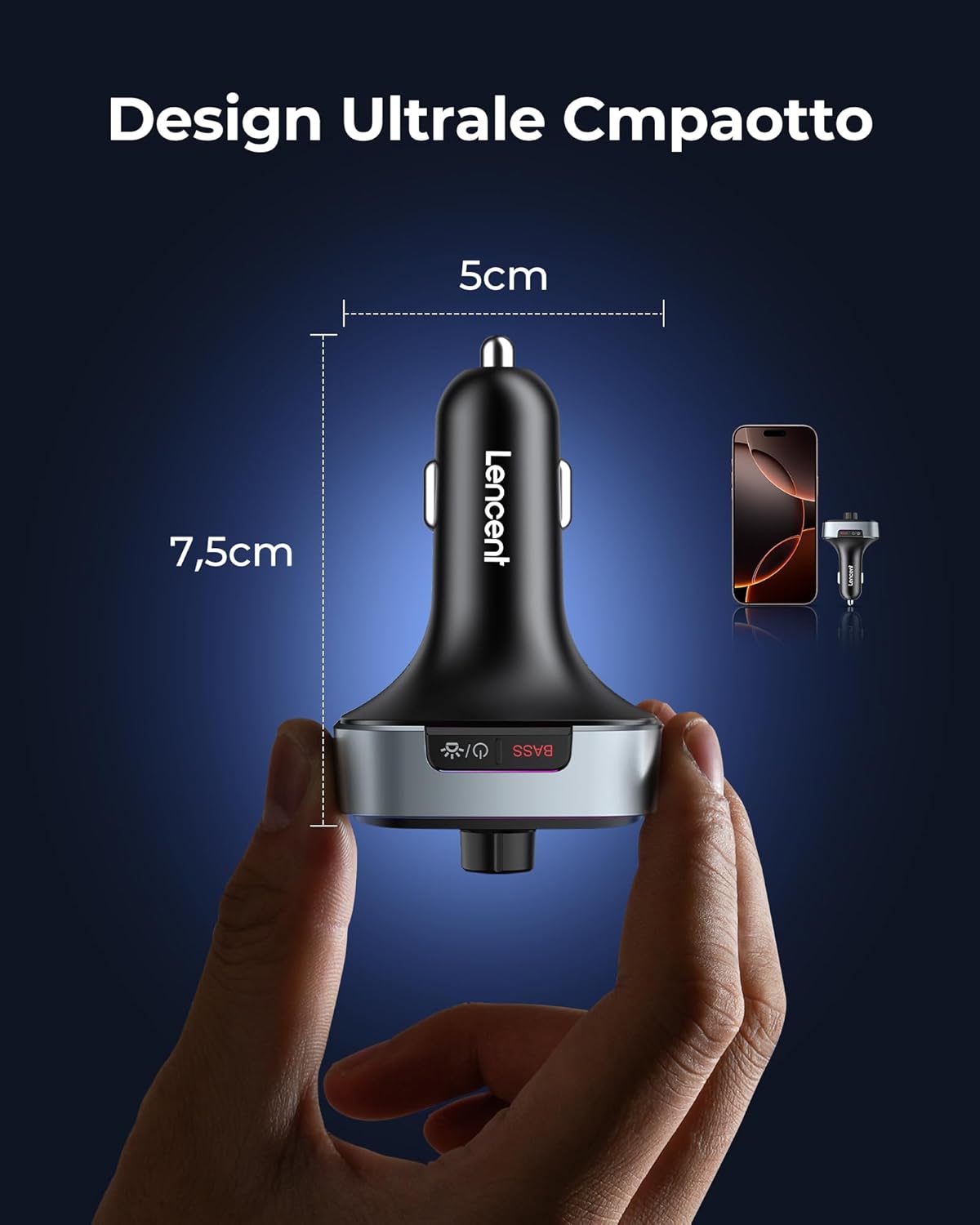
Figure 5: Bluetooth pairing with your smartphone
Stiùireadh Obrachaidh
Ath-chluich Ciùil:
- Sruth Bluetooth: Once paired, play music on your smartphone, and it will stream through your car's speakers.
- Ath-chluich Draibh USB: Insert a USB drive (FAT32 format, up to 64GB) into the USB-A port. The device will automatically switch to USB playback mode.
- Smachd tomhas-lìonaidh: Rotate the multi-function knob to adjust the volume.
- Smachd air an t-slighe: Use the 'Previous Track' and 'Next Track' buttons to skip songs.
- Cluich / Stad: Press the multi-function knob once to play or pause music.
- Modh Beus Domhainn: Press the 'Bass' button once to activate or deactivate the deep bass sound effect.

Figure 6: Activating Deep Bass Mode
Gairm gun làmhan:
- Call Freagairt: Press the multi-function knob once to answer an incoming call.
- Call a dhiùltadh: Press and hold the multi-function knob to reject an incoming call.
- Call crìochnachaidh: Press the multi-function knob once during a call to hang up.
- Ath-ghairm: Double-press the multi-function knob to redial the last number.

Figure 7: Hands-Free Calling in a Car
Neach-taic Guth:
- Cuir an gnìomh neach-taic guth: Press and hold the multi-function knob to activate your smartphone's voice assistant (Siri, Google Assistant).

Figure 8: Activating Siri or Google Assistant
LED Ambient Lights:
- Change/Turn On/Off Lights: Press the 'Light' button once to cycle through the 7 available colors or turn the lights on/off.

Figure 9: Customizable 7-Color LED Lights
Innealan cìs:
- Connect your devices to the USB-C (PD 30W) ports for rapid charging.
- The USB-A port also provides charging capabilities.
Figure 10: Dual USB-C Fast Charging
Cumail suas
- Keep the device dry and clean. Avoid exposure to liquids.
- Na cuir an inneal às a chèile. Cha bu chòir ach luchd-obrach teisteanasach càradh a dhèanamh.
- Bùth ann an àite fionnar, tioram nuair nach eilear ga chleachdadh.
- Regularly check the cigarette lighter socket for debris that might affect connection.
Fuasgladh thrioblaidean
| Trioblaid | Adhbhar a dh’fhaodadh a bhith ann | Fuasgladh |
|---|---|---|
| No sound or static during music playback. | FM frequency mismatch or interference. | Ensure the transmitter and car radio are on the same empty FM frequency. Try a different empty frequency. |
| Ceangal Bluetooth neo-sheasmhach no a’ fàiligeadh. | Device too far from phone, interference, or incorrect pairing. | Ensure phone is close to the transmitter. Re-pair the device. Check for other Bluetooth devices causing interference. |
| Slow charging or no charging. | Cable issue, device not fully inserted, or device not compatible with fast charging. | Use a high-quality charging cable. Ensure the transmitter is fully inserted. Check if your device supports PD 30W charging. |
| Poor call quality (echo/noise). | Microphone obstruction or excessive background noise. | Ensure the microphone is not obstructed. Reduce car fan speed or window opening. The CVC noise reduction should minimize most background noise. |
Sònrachaidhean
- Modail: BT27
- Tionndadh Bluetooth: 5.4
- Input Voltage: 12V-24V DC
- USB-C Output (PD): 30W (each port), Total 60W
- Toradh USB-A: Standard charging (also for USB drive playback)
- Raon Àireamhachd FM: 87.5-108.0 MHz
- Cruthan claisneachd le taic: MP3, WMA, WAV, FLAC (via USB drive)
- Comas Draibh USB: Suas gu 64 GB
- Meudan: 8.5 x 5.1 x 4 cm
- Cuideam: 85 gram
- Stuth: Plastaig, meatailt
- Feartan a bharrachd: CVC Noise Reduction, Siri & Google Voice Assistant, Car Voltage Monitoring, 7-Color LED Ambient Light.
Barantas agus Taic
LENCENT products are designed for reliability and user satisfaction. For any issues or support needs, please refer to the following:
- Barantas: Tha barantas àbhaisteach an neach-dèanamh a’ tighinn leis an toradh seo. Cùm dearbhadh do cheannach airson tagraidhean barantais.
- Seirbheis teachdaiche: For assistance, you can contact LENCENT customer support via email, Amazon chat, or visit the official LENCENT weblàrach.
- Tilleadh: Thoir sùil air poileasaidh tilleadh an neach-reic airson fiosrachadh mu thilleadh thoraidhean.

Figure 11: LENCENT Multichannel Support