
1. Ro-ràdh
This manual provides detailed instructions for the setup, operation, and maintenance of your POLONO PM220S Label Maker Machine. Please read this manual thoroughly before using the device to ensure proper function and longevity.
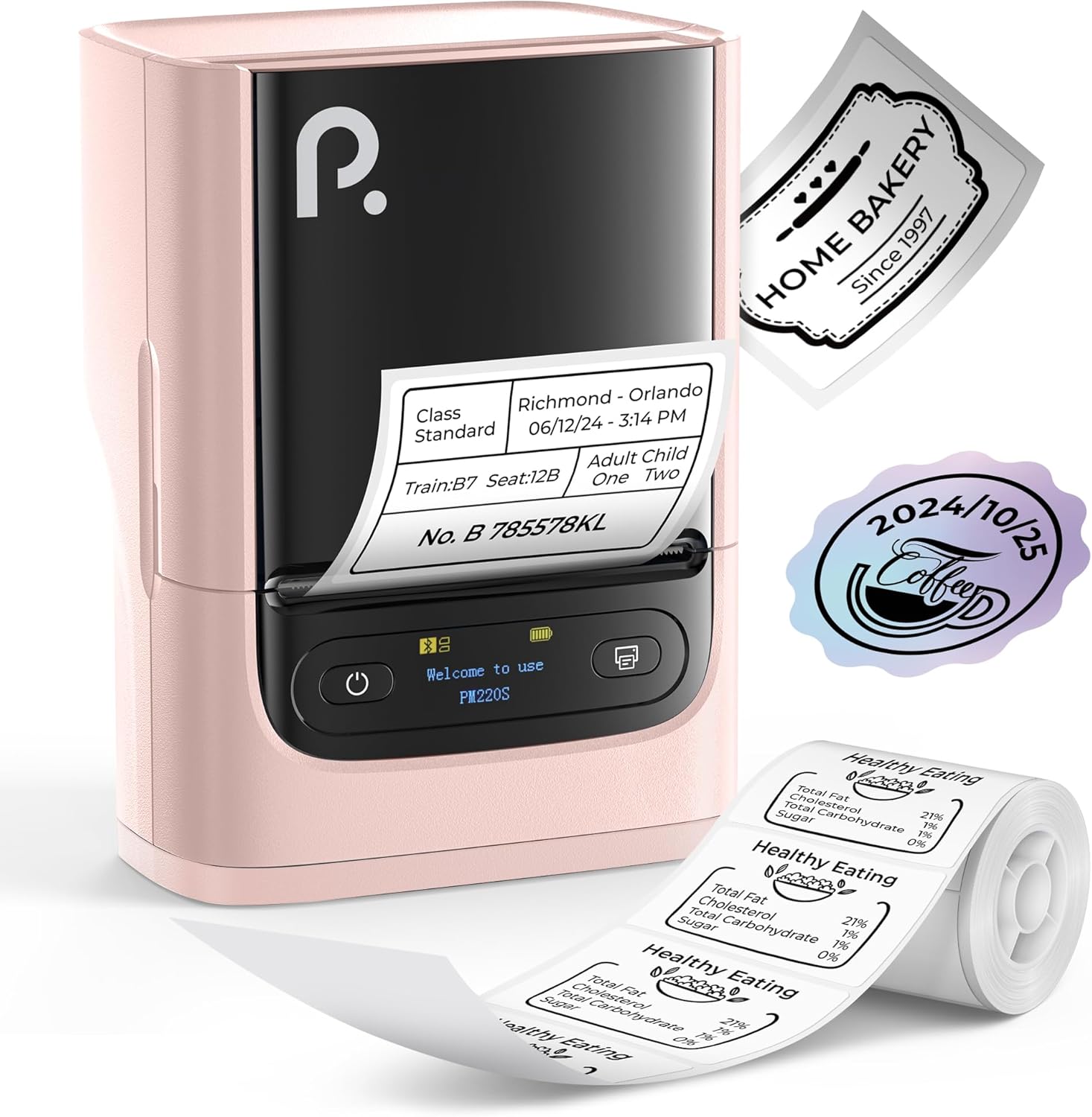
Figure 1: POLONO PM220S Label Maker Machine with sampna bileagan.
2. Toradh thallview
2.1 Pàirtean a tha air an gabhail a-steach
- POLONO PM220S Label Maker Machine
- Label Tape (50x30mm, pre-installed or included)
- Càball cosgais USB
- Leabhar-làimhe cleachdaiche (an sgrìobhainn seo)
2.2 Prìomh fheartan
- Ceangal Bluetooth: Seamless connection with iOS, Android, and PC devices.
- Intuitive LED Screen: Displays battery level, Bluetooth connection status, and alerts for paper shortages or timed shutdowns.
- Feature-Rich "Labelnize" App: Offers label templates, supports QR codes, barcodes, tables, text, icons, 90+ fonts, 14+ languages, and 450+ material presets.
- Premium Thermal Printing: BPA-Free Direct Thermal Technology with 203 DPI for high-definition, inkless printing.
- Co-fhreagarrachd farsaing leubail: Supports label widths from 23-54mm (0.91"-2.12").
- Dealbhadh so-ghiùlain: Compact and lightweight for easy transport and use in various environments.
3. Stiùireadh Stèidheachaidh
3.1 A’ cur cosgais air an inneal
Before first use, fully charge the label maker using the provided USB cable. The LED screen will indicate charging status.
3.2 App Installation and Driver Download
For mobile devices (iOS/Android), download the "Labelnize" app from your respective app store. For PC users, visit polono.com to download the necessary driver and application.

Figure 2: Universal compatibility with smartphones and laptops for app and driver installation.
3.3 A’ ceangal tro Bluetooth
- Ensure the PM220S is powered on.
- On your mobile device, open the "Labelnize" app.
- Within the app, search for and connect to the PM220S via Bluetooth. Do not connect directly via your device's Bluetooth settings for mobile devices.
- For PC, ensure the driver is installed, then connect through the downloaded application.
3.4 A’ luchdadh teip leubail
- Open the label compartment cover.
- Cuir a-steach an rolla leubail leis an uachdar clò-bhualaidh a’ coimhead suas.
- Adjust the paper slot guides to secure the tape according to its width (23-54mm) for precise alignment.
- Dùin an còmhdach.

Figure 3: Proper loading of label tape into the PM220S.
4. Stiùireadh Obrachaidh
4.1 Using the "Labelnize" App
- Open the "Labelnize" app on your connected device.
- Select from various pre-designed templates or create your own custom labels.
- The app allows you to add text, barcodes, QR codes, tables, icons, and more.
- Customize labels using a selection of over 90 fonts and 14 languages.
- Utilize the 450+ material presets for different label applications.
- Cudromach: For optimal results, use specialized POLONO labels. Avoid tearing the green back sticker to prevent printing issues.
4.2 Understanding the LED Screen Display
The integrated LED screen provides real-time feedback on the printer's status:
- Ìre bataraidh: Indicates the current charge of the device.
- Ceangal Bluetooth: Shows if the device is successfully connected via Bluetooth.
- Shor Pàipeartage Alert: Notifies when the label roll is low or empty.
- Sguabadh sìos le ùine: Displays countdown for automatic power-off to conserve battery.

Figure 4: LED screen display functions for real-time status monitoring.
4.3 Printing a Label
- Design your label within the "Labelnize" app.
- Review the label preview to ensure accuracy.
- Tap air a’ phutan “Clò-bhuail” san aplacaid.
- The label maker will print the label using thermal technology.
- Reub an leubail chlò-bhuailte gu faiceallach.
5. Cumail suas
5.1 Cùram Coitcheann
- Cùm an inneal glan agus saor bho dhuslach is sprùilleach.
- Seachain an inneal a nochdadh gu fìor theodhachd no solas dìreach.
- Stòraich an inneal ann an àite tioram nuair nach eilear ga chleachdadh.
5.2 Glanadh Ceann a’ Chlò-bhualaidh
If print quality degrades, the thermal print head may need cleaning:
- Turn off the label maker and disconnect it from any power source.
- Fosgail an roinn leubail.
- Sguab ceann a’ chlò-bhualaidh teirmeach gu socair le swab cotain.ampair a dhèanamh le deoch-làidir isopropyl.
- Leig leis a’ cheann clò-bhualaidh tiormachadh gu tur mus dùin thu an còmhdach agus mus tòisich thu air a chleachdadh a-rithist.
6. A ’dèanamh trioblaid
| Trioblaid | Adhbhar a dh’fhaodadh a bhith ann | Fuasgladh |
|---|---|---|
| Chan eil cumhachd aig an inneal | Bataraidh ìosal no trioblaid cumhachd. | Charge the device fully. Ensure the power button is pressed correctly. |
| Chan urrainn dhuinn ceangal a dhèanamh tro Bluetooth | Incorrect connection method or app issue. | Ensure you are connecting through the "Labelnize" app, not directly via phone settings. Restart both the device and the app. For PC, verify driver installation. |
| Poor print quality / Faint printing | Dirty print head, incorrect label type, or low battery. | Clean the print head (see Section 5.2). Ensure you are using thermal labels. Charge the device. |
| Labels are misaligned or jammed | Improper label loading or paper slot adjustment. | Open the cover, remove any jammed labels, and reload the tape ensuring the paper slot guides are adjusted correctly for the label width. Avoid tearing the green back sticker. |
| "Paper Shortage" alert | Label roll is empty or incorrectly loaded. | Replace the label roll or re-seat it correctly. |
7. Sònrachaidhean
| Brand | POLONO |
| Ainm Modail | PM220S |
| Teicneòlas ceangail | Bluetooth |
| Teicneòlas clò-bhualaidh | Teirmeach |
| Fuasgladh Clò-bhualaidh as àirde | 203 pso |
| Astar Clò-bhualaidh as Motha (Moncromach) | 45.0 mm / s |
| Meudan meadhanan le taic | 23-54mm (0.91"-2.12") width, 50x30mm included |
| Meudan toraidh | 3.3"D x 4.4"L x 2.5"À (8.4 x 11.2 x 6.4 cm) |
| Cuideam nì | 13.4 unnsa (380g) |
| Feart sònraichte | Portable, Inkless Printing, LED Display |
8. Barantas agus Taic
For warranty information, technical support, or to purchase accessories and replacement labels, please visit the official POLONO weblàrach aig polono.com or contact POLONO customer service directly.
Feuch an glèidh thu an dearbhadh ceannach agad airson tagraidhean barantais.