
1. Ro-ràdh
This manual provides detailed instructions for the installation, operation, and maintenance of your CAMECHO Double Din Car Stereo Radio 7 Inch MP5 Player. Please read this manual thoroughly before using the product to ensure proper function and to prevent damage.
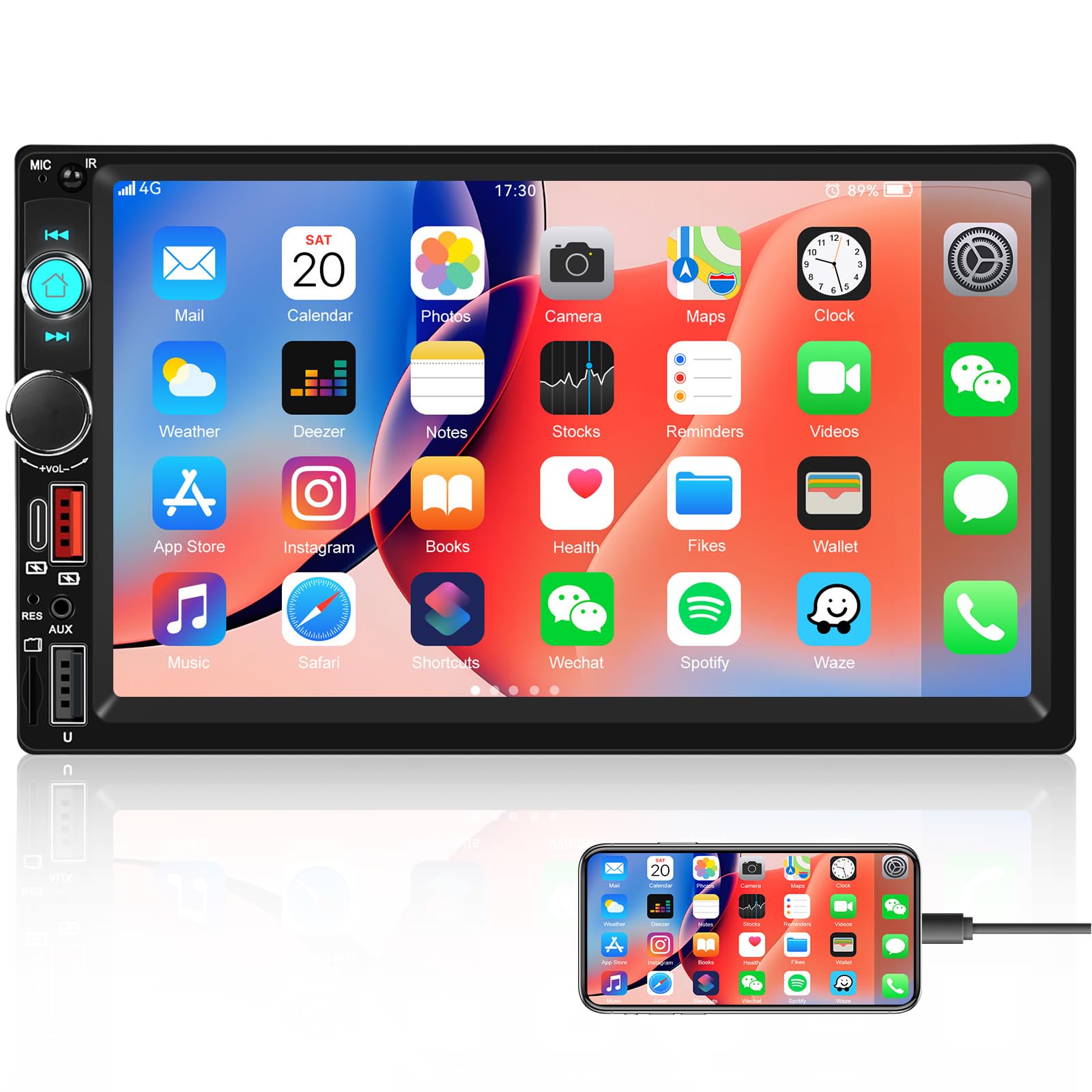
Ìomhaigh: Aghaidh view of the CAMECHO Double Din Car Stereo Radio with its 7-inch HD touch screen.
2. Fiosrachadh Sàbhailteachd
- Stàladh proifeiseanta air a mholadh: Due to the complexity of car electrical systems, professional installation is highly recommended to avoid damage to the unit or your vehicle.
- Solar cumhachd: Ensure the unit is connected to a 12V DC power supply with negative grounding. Incorrect voltagfaodaidh e milleadh adhbhrachadh.
- Uèir: Do not short-circuit any wires. Insulate all unused wires.
- Teòthachd obrachaidh: Seachain an aonad a nochdadh do theodhachd anabarrach no do sholas dìreach na grèine airson ùine mhòr.
- Taiseachd: Keep the unit away from water and excessive humidity.
- Sàbhailteachd dràibhidh: Na cleachd an aonad ann an dòigh a tharraingeas aire thu bhon dràibheadh. Thoir prìomhachas do shàbhailteachd rathaid an-còmhnaidh.
3. Pasgan-susbaint
Nuair a dh’fhosglas tu am pasgan, dèan cinnteach gu bheil na nithean a leanas uile ann:
- CAMECHO Double Din Car Stereo Unit
- Càball cumhachd
- Horn Cable (Speaker Wire Harness)
- Brògan cur suas (2 phìos)
- Leabhar-làimhe cleachdaiche (an sgrìobhainn seo)
4. Suidheachadh & Stàladh
4.1 Diagram uèiridh
Thoir sùil air an diagram uèiridh a chaidh a thoirt seachad leis an aonad agad airson ceanglaichean sònraichte. Tha ceanglaichean coitcheann a’ gabhail a-steach:
- Uèir bhuidhe: Constant 12V (Battery Positive)
- Red Wire: ACC (Ignition Switch 12V)
- Uèir Dhubh: Ground (Chassis Ground)
- Uèir Orains: Illumination (Connect to vehicle's headlight switch for dimming)
- Uèir ghorm: Antenna /Amplifier Remote (12V output when unit is on)
- Uèir Dhonn: Reverse Input (Connect to reverse light positive for automatic camera display)
- Uèirichean Luchd-labhairt: Ceangail ri luchd-labhairt a’ charbaid (dèan cinnteach gu bheil am polarachd cheart).
Note: Incorrect wiring can damage the unit or vehicle. If unsure, consult a professional installer.
4.2 Cur suas an Aonaid
- Remove the existing car stereo from your vehicle's dashboard.
- Attach the provided mounting brackets to the sides of the CAMECHO unit using screws.
- Connect all necessary wiring harnesses (power, speakers, antenna, etc.) to the unit.
- Slide the unit into the double din opening in your dashboard until it clicks into place or can be secured with screws.
- Ath-chruinnich sgeadachadh a’ bhòrd-stiùiridh.
5. Stiùireadh Obrachaidh
5.1 Smachdan Bunaiteach
The unit features a 7-inch HD touch screen and physical buttons/knobs for essential functions.
- Putan Cumhachd: Press to turn on/off. Long press for standby.
- Knob Volume: Rotate to adjust volume. Press to mute/unmute.
- Putan Dachaigh: A ’tilleadh chun phrìomh chlàr.
- Putan air ais: Tilleadh chun sgrion roimhe.
5.2 Gnìomh Bluetooth
The built-in Bluetooth allows for hands-free calling and audio streaming.
- On the main menu, select the "Bluetooth" icon.
- Dèan comas air Bluetooth air an inneal gluasadach agad agus lorg na h-innealan a tha rim faighinn.
- Select "CAMECHO" (or similar name) from the list on your phone to pair.
- Once paired, you can make/receive calls and stream music through the car stereo.

Image: Screen display showing the Bluetooth hands-free calling interface with a dial pad and call controls.
5.3 Mirror Link Function (for Navigation)
Connect your Android or iPhone via USB cable to mirror your phone's screen, including navigation apps, onto the stereo display.
- Connect your smartphone to the stereo's USB port using a high-quality USB cable.
- Follow the on-screen prompts on both your phone and the stereo to establish the Mirror Link connection.
- Once connected, your phone's display will appear on the stereo screen, allowing you to use navigation apps.
Note: This unit does not have built-in GPS. Navigation relies on your smartphone's GPS and data connection.

Image: Display showing the Mirror Link function with a smartphone connected, alongside icons for phone charging, USB, AUX IN, and TF Card playback options.
5.4 Obrachadh Rèidio FM
Access FM radio for news, traffic, and music.
- From the main menu, select the "Radio" icon.
- Use the touch screen to scan for stations or manually tune to a frequency.
- Press and hold a preset button (P1-P6) to save your favorite stations.
- The built-in EQ allows for sound adjustments to enhance your listening experience.

Image: Screen display showing the FM radio interface with frequency display, preset buttons, and an equalizer visualizer.
5.5 Multiple Playback Options
The stereo supports various media inputs:
- USB: Insert a USB drive into the USB port to play audio and video files.
- TF Card (Micro SD): Insert a TF card into the designated slot for media playback.
- AUX-in (3.5mm Jack): Ceangail innealan claisneachd taobh a-muigh le bhith a’ cleachdadh càball AUX.
- Seòrsa C: Use the Type C port for compatible device connections and charging.
Smachd Cuibhle Stiùiridh 5.6 (SWC)
Ma tha do charbad ga chuideachadh, faodaidh tu putanan do chuibhle stiùiridh a phrògramachadh gus an stereo a smachdachadh.
- Faigh cothrom air na roghainnean "Smachd Cuibhle Stiùiridh" ann an clàr-taice an t-siostaim.
- Lean an stiùireadh air an sgrion gus gnìomhan a shònrachadh do phutanan cuibhle stiùiridh do charbaid.
- This allows for convenient control of volume, track changes, and calls without taking your hands off the wheel.

Image: Screen display showing the interface for setting up steering wheel controls, with various function icons.
5.7 UI Display and Color Key Lights
- UI Display: The unit offers multiple user interface themes. Navigate to "Settings" to customize the UI display.
- 7 Color Key Lights: Personalize the physical button backlighting. In "Settings," select "Color Lights" to cycle through red, green, blue, yellow, cyan, purple, and white options.

Image: The car stereo unit with its physical buttons illuminated in various colors, demonstrating the 7-color key light feature.
5.8 HD Reversing (Backup Camera Support)
The unit supports an optional backup camera (not included) for safe reversing.
- Connect a compatible backup camera to the dedicated video input.
- Ensure the reverse trigger wire (Brown wire) is correctly connected to your vehicle's reverse light positive.
- When the vehicle is shifted into reverse, the stereo will automatically display the camera feed.
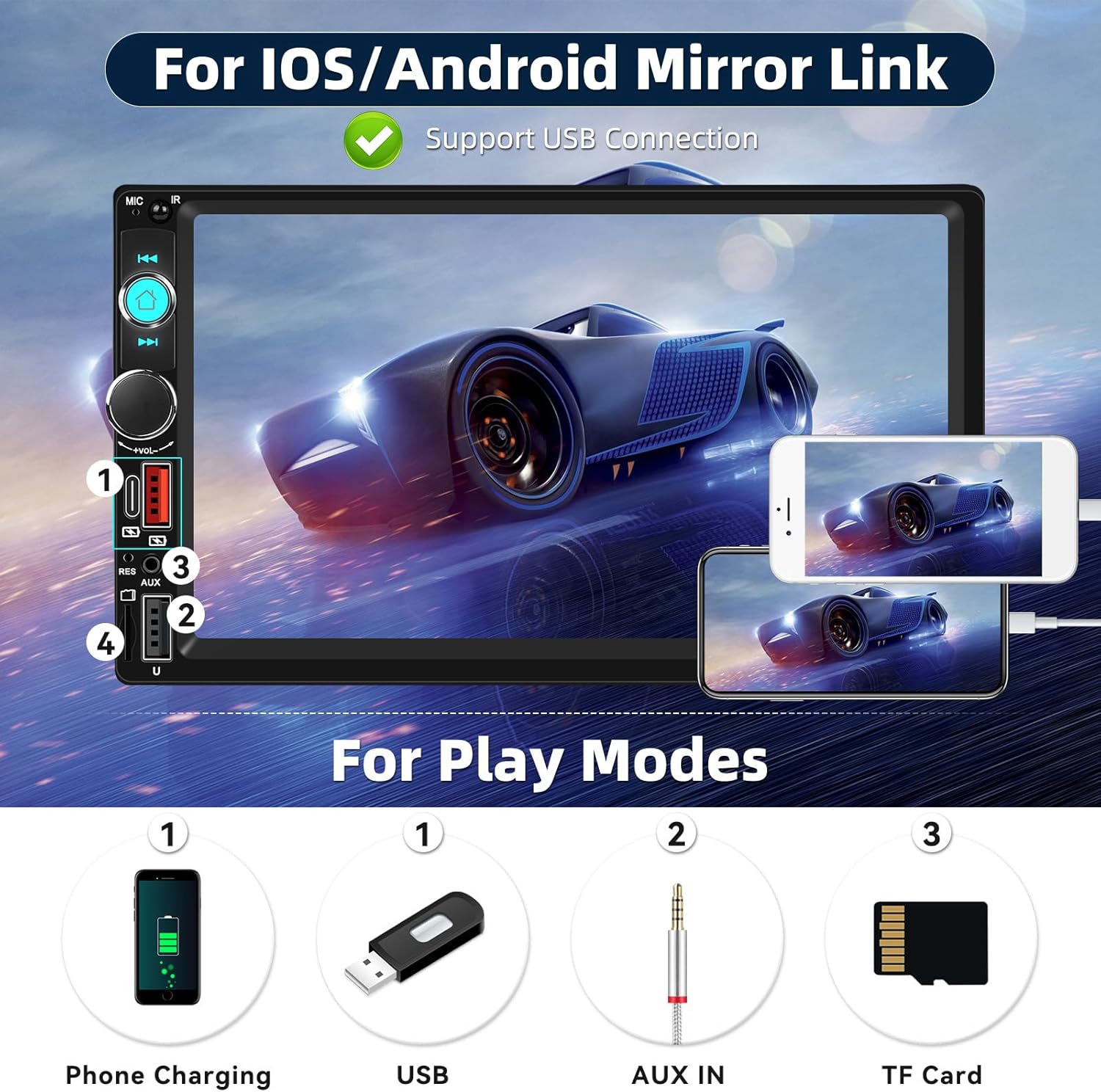
Image: Screen display showing a simulated reversing camera view with parking guidelines, and icons indicating HD, waterproof, 170-degree viewing angle, and night vision features for an optional camera.
6. Cumail suas
- Glanadh an sgrion: Cleachd clò bog, gun lint gus an scrion-suathaidh a sguabadh gu socair. Na cleachd innealan-glanaidh sgrìobach no fuasglaidhean.
- Glanadh coitcheann: Wipe the unit's exterior with a slightly damp cloth. Avoid getting moisture into openings.
- Teòthachd: Do not leave the unit in direct sunlight or extreme temperatures for extended periods, as this can affect its lifespan.
7. A ’dèanamh trioblaid
| Trioblaid | Adhbhar a dh’fhaodadh a bhith ann | Fuasgladh |
|---|---|---|
| Gun chumhachd | Uèirleadh ceàrr; Fiùs sèidte; Cùis le bataraidh a’ charbaid. | Thoir sùil air na ceanglaichean cumhachd is talmhainn. Dearbhaich am fiùs. Thoir sùil air bataraidh a’ charbaid. |
| Gun fhuaim | Uèirichean an neach-labhairt air an dì-cheangal; Fuaim ro ìosal; Gnìomh balbh gnìomhach. | Check speaker connections. Increase volume. Disable mute. |
| Bluetooth nach eil a 'ceangal | Bluetooth not enabled on phone/stereo; Device not in pairing mode. | Ensure Bluetooth is active on both devices. Put stereo in pairing mode. Delete previous pairings and try again. |
| Chan eil an ceangal sgàthan ag obair | Faulty USB cable; Phone settings not configured; Incompatible phone. | Use a high-quality USB cable. Check phone's developer options (USB debugging for Android). Ensure phone is compatible. |
| Camara cùil gun taisbeanadh | Camera not connected; Reverse trigger wire incorrect; Faulty camera. | Verify camera video input and power connections. Check reverse trigger wire connection. Test camera if possible. |
8. Sònrachaidhean
- Brand: CAMECHO
- Àireamh Modail: B0FN39XH97
- Meud sgrion: Sgrion-suathaidh HD 7 òirleach
- Teicneòlas ceangail: Bluetooth
- Teicneòlas gun uèir: Bluetooth, FM
- Modh Toraidh Fuaim: Stereo
- Rèiteachadh Sianal Fuaim mun cuairt: 5.1
- Innealan co-fhreagarrach: Fòn-smart
- Puirt inntrigidh: USB, TF Card, AUX-in (3.5mm), Type C
- Feartan sònraichte: Volume Control, 7 Color Key Lights, Steering Wheel Control Support, Fast Charging, Mirror Link, HD Reversing Input
- Meudan an toraidh (D x L x À): 5" x 5" x 7" (Approximate)
9. Fiosrachadh Barantais
The product comes with a manufacturer's warranty. Please refer to the warranty card included in your package or contact CAMECHO customer support for detailed warranty terms and conditions. The warranty typically covers manufacturing defects for a specified period from the date of purchase.
Warranty Description: 1 (This usually refers to 1 year, but please confirm with the manufacturer).
10. Taic teachdaiche
For technical assistance, troubleshooting, or warranty inquiries, please contact CAMECHO customer support:
- Post-d: camechovip@126.com
- Taic Air-loidhne: Visit the official CAMECHO store on Amazon or their weblàrach airson Ceistean Cumanta agus goireasan a bharrachd.
Please have your model number (B0FN39XH97) and purchase date ready when contacting support.