
1. Ro-ràdh
Thank you for choosing the Jesebang S75 Wireless Earbuds. These earbuds are designed to provide a high-quality audio experience with advanced features such as Bluetooth 5.4 connectivity, Environmental Noise Cancellation (ENC) for clear calls, IPX7 waterproofing, and a secure over-ear hook design, making them ideal for sports and active lifestyles. This manual provides detailed instructions for setup, operation, and maintenance to ensure optimal performance and longevity of your device.
2. Dè tha sa bhogsa
Thoir sùil air susbaint a’ phacaid gus dèanamh cinnteach gu bheil a h-uile rud ann:
- S75 Wireless Earbuds (2 units)
- Portable Charging Case (1 unit)
- Càball Cosgais USB-C (1 aonad)
- Silicone Earplugs (S / M / L sizes, 3 pairs)
- Leabhar-làimhe cleachdaiche (an sgrìobhainn seo)

Image: Contents of the Jesebang S75 Wireless Earbuds package.
3. Suidhich
3.1 A’ cur cosgais air na cluasan-cluaise agus a’ chùis
Before first use, fully charge the earbuds and the charging case. The charging case features a dual LED digital display to show the battery levels of both the case and individual earbuds.
- Ceangail an càball cosgais USB-C a tha air a thoirt seachad ris a’ phort cosgais air a’ chùis agus ri stòr cumhachd USB.
- The LED display on the charging case will illuminate to indicate charging status. The numbers will increase as the case charges, and the earbud battery indicators will show their charging progress.
- Once fully charged, the display will show '100' for the case and full battery icons for the earbuds. A full charge typically takes approximately 2 hours.

Image: Charging the S75 Earbuds and Case with LED display.
3.2 A’ paidhreachadh leis an inneal agad
The S75 earbuds feature one-step auto-pairing for convenience.
- Paidhing tòiseachaidh: Fosgail a’ chùis cosgais. Bidh na fònaichean-cluaise a’ tionndadh air gu fèin-ghluasadach agus a’ dol a-steach do mhodh càraideachaidh.
- Air an inneal agad (fòn cliste, tablet, msaa.), cuir Bluetooth an gnìomh agus rannsaich airson innealan a tha rim faighinn.
- Select "S75" from the list of found devices to connect. You will hear a voice prompt confirming the connection.
- Ath-cheangal fèin-ghluasadach: After the first successful pairing, the earbuds will automatically reconnect to the last paired device when you open the charging case.

Image: One-step auto-pairing process for Jesebang S75 Earbuds.
Bhidio: Thar-shealladhview of the Jesebang S75 Wireless Earbuds, demonstrating features like battery life, Bluetooth 5.4, sound quality, ENC, IPX7 waterproofing, ergonomic earhooks, and smart touch control. This video illustrates the product's key functionalities and design.
4. A’ cleachdadh nam fònaichean-cluaise
4.1 A’ caitheamh nan cluasan-cluaise
The S75 earbuds are designed with soft, elastic earhooks for a secure and comfortable fit, especially during physical activity.
- Choose the silicone earplugs (S, M, L) that best fit your ear canal for optimal sound and comfort.
- Cuir a-steach an earbud gu socair a-steach don chanàl cluais agad.
- Adjust the earhook to rest securely over and behind your ear. Ensure a snug fit to prevent movement during exercise.

Image: Proper wearing of Jesebang S75 Earbuds with earhooks.
4.2 Smachdan Suathaidh Smart
The S75 earbuds feature highly sensitive touch sensors for easy control of music, calls, and voice assistant functions.
| Gnìomh | Gnìomh |
|---|---|
| One Click (L/R) | Cluich / Stad ceòl |
| Short Tap (L/R) | Freagairt / Cuir crìoch air a’ ghairm |
| Long Tap (L/R) | Call a dhiùltadh |
| One Click Tap R | Tomhais Suas |
| One Click Tap L | Meud Sìos |
| Tap Fada 2s L | Rian roimhe |
| Tap Fada 2s R | An ath Rian |
| Cliog Trì-fhillte (Clì/Deas) | Cuir an gnìomh neach-cuideachaidh guth |
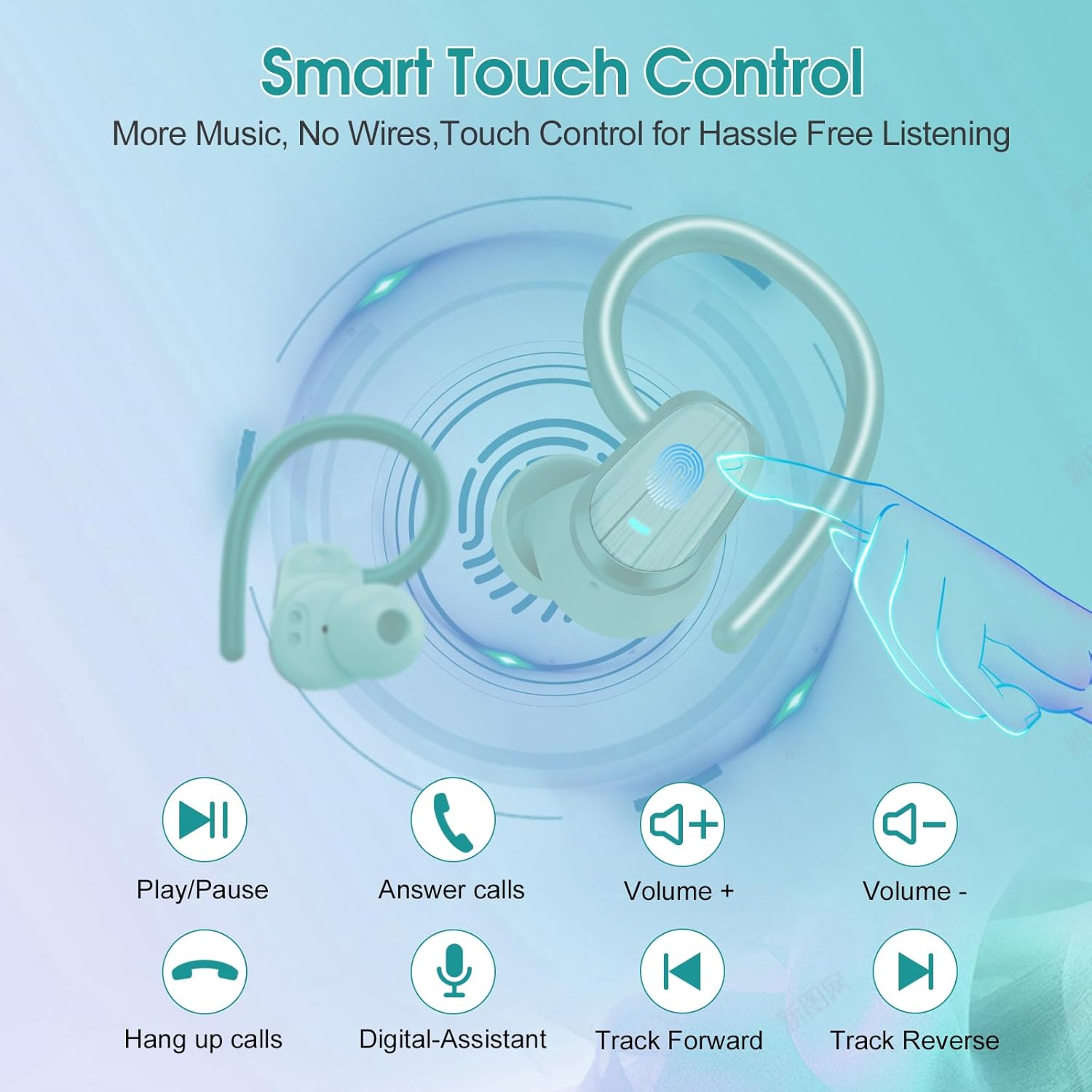
Image: Smart Touch Control functions on the S75 Earbuds.
5. Cumail suas
5.1 Dìon-uisge (IPX7)
The S75 earbuds are rated IPX7 waterproof, meaning they can withstand immersion in water up to 1 meter for 30 minutes. This makes them suitable for workouts, running, and protection against sweat and rain.
- Do not intentionally submerge the earbuds for extended periods or in depths greater than specified.
- Dèan cinnteach gu bheil am port cosgais tioram mus cuir thu cosgais gus casg a chuir air milleadh.
5.2 Glanadh
Bidh glanadh cunbhalach a’ cuideachadh le bhith a’ cumail suas càileachd fuaime agus slàinteachas.
- Cleachd clò bog, tioram, gun lint gus na fònaichean-cluaise agus a’ chùis cosgais a sguabadh às.
- Remove the silicone earplugs and clean them with mild soap and water. Ensure they are completely dry before reattaching.
- Seachain a bhith a’ cleachdadh stuthan sgrìobach, deoch làidir, no innealan-glanaidh ceimigeach.
6. A ’dèanamh trioblaid
If you encounter any issues with your Jesebang S75 earbuds, please refer to the following common solutions:
| Trioblaid | Fuasgladh |
|---|---|
| Fòn-cluaise nach eil a’ càradh | Ensure earbuds are charged. Turn off and on your device's Bluetooth. Forget "S75" in your device's Bluetooth settings and re-pair. |
| Chan eil ach aon earbud ag obair | Place both earbuds back in the charging case, close the lid, wait a few seconds, then open the lid again. This should reset the connection between them. |
| Meud ìosal no càileachd fuaim bochd | Adjust volume on both your device and earbuds. Ensure earplugs are correctly sized and seated in your ear canal. Clean any debris from the earbud speakers. |
| Cùis cosgais gun a bhith a’ cur cosgais | Thoir sùil air a’ chàball USB-C agus an inneal-atharrachaidh cumhachd. Dèan cinnteach gu bheil am port cosgais glan agus saor bho sprùilleach. |
| Chan eil na cluasan-cluaise a’ cur cosgais air eagal ’s gum bi | Ensure the charging contacts on both the earbuds and the case are clean and dry. Verify the charging case itself has sufficient battery. |
7. Sònrachaidhean
Key technical specifications for the Jesebang S75 Wireless Earbuds:
- Ainm a' mhodail: S75
- Teicneòlas ceangail: Wireless (Bluetooth)
- Tionndadh Bluetooth: 5.4
- Raon Bluetooth: 15 Meatair
- Seòrsa draibhear fuaim: Dràibhear Dynamic
- Meud dràibhear claisneachd: 14.2 millimeters
- Ìre an aghaidh uisge: IPX7 uisge-dhìonach
- Suidheachadh cluais: Thar Cluas
- Factor foirm: Anns an Ear
- Beatha Bataraidh (Earbuds): Suas ri 10 uairean a thìde (aon chosgais)
- Total Playtime (with Charging Case): Suas ri 50 uairean a thìde
- Ùine cosgais: Approximately 2 hours (for full charge)
- Cuideam nì: 3.17 unnsa
- Dèanadair: Dongguan Huien Electronic Technology Co., Ltd
8. Barantas agus Taic
Your Jesebang S75 Wireless Earbuds come with a standard return policy of 30 days from the date of purchase for refunds or replacements, as per Amazon's policy. For specific warranty details beyond this period, please refer to the information provided by the manufacturer or contact Jesebang customer support directly.
For further assistance, technical support, or inquiries, please visit the official Jesebang store on Amazon or contact their customer service channels.
Bùth air-loidhne: Jesebang Store