
Ro-ràdh
Welcome to the GravaStar Mercury K1 75% Wireless Mechanical Gaming Keyboard user manual. This guide provides essential information for setting up, operating, maintaining, and troubleshooting your new keyboard. The Mercury K1 combines a futuristic design with high-performance features, including an aluminum alloy frame, hot-swappable linear switches, and customizable RGB backlighting.
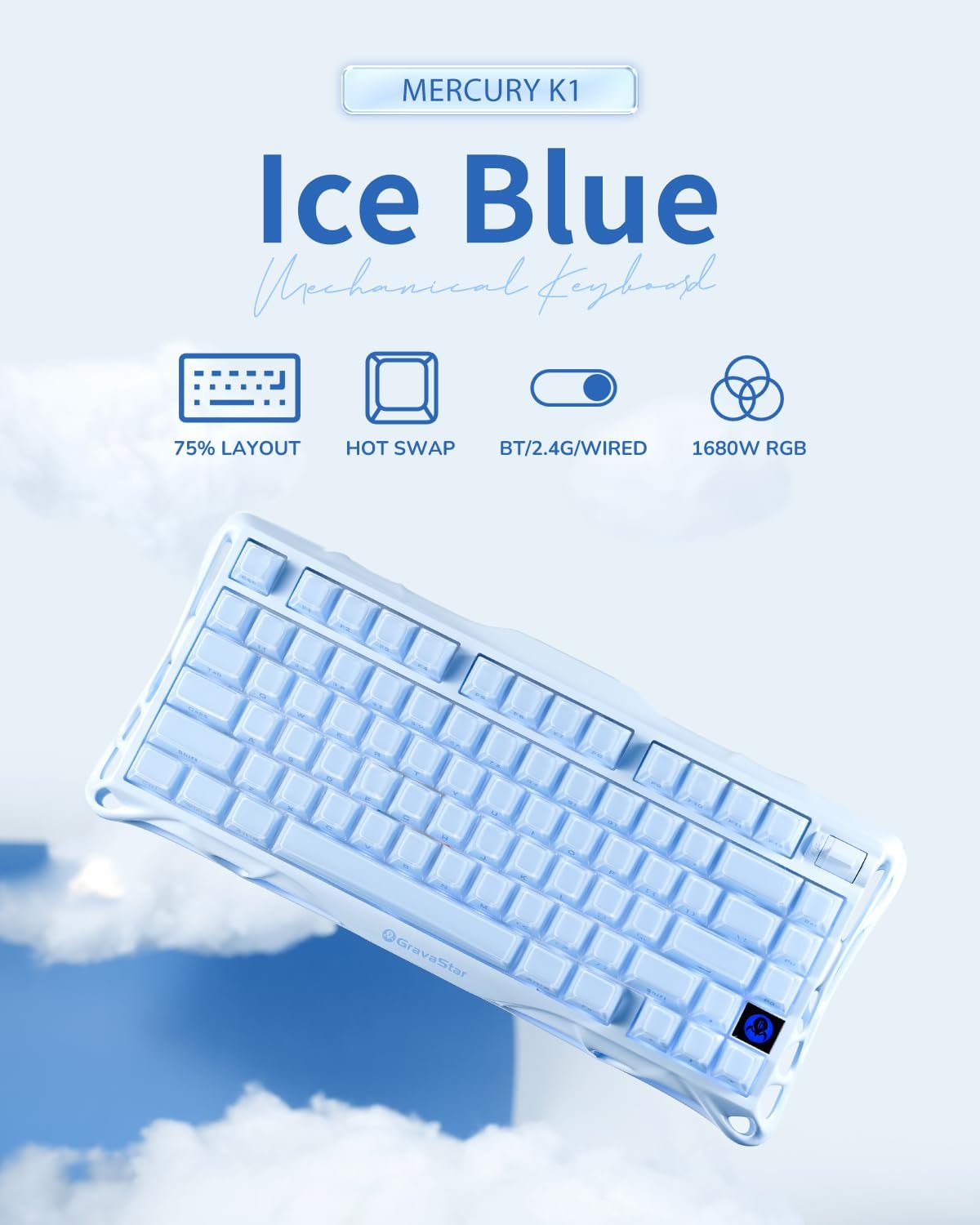
Image: The GravaStar Mercury K1 keyboard showcasing its 75% layout, hot-swap capability, triple connectivity modes (Bluetooth, 2.4GHz, wired), and 16.8 million color RGB lighting.
Dè th' anns a' Bhocsa
- 1 x GravaStar Mercury K1 Keyboard
- 1 x Type-A 2.4GHz Receiver
- 1 x Càball Seòrsa-A gu Seòrsa-C
- 1 x Inneal-tarraing Cap-iuchrach is Suidse
- 1 x Brusg glanaidh
- 4 x Extra Switches (Kailh Platycodon, Kailh Crackle Ice Box, KTT Silent Blue, KTT Baby White)
Video: An unboxing video of the GravaStar Mercury K1 75% Blue Gaming Keyboard, showing the contents of the package.
Suidhich
Cìs tòiseachaidh
Before first use, fully charge your Mercury K1 keyboard using the provided USB-C cable. Connect the USB-C end to the keyboard and the USB-A end to a power source (e.g., computer USB port, wall adapter). The battery indicator will show charging status.
Modhan ceangail
The Mercury K1 supports three connection types: Wired (USB-C), 2.4GHz Wireless, and Bluetooth 5.0. Use the switch located on the back of the keyboard to select your desired mode.

Ìomhaigh: Mion-fhiosrachadh view of the keyboard's rear, highlighting the switches for 2.4GHz wireless, Bluetooth 5.0, and wired USB-C connections, along with Windows/Mac compatibility switch.
- Ceangal Wired: Connect the USB-C cable from the keyboard to your computer. The keyboard will automatically switch to wired mode.
- Ceangal gun uèir 2.4GHz:
- Locate the 2.4GHz receiver stored in the magnetic compartment on the underside of the keyboard.
- Cuir an glacadair a-steach do phort USB-A a tha ri fhaighinn air a’ choimpiutair agad.
- Switch the keyboard to 2.4GHz mode using the selector switch. The keyboard should connect automatically.
- Ceangal Bluetooth 5.0:
- Switch the keyboard to Bluetooth mode using the selector switch.
- On your device (PC, laptop, tablet, gaming console), go to Bluetooth settings and search for new devices.
- Select "GravaStar K1" from the list of available devices to pair.
Co-fhreagarrachd siostam-obrachaidh
Use the dedicated switch on the back of the keyboard to toggle between Windows and Mac operating system layouts for optimal key functionality.
Stiùireadh Obrachaidh
Gnìomhan bunaiteach
- A' sgrìobhadh: The 75% layout provides a compact yet functional typing experience.
- Smachd tomhas-lìonaidh: Use the dedicated control knob for quick volume adjustments.
Smachd Solais RGB
The Mercury K1 features dual RGB ecosystems with 16.8 million colors and 13 dynamic effects. Use the following key combinations to customize your lighting:
- Fn + /!: Rothaich tro mhodhan solais-cùil
- Fn + Tab: Cycle through side light modes.
- Fn + Saighead Clì/Deas: Adjust lighting speed.
- Fn + Saighead Suas/Sìos: Adjust lighting brightness.
- Fn + Shift: Toggle side light mode.
- Fn + >: Cycle brightness levels.
- Fn + /?: Cycle switch colors.
- Fn + <.: Cycle speed settings.
Video: Demonstrates the various RGB lighting effects and typing sounds of the GravaStar K1 75% Blue Gaming Keyboard in a dark environment.
Suidsichean Teth-Iomlaid
The Mercury K1 features a hot-swappable socket, allowing you to change switches without soldering. Use the provided keycap and switch puller tool to replace switches.

Ìomhaigh: Spreadhadh view diagram illustrating the internal components of a Kailh linear switch, including outer housing, inner housing, stem, extended spring, housing, high-transmittance light guide, and base.
- Gently remove the keycap using the keycap puller.
- Use the switch puller to carefully grip and pull out the switch.
- Cuir prìnichean an suidse ùir còmhla ris na tuill air a’ PCB agus brùth gu daingeann gus an cliog e na àite.
- Cuir caip na h-iuchrach na àite.
Cumail suas
Glanadh
Cuidichidh glanadh cunbhalach le bhith a’ cumail suas coileanadh agus coltas a’ mheur-chlàir.
- Use the provided cleaning brush to remove dust and debris from between the keycaps.
- For deeper cleaning, remove keycaps and gently wipe the keyboard surface with a soft, damp clò. Seachain cus taiseachd.
Cùram Bataraidh
Gus beatha bataraidh a leudachadh:
- Avoid fully discharging the 8000mAh battery frequently.
- Stòraich am meur-chlàr ann an àite fionnar, tioram nuair nach eilear ga chleachdadh airson ùine mhòr.
- If using wired mode predominantly, consider turning off wireless modes to conserve battery health.
Fuasgladh thrioblaidean
- Chan eil am meur-chlàr a’ freagairt: Ensure the keyboard is charged and correctly connected (wired, 2.4GHz receiver, or Bluetooth paired). Try restarting the keyboard and your device.
- Solais RGB nach eil ag obair: Check lighting settings using Fn key combinations. Ensure the keyboard is not in a low-power mode that disables lighting.
- Cùisean ceangail: For 2.4GHz, ensure the receiver is securely plugged in and within range. For Bluetooth, ensure the keyboard is in pairing mode and your device's Bluetooth is enabled. Try re-pairing.
- Iuchraichean nach eil a’ clàradh: If specific keys are not working, try hot-swapping the switch with one of the extra switches provided to determine if the switch is faulty.
Sònrachaidhean
| Feart | Mion-fhiosrachadh |
|---|---|
| Meudan toraidh | 16.34 x 7.39 x 2.27 òirleach (41.5 x 18.77 x 5.77 cm) |
| Cuideam nì | 3.52 not (1.6 kg) |
| Teicneòlas ceangail | Bluetooth 5.0, 2.4GHz gun uèir, USB-C le uèir |
| Cruth meur-chlàr | 75% (79 iuchraichean) |
| Switches | GravaStar × Kailh Linear Switches (Hot-Swappable) |
| Cùl-sholais RGB | 16.8 Million Colors, 13 Dynamic Effects, Dual RGB Ecosystems |
| Comas Bataraidh | 8000 mAh |
| Ceapan-meòir | Dual-layer PBT |
| Co-fhreagarrachd | Windows, Mac, Gaming Consoles, Laptops, PCs, Tablets |
Barantas agus Taic
For warranty information and customer support, please refer to the official GravaStar weblàrach no cuir fios chun neach-reic agad. Cùm dearbhadh do cheannach airson tagraidhean barantais sam bith.