
1. Ro-ràdh
This manual provides essential information for the safe and efficient operation of your PETLIBRO Automatic Pet Feeder with Camera. This device is designed to automate pet feeding schedules, monitor your pet, and facilitate two-way communication, ensuring your pet receives meals on time and you stay connected.
The feeder features a 1080P HD camera with night vision, 5G WiFi connectivity, two-way audio, and a stainless steel slow-feed bowl to promote healthier eating habits.

Figure 1: PETLIBRO Automatic Pet Feeder with Camera
2. Co-phàirtean toraidh
Dèan cinnteach gu bheil na pàirtean uile anns a’ phacaid:
- 1 x PETLIBRO Automatic Camera Feeder
- 1 x Stainless Steel Slow Food Bowl
- 1 x Adaptor Cumhachd
- 1 x Desiccant Bag (pre-installed or separate)
- 1 x Leabhar-làimhe Cleachdaiche
3. Stiùirich rèiteachaidh
3.1 Dì-phapadh agus suidheachadh
- Thoir air falbh na pàirtean gu lèir bhon phacaid gu faiceallach.
- Place the feeder on a flat, stable surface in a dry area, away from direct sunlight or heat sources.
- Dèan cinnteach gu bheil an socaid cumhachd furasta a ruigsinn.
3.2 Ceangal cumhachd
- Connect the power adapter to the feeder and plug it into a wall outlet.
- Airson cumhachd outage protection, install 3 D-cell batteries (not included) in the battery compartment at the bottom of the feeder.
3.3 Luchdaich sìos an aplacaid agus ceangal WiFi
- Luchdaich sìos an PETLIBRO App bho stòr aplacaidean an fhòn-smart agad (iOS no Android).
- Create an account and follow the in-app instructions to add your feeder. The feeder supports both 2.4GHz and 5GHz WiFi networks.
- Ensure your phone is connected to the same WiFi network you intend to connect the feeder to during setup.
3.4 A’ lìonadh an tanca bìdh
- Open the lid of the food tank.
- Pour dry pet food into the tank. The feeder has a 5L capacity.
- Ensure the desiccant bag is placed in its compartment to keep food fresh. Replace the desiccant bag every 15-30 days.
- Close the lid securely to maintain food freshness.
3.5 Attaching the Slow Food Bowl
- Place the stainless steel slow food bowl into the designated slot at the base of the feeder. Ensure it is seated correctly.

Figure 2: Stainless Steel Slow Food Bowl
4. Stiùireadh Obrachaidh
4.1 Clàradh-ama Biadh
- Use the PETLIBRO App to set up to 10 meals per day.
- Adjust portion sizes from 1 to 50 portions per meal, according to your pet's dietary needs.
- The app allows for flexible scheduling and monitoring of feeding history.
4.2 Biadhadh làimhe
- Press the manual feed button on the feeder or use the app's "Feed Now" function to dispense a single portion instantly.
4.3 Camera Features and Monitoring
The built-in 1080P HD camera allows you to monitor your pet's mealtime in real-time.
- Fìor-ùine Viewing: Access the live camera feed through the PETLIBRO App.
- Sealladh na h-oidhche: The camera automatically switches to night vision in low-light conditions, providing clear monitoring even at night.
- Glacadh fèin-ghluasadach: Feeding moments are automatically recorded and stored for playback within the app.
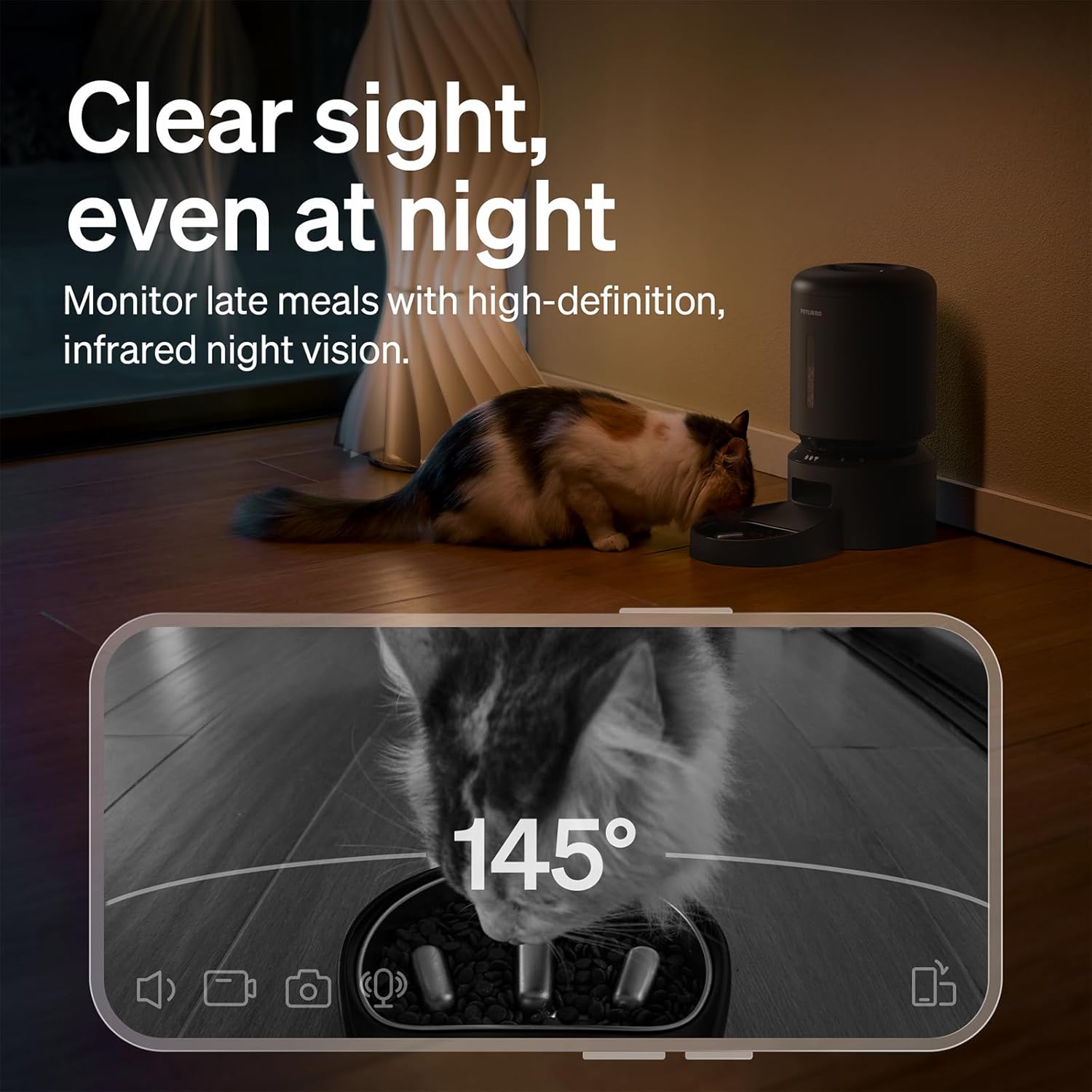
Figure 3: Night Vision Monitoring
4.4 Two-Way Audio Interaction
- Use the two-way audio feature in the app to speak to your pet remotely.
- You can also record a personalized 10-second meal call that plays during scheduled feeding times.
4.5 Fiosan agus Rabhaidhean
The PETLIBRO App provides instant alerts to keep you informed:
- Low Food Level: Receive alerts when the food tank is running low, prompting you to refill.
- Food Jams: The anti-blockage system detects and alerts you to any food dispensing issues.
- Lorgaireachd Gluasaid is Fuaim: Get notifications for detected motion or sound around the feeder.

Figure 4: Real-time Notifications
4.6 Slow Feeding Benefits
The integrated stainless steel slow-feed bowl is designed with ridges to reduce eating speed by up to 2 times. This helps prevent choking, bloating, and indigestion, supporting better digestion for pets that eat too fast.

Figure 5: Slow Feeding in Action
4.7 Taisbeanadh Bhidio
Watch this short video to see the PETLIBRO Automatic Pet Feeder in operation, demonstrating its food dispensing capabilities.
Video 1: PETLIBRO Automatic Dog Feeder with Slow Bowl, 1080P HD (6 seconds)
5. Cumail suas
5.1 Cleaning the Slow Food Bowl
- The stainless steel bowl is removable and dishwasher safe for easy cleaning.
- Wash regularly to maintain hygiene and prevent bacterial growth.

Figure 6: Dishwasher Safe Components
5.2 Cleaning the Food Tank and Dispenser
- Wipe the interior of the food tank with a damp cloth. Ensure it is completely dry before refilling.
- Clean the food dispensing outlet regularly to prevent blockages.
5.3 Ath-chur Poca Tiormachaidh
- Replace the desiccant bag in the lid compartment every 15-30 days to ensure food freshness.
6. A ’dèanamh trioblaid
| Cùis | Adhbhar a dh’fhaodadh a bhith ann | Fuasgladh |
|---|---|---|
| Feeder not powering on | Power adapter disconnected; no battery backup; batteries depleted. | Check power connection; install fresh D-cell batteries. |
| Biadh gun a bhith a’ toirt seachad | Food tank empty; food jam; dispenser blocked. | Refill food tank; clear any food blockages in the dispenser; clean the outlet. |
| Teip ceangail WiFi | Incorrect WiFi password; feeder too far from router; incompatible WiFi band. | Verify password; move feeder closer to router; ensure 2.4GHz or 5GHz network is used. |
| Camara nach eil ag obair | App permissions; network issue. | Check app camera permissions; ensure stable WiFi connection. |
| Sanasan nach d’ fhuaireadh | App notification settings; phone settings. | Enable notifications in the PETLIBRO App and your phone's settings. |
If issues persist, please contact PETLIBRO customer support.
7. Sònrachaidhean
- Àireamh Modail: PLAF203-SB
- Meudan toraidh: 12.99"F x 7.48"L x 13.78"À
- Cuideam nì: 3.8 Punnd
- Comas: 5 liotair
- Stuth: Stàilinn gun smal (bobhla), Plastaig (corp beathachaidh)
- Teicneòlas ceangail: WiFi (2.4GHz & 5GHz)
- Stòr cumhachd: Corded Electric, Battery Backup (3 x D-cell batteries, not included)
- Camara: 1080P HD with Night Vision
- Feartan sònraichte: Two-Way Audio, Slow Food Bowl, App Control, Motion/Sound Detection, Low Food Alerts
- Gnè Targaid: Cait, coin, beathaichean beaga
8. Barantas agus Taic
Your PETLIBRO Automatic Pet Feeder with Camera comes with a Barantas 24 mìosan bho cheann-latha a’ cheannaich. Tha am barantas seo a’ còmhdach lochdan saothrachaidh agus mì-ghnìomhachd fo chleachdadh àbhaisteach.
For warranty claims, technical support, or any questions regarding your product, please visit the official PETLIBRO weblàrach-lìn no cuir fios chun t-seirbheis teachdaiche aca gu dìreach. Cùm do chuidhteas ceannach mar dhearbhadh ceannach.
Taic air-loidhne: www.petlibro.com/support