
1. Ro-ràdh
Thank you for choosing the ROCAM CR1030 Emergency Solar Hand-Crank AM/FM Radio. This versatile device is designed to provide reliable communication, light, and power in various situations, including outdoor activities and emergencies. Please read this manual thoroughly before use to ensure optimal performance and safety.
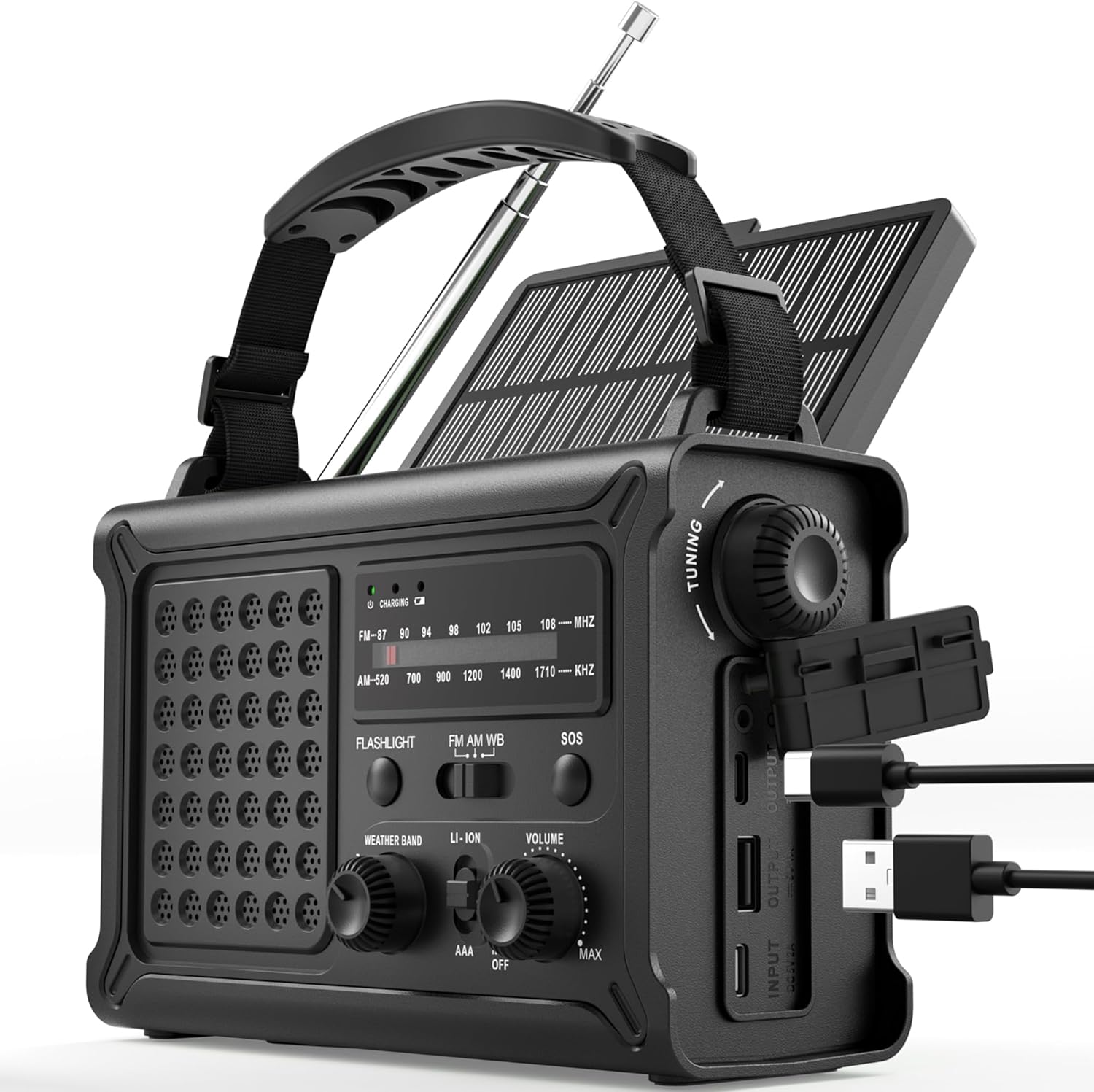
The ROCAM CR1030 Emergency Solar Hand-Crank AM/FM Radio, featuring its robust design and multiple functionalities.
2. Pasgan-susbaint
Dèan cinnteach gu bheil a h-uile rud an làthair sa phacaid agad:
- ROCAM CR1030 AM/FM Radio
- Strap So-ghiùlain
- Càball Cìsean Type-C
- Leabhar-làimhe cleachdaiche
3. Suidheachadh agus Cleachdadh Tùsail
3.1 A’ cur cosgais air a’ bhataraidh a-staigh
Before first use, fully charge the internal 12000mAh battery using the provided Type-C cable.
- Connect the Type-C charging cable to the radio's Type-C input port.
- Ceangail ceann eile a’ chàball ri inneal-atharrachaidh cumhachd USB (nach eil air a ghabhail a-steach) no ri port USB coimpiutair.
- The charging indicator light will illuminate. The radio is fully charged when the indicator turns solid.
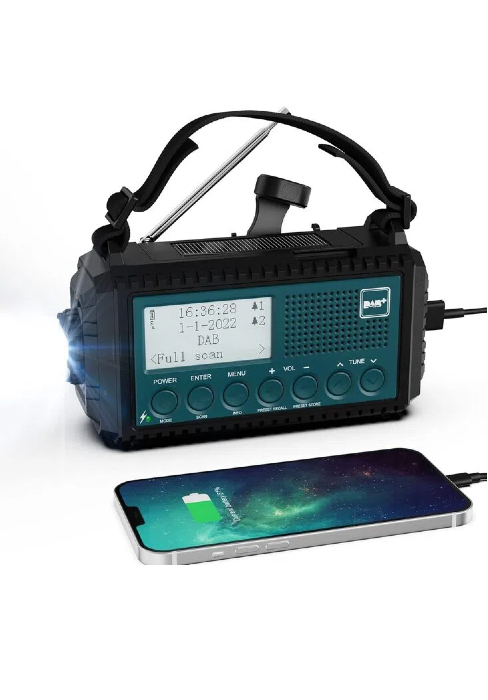
The ROCAM CR1030 radio connected to a power source via its USB-C port for charging.
3.2 Installing AAA Batteries (Backup Power)
For additional backup power, you can install 3 AAA batteries (not included).
- Lorg an roinn bataraidh air cùl an rèidio.
- Fosgail còmhdach na roinne.
- Cuir a-steach 3 bataraidh AAA, a’ dèanamh cinnteach gu bheil iad a’ freagairt gu ceart (+/-).
- Dùin an còmhdach roinn bataraidh gu tèarainte.
4. Stiùireadh Obrachaidh
4.1 Cumhachdachadh Air/Dheth agus Smachd Meud-tonn
Rothaich an LUACHMHOR knob clockwise to turn the radio on and increase volume. Rotate counter-clockwise to decrease volume and turn off.
4.2 Obrachadh Rèidio (AM/FM)
- Leudaich an antenna teileasgopach airson an gabhail as fheàrr.
- Tagh am còmhlan a tha thu ag iarraidh (AM no FM) a’ cleachdadh an iuchair BANN suidse.
- Rothaich an TUNADH knob to scan for stations. The frequency display will show the current station.
- Atharraich an LUACHMHOR tionndaidh an cnap chun ìre èisteachd as fheàrr leat.
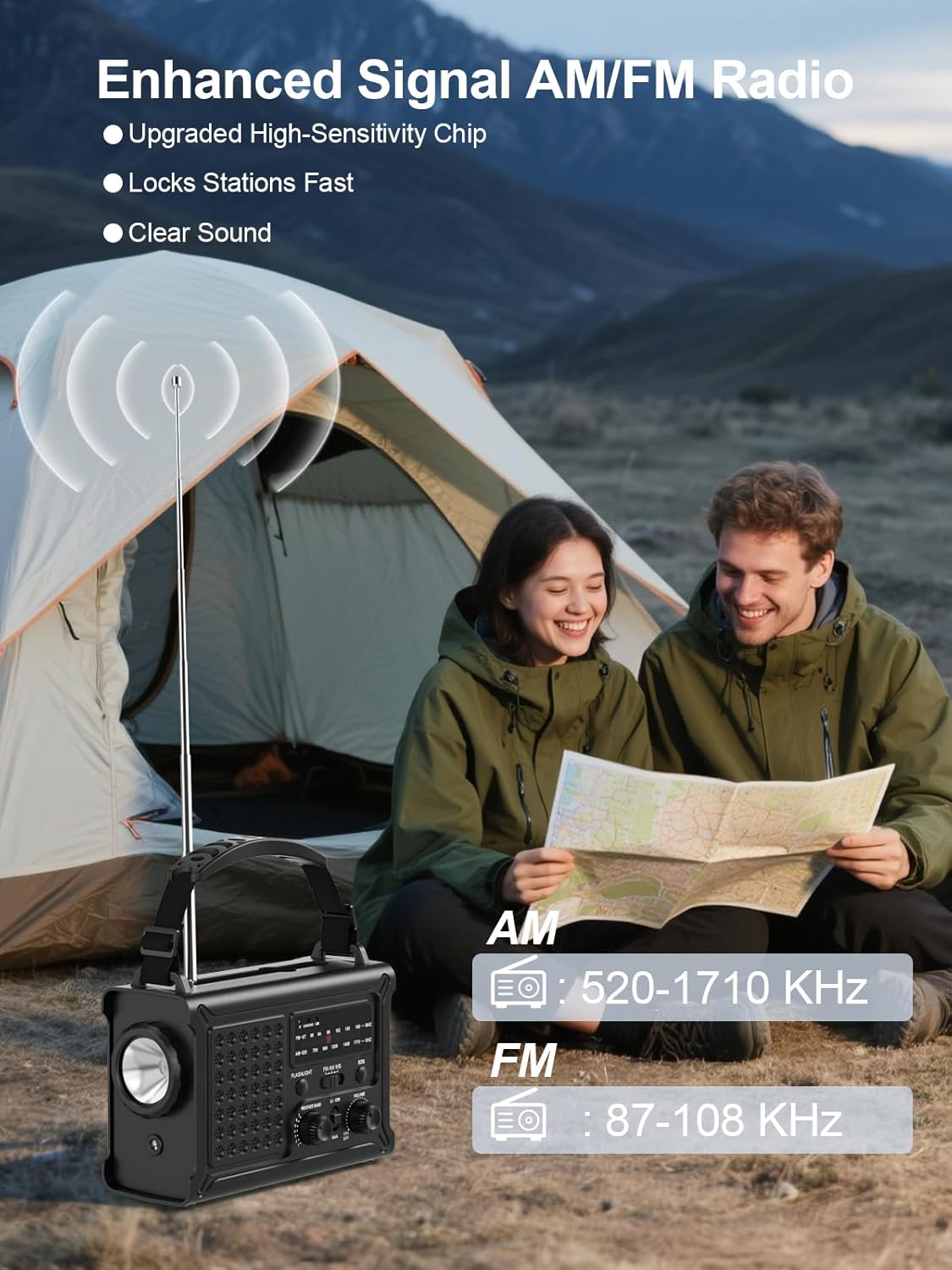
The ROCAM CR1030 radio with its antenna extended, demonstrating its AM/FM reception capabilities.
4.3 Lighting Functions
The radio features two lighting modes:
- Flashlight: Brùth an LAOIDHEAN button to turn on the front LED flashlight. Press again to turn off.
- Leughadh Lamp: Lift the solar panel to reveal the reading lamp. Brùth an LAOIDH button (located under the solar panel) to turn on the 12 LED reading lampBrùth a-rithist gus a chuir dheth.
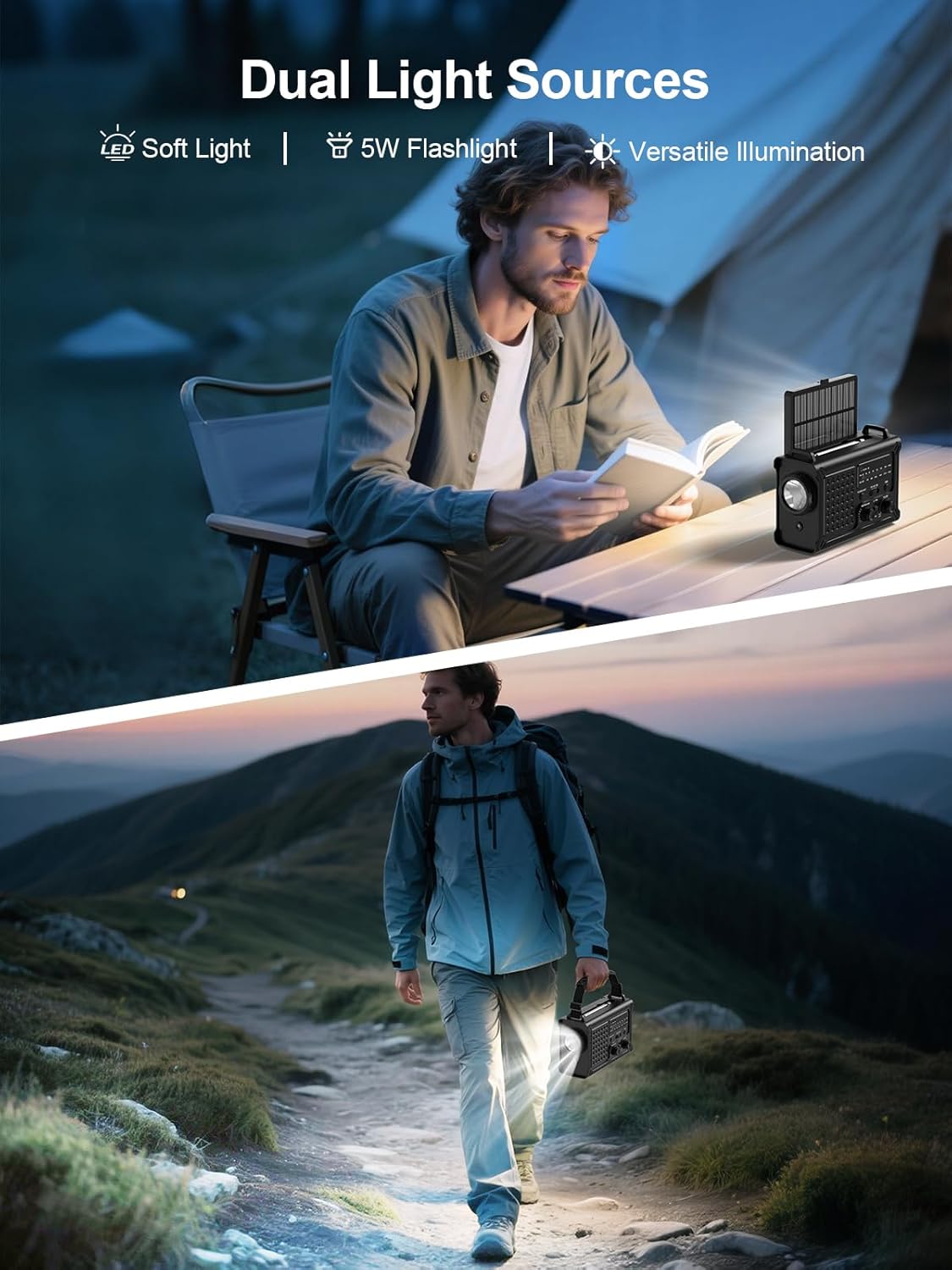
The ROCAM CR1030 providing illumination with its flashlight and reading lamp in different outdoor settings.
4.4 SOS Alarm
Ann an èiginn, cuir an inneal-rabhaidh SOS an gnìomh:
- Brùth agus cùm an SOS button. The radio will emit a loud 120dB siren and a flashing red light.
- Leig às am putan gus an inneal-rabhaidh a dhì-ghnìomhachadh.

The ROCAM CR1030 highlighting its SOS alarm, 12000mAh power bank, and ability to keep users informed during emergencies.
4.5 Charging External Devices (Power Bank)
The 12000mAh internal battery can charge your mobile devices:
- Connect your device's charging cable to the radio's USB-A output port or Type-C output port.
- The radio will begin charging your device.
4.6 Solar cosgais
The integrated solar panel provides a supplementary charging method:
- Place the radio with the solar panel facing direct sunlight.
- The solar charging indicator will light up.
- Solar charging is most effective in strong, direct sunlight and is primarily intended for maintaining battery charge or for emergency top-ups.

The ROCAM CR1030 demonstrating its dual power upgrades: a large solar panel and an efficient hand crank for charging.
4.7 Hand-Crank Charging
When no other power source is available, use the hand crank:
- Unfold the hand crank handle from the back of the radio.
- Rotate the crank clockwise or counter-clockwise at a steady pace (approximately 130-150 RPM) for 3-5 minutes to generate enough power for basic functions (radio, light).
- The charging indicator will light up during cranking.

A mionaideach view of the high-torque hand crank mechanism on the ROCAM CR1030 radio.
5. Cumail suas
5.1 Glanadh
Sguab an rèidio le bog, damp clò. Na cleachd ceimigean cruaidh no innealan-glanaidh sgrìobach. Dèan cinnteach gu bheil na puirt uile tioram mus cleachd thu no mus cuir thu cosgais orra.
5.2 Stòradh
Store the radio in a cool, dry place away from direct sunlight and extreme temperatures. If storing for extended periods, ensure the internal battery is charged to at least 50% and recharge every 3-6 months to prolong battery life. Remove AAA batteries if not used for a long time.
5.3 Dìon-uisge (IPX6)
The ROCAM CR1030 is IPX6 waterproof, meaning it can withstand powerful water jets. It is not designed for submersion. Ensure all port covers are securely closed to maintain water resistance.
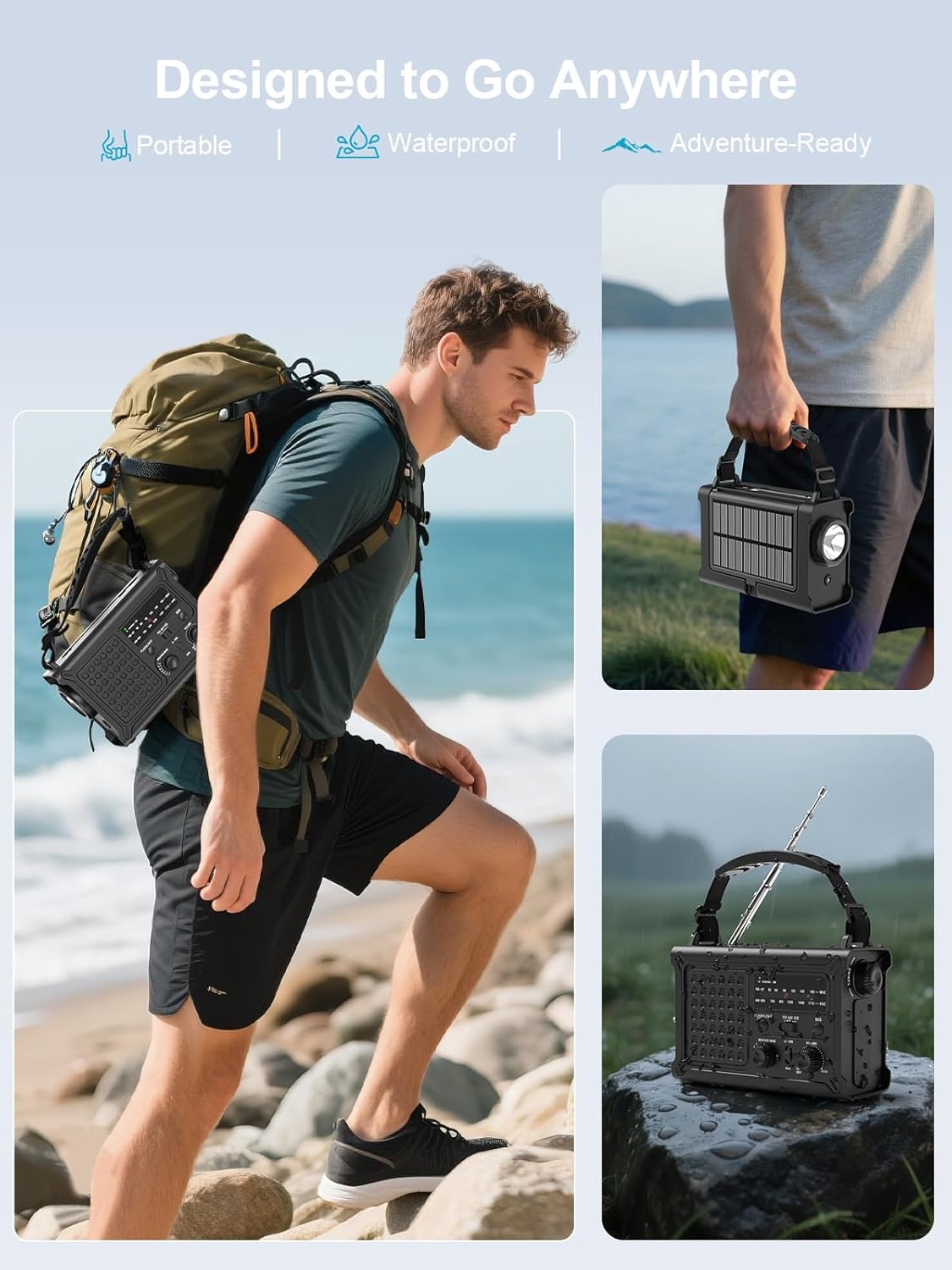
The ROCAM CR1030 is designed for outdoor use, being portable and waterproof (IPX6 rated).
6. A ’dèanamh trioblaid
| Trioblaid | Adhbhar a dh’fhaodadh a bhith ann | Fuasgladh |
|---|---|---|
| Chan eil an rèidio a’ tionndadh air. | Internal battery is depleted. AAA batteries are depleted or incorrectly installed. | Charge the internal battery via USB-C, solar, or hand-crank. Check and replace AAA batteries if used. |
| Fàilteachas rèidio bochd. | Antenna gun a bhith air a shìneadh a-mach. Raon comharra lag. Bacadh. | Fully extend the telescopic antenna. Reposition the radio. Move away from electronic devices causing interference. |
| Chan urrainnear inneal taobh a-muigh a ghearradh. | Radio's internal battery is low. Cable is faulty. Device is incompatible. | Ensure the radio's internal battery is sufficiently charged. Try a different charging cable. |
| Solar charging is slow. | Insufficient sunlight. Panel is dirty. | Place the radio in direct, strong sunlight. Clean the solar panel. Note that solar charging is supplementary. |
| Hand-crank charging is ineffective. | Cranking too slowly or inconsistently. | Maintain a steady cranking speed of 130-150 RPM. |
7. Sònrachaidhean
| Feart | Mion-fhiosrachadh |
|---|---|
| Brand | ROCAM |
| Modail Àireamh | CR1030 |
| Dath | Dubh |
| Teicneòlas ceangail | USB |
| Feartan sònraichte | 12000 mAh Battery, Ergonomic Design, Large 8500 mm² Solar Panel, 57 mm Speaker, 650 mA Hand Crank |
| Innealan co-fhreagarrach | Headphones, Smartphone |
| Meudan toraidh | 12.1L x 17.2W x 7.4H ceudameatairean |
| Teicneòlas Tiùnaidh | AM/FM |
| Stòr cumhachd | Solar Powered, Battery Powered, Electric Cord, Hand Crank, Type-C Input, Rechargeable Battery, 3 AAA Batteries |
| Còmhlain Rèidio a tha a’ faighinn taic | AM, FM |
| Co-phàirtean air an toirt a-steach | Portable Strap, Type-C Charging Cable, User Manual, AM/FM Radio |
| Frith-aghaidh uisge | IPX6 |
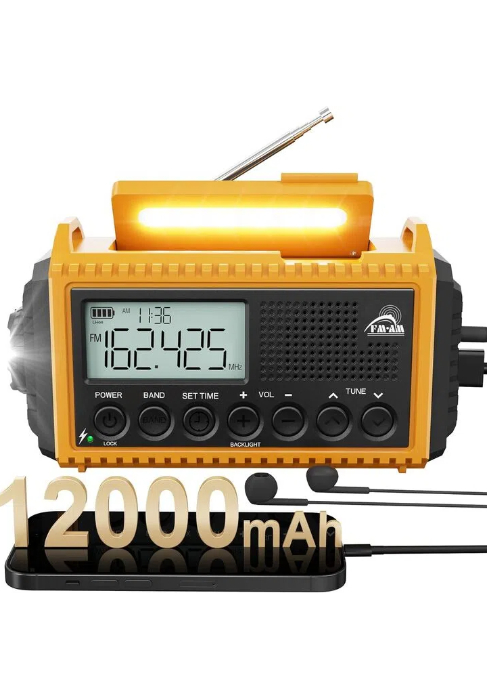
The ROCAM CR1030 radio, highlighting its 12000mAh battery capacity.
8. Barantas agus Taic
ROCAM products are designed for reliability and performance. For warranty information or technical support, please refer to the contact details provided on the product packaging or the official ROCAM weblàrach. Cùm do chuidhteas ceannach mar dhearbhadh ceannach.
9. Toradh thallview Bhideo
Coimhead air a’ bhidio seo airson sealladh goiridview of the ROCAM CR1030 Emergency Solar Hand-Crank AM/FM Radio's features and functions.
This video demonstrates the key features of the ROCAM CR1030 radio, including its charging methods, radio functionality, and lighting options.