
1. Ro-ràdh
Thank you for choosing the PRIXTON Prado XL 15.6-inch Digital Photo Frame. This manual provides essential information for setting up, operating, and maintaining your device. Please read it carefully before use to ensure optimal performance and longevity of your digital photo frame.
The PRIXTON Prado XL features a vibrant 15.6-inch Full HD IPS touchscreen display, offering clear and vivid image reproduction. With built-in Wi-Fi, 32GB of internal memory, and support for both photos and videos, it allows you to easily share and display your cherished memories. The frame also includes integrated speakers and multiple input options, including USB Type-C, USB-A, and an SD card slot, providing versatile ways to manage your content.
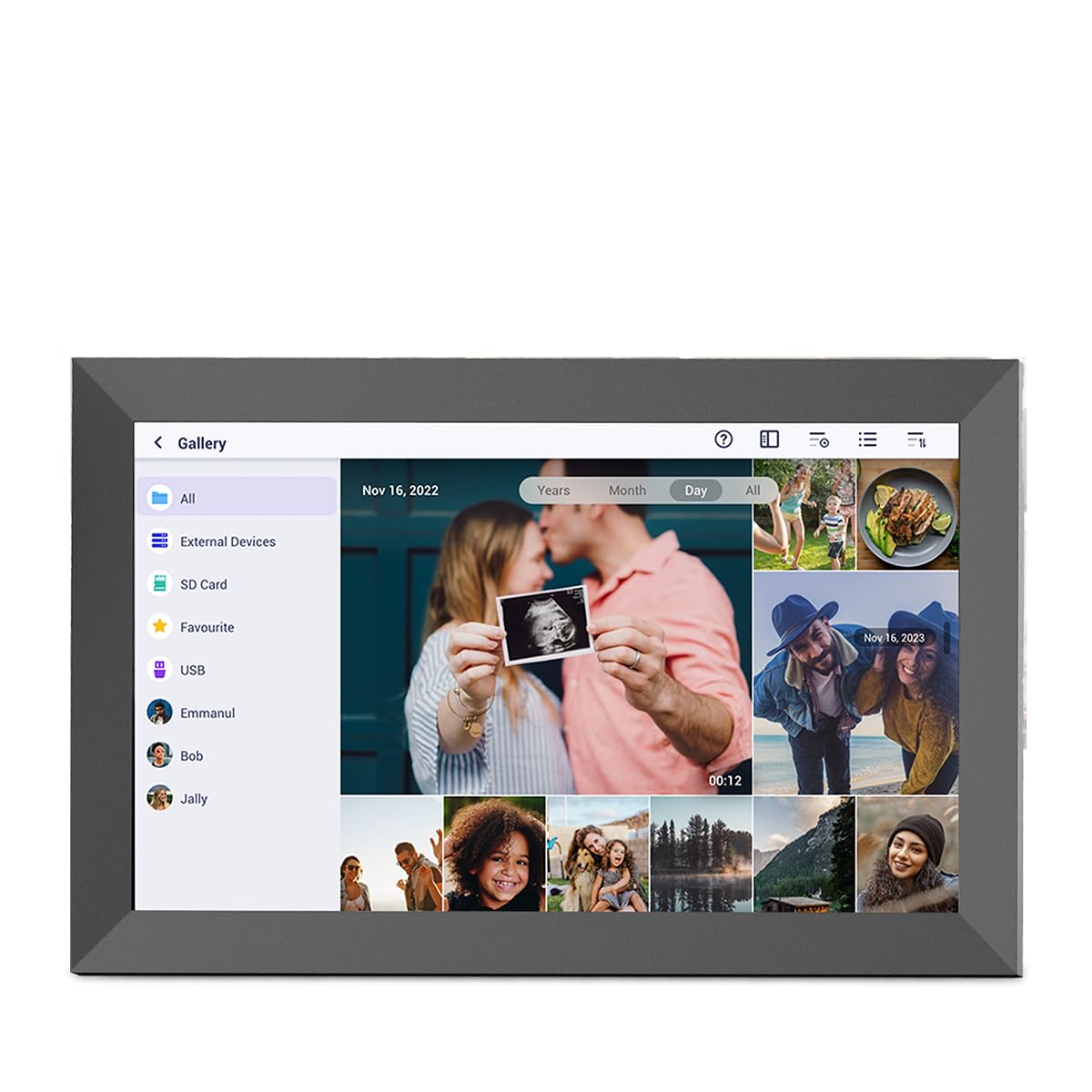
Image: The PRIXTON Prado XL digital photo frame showcasindealbh teaghlaich ga.
2. Pasgan-susbaint
Thoir sùil air a’ bhogsa airson nan nithean a leanas:
- PRIXTON Prado XL 15.6-inch Digital Photo Frame
- Adapter cumhachd
- Leabhar-làimhe cleachdaiche (an sgrìobhainn seo)
3. Toradh thallview
Familiarize yourself with the various ports and controls on your digital photo frame.

Image: Back panel of the frame, highlighting the power button, USB-A, USB-C, SD card slot, and headphone jack.
Prìomh cho-phàirtean:
- Putan Cumhachd: Located on the back, used to turn the frame on/off or put it into sleep mode.
- Port USB-A: For connecting USB flash drives to transfer photos and videos.
- Port USB Type-C: For connecting compatible devices or for data transfer.
- Slot cairt SD: For inserting SD cards to display or transfer media.
- Seabhag Jack: Airson innealan claisneachd taobh a-muigh a cheangal.
- Cur a-steach Cumhachd DC: Airson an adapter cumhachd a cheangal.
- Tuill airson Balla a Chur suas: Airson frèam a chur air balla.
4. Suidhich
4.1 A’ cur cumhachd air adhart
- Connect the power adapter to the DC Power Input port on the back of the frame.
- Plug an adapter cumhachd a-steach do bhalla a-muigh.
- The frame will automatically power on. If not, press and hold the Power Button for a few seconds.
4.2 Rèiteachadh tùsail
Upon first startup, you will be guided through the initial setup process:
- Tagh Cànan: Tagh do chànan as fheàrr leat bhon liosta.
- Ceangail ri Wi-Fi: Select your Wi-Fi network and enter the password. A stable internet connection is required for app functionality and software updates.
- Suidhich Ceann-latha & Uair: Configure the correct date, time, and time zone.
4.3 Connecting with the Uhale App
The Uhale app allows you to easily send photos and videos directly to your frame from your smartphone.
- Luchdaich sìos an App: Lorg airson "Uhale" in your smartphone's app store (iOS or Android) and install it.
- Cruthaich cunntas: Open the Uhale app and follow the instructions to create a new user account.
- Pair the Frame: On your digital photo frame, navigate to the "Settings" menu and find the "Bind Device" or "Add Device" option. This will display a unique code or QR code.
- Enter Code/Scan QR: In the Uhale app, select "Add Device" and either manually enter the code displayed on your frame or use your phone's camera to scan the QR code.
- Once paired, you can start sending photos and videos to your frame.

Image: A smartphone screen showing the Uhale app interface next to the digital photo frame.
5. A’ cleachdadh a’ fhrèam
5.1 Seòladh-sgrìn-suathaidh
The Prado XL features a responsive touchscreen for easy navigation:
- Tap: Select an item or open a menu.
- Swipe: Navigate through photos, menus, or lists.
- Pinch-gu-Zoom: Zoom in or out on photos (if supported by software).
5.2 A’ cur dhealbhan is bhideothan ris
There are several ways to add media to your frame:
5.2.1 Via Uhale App
- Open the Uhale app on your paired smartphone.
- Select the photos or videos you wish to send.
- Tap the "Send" or "Share" button to transfer them to your frame.
- The media will appear on your frame shortly, provided it is connected to Wi-Fi.
5.2.2 Via USB Drive or SD Card
- Insert a USB flash drive into the USB-A port or an SD card into the SD card slot.
- The frame will detect the external storage. Navigate to the "Gallery" or "Files" section.
- Select the desired photos or videos and choose to copy them to the frame's internal memory.

Image: User interacting with the Uhale app to send content to the digital photo frame.
5.3 Managing Content and Slideshows
- Gailearaidh: Access all your stored photos and videos. You can view them individually or start a slideshow.
- Sguab às: Select unwanted media and choose the delete option.
- Roghainnean taisbeanaidh-shleamhnagan: Customize slideshow duration, transition effects, and playback order in the settings menu.

Image: The digital photo frame displaying a lively birthday party scene.
6. Clàr-taice Roghainnean
Access the settings menu by tapping the gear icon on the home screen. Here you can configure various aspects of your frame:
- Taisbeanadh: Adjust brightness, screen sleep time, and display mode.
- Wi-Fi: Stiùirich na ceanglaichean lìonra agad.
- Ceann-latha & Uair: Manually set or synchronize date and time.
- Stòradh: View internal storage usage and manage external storage devices.
- Mu dheidhinn: View device information, including software version and model number.
7. Cumail suas
7.1 Glanadh na Sgrion
Gus an scrion-suathaidh a ghlanadh, sguab gu socair e le clò bog, gun lint. Airson smugaid stòlda, sguab beagan e.ampnigh an clò le uisge no le fuasgladh glanaidh a tha sàbhailte airson sgrionaichean. Seachain ceimigean cruaidh no stuthan sgrìobach a chleachdadh.
7.2 Ùrachaidhean bathar-bog
Ensure your frame is connected to Wi-Fi to receive automatic software updates. Updates provide new features, performance improvements, and bug fixes. You can manually check for updates in the "Settings" > "About" menu.
8. A ’dèanamh trioblaid
| Cùis | Fuasgladh comasach |
|---|---|
| Frame does not turn on. | Dèan cinnteach gu bheil an inneal-atharrachaidh cumhachd ceangailte gu tèarainte ris an fhrèam agus ri socaid cumhachd a tha ag obair. Feuch socaid eadar-dhealaichte. |
| Chan urrainn dhuinn ceangal a dhèanamh ri Wi-Fi. | Check if your Wi-Fi router is on and working. Re-enter the Wi-Fi password carefully. Move the frame closer to the router. |
| Chan eil dealbhan/bhideothan a’ nochdadh. | Verify that the media has been successfully uploaded via the app or copied from USB/SD. Check file formats for compatibility. Ensure the frame is connected to Wi-Fi if using the app. |
| Chan eil an scrion-suathaidh a’ freagairt. | Restart the frame by holding the power button. Ensure the screen is clean and free of debris. |
| Tha am frèam slaodach no a’ reothadh. | Restart the frame. Clear some internal storage if it is nearly full. |
9. Sònrachaidhean
| Feart | Mion-fhiosrachadh |
|---|---|
| Modail Àireamh | 10006183 |
| Meud taisbeanaidh | 15.6 òirlich |
| Seòrsa Taisbeanaidh | Sgrion-touch IPS |
| Fuasgladh | 1920 x 1080 Làn HD |
| Cuimhne a-staigh | Flash airson 32 GB |
| RAM | 1 GB |
| Ceangalachd | Wi-Fi |
| Puirt | USB Type-C, USB-A, SD Card Slot, Headphone Jack |
| Fuaim | Luchd-labhairt aonaichte |
| Meudan (L x W x H) | 14 x 21 x 2.51 cm |
10. Barantas agus Taic
PRIXTON products are designed and manufactured to the highest quality standards. For information regarding warranty coverage, please refer to the warranty card included with your product or visit the official PRIXTON weblàrach.
If you encounter any issues or have questions not covered in this manual, please contact PRIXTON customer support for assistance. You can find contact details on the PRIXTON weblàrach-lìn no tron àrd-ùrlar ceannach agad.
Taic air-loidhne: Visit the PRIXTON Store on Amazon