
Ro-ràdh
This manual provides detailed instructions for the setup, operation, maintenance, and troubleshooting of your OnePlus Buds 4 wireless earbuds. Please read this manual thoroughly to ensure proper use and to maximize your listening experience.
Susbaint pacaid
Dearbhaich gu bheil a h-uile nì an làthair ann am pasgan an toraidh agad:
- Fònaichean-cluaise OnePlus Buds 4 (Clì is Deas)
- Cùis Cìse
- Càball cosgais USB-C
- Iomadh Meud de Chluas-fhàinnean (S, M, L)
- Leabhar-làimhe Cleachdaiche (An sgrìobhainn seo)
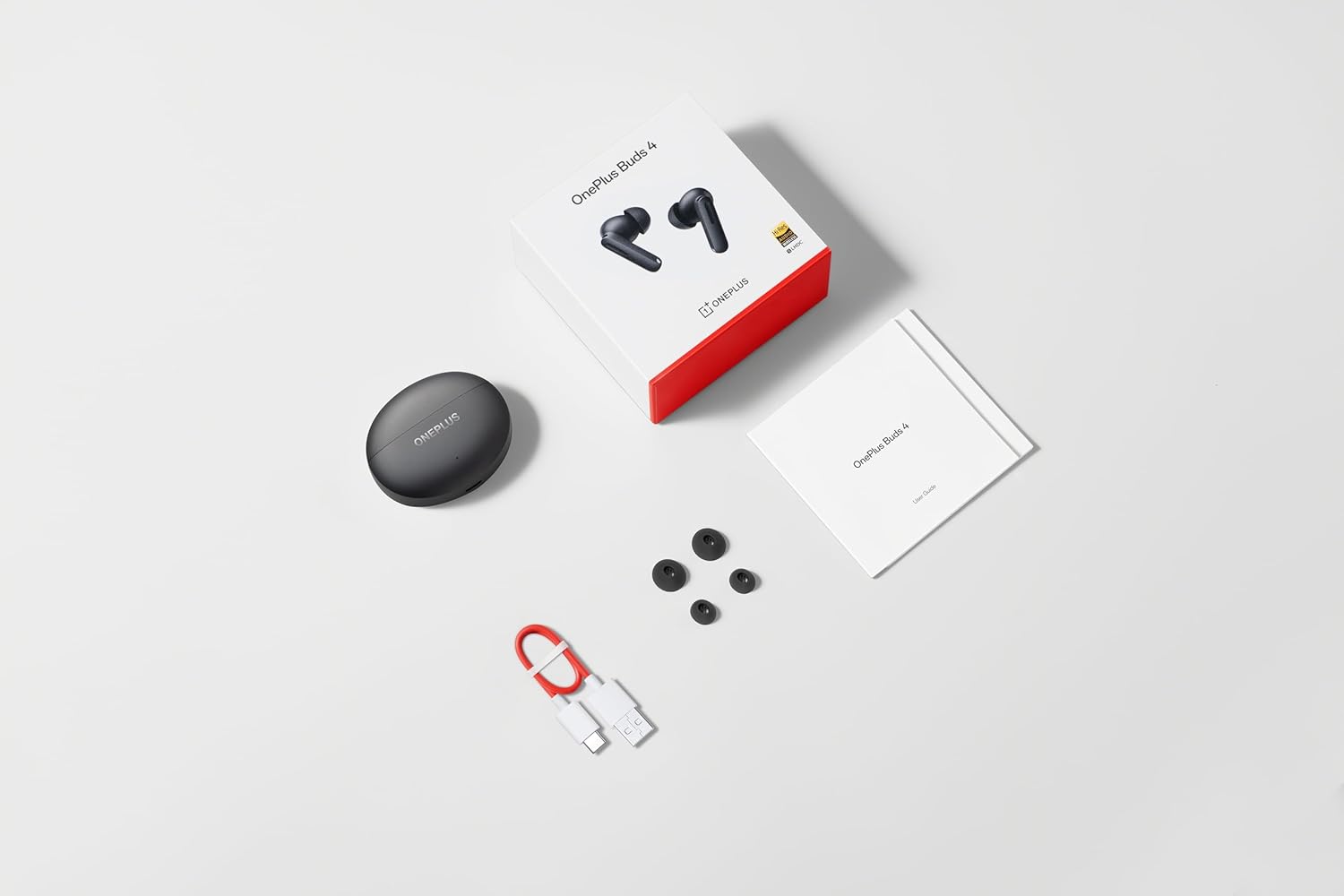
Image: The retail package contents for the OnePlus Buds 4, showing the earbuds, charging case, USB-C cable, and various ear tip sizes.
Bathar seachadview
The OnePlus Buds 4 are advanced wireless in-ear headphones designed for high-quality audio and active noise cancellation. They feature an ergonomic design for comfort and secure fit, housed in a compact charging case.

Image: The OnePlus Buds 4 earbuds resting inside their open charging case. The earbuds and case are in Storm Gray, with the OnePlus logo visible on the case.

Image: This image shows the front perspective of the OnePlus Buds 4 earbuds and their charging case, highlighting the sleek Storm Gray finish.
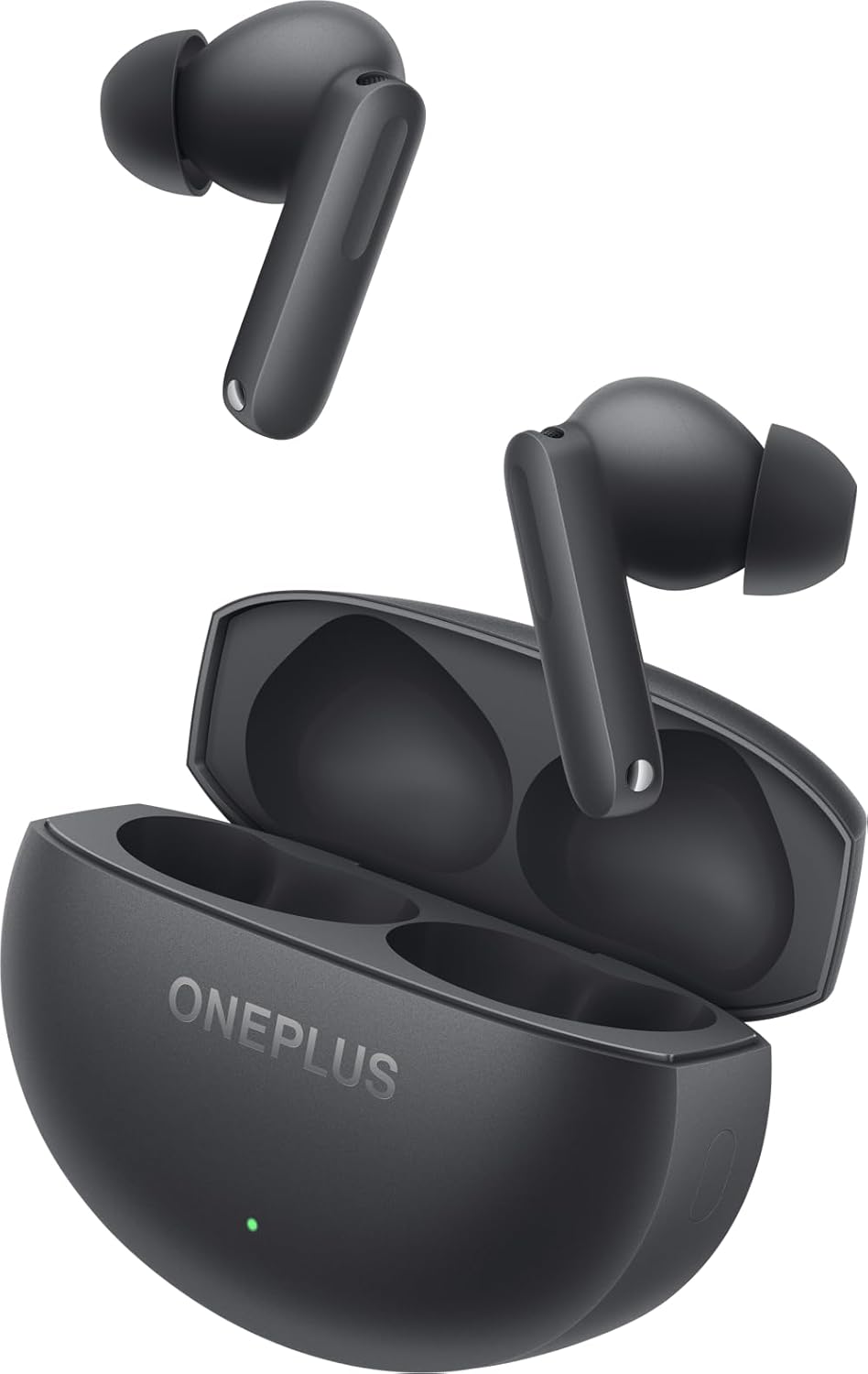
Image: The image features the two OnePlus Buds 4 earbuds separated from their charging case, showcasinan dealbhadh aca.
Suidhich
Cìs tòiseachaidh
Before first use, place both earbuds into the charging case and connect the case to a power source using the provided USB-C cable. Ensure the indicator light on the case illuminates, signifying charging. A full charge is recommended for optimal battery performance.
Paidhir leis an inneal agad
- Dèan cinnteach gu bheil cumhachd gu leòr aig a’ chùis cosgais.
- Open the charging case with the earbuds inside. The indicator light will flash white, indicating pairing mode.
- Air an fhòn-smart no an inneal le comas Bluetooth agad, seòl gu na roghainnean Bluetooth.
- Select "OnePlus Buds 4" from the list of available devices.
- Once connected, the indicator light on the case will turn off.
For subsequent connections, the earbuds will automatically connect to the last paired device when the case is opened.
Installing the HeyMelody App
For advanced features, customization, and firmware updates, download and install the HeyMelody app from your device's app store. This app allows you to personalize touch controls, adjust sound profiles, and manage noise cancellation settings.
Selecting the Right Ear Tips
Choosing the correct ear tip size is crucial for sound quality, noise cancellation, and comfort. Experiment with the included small, medium, and large ear tips to find the best fit for your ears. A good seal will enhance bass response and active noise cancellation effectiveness.

Image: This image illustrates the different sizes of silicone ear tips included with the OnePlus Buds 4, essential for a comfortable and secure fit.
Stiùireadh Obrachaidh
Smachdan suathaidh
The OnePlus Buds 4 feature intuitive touch controls on the stem of each earbud. These controls can be customized via the HeyMelody app.

Image: A close-up image of a single OnePlus Buds 4 earbud, indicating the specific area for touch controls on the stem.
- Tap singilte: Cluich/Stad ceòl, Freagair/Crìochnaich gairm.
- Tap dùbailte: An ath òran, Diùlt gairm.
- Tap trì-fhillte: An t-slighe roimhe.
- Brùth is Cum: Switch between Active Noise Cancellation, Transparency Mode, and Noise Cancellation Off.
- Swipe Up/Down (on stem): Atharraich tomhas-lìonaidh.
Modh Cur às do Fhuaim Gnìomhach (ANC) agus Modh Follaiseachd
The earbuds offer advanced noise control features:
- Cur às do fhuaim gnìomhach (ANC): A’ lughdachadh fuaim mun cuairt airson eòlas èisteachd bogaidh.
- Modh follaiseachd: Leigidh seo leat na tha mun cuairt ort a chluinntinn fhad ’s a tha thu fhathast a’ faighinn tlachd às do chlaistinn, a’ neartachadh mothachadh air an t-suidheachadh.
Switch between these modes by pressing and holding the touch area on either earbud, or through the HeyMelody app.

Image: This graphic depicts the concept of Active Noise Cancellation, showing how the OnePlus Buds 4 reduce ambient sound for an immersive listening experience.
Feartan claisneachd
The OnePlus Buds 4 are equipped with features to deliver high-fidelity audio:
- Hi-Res Audio and LHDC 5.0: Supports high-resolution audio codecs for detailed and clear sound reproduction.
- Fuaim Spàsail 3D Immersive: Provides a multi-directional sound experience, enhancing immersion in music and videos.

Image: An image highlighting the Hi-Res Audio and LHDC 5.0 capabilities of the OnePlus Buds 4, indicating high-fidelity sound reproduction.
Image: This graphic illustrates the immersive 3D Spatial Audio feature, suggesting a multi-directional sound experience provided by the earbuds.
Calls and Gaming
The earbuds feature enhanced voice cancellation for clear calls and low-latency connectivity for an optimized gaming and video watching experience.
A’ cur cosgais air d’ earbuds agus cùis
To charge the earbuds, place them into the charging case. The earbuds will begin charging automatically. To charge the case, connect the provided USB-C cable to the charging port on the back of the case and to a power adapter (not included).

Image: The rear of the OnePlus Buds 4 charging case, clearly showing the USB-C port for charging.
The charging case provides extended battery life, allowing for over 24 hours of total listening time with multiple recharges of the earbuds.
Cùram agus cumail suas
- Glanadh: Glan na cluasan-cluaise agus a’ chùis cosgais gu cunbhalach le clò bog, tioram, gun lint. Na cleachd ceimigean cruaidh no stuthan sgrìobach.
- Molaidhean cluas: Remove and clean ear tips with water and mild soap if necessary. Ensure they are completely dry before reattaching.
- Stòradh: Nuair nach eilear gan cleachdadh, stòraich na fònaichean-cluaise anns a’ chùis cosgais aca gus an dìon agus an cumail fo chasaid.
- Seasmhachd uisge: The earbuds are water-resistant (IP55 rated), meaning they can withstand splashes and sweat. They are not designed for swimming or submersion in water. Ensure the earbuds are dry before placing them back in the charging case.
Fuasgladh thrioblaidean
If you encounter issues with your OnePlus Buds 4, refer to the table below for common problems and solutions.
| Trioblaid | Adhbhar a dh’fhaodadh a bhith ann | Fuasgladh |
|---|---|---|
| Gun fhuaim bho chluasagan | Low battery; Not paired; Volume too low. | Charge earbuds; Re-pair with device; Increase device volume. |
| Fòn-cluaise nach eil a’ càradh | Out of range; Pairing mode not active; Interference. | Ensure earbuds are in pairing mode (open case); Move closer to device; Turn off other Bluetooth devices. |
| Chan eil Cur às do Fhuaim Gnìomhach èifeachdach | Improper ear tip fit; ANC mode not active. | Try different ear tip sizes for a better seal; Ensure ANC is enabled via touch control or app. |
| Cùis cosgais gun a bhith a’ cur cosgais | Cable issue; Power source issue. | Check USB-C cable connection; Try a different power adapter or USB port. |
| Chan eil fuaim aig aon earbud | Earbud not connected; Low battery. | Place both earbuds in the case, close, then reopen; Ensure both earbuds are charged. |
Sònrachaidhean
| Feart | Mion-fhiosrachadh |
|---|---|
| Ainm Modail | OnePlus Buds 4 |
| Modail Àireamh | E513A |
| Teicneòlas ceangail | Bluetooth 5.4 |
| Smachd fuaim | Cur às do fhuaim gnìomhach |
| Meud driver fuaim | 11 millimeters |
| Raon tricead | 40 Hz - 20,000 Hz |
| Cugallachd | 100 dB |
| bacadh | 18 Ach |
| Modh smachd | Smachdan suathaidh |
| Ìre an aghaidh uisge | IP55 (Fòn-cluaise) |
| Beatha Bataraidh (Cluais-fònaichean + Cùis) | Còrr is 24 uair (le cùis cosgais) |
| Innealan co-fhreagarrach | Smartphones, Laptops, Desktops, Gaming Consoles, Tablets, Televisions |
Fiosrachadh Sàbhailteachd
Please observe the following safety guidelines to prevent damage to your device or personal injury:
- Dìon èisteachd: Seachain a bhith ag èisteachd aig ìrean àrd airson amannan fada gus casg a chuir air milleadh claisneachd.
- Sàbhailteachd dràibhidh: Do not use earbuds while driving or cycling in situations where it may distract you or pose a hazard.
- Cùram Bataraidh: Do not attempt to replace the battery yourself. Do not expose the device to extreme temperatures or direct sunlight.
- Fuasgladh: Dispose of the device and its batteries according to local regulations. Do not dispose of with household waste.
Barantas agus Taic
Your OnePlus Buds 4 are covered by a limited warranty. For detailed warranty terms and conditions, please refer to the warranty card included in your package or visit the official OnePlus support website. For technical assistance or customer service, please contact OnePlus customer support.