
NIMO Nimo N155
NIMO 15.6-inch FHD Laptop Nimo N155 User Manual
Model: Nimo N155
1. Ro-ràdh
This manual provides essential information for setting up, operating, and maintaining your NIMO 15.6-inch FHD Laptop Nimo N155. Please read this manual thoroughly before using your device to ensure proper function and longevity.

Figure 1: NIMO 15.6-inch FHD Laptop Nimo N155 Overview
The NIMO N155 laptop is equipped with an AMD Ryzen 7 6800H processor, 32GB DDR5 RAM, and a 1TB PCIe 4.0 SSD, designed for efficient performance in various computing tasks. It features a 15.6-inch Full HD IPS anti-glare display, a backlit keyboard, and an integrated fingerprint sensor for enhanced security and user experience.
2. Dè tha sa bhogsa
Dèan cinnteach gu bheil a h-uile nì anns a’ phacaid:
- 1 x Nimo N155 Laptop
- 1 x Charger Luath Seòrsa-C 100W PD
- 1 x Leabhar-làimhe Cleachdaiche (an sgrìobhainn seo)
- Siostam-obrachaidh Windows 11 Home (ro-stàlaichte)
3. Suidheachadh tòiseachaidh
3.1. A’ cur cosgais air an laptop
Before first use, connect the laptop to the power adapter and charge it fully. The Type-C 100W PD Fast Charger provides rapid charging capabilities.
- Connect the Type-C charger to a power outlet.
- Plug the Type-C connector into one of the Type-C ports on your laptop.
- The charge LED indicator will illuminate, indicating that the laptop is charging.

Figure 2: Connecting the Type-C 100W PD Fast Charger
3.2. Cumhachdachadh Air adhart
Press the power button located on the keyboard to turn on the laptop. Follow the on-screen instructions to complete the initial Windows 11 setup, including language selection, network connection, and user account creation.
4. Laptop Components and Ports
Familiarize yourself with the various components and ports of your NIMO N155 laptop.

Figear 3: Puirt is Ceanglaichean Laptop
4.1. Left Side Ports
- Port USB 2.0: Airson innealan USB nas sine a cheangal.
- Port USB 3.0: Airson innealan USB àrd-astar a cheangal.
- Slot cairt Micro SD: For reading and writing to Micro SD cards.
- Seabhag Jack: Airson ceangal chluas-cinn no luchd-labhairt taobh a-muigh.
- Slot Lock Kensington: For securing your laptop with a compatible lock.
4.2. Right Side Ports
- LED cosgais: A’ nochdadh suidheachadh cosgais.
- Type-C (PD/Charging) Port: Primarily for power delivery and charging.
- Type-C (Multifunction) Port: Supports data transfer and display output.
- Puirt USB 3.0 (x2): Airson innealan USB àrd-astar a cheangal.
- Port HDMI: Airson ceangal ri taisbeanaidhean no proiseactaran taobh a-muigh.
4.3. Pàirtean a-staigh
- Pròiseasar: AMD Ryzen 7 6800H (8 Cores, 16 Threads, up to 4.7 GHz).
- Grafaigean: Integrated AMD Radeon 680M GPU.
- RAM: 32GB DDR5 (upgradeable).
- Stòradh: 1TB PCIe 4.0 SSD (upgradeable).
- Taisbeanadh: 15.6-inch FHD (1920x1080) IPS Anti-Glare Display.
- Webcam: 2.0 MP with privacy shield.
- Wireless: 802.11a/b/g/n/ac (Wi-Fi 5) and Bluetooth 5.2.

Figure 4: AMD Ryzen 7 6800H Processor Details

Figure 5: High-Speed RAM and PCIe SSD
5. Ag Obrachadh an Laptop agad
5.1. Taisbeanadh
The 15.6-inch Full HD IPS display offers a resolution of 1920x1080 pixels. Adjust brightness and display settings through Windows settings (Right-click on desktop > Display settings).
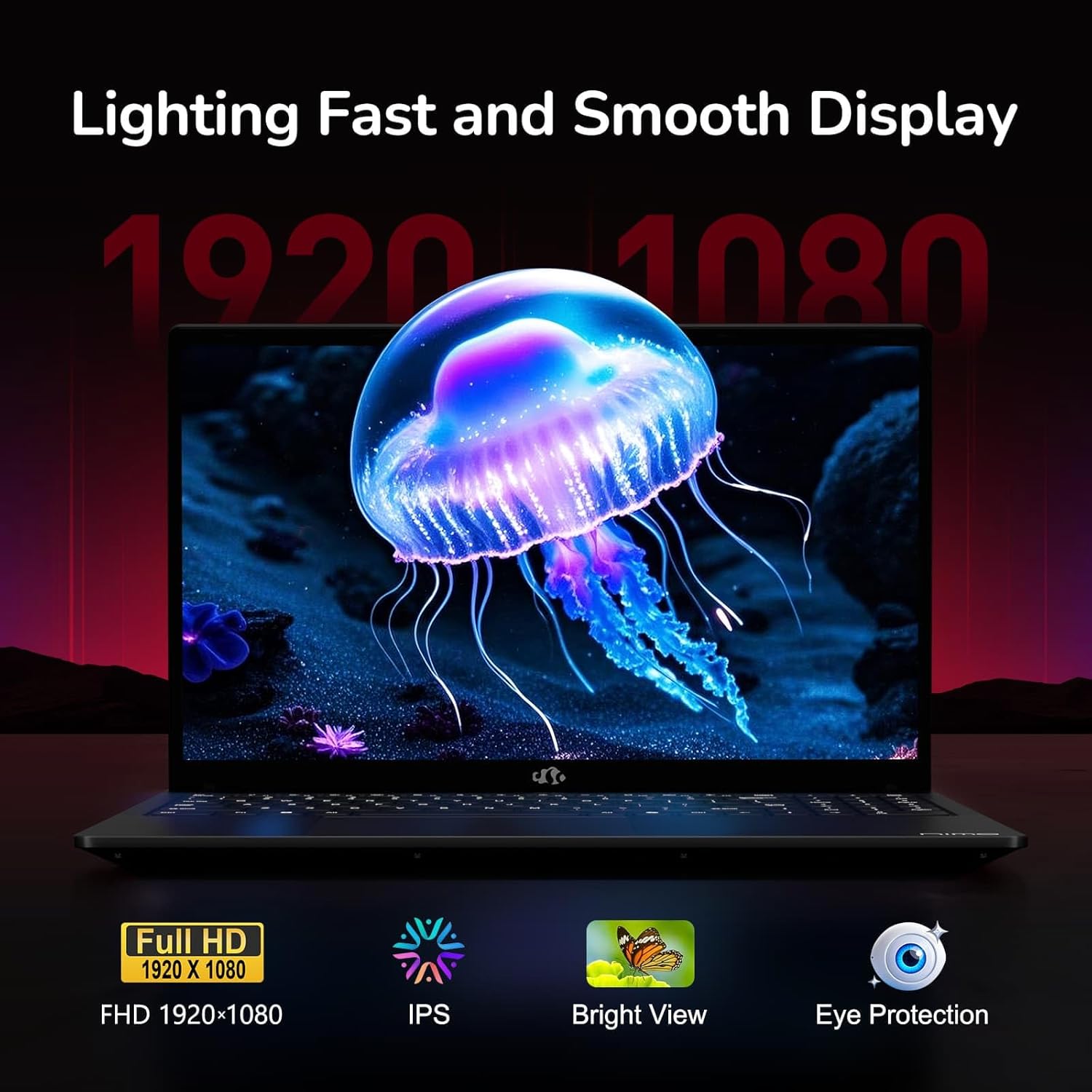
Figure 6: Laptop Display Features
5.2. Meur-chlàr agus Pad-suathaidh
The laptop features a backlit keyboard and a responsive touchpad with multi-touch gesture support. The integrated fingerprint sensor is located on the touchpad for secure login.
- Meur-chlàr backlit: Brùth Fn + Fx (where Fx is the backlight key, typically F3 or F4) to adjust keyboard backlight brightness.
- Sensor lorgan-meòir: Enroll your fingerprints via Windows Settings > Accounts > Sign-in options for quick and secure access.
- Webcam Privacy Shield: Slide the physical cover over the webcam for privacy when not in use.

Figure 7: Keyboard and Input Features

Figure 8: Seamless Security Integration (Fingerprint and Webcam Shield)
5.3. Riaghladh Cumhachd
The laptop is equipped with a 4700mAh (53.58Wh) Lithium Polymer battery. Battery life can vary based on usage. To optimize battery life, adjust power settings in Windows and close unnecessary applications.

Figear 9: Sònrachaidhean Bataraidh
6. Cumail suas agus Cùram
6.1. Glanadh
- Cleachd clò bog, gun lint gus an sgrion agus an taobh a-muigh a ghlanadh.
- Airson comharran stòlda, dampnigh an clò le uisge no inneal-glanaidh sgrion. Seachain ceimigean làidir.
- Dèan cinnteach gu bheil an laptop dheth agus gun a bhith a’ cleachdadh a’ phlug mus glan thu e.
6.2. Stòradh agus Làimhseachadh
- Stòraich an laptop ann an àite fionnar, tioram air falbh bho sholas dìreach na grèine agus teòthachd anabarrach.
- Seachain nithean troma a chur air an laptop.
- Do not expose the laptop to liquids.
6.3. Upgrades
The NIMO N155 laptop supports detachable RAM and SSD, allowing for user upgrades. Refer to the official NIMO support website or contact customer service for detailed upgrade instructions to avoid voiding your warranty.
7. A ’dèanamh trioblaid
This section addresses common issues you might encounter with your NIMO N155 laptop.
| Trioblaid | Fuasgladh comasach |
|---|---|
| Chan eil an laptop a’ dol air. | Ensure the charger is properly connected and the battery has sufficient charge. Try a different power outlet. |
| Tha an scrion falamh. | Check if the laptop is powered on. Adjust screen brightness. Connect to an external monitor to check if the issue is with the laptop's display. |
| Duilgheadasan le ceangal Wi-Fi. | Ensure Wi-Fi is enabled in Windows settings. Restart your router and the laptop. Update Wi-Fi drivers. |
| Solas-cùil a’ mheur-chlàir nach eil ag obair | Press the Fn key combined with the appropriate function key (e.g., F3 or F4) to toggle or adjust the backlight. |
| Fingerprint sensor not responding. | Ensure your finger is clean and dry. Re-enroll your fingerprints in Windows settings. Update fingerprint sensor drivers. |
If you encounter issues not listed here or require further assistance, please contact NIMO customer support.
8. Sònrachaidhean Teicnigeach
| Feart | Sònrachadh |
|---|---|
| Ainm Modail | Nimo N155 |
| Taisbeanadh | 15.6-inch FHD (1920x1080) IPS Anti-Glare |
| Pròiseasar | AMD Ryzen 7 6800H (8 cridheachan, 16 snàithleanan, suas ri 4.7 GHz) |
| Grafaigean | Integrated AMD Radeon 680M |
| RAM | 32GB DDR5 4800 MHz (Dual-channel, upgradeable) |
| Stòradh | 1TB PCIe 4.0 SSD (upgradeable) |
| Siostam-obrachaidh | Windows 11 dachaigh |
| Ceangal gun uèir | Wi-Fi 5 (802.11a/b/g/n/ac), Bluetooth 5.2 |
| Puirt | 1x USB 2.0, 3x USB 3.0, 2x Type-C (1x PD, 1x Multifunction), 1x HDMI, 1x Micro SD, 1x Headphone Jack, 1x Kensington Lock |
| Webcam | 2.0 MP (with privacy shield) |
| Bataraidh | 4700mAh / 53.58Wh Lithium Polymer |
| Adapter cumhachd | Type-C 100W PD Fast Charger |
| Meudan (LxWxH) | 14.07 x 8.98 x 0.76 òirleach (357.4 x 228 x 19.2 mm) |
| Cuideam | 3.8 not (1.7 kg) |
| Feartan sònraichte | Meur-chlàr le solas cùil, Leughadair lorgan-meòir, Fuaim HD, Meur-chlàr àireamhach |
9. Barantas agus Taic
9.1. Barantas an Neach-dèanamh
Your NIMO N155 laptop comes with a Barantas an neach-dèanamh 2-bliadhnaTha am barantas seo a’ còmhdach lochdan ann an stuthan agus obair-ciùird fo chleachdadh àbhaisteach. Cùm dearbhadh do cheannach airson tagraidhean barantais.
9.2. Poileasaidh Tilleadh
NIMO offers a Poileasaidh tilleadh gun duilgheadas 90-latha from the date of purchase. For details on eligibility and the return process, please refer to your purchase documentation or contact customer support.
9.3. Taic teachdaiche
For technical assistance, warranty claims, or any other inquiries, please visit the official NIMO support website or contact their customer service team. Contact information can typically be found on the NIMO brand store page or included documentation.
NIMO Brand Store: Visit NIMO Store on Amazon