
1. Ro-ràdh
This manual provides essential information for setting up, operating, and maintaining your OnePlus Nord 5 smartphone. Please read this guide thoroughly to ensure optimal performance and longevity of your device.

Figear 1: Aghaidh is cùl view of the OnePlus Nord 5 smartphone.
2. Clàr-innse bogsa
Upon unboxing your OnePlus Nord 5, verify that all the following items are included:
- OnePlus Nord 5 Smartphone
- Adaptor Cumhachd (80W)
- Càball USB (Seòrsa-C)
- Ejector treidhe SIM
- Dìonadair Sgrion (ro-làimh no sa bhogsa)
- Cùis fòn
- Stiùireadh tòiseachaidh luath
- Cairt Barantais
Video 1: Unboxing the OnePlus Nord 5 and reviewing its contents.

Figear 2: Aghaidh view of the OnePlus Nord 5.

Figear 3: Air ais view of the OnePlus Nord 5.
3. Suidhich
3.1 Stàladh cairt SIM
- Lorg an treidhe SIM air taobh an inneil.
- Cuir an inneal-tilgeil SIM a-steach don toll beag ri taobh an treidhe agus brùth gu daingeann gus an tig an treidhe a-mach.
- Cuir do chairt(ean) Nano-SIM anns na sliotan ainmichte air an treidhe. Dèan cinnteach gu bheil na ceanglaichean òir a’ coimhead sìos.
- Cuir an treidhe SIM air ais dhan fhòn gu faiceallach gus an cliog e na àite.
3.2 Cumhachd Tòiseachaidh Air adhart
Press and hold the Power button on the side of the device until the OnePlus logo appears. Follow the on-screen instructions to complete the initial setup, including language selection, Wi-Fi connection, and Google account setup.
4. Ag obrachadh an inneal agad
4.1 Coileanadh
The OnePlus Nord 5 is equipped with the Snapdragon 8s Gen 3 processor and LPDDR5X RAM, designed for demanding applications and gaming. The device features a 7300mm² VC cooling system to maintain optimal temperatures during extended use.
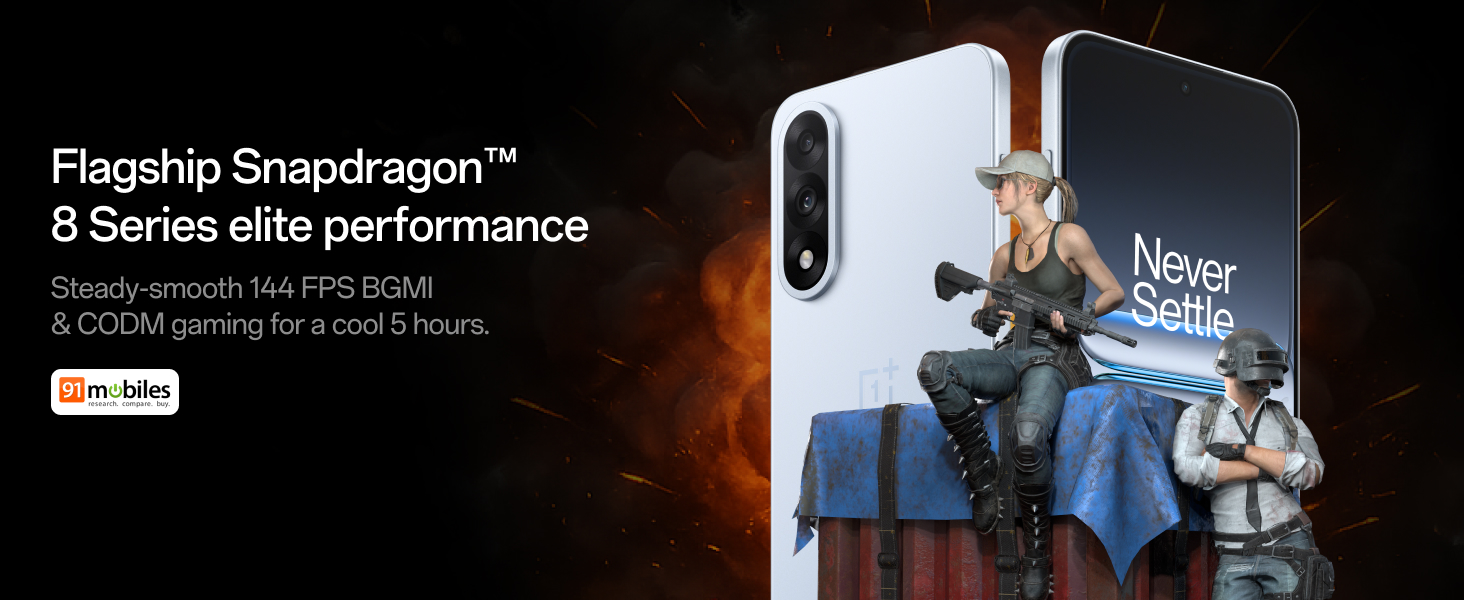
Figure 4: Snapdragon 8s Gen 3 processor for elite performance.
Video 2: Demonstration of gaming performance on the OnePlus Nord 5.
4.2 Feartan camara
The device features a dual 50MP camera system, including a 50MP front camera (ISOCELL JN5 with hardware autofocus) and a 50MP Sony LYT-700 back camera with Optical Image Stabilization (OIS). It supports 4K 60 FPS video capture.
AI Camera Enhancements:
- Rubair AI: Removes unwanted objects or people from photos.
- Àrdachadh Mion-fhiosrachaidh AI: A’ neartachadh soilleireachd agus mion-fhiosrachadh ìomhaigh.
- AI Unblur: Corrects blurry images.
- AI Reframe: Suggests improved compositions for photos.
- AI Perfect Shot: Adjusts facial expressions and corrects blinked eyes in group photos.

Figure 5: Dual 50MP camera system overview.

Figure 6: AI features for photo enhancement.
4.3 Bataraidh agus Cìsean
The OnePlus Nord 5 features a 6800 mAh battery and supports 80W ultra-fast charging. It also includes an all-new Bypass Charging feature, which powers the phone directly from the charger during gaming to reduce heat and maintain performance.

Figure 7: Illustration of Bypass Charging technology.
4.4 Taisbeanadh
Experience visuals on a 144Hz 1.5K AMOLED display with Aqua Touch 2.0 technology, offering a resolution of 2800 x 1272 pixels and up to 1400 nits brightness. Aqua Touch 2.0 improves touch responsiveness, even with wet or oily fingers.

Figure 8: Details of the 144Hz AMOLED display.
4.5 Feartan AI
The OnePlus Nord 5 integrates various AI functionalities to enhance user experience:
- Sgrìobhaiche Guth AI: Transcribe, translate, and summarize meetings or content.
- Cearcall airson Rannsachadh: Quickly search for information by circling content on your screen.
- Gemini Beò: An AI assistant for queries and information.
- Rannsachadh AI: Intuitively understands natural language prompts for searching device content.

Figure 9: AI VoiceScribe interface.
4.6 Multitasking with Open Canvas
The Open Canvas feature allows for enhanced split-screen multitasking, enabling flexible resizing of applications and drag-and-drop functionality between apps. This improves productivity by extending split-screen capabilities beyond physical display limits.
Video 3: Demonstration of multitasking features on the OnePlus Nord 5.

Figure 10: Open Canvas for advanced multitasking.
4.7 Ceangalachd
The Nord 5 supports 5G-Advanced networking, offering faster internet speeds and improved signal stability, particularly in congested areas.

Figure 11: 5G-Advanced network features.
Bathar-bog 4.8
The device runs on OxygenOS 15, based on Android 15. It is guaranteed to receive 4 Android version upgrades and 6 years of security updates, ensuring long-term software support and system smoothness.
5. Cumail suas
- Ùrachaidhean bathar-bog: Regularly install system updates to ensure optimal performance, security, and access to new features.
- Cùram Bataraidh: To prolong battery life, avoid extreme temperatures and frequent full discharges. The device includes a 4-year healthy battery promise.
- Glanadh: Cleachd clò bog, gun lint airson an sgrion agus a’ bhodhaig a ghlanadh. Seachain stuthan sgrìobach no ceimigean cruaidh.
- Stiùireadh Stòraidh: Glanadh neo-riatanach bho àm gu àm fileagus aplacaidean gus astar an inneil a chumail suas agus àite stòraidh a shaoradh.
6. A ’dèanamh trioblaid
If you encounter issues with your OnePlus Nord 5, consider the following general troubleshooting steps:
- Ath-thòiseachadh an inneal: Faodaidh ath-thòiseachadh sìmplidh mòran mhearachdan beaga bathar-bog a rèiteachadh.
- Thoir sùil airson ùrachaidhean: Dèan cinnteach gu bheil bathar-bog an inneil agad ùraichte.
- Glan an tasgadan: Airson cùisean sònraichte co-cheangailte ri aplacaid, feuch ri tasgadan an aplacaid a ghlanadh anns na Roghainnean.
- Ath-shuidheachadh factaraidh: As a last resort, a factory reset can resolve persistent software problems. Rabhadh: This will erase all data on your device. Back up important information before proceeding.
- Neach-taice Fios: If the issue persists, refer to the support section for contact information.
7. Sònrachaidhean
| Feart | Mion-fhiosrachadh |
|---|---|
| Siostam-obrachaidh | Android 15, OxygenOS 15 |
| Pròiseasar | Snapdragon 8s Gen 3 (CPU Speed: 2, 2.8, 3 GHz) |
| RAM | 12 GB (as per current model) |
| Taisbeanadh | 144Hz 1.5K AMOLED, 2800 x 1272 Resolution |
| Camara cùil | 50MP Sony LYT-700 with OIS |
| Camara aghaidh | 50MP ISOCELL JN5 with Autofocus |
| Bataraidh | 6800 mAh, Cosgais Luath 80W |
| Ceangalachd | 5G-Advanced, Bluetooth, NFC, USB, Wi-Fi |
| Meudan | 16.41 x 7.7 x 0.81 cm |
| Cuideam | 211 g |
| Modail Àireamh | CPH2707 |
| Dèanadair | Oppo Mobiles India Earranta Prìobhaideach |
8. Barantas agus Taic
The OnePlus Nord 5 comes with a Lifetime Display Warranty, covering green line issues. For detailed terms and conditions, please refer to the official OnePlus website or the warranty card included in the box.

Figure 12: Lifetime Display Warranty information.
For customer service and technical support, you can contact OnePlus using the following information:
- Customer Service Contact Number: 1800 102 8411
- Taic WhatsApp: +91-9289606888
- Seòladh Dèanadair: PLOT-NO.1, SECTOR ECOTECH-VII, GREATER, NOIDA, UTTAR PRADESH, India-201306