
eKids 115
eKids Dora Karaoke Microphone with Boombox Instruction Manual
Model: 115 | Brand: eKids
1. Ro-ràdh
Welcome to the eKids Dora Karaoke Microphone with Boombox. This device is designed to provide an interactive and engaging musical experience. It features a wired microphone, built-in music, and Bluetooth connectivity for streaming audio from compatible devices. This manual provides essential information for setup, operation, maintenance, and troubleshooting to ensure optimal performance and enjoyment.
2. Toradh thallview
The eKids Dora Karaoke Microphone with Boombox is a portable audio device shaped like Dora's backpack, designed for children aged 3 and up. It combines a speaker with a wired microphone, allowing users to sing along to pre-loaded songs or music streamed via Bluetooth.
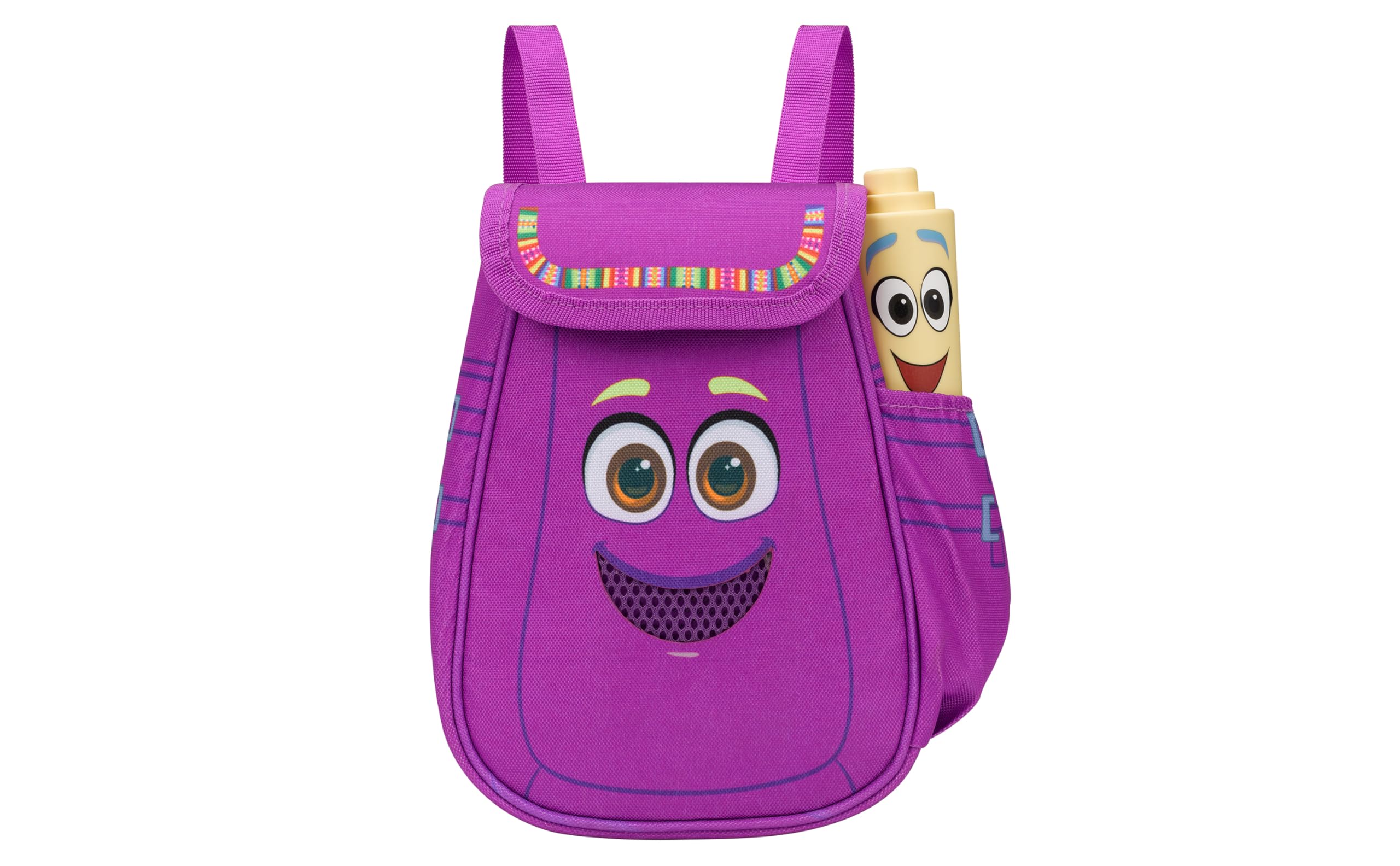
Figure 1: eKids Dora Karaoke Microphone with Boombox.
Prìomh fheartan:
- Neach-labhairt Bluetooth: Connects to any music device via Bluetooth to stream popular karaoke playlists and more. Lightweight and portable, this karaoke boombox is designed for kids aged 3 and up.
- Micreofon karaoke: Includes a wired microphone to amplify your voice for singing.
- Dora Backpack Design: Features cute and colorful graphics inspired by the popular Nickelodeon series.
- Ceòl air a thogail a-steach: Contains extended clips of the songs ‘Rainforest Ritmo’, ‘Cake’, and ‘Empanada’.
- So-ghiùlain: Lightweight design with a built-in handle for easy transport.
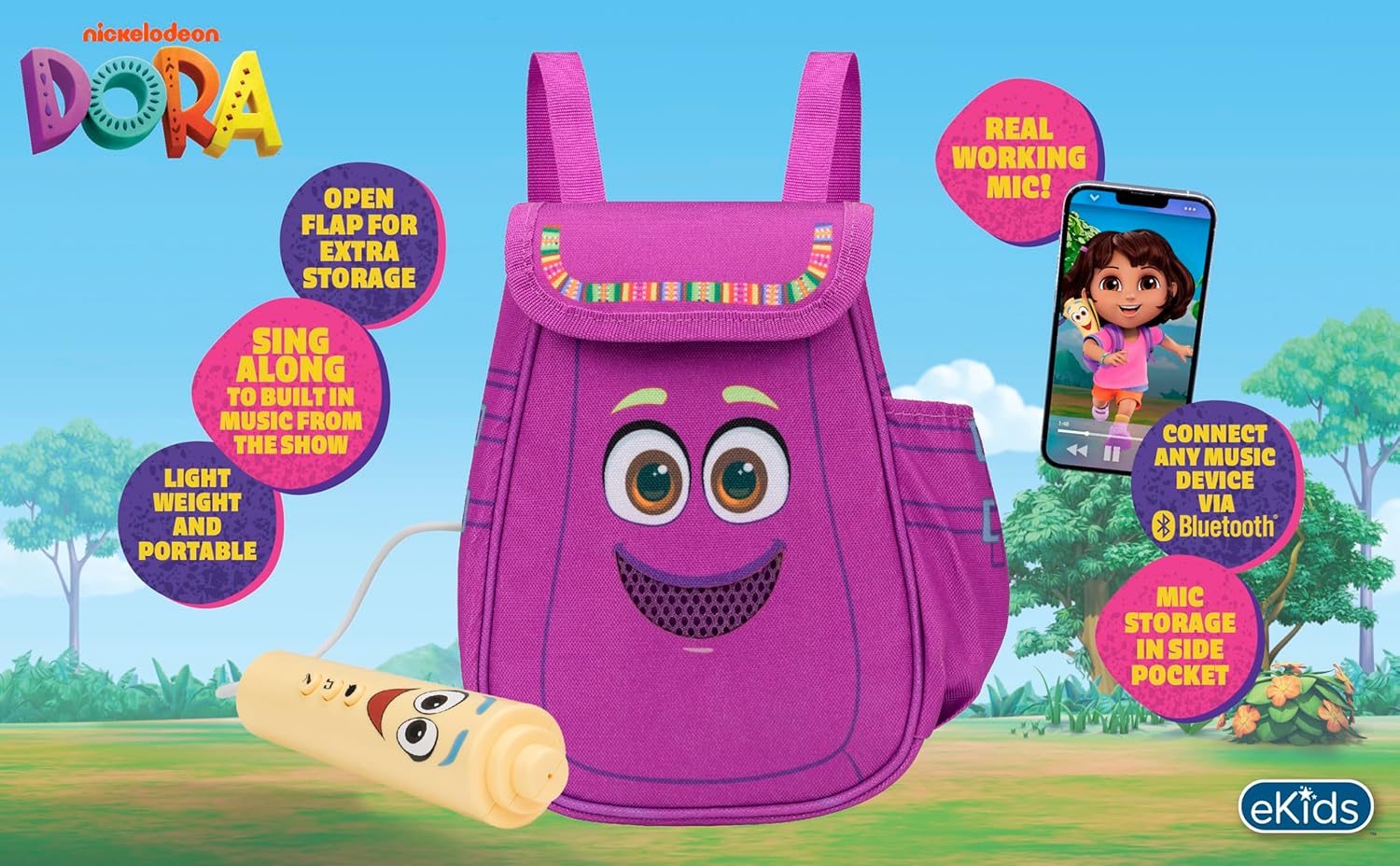
Figear 2: Sealladh thairisview of the product's key features.
3. Pasgan-susbaint
Dèan cinnteach gu bheil a h-uile nì an làthair nuair a dh’fhosglas tu am bogsa:
- Dora Karaoke Microphone with Boombox (main unit)
- Micreofon Wired
- Leabhar-stiùiridh (an sgrìobhainn seo)
- 3 x 'AA' Batteries (included)

Figure 3: Product as packaged, showing the boombox and microphone.
4. Suidhich
4.1 Stàladh bataraidh
- Locate the battery compartment on the back or bottom of the boombox unit.
- A’ cleachdadh sgriubhaidhre ceann Phillips (nach eil air a ghabhail a-steach), fosgail còmhdach roinn a’ bhataraidh.
- Insert 3 'AA' batteries, ensuring correct polarity (+/-).
- Cuir an àite còmhdach roinn a’ bhataraidh agus tèarainte leis an sgriubha.
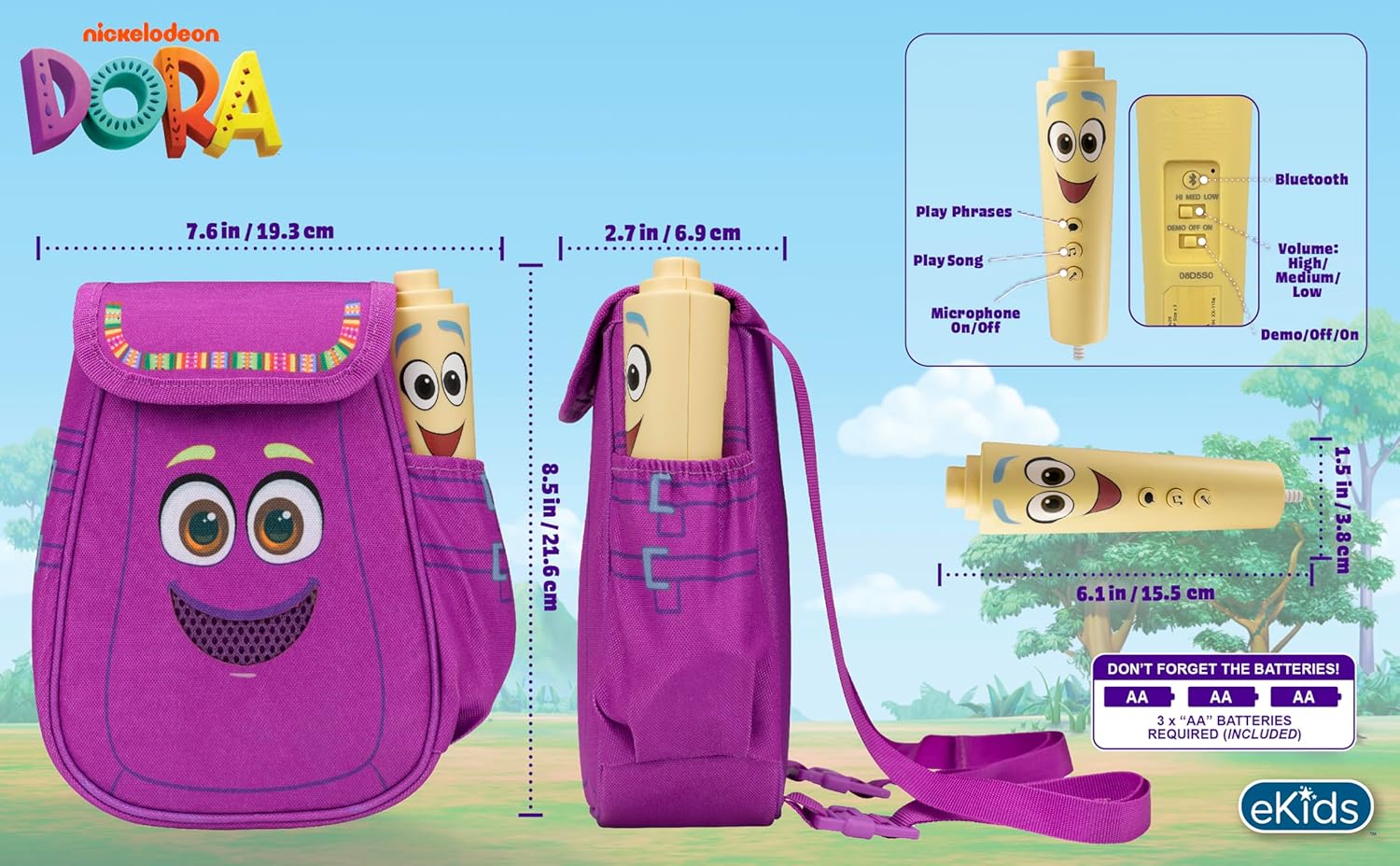
Figear 4: Cùl view of the boombox, indicating battery compartment and control buttons.
4.2 Ceangal microfòn
The wired microphone is typically pre-connected or plugs into a dedicated port on the boombox. Ensure the microphone cable is securely plugged in.
5. Stiùireadh Obrachaidh
5.1 Cumhachd air / dheth
Locate the Power switch (often labeled ON/OFF or with a power symbol) on the unit. Slide it to the 'ON' position to power on the device. Slide it to 'OFF' to power off.
5.2 Playing Built-in Music
Press the designated 'Play Song' button (refer to Figure 4 for button layout) to cycle through the pre-loaded songs. The unit includes extended clips of 'Rainforest Ritmo', 'Cake', and 'Empanada'.
5.3 A’ cleachdadh a’ mhaicreafòin
To use the microphone, ensure the 'Microphone On/Off' switch (refer to Figure 4) is in the 'On' position. Speak or sing into the microphone to amplify your voice through the boombox speaker.
5.4 Ceangal Bluetooth
To stream music from an external device:
- Ensure the boombox is powered on.
- Activate Bluetooth on your external music device (e.g., smartphone, tablet, computer).
- Lorg airson available Bluetooth devices and select "eKids Dora" or a similar name.
- Aon uair ‘s gu bheil iad paidhir, faodaidh tu claisneachd a shruthadh bhon inneal agad chun boombox.

Figure 5: Bluetooth connectivity allows streaming from various compatible devices.
5.5 Smachd tomhas-lìonaidh
Adjust the volume using the 'Volume: High/Medium/Low' switch on the unit (refer to Figure 4).
5.6 Modh Demo
The unit may include a 'Demo/Off/On' switch (refer to Figure 4). Set it to 'Demo' for a brief demonstration of features, or 'On' for full functionality.
6. Cumail suas
- Glanadh: Sguab an aonad le clò bog, tioram. Na cleachd innealan-glanaidh sgrìobach agus na bog an aonad ann an uisge.
- Cùram Bataraidh: Thoir air falbh bataraidhean mura tèid an aonad a chleachdadh airson ùine mhòr gus casg a chur air aodion.
- Stòradh: Stòraich an aonad ann an àite fionnar, tioram air falbh bho sholas dìreach na grèine agus teòthachd anabarrach.
7. A ’dèanamh trioblaid
| Trioblaid | Fuasgladh |
|---|---|
| Gun chumhachd | Check battery installation and ensure batteries are fresh. Confirm the power switch is in the 'ON' position. |
| Gun fhuaim bhon neach-labhairt | Increase the volume. Ensure the microphone is switched 'ON' if using it. If using Bluetooth, check device volume and connection. |
| Microphone nach eil ag obair | Ensure the microphone is securely plugged in and its 'On/Off' switch is in the 'On' position. |
| Bluetooth nach eil a 'ceangal | Ensure the boombox is in Bluetooth pairing mode (if applicable, check manual for specific instructions). Turn off and on Bluetooth on your external device. Move devices closer together. |
8. Sònrachaidhean
- Brand: ekids
- Ainm a' mhodail: 115
- Dath: Dora
- Stòr cumhachd: Battery Powered (3 x 'AA' batteries)
- Cunnt neach-labhairt: 1
- Teicneòlas ceangail: Bluetooth, 3.5mm audio jack (for wired microphone)
- Cuideam nì: 0.52 cileagram
- Meudan nì (D x W x H): 10.63"D x 2.24"W x 8.17"H
- UPC: 092298961934
- Dèanadair: Dealbhaidhean KID
9. Barantas agus Taic
Tha an toradh seo a’ tighinn le a Barantas cuibhrichte 1-bliadhna from the manufacturer, KIDdesigns. For warranty claims or technical support, please refer to the contact information provided with your purchase documentation or visit the eKids official weblàrach.
For additional product information or to explore other eKids products, visit the eKids Brand Store.
Ask a question about this manual
Ask about setup, troubleshooting, compatibility, parts, safety, or missing instructions. Manuals+ will review the question and use this page’s manual context to help answer it.