
Ro-ràdh
This manual provides essential information for setting up, operating, maintaining, and troubleshooting your wo-we H5 Mini PC Twin Lake N150. Please read this manual thoroughly before using the device to ensure optimal performance and longevity.
Dè th' anns a' Bhocsa
Dèan cinnteach gu bheil a h-uile nì anns a’ phacaid:
- Intel N150 16GB 512GB Mini PC × 1
- Adapter (DC 12V/3A , AC 100~240V, 50/60Hz) × 1
- Càball HDMI × 1
- VESA Mount & Screws × 1
- Leabhar-làimhe cleachdaiche × 1

Image: Contents of the wo-we H5 Mini PC package.
Bathar seachadview
The wo-we H5 Mini PC is a compact desktop computer designed for various tasks, from office work to light entertainment. It features a robust set of ports and internal components for efficient performance.
Prìomh fheartan:
- Pròiseasar: Intel Twin Lake N150 (4 cores/4 threads, up to 3.6GHz turbo)
- Cuimhne: 16 GB de RAM DDR4
- Stòradh: 512GB PCIe 3.0 NVMe M.2 SSD
- Grafaigean: Intel UHD Graphics (1000MHz) with 4K@60Hz support
- Ceangal: WiFi5, Bluetooth 5.0, 2.5G RJ45 Ethernet
- Toradh taisbeanaidh: Triple 4K@60Hz display support via 2x HDMI 2.0 and 1x USB-C
- Puirt: 2x USB 3.2 Gen 2 Type-A (10Gbps), 2x USB 3.2 Gen 1 Type-A (front), 1x full-function USB-C (10Gbps data/PD3.0/DP), 3.5mm TRRS headphone jack
Cruth a' phuirt:

Image: Front and rear ports of the wo-we H5 Mini PC. Front ports include USB 3.2 5Gbps, USB-C 4K@60Hz, Audio Jack, and Power button. Rear ports include 2.5G RJ45 LAN, USB 3.2 10Gbps, HDMI 2.0 4K@60Hz, and DC power input.
Stiùiridhean rèiteachaidh
- Ceangail ri cumhachd: Connect the provided power adapter to the DC input port on the mini PC and then plug it into a power outlet.
- Ceangail ris an taisbeanadh: Use the HDMI cable to connect the mini PC to your monitor or TV. For triple display setup, use both HDMI ports and the USB-C port with a compatible display.
- Ceangail peripherals: Ceangail do mheur-chlàr, do luchag, agus innealan USB eile ris na puirt USB a tha rim faighinn.
- Ceangal lìonra: For a wired connection, connect an Ethernet cable to the 2.5G RJ45 LAN port. For wireless, the device supports WiFi5 and Bluetooth 5.0.
- Cumhachd air: Press the power button located on the front of the mini PC.

Image: A wo-we H5 Mini PC connected to a display and other devices, illustrating a typical setup.
Stiùireadh Obrachaidh
Gnìomh bunaiteach:
- Cumhachd air / dheth: Press the power button to turn the PC on. To turn off, use the operating system's shutdown function or press and hold the power button for 5 seconds for a forced shutdown.
- Siostam-obrachaidh: The mini PC comes with a pre-installed operating system. Follow the on-screen instructions for initial setup.
- A 'ceangal ri Wi-Fi: Access your operating system's network settings to connect to a wireless network.
- Innealan Bluetooth: Pair Bluetooth devices through the operating system's Bluetooth settings.
Triple Display Setup:
The wo-we H5 Mini PC supports up to three 4K@60Hz displays simultaneously. Connect displays using the two HDMI 2.0 ports and the full-function USB-C port. Configure display settings within your operating system.
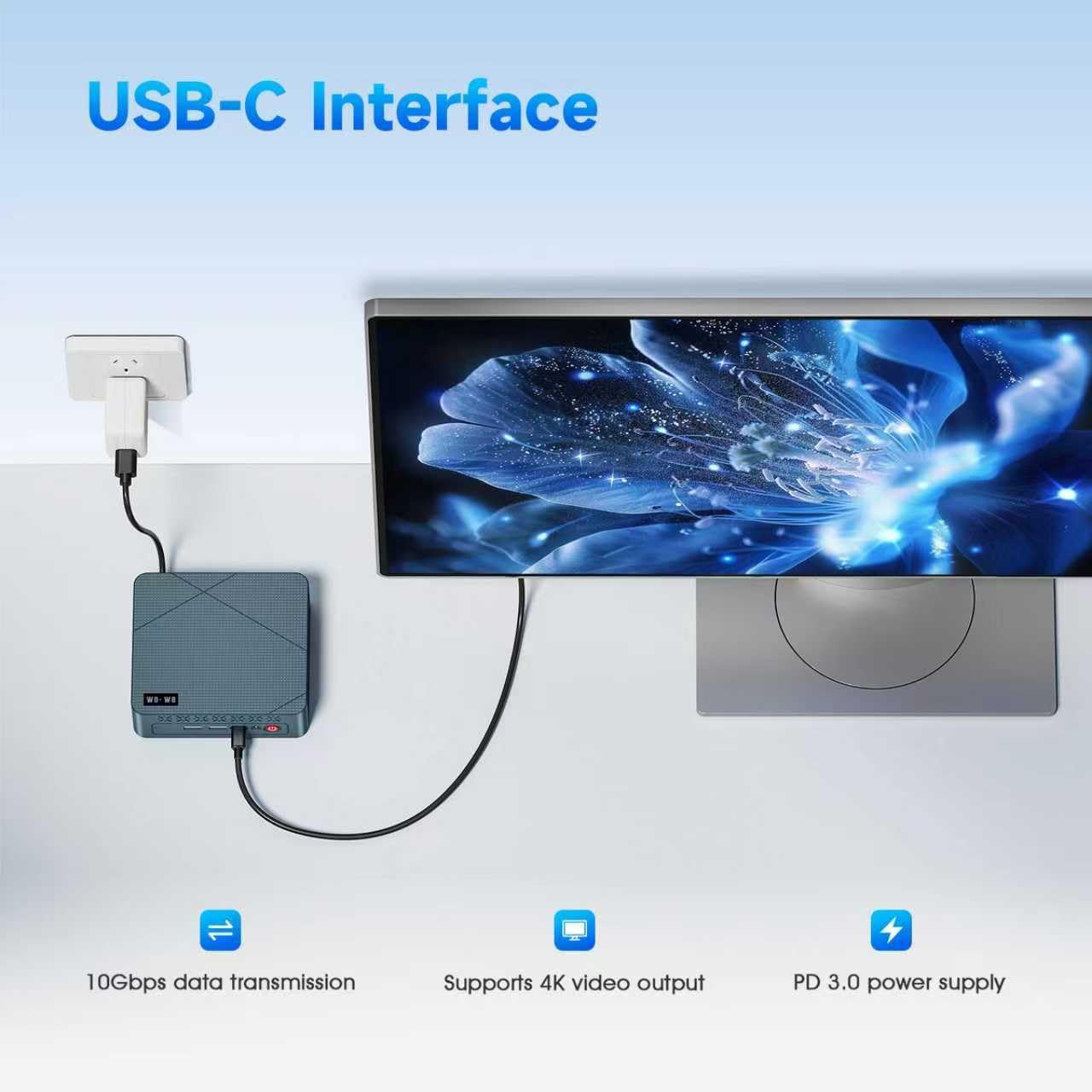
Image: A wo-we H5 Mini PC powering three external monitors, demonstrating its triple screen display capability.
Cumail suas
- Glanadh: Use a soft, dry cloth to clean the exterior of the mini PC. Avoid liquid cleaners. Ensure ventilation holes are free from dust.
- Ùrachaidhean bathar-bog: Regularly update your operating system and drivers to ensure security and optimal performance.
- Stiùireadh Stòraidh: Periodically check your storage usage and remove unnecessary files gus astar an t-siostaim a chumail suas.
- Fionnarachadh: Ensure the mini PC is placed in a well-ventilated area to prevent overheating. Do not block the air vents.

Ìomhaigh: Spreadhadh view of the wo-we H5 Mini PC's cooling system, highlighting efficient heat dissipation.
Fuasgladh thrioblaidean
| Trioblaid | Adhbhar a dh’fhaodadh a bhith ann | Fuasgladh |
|---|---|---|
| Gun chumhachd | Chan eil an inneal-atharrachaidh cumhachd ceangailte no lochtach. | Thoir sùil air na ceanglaichean cumhachd. Feuch socaid eadar-dhealaichte. |
| Gun toradh taisbeanaidh | HDMI/USB-C cable loose or faulty; incorrect input selected on monitor. | Ensure cables are securely connected. Select the correct input source on your monitor. |
| Wi-Fi/Bluetooth not working | Drivers not installed; wireless module disabled. | Check device manager for driver issues. Ensure Wi-Fi/Bluetooth is enabled in OS settings. |
| Siostam slaodach no neo-fhreagairteach | Cus aplacaidean a’ ruith; stòradh neo-iomchaidh; cus teasachaidh. | Dùin aplacaidean neo-riatanach. Saor àite diosc. Dèan cinnteach gu bheil fionnarachadh ceart ann. |
Sònrachaidhean
| Feart | Mion-fhiosrachadh |
|---|---|
| Brand | wo-we |
| Modail Àireamh | HU-MNPC07-X |
| Pròiseasar | Intel Twin Lake N150 (4 Cores/4 Threads, 0.8GHz base, up to 3.6GHz turbo) |
| Grafaigean | Grafaigean Intel UHD (Amailte) |
| RAM | 16GB DDR4 SDRAM (2666 MHz) |
| Stòradh | 512GB NVMe M.2 SSD (PCIe x4) |
| Siostam-obrachaidh | OS (Ro-stàlaichte) |
| Toradh bhidio | 2x HDMI 2.0, 1x USB-C (Supports Triple 4K@60Hz Display) |
| Puirt USB | 2x USB 3.2 Gen 2 Type-A (10Gbps), 2x USB 3.2 Gen 1 Type-A (5Gbps, front), 1x USB-C (10Gbps data/PD3.0/DP) |
| Lìonra | 2.5G RJ45 LAN, WiFi5 (802.11ac), Bluetooth 5.0 |
| Fuaim | 3.5mm TRRS Headphone Jack |
| Meudan | 5 x 4.45 x 1.61 òirleach |
| Modh fuarachaidh | Fuarachadh Adhair |
| Adapter cumhachd | DC 12V/3A (AC 100~240V, 50/60Hz) |
Barantas agus Taic
Fiosrachadh Barantais:
The wo-we H5 Mini PC comes with a Barantas Dèanadair 1-bliadhna bhon cheann-latha ceannach. Tha am barantas seo a’ còmhdach uireasbhaidhean ann an stuthan agus obair-obrach fo chleachdadh àbhaisteach.
Taic teachdaiche:
For any inquiries, technical assistance, or troubleshooting not covered in this manual, please contact wo-we customer support. Our professional team provides 7-day, 24-hour online support.
- Taic air-loidhne: Log in to your Amazon account, navigate to "Your Account" > "Your order", and select "Ask Product Questions" for your wo-we H5 Mini PC.
- Taic Post-d: seirbheis@wo-we.com

Image: Details on wo-we's after-sales service, including online and email support options, and warranty period.