
1. Ro-ràdh
This manual provides detailed instructions for the safe and proper installation, operation, and maintenance of your BEISHI Full Motion TV Wall Mount. This mount is designed to securely hold TVs ranging from 37 to 75 inches, with a maximum weight capacity of 132 lbs (60 kg), and supports VESA patterns up to 600x400mm. It offers extensive adjustability including 180° swivel, +5°/-20° tilt, and 90° screen rotation for optimal viewing sùbailteachd.
Please read this manual thoroughly before beginning installation to ensure a safe and successful setup. Keep this manual for future reference.
2. Fiosrachadh Sàbhailteachd
Improper installation or use of this product can result in serious injury or damage. Please observe the following safety precautions:
- Comas cuideam: Do not exceed the maximum weight capacity of 132 lbs (60 kg). Ensure your TV's weight, including accessories, is within this limit.
- Meud sgrion: This mount is suitable for TVs between 37 and 75 inches.
- Seòrsa Balla: This mount is designed for installation on wood studs (8", 12", 14" spacing), concrete, or brick walls. NA cuir a-steach air drywall a-mhàin.
- Co-fhreagarrachd VESA: Verify your TV's VESA mounting pattern (distance between mounting holes on the back of the TV) is compatible with this mount (Min 100x100mm to Max 600x400mm).
- Stàladh proifeiseanta: Mura h-eil thu cinnteach mun phròiseas stàlaidh no an seòrsa balla, bruidhinn ri proifeasanta teisteanasach.
- Innealan: Use appropriate tools and follow all instructions carefully.
- Clann: Cùm clann air falbh bhon raon stàlaidh rè an stèidheachaidh.
- Milleadh: Do not use the mount if any parts are damaged or missing. Contact customer support for replacement parts.
3. Pasgan-susbaint
Please check that all components are present and undamaged before beginning installation. Refer to the image below for a visual representation of the included parts.

Image 3.1: All components included with the BEISHI Full Motion TV Wall Mount.
- Co-chruinneachadh Plàta Balla
- Gàirdeanan Bracaid Tbh (2 phìos)
- Extension Arms (2 pieces)
- Pasgan Bathar-cruaidh Suidheachaidh (sgriuban, acairean, ulagan, spàsairean)
- Ìre builgean
- Ceangal Càbaill
- Teamplaid stàlaidh
4. Stiùiridhean stàlaidh
4.1 Liosta sgrùdaidh ro-stàlaidh
- Confirm your TV's weight is less than 132 lbs (60 kg).
- Verify your TV's VESA pattern is between 100x100mm and 600x400mm.
- Identify your wall type (wood stud, concrete, or brick). Ensure stud spacing is compatible (8", 12", or 14").
- Gather necessary tools: drill, stud finder, pencil, measuring tape, screwdriver, socket wrench.
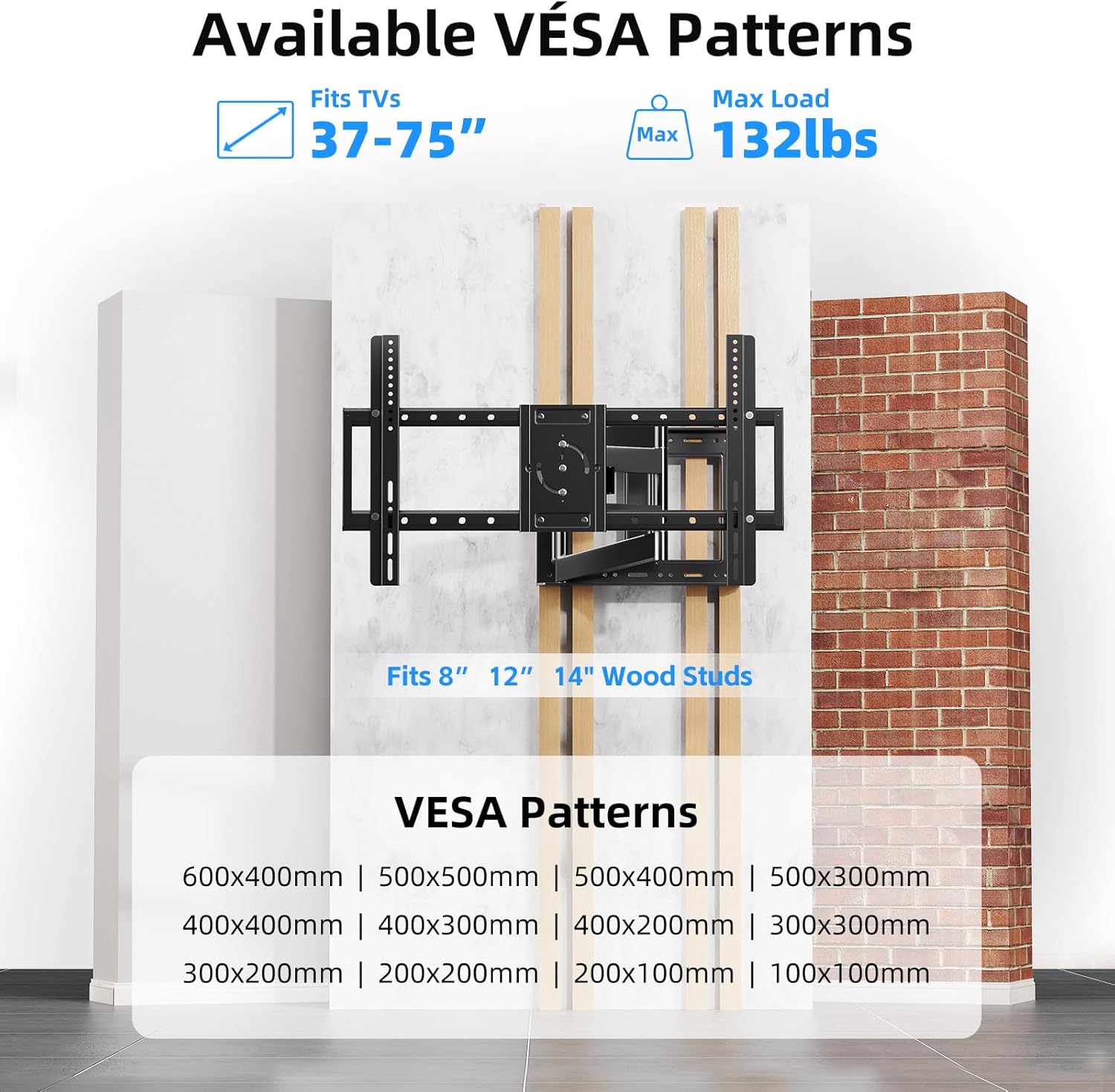
Image 4.1: VESA compatibility and supported wall types for installation.
4.2 Stàladh Ceum air Cheum
The following video provides a visual guide for the installation process:
Video 4.1: Step-by-step product installation guide for the BEISHI TV Wall Mount.
- A’ comharrachadh tuill drile: Use the provided installation template to mark the desired drilling locations on your wall. Ensure the template is level.
- Tuill drile: Drill pilot holes at the marked locations. The drill bit size will depend on your wall type and the anchors provided.
- Inserting Anchors: Insert the appropriate wall anchors into the drilled holes. For wood studs, lag bolts are typically used directly.
- Mounting Wall Plate: Secure the wall plate assembly to the wall using the provided screws and a socket wrench. Use the bubble level to ensure it is perfectly horizontal.
- Attaching Extension Arms: If your TV requires a wider VESA pattern, attach the extension arms to the main wall plate assembly. Secure them with the provided screws.
- Attaching TV Brackets to TV: Lay your TV face down on a soft, clean surface. Attach the TV bracket arms to the back of your TV using the appropriate screws and spacers from the hardware kit. Ensure they are securely fastened.
- Mounting TV to Wall Plate: Carefully lift the TV and hook the TV bracket arms onto the wall plate assembly. Secure the TV to the mount using the safety screws or locking mechanisms.

Image 4.2: The BEISHI TV wall mount fully installed and extended.
5. Operating Your TV Wall Mount
Your BEISHI Full Motion TV Wall Mount offers versatile adjustments for optimal viewing. The following video demonstrates the key features:
Bhidio 5.1: Tharview of the BEISHI TV Wall Mount's features, including extension, swivel, and tilt capabilities.
5.1 Leudachadh agus Tarraing air ais
The mount features an extra-long extension arm that allows the TV to extend from 2.6 inches to 40.9 inches from the wall. Gently pull or push the TV to achieve the desired distance. Ensure smooth movement and avoid sudden forceful actions.

Image 5.1: The mount's extension capability, ranging from 2.4 to 36.4 inches.
5.2 Atharrachadh Cuairteachaidh
The mount allows for a 180° left-right swivel. Gently pivot the TV to the desired viewing angle. This feature is useful for viewing from different areas within a room.
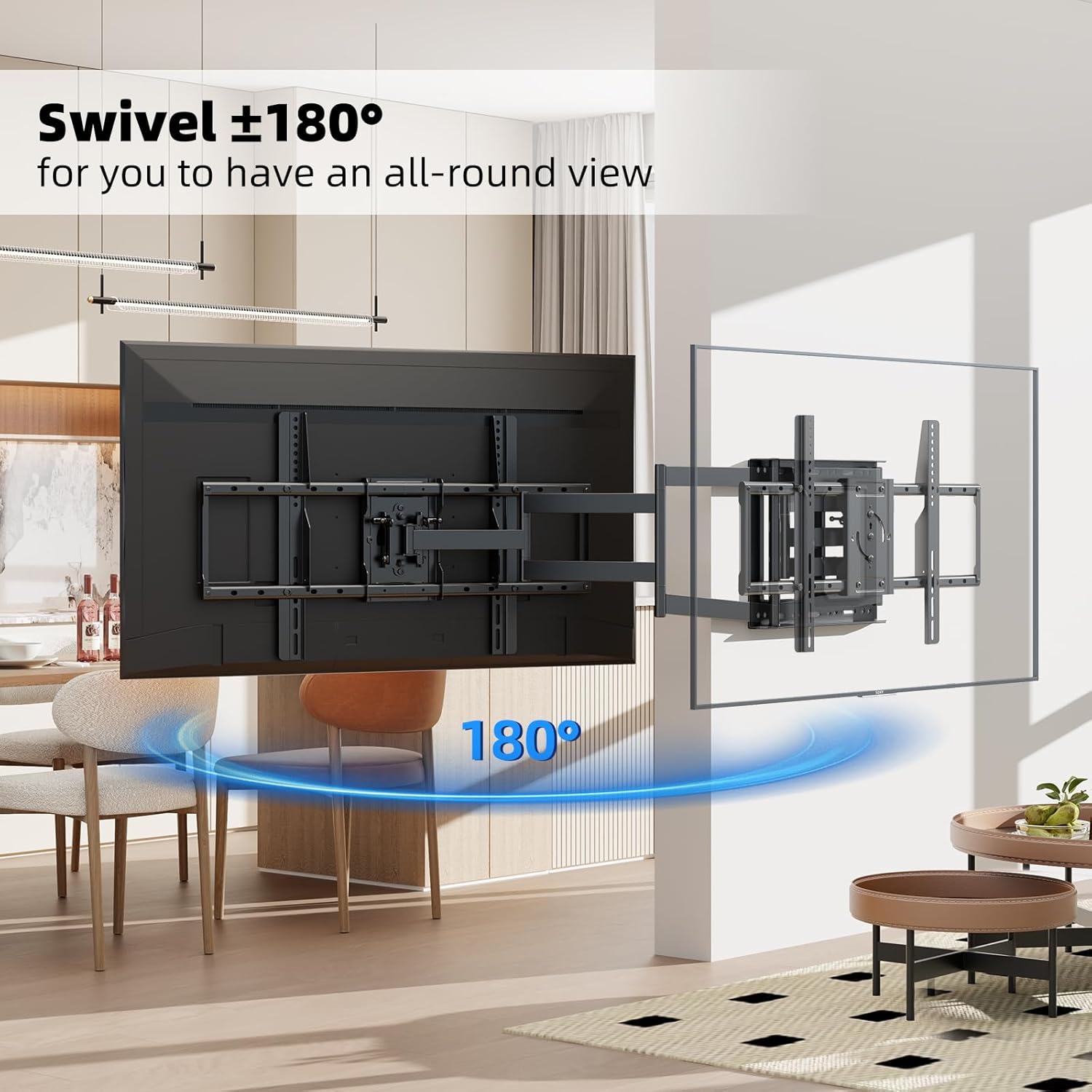
Image 5.2: The 180° swivel feature of the TV wall mount.
5.3 Teilt Atharrachadh
Adjust the TV's vertical angle by tilting it +5° upwards or -20° downwards. This helps reduce glare and optimize viewing comfort. The tilt mechanism can be adjusted using the provided tools or by hand, depending on the specific design.

Image 5.3: The tilt adjustment range of +5° to -20°.
5.4 Screen Rotation
The TV screen can be rotated 90° for switching between horizontal and vertical orientations. This feature is useful for specific applications like live broadcasting, online meetings, or gaming. Ensure the rotation mechanism is securely locked after adjustment.
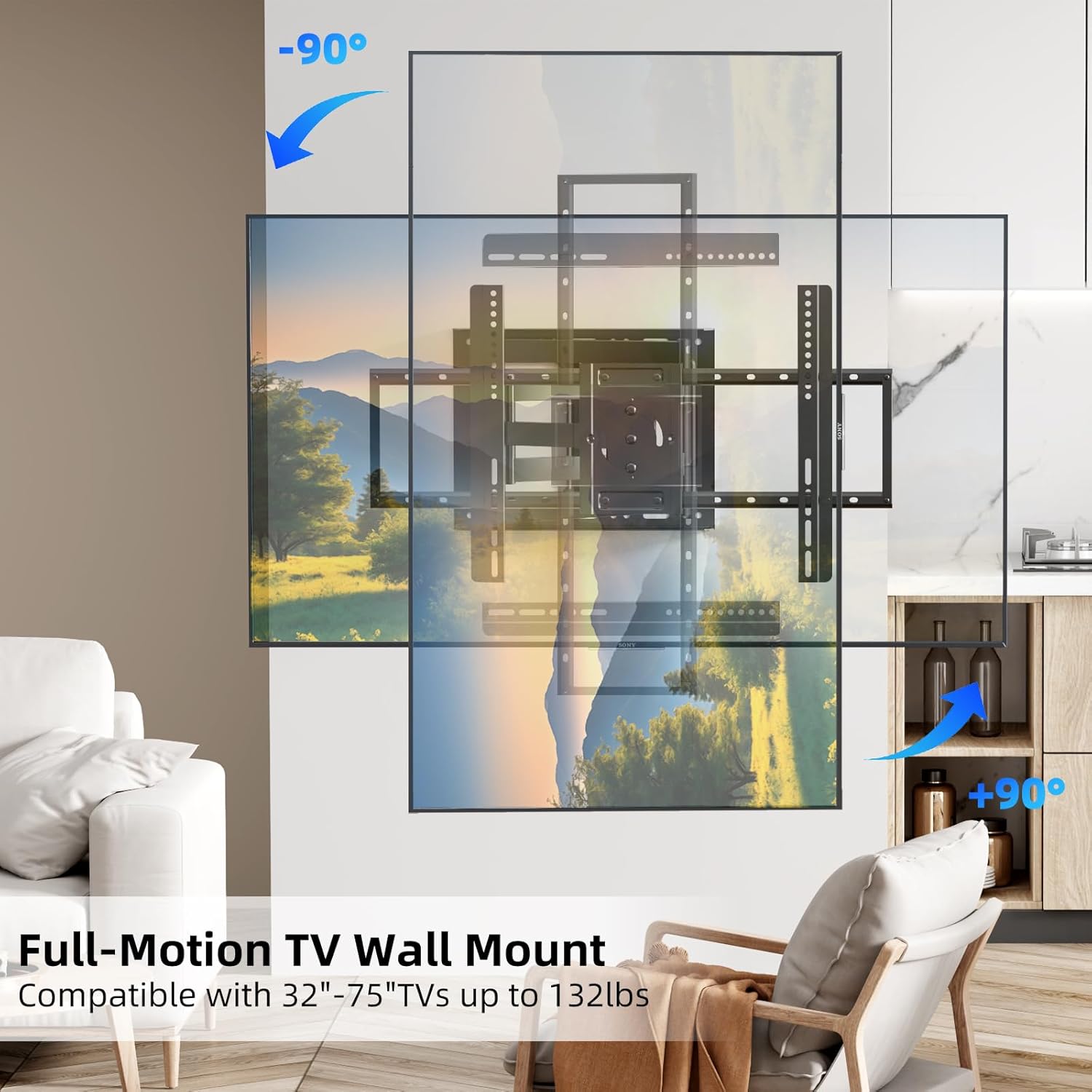
Image 5.4: The 90° screen rotation capability of the mount.
6. Cumail suas
Nì cumail suas cunbhalach cinnteach gum mair balla-suidhe an telebhisean agad fad-beatha agus gum bi e ag obair gu sàbhailte:
- Glanadh: Wipe the mount with a soft, dry cloth to remove dust. Avoid abrasive cleaners or solvents.
- Sgrùdaidhean ràitheil: Thoir sùil bho àm gu àm air na sgriothan is na boltaichean uile gus dèanamh cinnteach gu bheil iad teann. Thar ùine, faodaidh crithidhean no atharrachaidhean adhbhrachadh gum bi na ceanglaichean a’ leigeil às.
- Gluasad: If the mount's movement becomes stiff, apply a small amount of silicone-based lubricant to the pivot points. Do not use oil-based lubricants.
- Sgrùdadh milleadh: Inspect the mount for any signs of wear, corrosion, or damage. If any issues are found, discontinue use and contact customer support.
7. A ’dèanamh trioblaid
If you encounter any issues with your BEISHI TV Wall Mount, refer to the following common problems and solutions:
- Chan eil an sliabh rèidh: Use the integrated bubble level or a separate level to check the wall plate. If it's off, slightly loosen the mounting bolts, adjust, and re-tighten.
- Duilgheadas a’ gluasad an telebhisean: Ensure all adjustment screws are not overtightened. If movement is still stiff, apply a small amount of silicone lubricant to the joints.
- Tha an telebhisean a’ faireachdainn neo-sheasmhach: Double-check all mounting screws on both the wall plate and the TV brackets. Ensure they are securely tightened. Verify that the wall type and anchors used are appropriate for the TV's weight.
- Pàirtean a dhìth: Refer to the 'Package Contents' section. If parts are missing, contact BEISHI customer support immediately.
8. Sònrachaidhean Bathar
| Feart | Sònrachadh |
|---|---|
| Brand | BEISHI |
| Modail | B0F98ZTHGF |
| Co-fhreagarrachd meud Tbh | 37-75 òirleach |
| Comas luchdaidh as àirde | 132 lbs (60 kg) |
| Co-fhreagarrachd VESA | 100x100mm gu 600x400mm |
| Raon swivel | 180° (left-right) |
| Raon Teilt | +5 ° / -20 ° |
| Cuairteachadh sgrion | 90° |
| Leudachadh bhon Bhalla | 2.6 òirleach gu 40.9 òirleach |
| Stuth | Alloy Steel |
| Dath | Dubh |
| Cuideam nì | 18.46 not |
| Co-fhreagarrachd balla | Wood Studs (8", 12", 14"), Concrete, Brick |
9. Barantas agus Taic Luchd-ceannach
BEISHI products are manufactured to high-quality standards. For warranty information, technical support, or to inquire about replacement parts, please refer to the product packaging or contact BEISHI customer service through their official channels. You can also visit the BEISHI Store on Amazon airson tuilleadh fiosrachaidh.