
1. Ro-ràdh
This manual provides detailed instructions for the installation, operation, and maintenance of your Ulecoce Keyless Entry Door Lock Deadbolt with Handle Set. This smart lock offers multiple access methods and enhanced security features for your home or office.

Image 1.1: The Ulecoce Keyless Entry Door Lock Deadbolt with Handle Set in satin nickel finish, installed on a dark door.
2. Feartan toraidh
- Inntrigeadh gun iuchair: Supports 100 user codes (97 user, 3 admin), one-time codes, and 2 backup physical keys.
- Riaghladh Ruigsinneachd Glic: Generate and share temporary or permanent codes for family, house sitters, or guests.
- Tèarainteachd leasaichte: Features auto-lock, one-touch locking, anti-peeping code input, and low battery alerts.
- Seasmhachd: Designed to withstand extreme temperatures (-4℉ to 140℉) and is IP54 waterproof.
- Cumhachd: Operates on 4 AA batteries (not included) with an approximate 180-day lifespan.

Dealbh 2.1: Thairisview of the Ulecoce Keyless Entry Door Lock Set highlighting its main features.
3. Sònrachaidhean
| Feart | Mion-fhiosrachadh |
|---|---|
| Brand | Ulecoce |
| Ainm Modail | WZ-U18L-S-0513-TP |
| Seòrsa glasaidh | Bolt marbh |
| Stuth | Meatailt |
| Dath | Satain Nickel |
| Meudan nì (L x W x H) | 1 x 1 x 1 òirleach |
| Cuideam nì | 3.36 not |
| Feartan sònraichte | Anti-Peeping Password, Auto-Lock, Keyless Entry, One-Touch Lock |
| Cleachdadh air a mholadh | Doras aghaidh |
| Stòr cumhachd | 4 Bataraidh AA (gun a thoirt a-steach) |
| Teòthachd Obrachaidh | -4 ℉ gu 140 ℉ (-20 ℃ gu 60 ℃) |
| Taiseachd obrachaidh | 0% gu 95% |
| Ìre dìon-uisge | IP54 |
| Teisteanas | ANSI Grade 3 Certified |
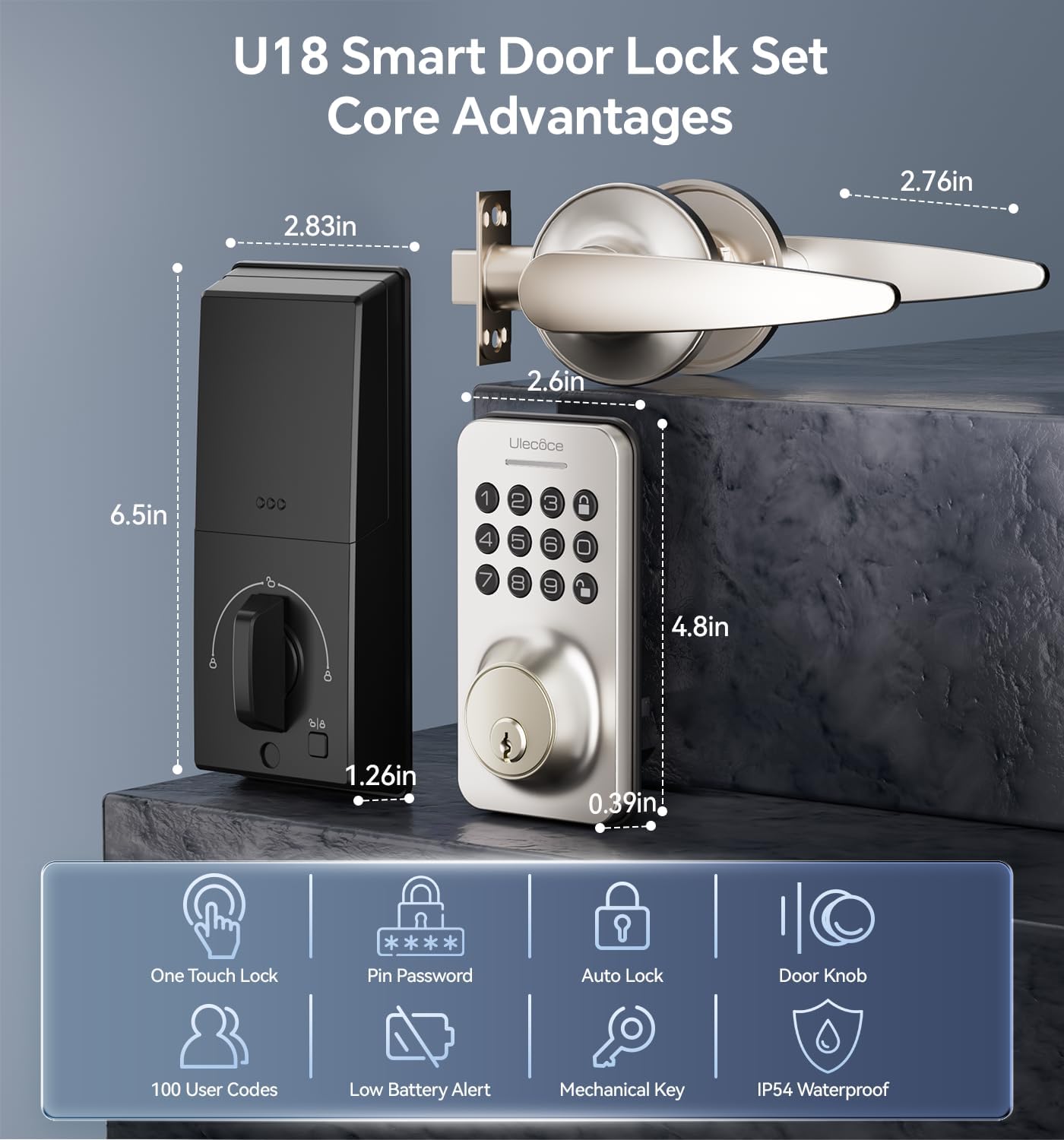
Image 3.1: Dimensions and key features of the Ulecoce U18 Smart Door Lock Set.

Image 3.2: ANSI Grade 3 certification and durability test results for the Ulecoce smart lock.
4. Setup agus Stàladh
The Ulecoce Keyless Entry Door Lock is designed for easy installation, requiring only a screwdriver. No additional drilling or professional locksmith services are typically needed. It is compatible with both left and right-hand doors.
4.1 Sgrùdadh ro-stàlaidh
Before beginning installation, ensure your door meets the compatibility requirements for latch hole and backset dimensions.
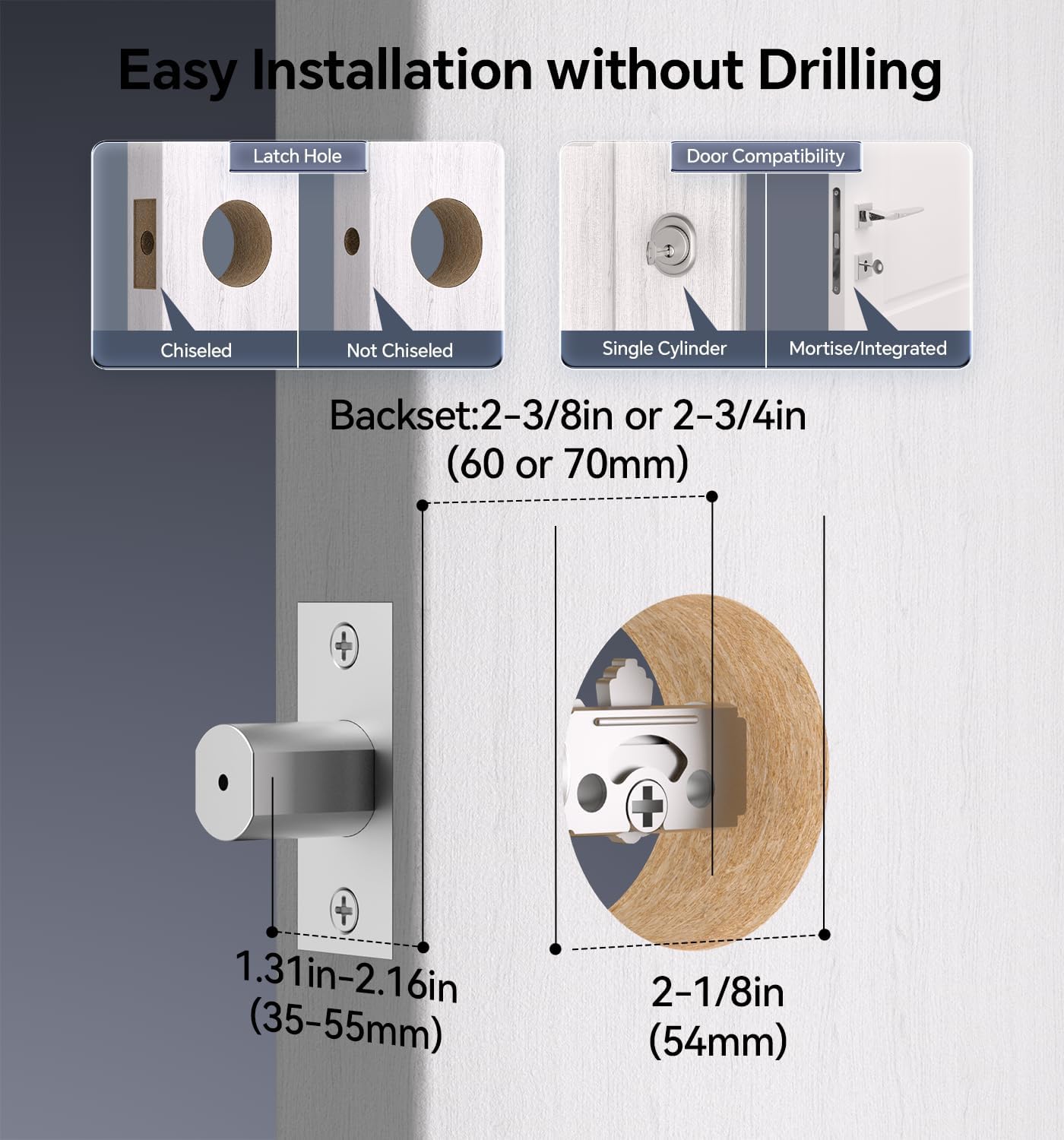
Image 4.1: Door compatibility and latch hole requirements for installation.

Image 4.2: Check door dimensions and lock measurements before purchase.
4.2 Ceumannan stàlaidh
- Prepare the door: Ensure the door is properly prepped with the correct bore hole and backset.
- Stàlaich an glaiste agus am plàta bualaidh.
- Stàlaich co-chruinneachadh meur-chlàr taobh a-muigh.
- Install the interior assembly, connecting the cable.
- Daingnich an glas le sgriothan.
- Cuir 4 bataraidhean AA (nach eil air an toirt a-steach) a-steach don roinn bataraidh.
- Dèan deuchainn air gnìomhachd a’ ghlas.

Image 4.3: Installation process using a screwdriver.

Image 4.4: The lock is compatible with both left and right-hand door orientations.
5. Stiùireadh Obrachaidh
The Ulecoce smart lock offers various convenient ways to unlock and manage access.
5.1 Modhan Fuasglaidh
- Còd meur-chlàir: Enter your programmed user code on the keypad.
- Còdan Aon-ùine: Cruthaich còdan sealach airson aon chleachdadh.
- Iuchair Fhisigeach: Use the provided backup keys for manual unlocking.
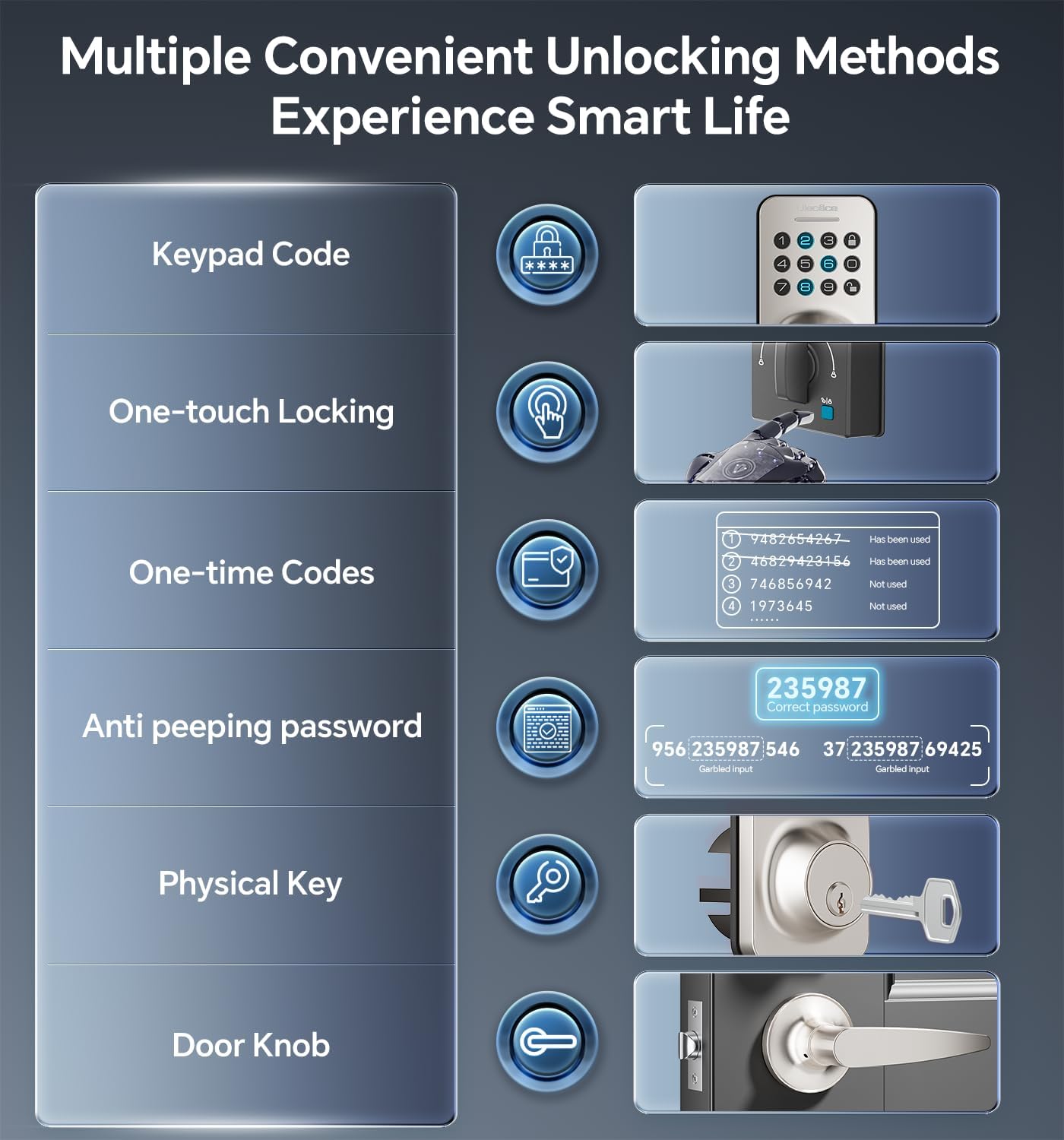
Image 5.1: Multiple methods available for unlocking the door.
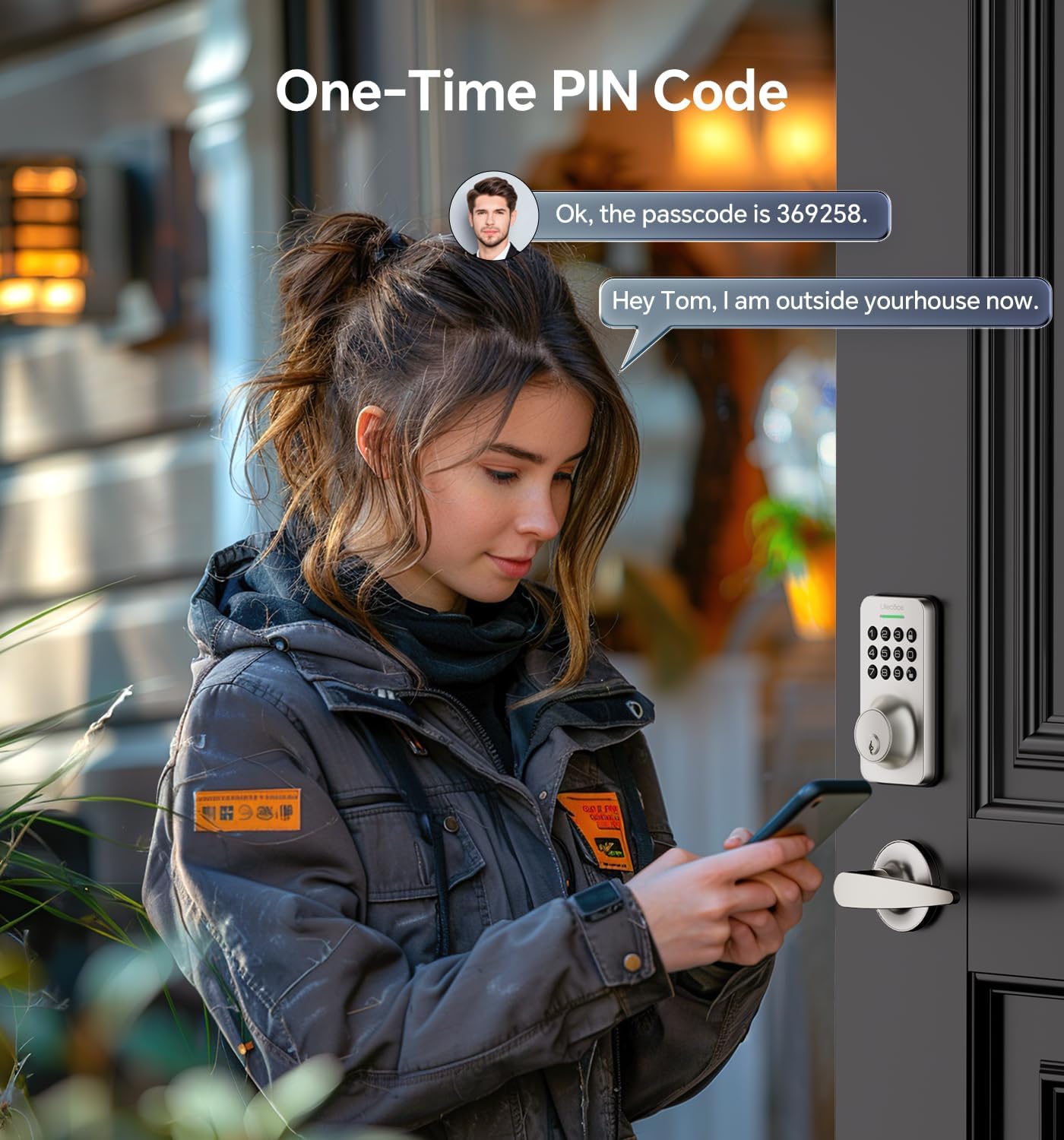
Image 5.2: Using a one-time PIN code for temporary access.
5.2 Anti-Peeping Password
To prevent others from guessing your code, you can enter random digits before or after your actual passcode. The lock will recognize the correct consecutive sequence within the input.
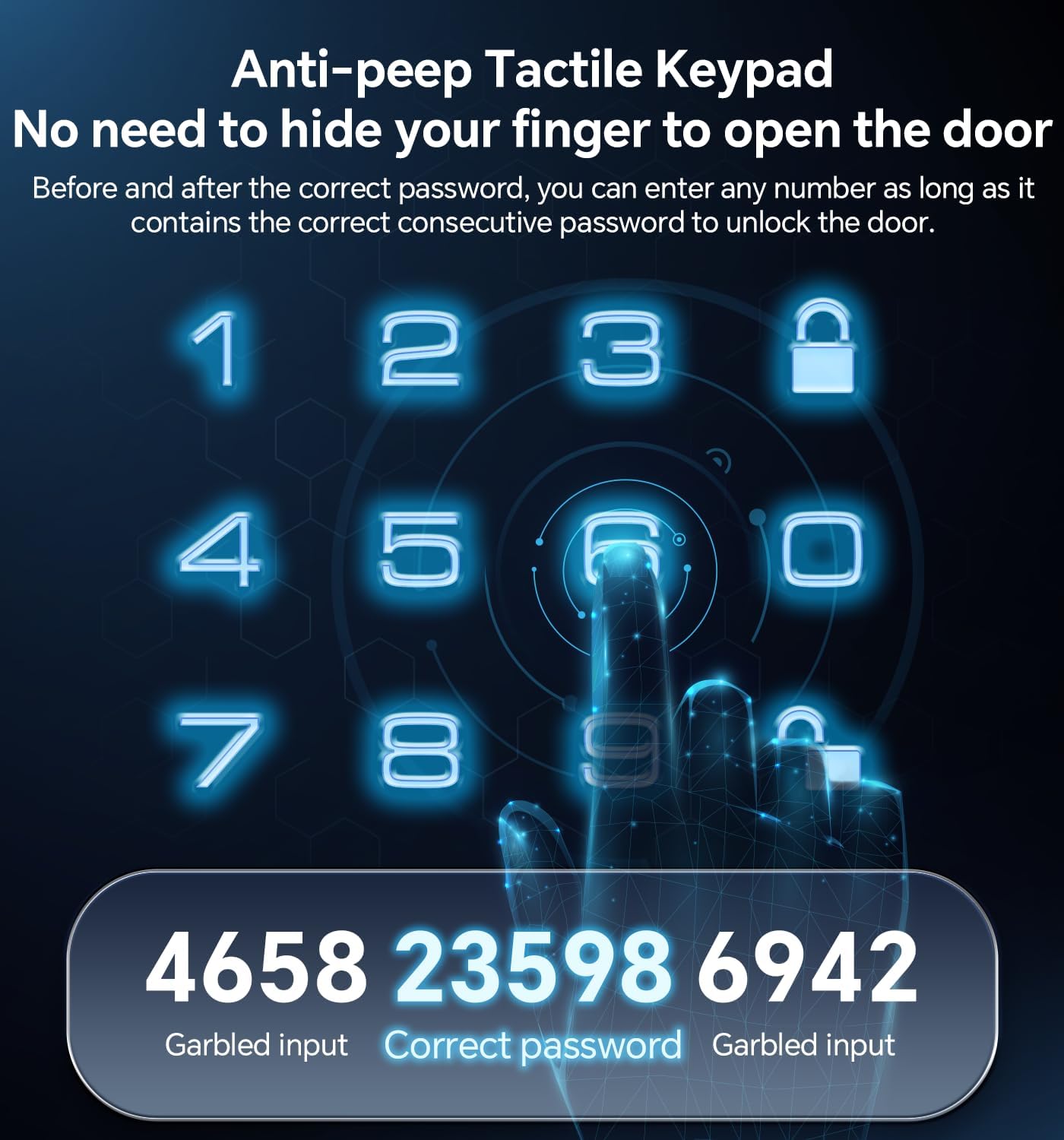
Ìomhaigh 5.3: Eisimpleirample of using the anti-peeping password feature.
5.3 Auto-Lock and One-Touch Locking
- Auto-ghlas: The lock can be programmed to automatically lock after a set period (10-30 seconds) once the door is closed.
- Glasadh aon-suathadh: A dedicated button on the interior assembly allows for quick manual locking.

Image 5.4: The auto-lock feature provides convenience and security.
6. Cumail suas
6.1 Ath-nuadhachadh bataraidh
The lock is powered by 4 AA batteries (not included). When the battery level is low, the lock will provide an alert. Replace all four batteries promptly to ensure continuous operation.

Image 6.1: Low battery indicator and backlit keypad for visibility.
6.2 Glanadh
Clean the lock's exterior with a soft, dry cloth. Avoid using abrasive cleaners or solvents, as these can damage the finish or electronic components.
7. A ’dèanamh trioblaid
- Glas gun fhreagairt: Thoir sùil air ìrean a’ bhataraidh agus cuir fear eile na àite ma tha sin riatanach. Dèan cinnteach gu bheil am meur-chlàr glan agus saor bho sprùilleach.
- Còd nach eil ag obair: Verify the code is entered correctly. Ensure the anti-peeping feature is used as intended. If issues persist, reset the code or use a physical key.
- Glasadh fèin-ghluasadach gun a bhith an sàs: Check the auto-lock settings to ensure it is enabled and the timer is set appropriately.
- Iuchair fiosaigeach nach eil ag obair: Ensure the key is fully inserted and turned correctly. Check for any obstructions in the keyway.
Airson tuilleadh cuideachaidh, thoir sùil air an earrann Barantas is Taic.
8. Barantas agus Taic
Ulecoce provides a Barantas toraidh 3-bliadhna and lifetime after-sales service for this product. Our customer support team is available 24/7 via email to assist with any questions or concerns you may have.
Please feel free to contact us for support.