
1. Ro-ràdh agus Os a chionnview
The DOOGEE Blade 20 Ultra is a rugged smartphone designed for durability and performance in challenging environments. It features a robust build, a large battery, and advanced camera capabilities, making it suitable for outdoor activities and demanding work conditions.
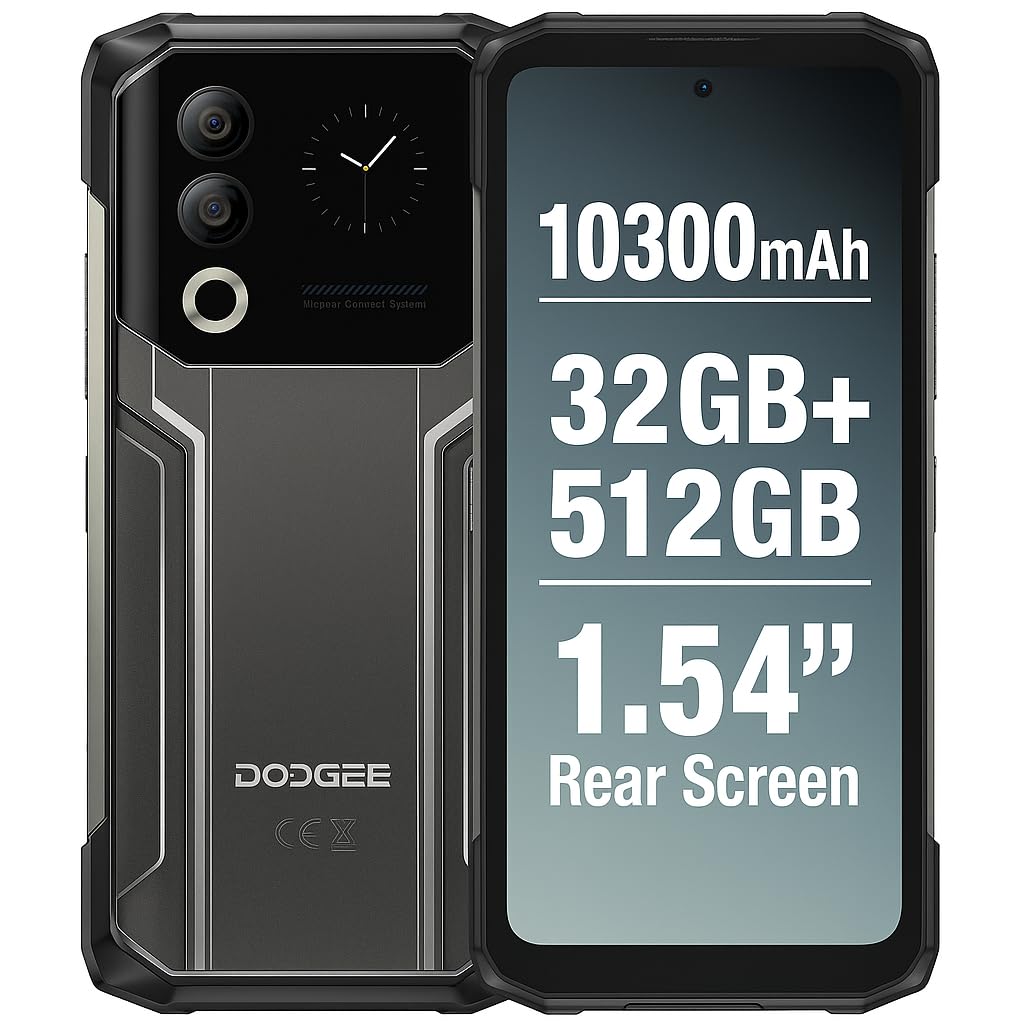
Figure 1: DOOGEE Blade 20 Ultra device overview.
Prìomh fheartan:
- Ultra-Rugged Design: IP68/IP69K and MIL-STD-810H certified for water, dust, and shock resistance.
- Coileanadh cumhachdach: Unisoc T7250 Octa-Core processor with 8GB RAM (expandable to 32GB virtual RAM) and 512GB internal storage (expandable up to 2TB).
- Taisbeanadh dùbailte: 6.6-inch FHD+ 90Hz main display and an innovative 1.54-inch smart rear display for quick access and customization.
- Bataraidh maireannach: 10300 mAh battery with 18W fast charging and OTG reverse charging capability.
- Siostam Camara Adhartach: 50MP AI main camera and 8MP front camera with multiple shooting modes.
- Tèarainteachd leasaichte: Side-mounted fingerprint sensor and facial recognition.
- Ceangal: NFC with Google Pay support, GPS, Glonass, Galileo, Beidou for accurate navigation.
2. Suidhich
2.1 Susbaint a’ phacaid
Mus tòisich thu, dèan cinnteach gu bheil a h-uile rud anns a’ bhogsa:
- 1 x DOOGEE Blade 20 Ultra Smartphone
- 1 x Screen Protector Film (pre-applied or separate)
- 1 x Càball USB (Seòrsa-C)
- 1 x Cùis Dìon
- 1 x luchdadh a-nuas
2.2 Stàladh Cairt SIM agus Cairt MicroSD
The device supports a triple slot system for two Nano SIM cards and one MicroSD card.
- Lorg treidhe a’ chairt SIM air taobh a’ fòn.
- Cleachd an inneal tilgeil a-mach SIM a tha air a thoirt seachad gus an treidhe fhosgladh.
- Carefully place your Nano SIM cards and/or MicroSD card into the designated slots. Ensure the gold contacts face downwards.
- Brùth an treidhe air ais dhan fhòn gu socair gus an cliog e na àite.

Figure 2: Illustration of SIM and MicroSD card installation.
2.3 Cìs tòiseachaidh
Before first use, it is recommended to fully charge the device. Connect the USB cable to the phone's Type-C port and the charger, then plug the charger into a power outlet. The phone supports 18W fast charging.
2.4 A’ cur cumhachd air/dheth
- Gus cumhachd a thoirt air: Press and hold the Power button (usually on the side) until the DOOGEE logo appears.
- Gus cumhachd a thoirt dheth: Brùth is cum sìos am putan Cumhachd, agus an uair sin tagh ‘Cumhachd dheth’ bho na roghainnean air an sgrion.
- Gus ath-thòiseachadh: Brùth is cum sìos am putan Cumhachd, agus an uair sin tagh ‘Ath-thòisich’ bho na roghainnean.
3. Ag obrachadh an inneal
3.1 Main Display (6.6" HD+ 90Hz)
The 6.6-inch HD+ display offers a smooth visual experience with a 90Hz refresh rate. Navigate through apps, menus, and content using touch gestures.
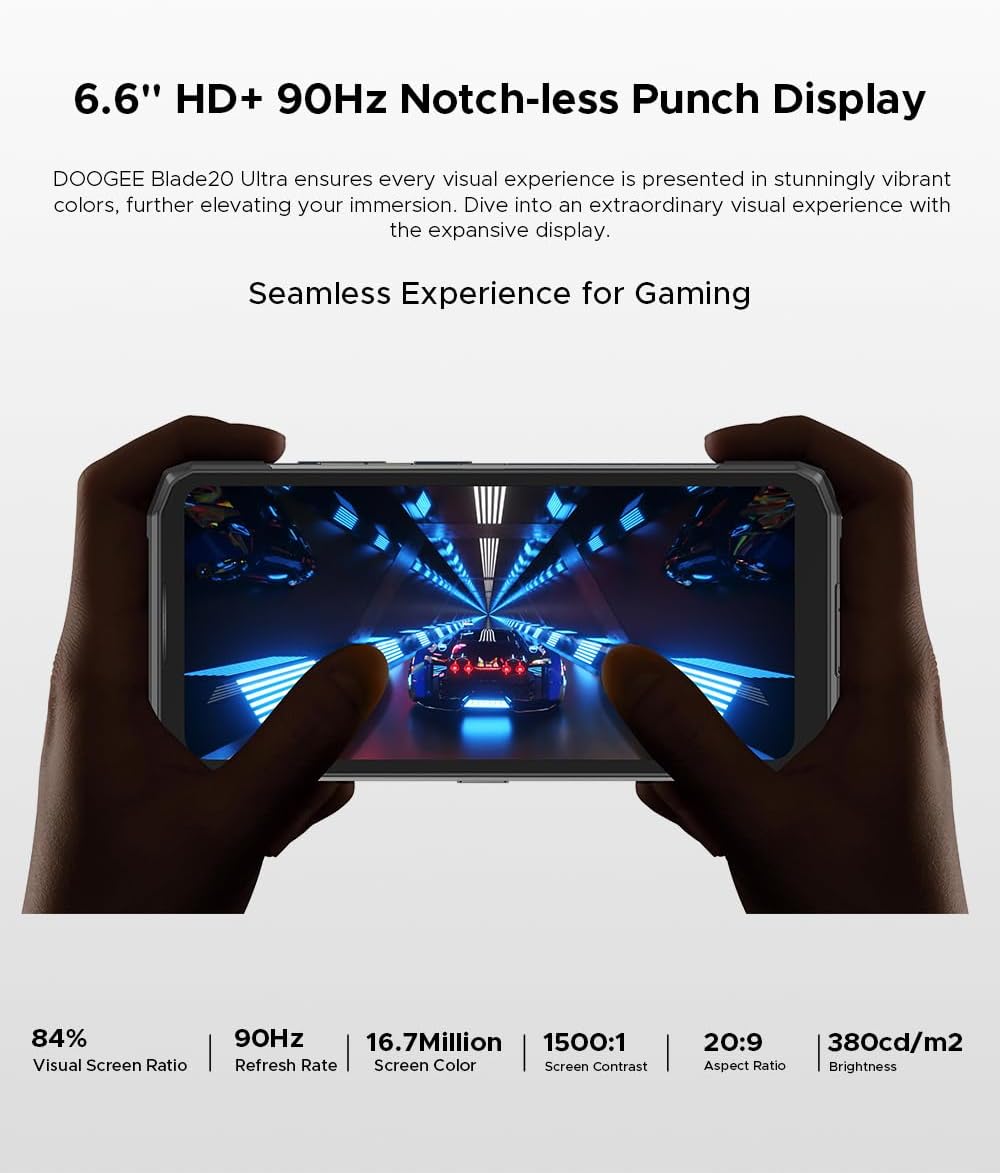
Figure 3: The 6.6-inch HD+ 90Hz main display provides a seamless viewann an eòlas.
3.2 1.54" Smart Rear Display
The innovative 1.54-inch rear display provides quick access to essential functions and customizable backgrounds. Double-tap to activate it.
- Cothrom luath: Control music, view notifications, check the calendar, and answer calls without opening the main screen.
- Dealbhan-camara fèin-dhealbh: Use the rear display to frame selfies with the main camera.
- Gnàthachadh: Choose from over 16 customizable wallpapers, including dynamic, business, and personalized photo settings.

Figure 4: The 1.54-inch smart rear display offers quick functions and personalization.
3.3 Gnìomhan a’ Chamara
The DOOGEE Blade 20 Ultra features a 50MP AI main camera and an 8MP front camera. It supports Google Intelligent Camera features.
- Prìomh chamara: 50MP (OV50C40 sensor, F/1.8 aperture) with autofocus and LED flash.
- Camara aghaidh: 8MP (Hi-842 sensor, F/2.2 aperture).
- Modhan: Underwater mode, Night Vision, Professional Photography, Beauty Mode, Time-lapse, Portrait Mode, HDR, Panoramic Mode, Filter, Pro Mode.
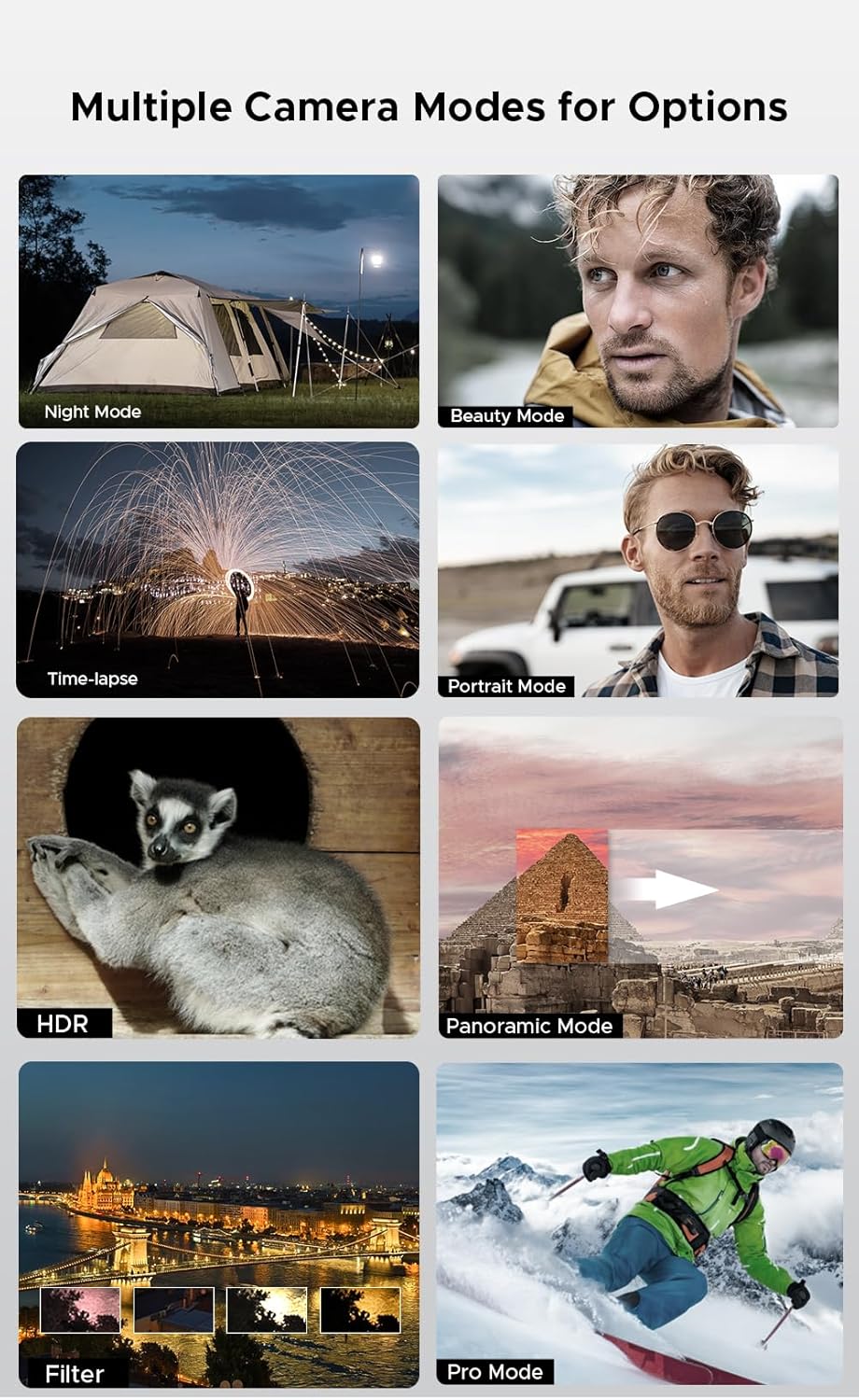
Figure 5: Various camera modes available on the Blade 20 Ultra.
3.4 Riaghladh Bataraidh
The device is equipped with a 10300 mAh battery, providing extended usage times.
- Cìs luath: Supports 18W fast charging to quickly replenish battery life.
- Power Bank Function (OTG Reverse Charging): Use your phone to charge other devices.
- Cleachdadh: Suas ri 35 uair de thìde labhairt.
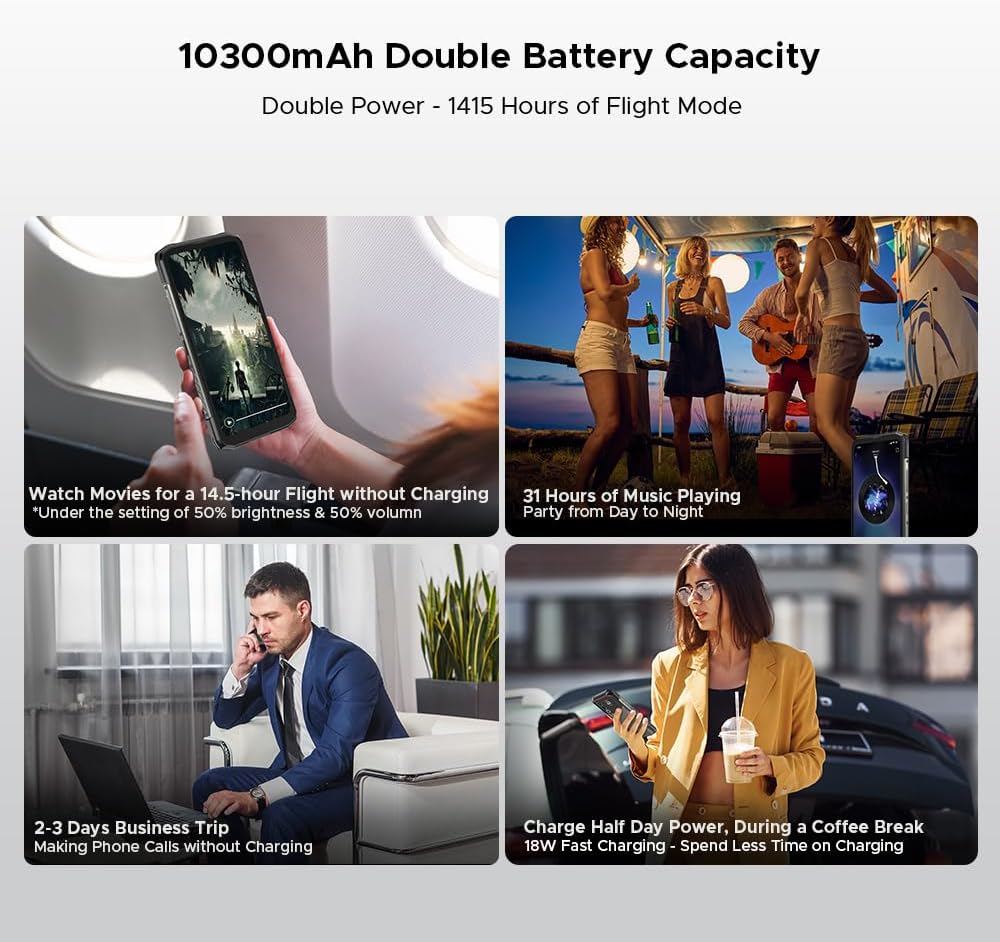
Figear 6: Examples of extended battery life for various activities.
3.5 Feartan tèarainteachd
- Braitear lorgan-meòir taobh: Fosgail an inneal agad gu sgiobalta agus gu tèarainte le bhith a’ cleachdadh an sensor meòir-meòir air an taobh.
- Aithneachadh aghaidh: Use your face to unlock the phone.
3.6 Ceangal agus Seòladh
The Blade 20 Ultra supports various connectivity options and global navigation systems.
- NFC: Supports Near Field Communication for contactless payments (Google Pay) and data transfer.
- Wireless: GSM, 3G, 4G, Bluetooth, Wi-Fi.
- Seòladh: Integrated GPS, Glonass, Galileo, and Beidou for accurate positioning.

Figure 7: The phone supports multiple global navigation satellite systems.
4. Cumail suas
4.1 A ’glanadh an inneal
Gus coltas agus gnìomhachd an inneil a chumail suas:
- Sguab an sgrion agus a’ bhodhaig le clò bog, gun lint.
- Airson salachar stòlda, beagan dampnigh an clò le uisge no inneal-glanaidh sgrion.
- Seachain a bhith a 'cleachdadh cheimigean cruaidh no stuthan sgrìobach.
- Dèan cinnteach gu bheil còmhdach a h-uile puirt dùinte gu tèarainte mus cuir thu an inneal fo uisge no duslach.
4.2 Cùram Bataraidh
- Seachain teòthachd anabarrach, a dh’ fhaodadh beatha bataraidh a mhilleadh.
- Na fàg am fòn làn-luchdaichte no làn-dhì-luchdaichte airson ùine mhòr.
- Cleachd an charger agus càball tùsail no goireasan co-chòrdail le teisteanas a-mhàin.
4.3 Ùrachaidhean bathar-bog
The DOOGEE Blade 20 Ultra runs on Android 14. Regularly check for and install software updates to ensure optimal performance, security, and access to new features. You can usually find this option in the phone's Settings menu under 'System' or 'About phone'.
4.4 Stiùireadh Stòraidh
With 512GB of internal storage and support for up to 2TB MicroSD, you have ample space. Periodically review do files and applications to free up space if needed. Uninstall unused apps and transfer large media files to external storage or cloud services.
5. A ’dèanamh trioblaid
This section addresses common issues you might encounter with your DOOGEE Blade 20 Ultra.
5.1 Inneal gun a bhith a’ tionndadh air
- Dèan cinnteach gu bheil am bataraidh air a luchdadh. Ceangail an charger agus feith beagan mhionaidean mus feuch thu ri a chumhachdachadh air.
- Brùth is cum sìos am putan Cumhachd airson co-dhiù 10-15 diogan gus ath-thòiseachadh a sparradh.
5.2 Cùisean Cìsean
- Check if the charger and USB cable are properly connected and undamaged.
- Feuch ri ionad cumhachd eile a chleachdadh.
- Dèan cinnteach gu bheil am port cosgais glan agus saor bho sprùilleach.
5.3 Duilgheadasan Ceangail Lìonra
- Thoir sùil a bheil a’ chairt SIM agad air a cur a-steach gu ceart agus air a ghnìomhachadh.
- Ensure 'Airplane mode' is off.
- Ath-thòisich an inneal.
- Go to Settings > Network & internet > Mobile network and check network settings.
5.4 Aplacaidean a’ tuiteam no a’ reothadh
- Dùin agus ath-fhosgladh an aplacaid.
- Glan tasgadan is dàta an aplacaid (Roghainnean > Aplacaidean > [Ainm an Aplacaid] > Stòradh is tasgadan).
- Dèan cinnteach gu bheil an aplacaid air ùrachadh chun dreach as ùire.
- Ma mhaireas an duilgheadas, dì-stàlaich agus ath-stàlaich an aplacaid.
5.5 Ath-shuidheachadh Factaraidh
Ma bhios duilgheadasan bathar-bog leantainneach agad, dh’ fhaodadh ath-shuidheachadh factaraidh an rèiteachadh. Rabhadh: Sguabaidh seo às a h-uile dàta air an fhòn agad. Dèan lethbhreac-glèidhidh de dhàta cudromach mus lean thu air adhart.
- Rach gu Roghainnean > Siostam > Ath-shuidhich roghainnean.
- Tagh 'Sguab às a h-uile dàta (ath-shuidheachadh factaraidh)'.
- Dearbhaich do cho-dhùnadh agus cuir a-steach do PIN/facal-faire ma thèid iarraidh ort.
6. Sònrachaidhean
| Feart | Sònrachadh |
|---|---|
| Modail Àireamh | Blade 20 Ultra |
| Meudan | 174 x 81.2 x 15.8 mm |
| Cuideam | 326 g |
| Siostam-obrachaidh | Android 14 |
| Pròiseasar | Unisoc T7250 Octa-Core, 1.8 GHz (12 nm) |
| RAM | 8 GB (a ghabhas leudachadh gu 32 GB de RAM brìgheil) |
| Stòradh a-staigh | 512 GB (UFS), expandable up to 2 TB via MicroSD |
| Prìomh Taisbeanadh | 6.6 inches IPS HD+, 90 Hz refresh rate, 1920 x 1080 resolution, 367 PPI |
| Rear Smart Display | 1.54 inches IPS, 240 x 240 pixels |
| Camara cùil | 50 MP AI (OV50C40 sensor, F/1.8 aperture) |
| Camara aghaidh | 8 MP (Hi-842 sensor, F/2.2 aperture) |
| Comas Bataraidh | 10300 mAh |
| A 'cur cosgais | Cosgais luath 18W, cosgais cùil OTG |
| Sliotan cairt SIM | Dual Nano SIM + 1 MicroSD (Triple Slot) |
| Ceangalachd | 4G, 3G, GSM, Wi-Fi, Bluetooth, GPS, NFC (Google Pay) |
| Seòladh | GPS, Glonass, Galileo, Beidou |
| Tèarainteachd | Side Fingerprint Sensor, Facial Recognition |
| Seasmhachd | IP68/IP69K, MIL-STD-810H (Waterproof, Dustproof, Shockproof) |
| Jack headphone | Gun seacaid 3.5mm |
7. Barantas agus Taic
7.1 Fiosrachadh Barantais
Your DOOGEE Blade 20 Ultra is covered by a standard manufacturer's warranty. The specific terms and duration of the warranty may vary by region and retailer. Please refer to the warranty card included in your product packaging or contact your point of purchase for detailed information.
7.2 Taic teachdaiche
For technical assistance, troubleshooting beyond this manual, or warranty claims, please contact DOOGEE customer support or the retailer from whom you purchased the device. Keep your proof of purchase handy when contacting support.
Information regarding spare parts availability is not provided at this time.