
ILEBYGO B0F83Q1HHT
ILEBYGO Mini Projector B0F83Q1HHT User Manual
Model: B0F83Q1HHT
1. Ro-ràdh
Thank you for choosing the ILEBYGO Mini Projector B0F83Q1HHT. This portable projector is designed to provide a versatile entertainment experience with its Android 13 operating system, WiFi 6, Bluetooth 5.0, 1080P Full HD resolution with 4K support, 320 ANSI lumens brightness, 270-degree rotation, auto keystone correction, and autofocus. This manual provides essential information for setting up, operating, and maintaining your projector.
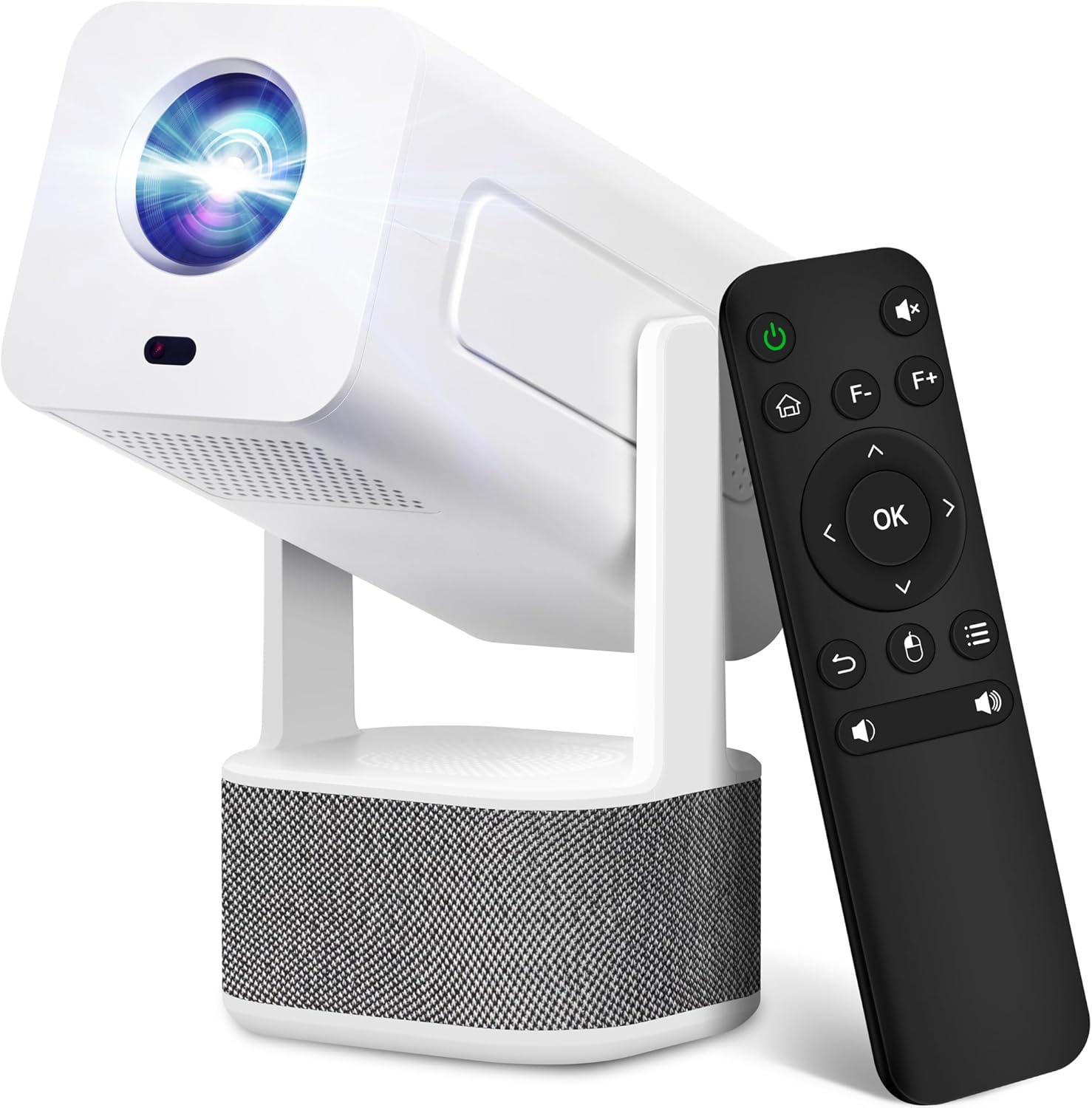
Image 1.1: ILEBYGO Mini Projector and Remote Control
The ILEBYGO Mini Projector B0F83Q1HHT offers a projection size ranging from 30 to 200 inches, making it suitable for various environments from small rooms to outdoor settings. Its dual 5W speakers deliver integrated audio, and multiple connectivity options ensure compatibility with a wide range of devices.
2. Dè tha sa bhogsa
Thoir sùil air susbaint a’ phacaid agad. Ma tha rud sam bith a dhìth no millte, cuir fios gu taic luchd-cleachdaidh.
- 1x ILEBYGO Mini Projector
- 1x Leabhar-làimhe Cleachdaiche
- Adaptor cumhachd 1x
- 1x Smachd Iomallach
3. Stiùirich rèiteachaidh
3.1. Cumhachdachadh Air adhart
- Ceangail an inneal-atharrachaidh cumhachd ris a’ phort cuir a-steach DC air a’ phroiseactair.
- Plug an adapter cumhachd a-steach do bhalla a-muigh.
- Brùth am putan cumhachd air an proiseactair no an smachd iomallach gus an inneal a thionndadh.

Image 3.1: Projector Connectivity Ports (DC, HDMI, USB, Audio)
3.2. Initial Placement and Adjustment
The projector features a 270-degree rotatable design, allowing flexible placement.
- Cuir am proiseactair air uachdar seasmhach.
- Adjust the projector's angle to direct the image onto your desired projection surface (wall, screen, ceiling).
- The projector will automatically perform keystone correction and autofocus to optimize the image clarity and shape.
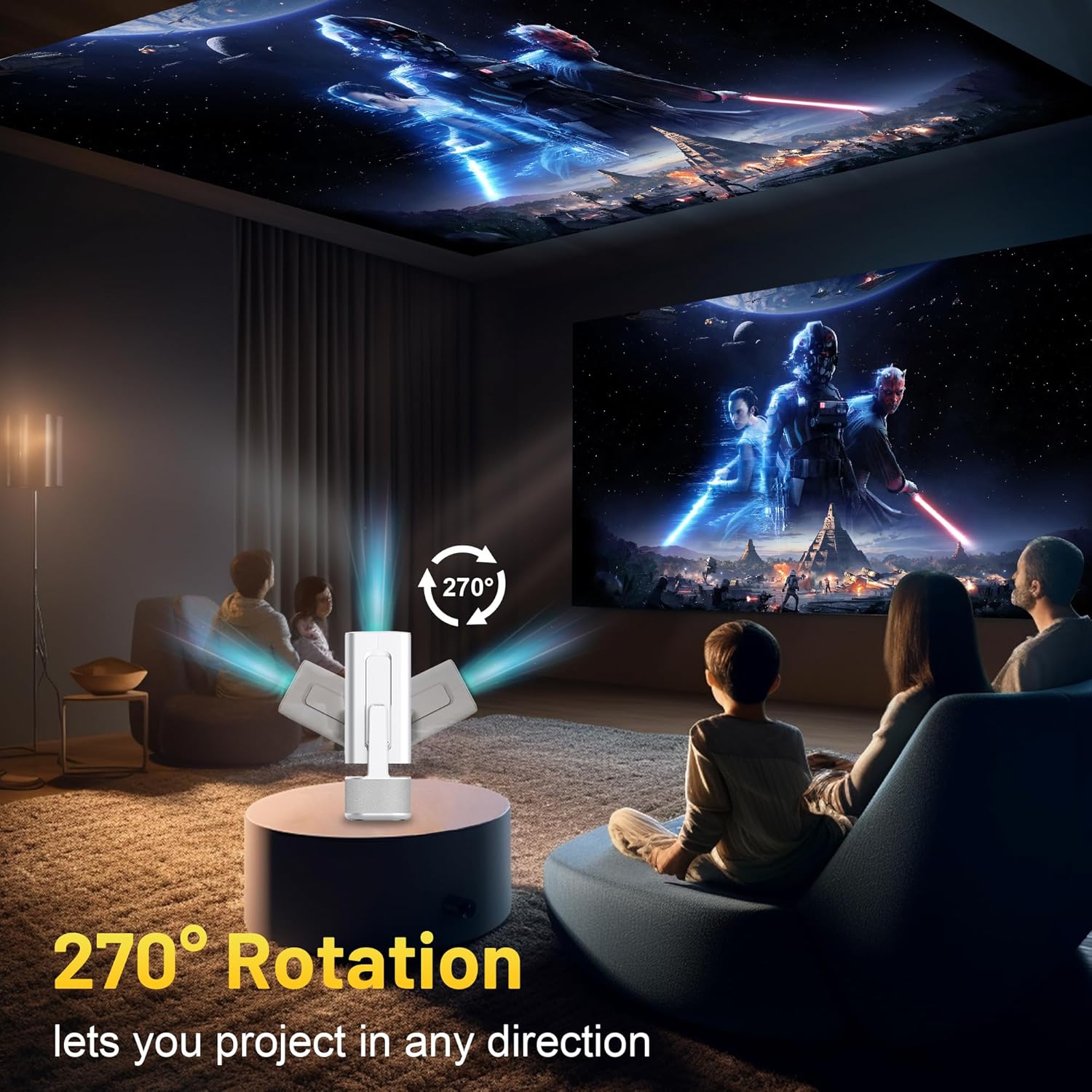
Image 3.2: 270-Degree Rotation Capability
3.3. Ceangal Lìonra (WiFi)
To access online content and streaming services, connect the projector to a Wi-Fi network.
- Bhon sgrìn dachaigh, seòl gu 'Roghainnean'.
- Tagh 'Lìonra is Eadar-lìon'.
- Cuir Wi-Fi air agus tagh an lìonra a tha thu ag iarraidh bhon liosta.
- Cuir a-steach am facal-faire Wi-Fi ma thèid iarraidh ort agus ceangail.

Image 3.3: Dual Band WiFi 6 and Bluetooth 5.0
3.4. Càraid Bluetooth
Pair Bluetooth devices like external speakers or headphones for enhanced audio.
- Bhon sgrìn dachaigh, seòl gu 'Roghainnean'.
- Select 'Connected Devices' or 'Bluetooth'.
- Tionndaidh air Bluetooth.
- Cuir an inneal Bluetooth agad ann am modh pairing.
- Select your device from the list of available devices on the projector screen to pair.
4. Stiùireadh Obrachaidh
4.1. Seòladh
Use the included remote control to navigate the projector's interface. The directional buttons, 'OK' button, 'Back' button, and 'Home' button are primary controls.
4.2. App Usage (Android 13)
The projector runs on Android 13 and comes with pre-installed streaming applications.
- From the home screen, select the desired application (e.g., Netflix, YouTube, Prime Video).
- Log a-steach leis na teisteanasan cunntais agad ma tha sin riatanach.
- Browse and play content as you would on any Android smart device.
- Additional apps can be downloaded from the Google Play Store.

Image 4.1: Built-in Android 13 System with Apps
4.3. Screen Mirroring/Casting
Mirror content from your smartphone, tablet, or computer wirelessly.
- Dèan cinnteach gu bheil an dà chuid am proiseactair agus an inneal agad ceangailte ris an aon lìonra Wi-Fi.
- On the projector, select the screen mirroring/casting application (e.g., Miracast, AirPlay).
- On your mobile device, enable screen mirroring or casting and select the projector from the list of available devices.
4.4. External Device Connection (HDMI, USB)
Connect external devices such as laptops, gaming consoles, or USB drives.
- HDMI: Connect an HDMI cable from your device to the HDMI port on the projector. Select the HDMI input source from the projector's input menu.
- USB: Insert a USB drive into the USB port. The projector's file manager will typically open automatically, allowing you to browse and play media files.

Image 4.2: Multi-Device Compatibility
4.5. Atharrachadh Ìomhaigh
The projector features automatic adjustments for convenience.
- Ceartachadh Auto Keystone: The projector automatically corrects vertical image distortion. If manual adjustment is needed, navigate to 'Settings' > 'Projection Settings' > 'Keystone Correction'.
- Fòcas fèin-ghluasadach: The image will automatically focus when the projector is moved or powered on. Manual focus adjustment can be found in 'Settings' > 'Projection Settings' > 'Focus'.
- Sùm: Adjust the projection size from 50% to 100% without moving the projector. This setting is typically found in 'Settings' > 'Projection Settings' > 'Zoom'.

Image 4.3: Auto Keystone Correction and Autofocus
5. Cumail suas
5.1. Glanadh
- Lionsa: Cleachd clò bog, gun lint, a chaidh a dhealbhadh gu sònraichte airson lionsan optigeach. Seachain stuthan sgrìobach no ceimigean cruaidh.
- Taobh a-muigh: Sguab taobh a-muigh a’ phròiseictar le clò bog, tioram. Na cleachd innealan-glanaidh leaghaidh gu dìreach air an inneal.
- Fionnarachadh: Dèan cinnteach gu bheil na fosglaidhean fionnarachaidh saor bho dhuslach agus bhacaidhean gus casg a chur air cus teasachadh.
5.2. Stòradh
Nuair nach eilear ga chleachdadh, stòraich am proiseactair ann an àite fionnar, tioram air falbh bho sholas dìreach na grèine agus teòthachd anabarrach. Cleachd am pacaigeadh tùsail no cùis dìon gus casg a chur air cruinneachadh duslach agus milleadh corporra.
6. A ’dèanamh trioblaid
Thoir sùil air a’ chlàr gu h-ìosal airson cùisean cumanta agus na fuasglaidhean aca.
| Cùis | Adhbhar a dh’fhaodadh a bhith ann | Fuasgladh |
|---|---|---|
| Gun chumhachd | Power cable not connected; Power outlet malfunction | Dèan cinnteach gu bheil càball cumhachd ceangailte gu tèarainte. Feuch socaid cumhachd eile. |
| Gun Ìomhaigh | Incorrect input source; Device not connected; Projector in standby mode | Select correct input source (HDMI, USB). Ensure external device is powered on and connected. Press power button to wake projector. |
| Ìomhaigh neo-shoilleir | Out of focus; Keystone not corrected | Allow autofocus to adjust. Manually adjust focus in settings if needed. Check keystone correction settings. |
| Gun Fhuaim | Volume too low; Muted; External audio device not connected/paired | Increase volume. Unmute projector. Ensure Bluetooth audio device is paired and connected, or external speakers are properly connected via audio jack. |
| Cùisean Ceangal Wi-Fi | Incorrect password; Network interference; Router issues | Verify Wi-Fi password. Move projector closer to router. Restart router. |
| Fàilligeadh Paidhreachaidh Bluetooth | Device not in pairing mode; Interference; Device too far | Ensure Bluetooth device is in pairing mode. Keep devices close. Turn off other Bluetooth devices to reduce interference. |
7. Sònrachaidhean
| Feart | Mion-fhiosrachadh |
|---|---|
| Brand | ILEBYGO |
| Modail | B0F83Q1HHT |
| Fuasgladh Taisbeanaidh | 1920 x 1080 (Full HD), 4K Support |
| Gile | 320 Lumens ANSI |
| Teicneòlas ceangail | Bluetooth 5.0, HDMI, USB, Wi-Fi 6 (2.4G+5G) |
| Siostam-obrachaidh | Android 13 |
| Feartan sònraichte | Auto Keystone Correction, Autofocus, 270° Rotation, Built-in Dual 5W Speakers |
| Meud ro-mheasaidh | 30''-200'' |
| Co-mheas taobh | 16:9/4:3 |
| Cuideam nì | 2.72 not |
| Meud pacaid | 13.54 x 5.39 x 5.2 òirleach |
8. Barantas agus Taic
The ILEBYGO Mini Projector B0F83Q1HHT comes with a standard manufacturer's warranty. Please refer to the warranty card included in your package for specific terms and conditions.
For technical support, troubleshooting assistance, or warranty claims, please contact ILEBYGO customer service through the retailer's platform or the contact information provided in your product documentation.