
1. Ro-ràdh
The Divoom Dipow 35W GaN Fast Charger is a compact and efficient power adapter designed for a wide range of USB-C compatible devices. It features advanced Gallium Nitride (GaN) technology for fast and cool charging, along with a unique pixel screen that can be customized via the Divoom application. This manual provides essential information for the safe and effective use of your Dipow 35W charger.

Image: The Divoom Dipow 35W GaN Fast Charger, showcasing its compact design and pixel screen.
2. Prìomh fheartan
- Adorable Pixel Display with DIY Clock: Features a retro diving helmet design with a customizable pixel screen. Users can personalize the display with over 1000 designs or create their own using the Divoom app. The screen activates when the charger is plugged in.
- Fast & Efficient GaN Charging: Equipped with 35W GaN technology, allowing for rapid charging of compatible devices. For example, an iPhone 15 Pro Max can charge to 56% in approximately 30 minutes. GaN technology ensures the charger remains compact and operates at a cooler temperature.
- Beag is Càirdeil do Shiubhail: Designed to be pocket-sized with a 90° foldable plug, making it convenient for travel and use in tight outlets without obstructing adjacent sockets.
- Co-fhreagarrachd Uile-choitcheann: Supports various fast charging protocols including PD 3.0, QC, and PPS through its single USB-C port, ensuring compatibility with a wide range of devices such as iPhones (15/16 series), Samsung Galaxy, Xiaomi, iPads, MacBooks, and Nintendo Switch.
- Dìon Sàbhailteachd Smart: Incorporates multiple protection features against overcurrent, overheating, overvoltage, and short circuits to ensure safe charging for your devices.
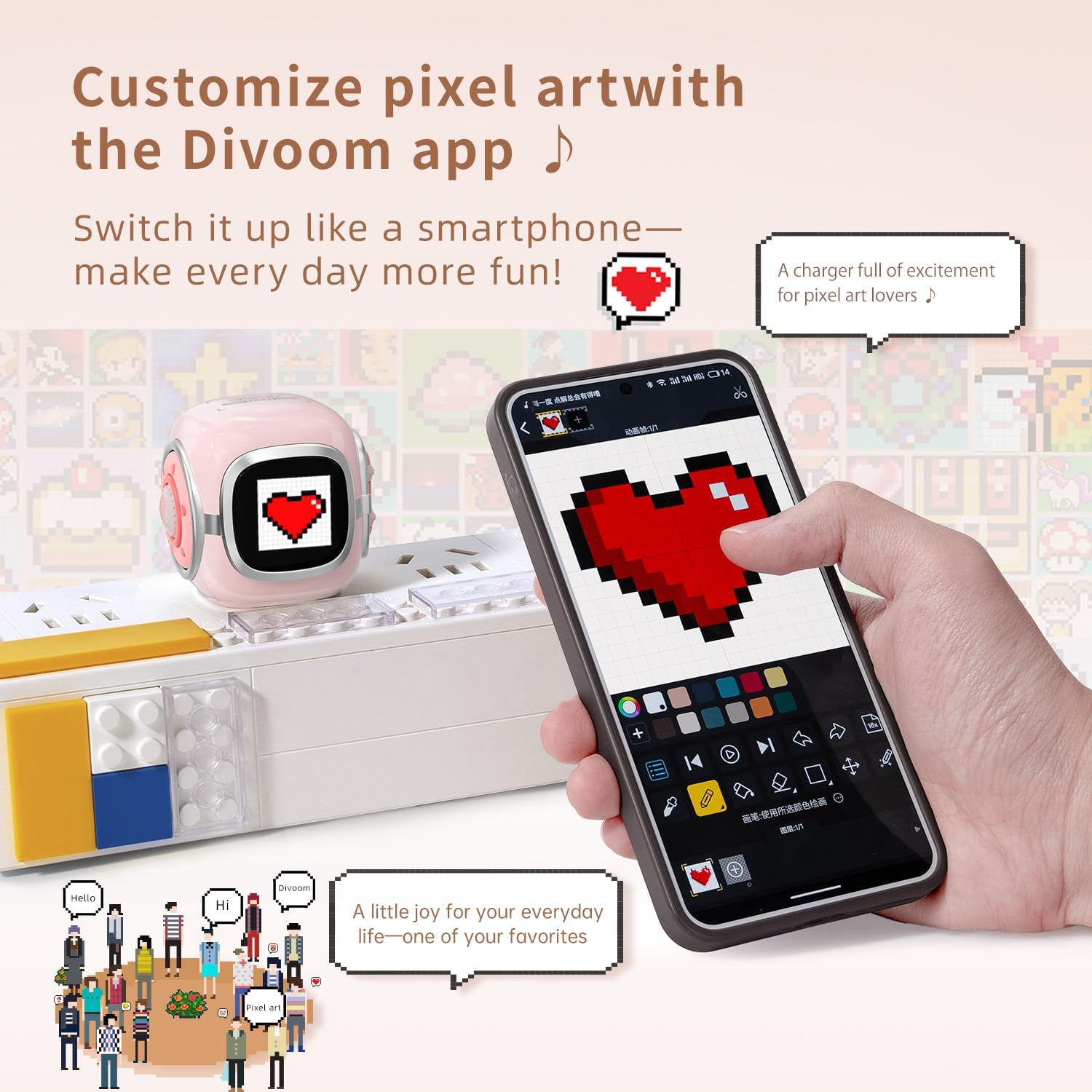
Image: The Divoom Dipow charger connected to a power strip, displaying pixel art, alongside a smartphone demonstrating the Divoom app's customization features.

Image: A visual comparison demonstrating the Divoom Dipow charger's 35W ultra-fast charging capability, achieving 56% charge in 30 minutes versus 20% with a typical charger.

Image: The Divoom Dipow charger demonstrating its compact size by fitting into a handbag and its foldable plug design when inserted into a wall outlet.
3. Suidhich
3.1 Ceangal Tùsail
- Fosgail am Pluga: Gently unfold the 90° foldable plug from the charger body.
- Plug a-steach don Power Outlet: Insert the charger into a standard wall outlet. The pixel screen will light up upon connection.
- Ceangail an inneal agad: Use a compatible USB-C charging cable (not included) to connect your device to the USB-C port on the charger. Ensure the connection is secure.
3.2 Divoom App Setup (for Pixel Screen Customization)
- Luchdaich sìos an App: Lorg airson "Divoom" in your device's app store (iOS or Android) and download the official Divoom application.
- Paidhir tro Bluetooth: Open the Divoom app and follow the on-screen instructions to pair your smartphone with the Dipow 35W charger via Bluetooth. Ensure Bluetooth is enabled on your device.
- Access Customization: Once paired, you can access various customization options for the pixel screen, including pixel art, animations, and clock faces.
4. Stiùireadh Obrachaidh
4.1 A’ cur cosgais air na h-innealan agad
Once the charger is plugged into a power outlet and your device is connected via a USB-C cable, charging will begin automatically. The pixel screen may display charging status or a customized animation/clock face.
4.2 Customizing the Pixel Screen
The Divoom app provides extensive options for personalizing the pixel screen:
- Pixel Art Gallery: Browse a vast community gallery of pixel art designs. Select a design to instantly display it on your charger's screen.
- Create Your Own: Use the app's design tools to create custom pixel art or animations. These can be uploaded to your charger in real-time.
- Clock Faces: Choose from a variety of dynamic clock faces to display time, date, and other information.
- Atharrachadh soilleireachd: Adjust the screen brightness through the app to suit your environment.
Video: A demonstration of the Divoom Dipow 35W charger's functions, including pixel screen customization and fast charging capabilities.
5. Cumail suas
- Glanadh: Disconnect the charger from the power outlet before cleaning. Use a soft, dry cloth to wipe the surface. Avoid using liquid cleaners or abrasive materials.
- Stòradh: When not in use, fold the plug and store the charger in a cool, dry place away from direct sunlight and moisture.
- Làimhseachadh: Avoid dropping the charger or subjecting it to strong impacts, as this may damage internal components or the pixel screen.
6. A ’dèanamh trioblaid
6.1 Charger Not Powering On / Screen Not Lighting Up
- Ensure the charger is securely plugged into a functional power outlet.
- Try plugging another device into the same outlet to confirm the outlet is working.
6.2 Inneal gun a bhith a’ cur cosgais
- Dearbhaich gu bheil an càball USB-C ceangailte gu ceart ris an charger agus ris an inneal agad.
- Feuch ri càball USB-C eadar-dhealaichte a chleachdadh gus nach eil càball lochtach ann.
- Ensure your device is compatible with USB-C charging and the charger's output specifications.
6.3 Divoom App Connectivity Issues
- Make sure Bluetooth is enabled on your smartphone and the charger is powered on.
- Restart the Divoom app and attempt to reconnect.
- If issues persist, try unpairing and re-pairing the charger through your phone's Bluetooth settings and the Divoom app.
7. Sònrachaidhean
| Modail Àireamh | Dipow-35 |
| Brand | Dibhearsain |
| Cumhachd Toraidh | 35W |
| Seòrsa ceangail | Seòrsa C USB |
| Innealan co-fhreagarrach | Smartphones, Headphones, Tablets, Game Consoles (e.g., iPhone 16/16 Pro Max/16 Pro/15 Pro Max/15 Pro/15/14 Pro Max/14 Pro/14/13 Pro/13 Pro Max/13 Mini/13/12 Pro Max/12 Mini/12/11/11Pro/11Pro Max/X/XR/Xs/Xs Max/8/8 Plus/7/7/6/6S/Plus, iPad, iPad air/ 2, iPad mini 4 3 2 1, iPad Pro, Samsung Galaxy Note 20/10/S23/S24/S22 Ultra/S22+/S21/S20/Huawei, Xiaomi and other USB-C outlet devices) |
| Feart sònraichte | Fast Charging, Pixel Screen, Foldable Plug |
| Dath | pinc |
| Input Voltage | 240 Volt |
| Toradh gnàthach | 3 Amps |
| Toradh Voltage | 5 Volt |
| Cuideam nì | 3.03 unnsa |
| Meud pacaid | 3.54 x 3.15 x 2.56 òirleach |
8. Fiosrachadh Sàbhailteachd
- Na cuir an charger fo uisge, taiseachd no teòthachd anabarrach.
- Seachain a bhith a’ dì-chruinneachadh no ag atharrachadh a’ charger.
- Cùm a-mach à ruigsinn chloinne.
- Dèan cinnteach gu bheil fionnarachadh ceart ann nuair a bhios tu a’ cur cosgais gus casg a chur air cus teasachadh.
- If the charger shows signs of damage, discontinue use immediately.
9. Barantas agus Taic
The Divoom Dipow 35W GaN Fast Charger is covered by a manufacturer's warranty. For specific warranty terms, conditions, and customer support, please refer to the official Divoom weblàrach-lìn no cuir fios chun t-seirbheis teachdaiche aca gu dìreach. Cùm dearbhadh do cheannach airson tagraidhean barantais.