
THOMSON B210
THOMSON B210 Bluetooth Soundbar User Manual
Modail: B210
1. Fiosrachadh Sàbhailteachd
Leugh a h-uile stiùireadh sàbhailteachd gu faiceallach mus cleachd thu an toradh seo. Cùm an leabhar-làimhe seo airson fiosrachadh san àm ri teachd.
- Na cuir am bàr-fuaime fosgailte do uisge, taiseachd no teòthachd anabarrach.
- Na cuir bacadh air fosglaidhean fionnarachaidh sam bith.
- Na cleachd ach ceanglachan / goireasan a chaidh a shònrachadh leis an neach-dèanamh.
- Unplug the soundbar during lightning storms or when unused for long periods.
- Thoir iomradh air a h-uile seirbheis gu luchd-seirbheis le teisteanas.
2. Pasgan-susbaint
Dèan cinnteach gu bheil a h-uile nì anns a’ phacaid:
- THOMSON B210 Bluetooth Soundbar
- Smachd Iomallach
- Adapter cumhachd
- Leabhar-làimhe cleachdaiche
- Audio Cables (e.g., Optical, AUX - specific cables may vary)
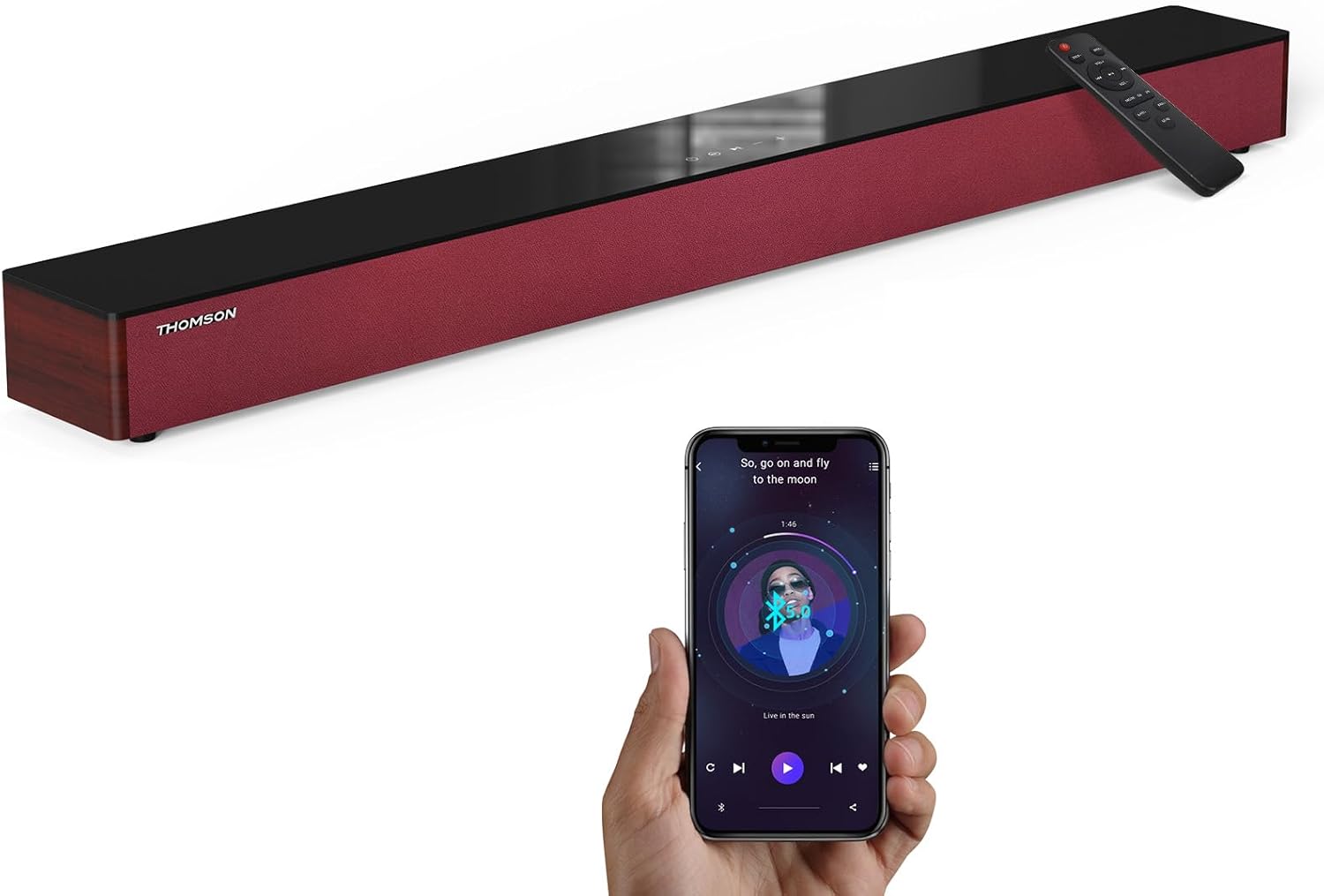
Image: The THOMSON B210 Soundbar, its remote control, and a smartphone demonstrating Bluetooth connectivity.
3. Toradh thallview
3.1 Pannal Aghaidh is Àrd
The soundbar features intuitive controls on its top panel for easy access.
3.2 Ceanglaichean pannal cùil
The rear panel provides various input ports for connecting to different audio sources.

Ìomhaigh: Mion-fhiosrachadh view of the soundbar's rear connection ports, including AUX IN, COAXIAL, OPTICAL, HDMI ARC, USB, and DC IN.
3.3 Smachd Iomallach
The included remote control allows for convenient operation of all soundbar functions.

Image: A hand operating the soundbar with its remote control, demonstrating wireless command over the device.
4. Suidhich
4.1 Suidheachadh
Place the soundbar on a stable, flat surface directly in front of your television for optimal sound dispersion. Ensure there is adequate space around the soundbar for ventilation.
4.2 Ceangal cumhachd
- Connect the power adapter to the DC IN port on the rear of the soundbar.
- Cuir ceann eile an inneal-atharrachaidh cumhachd a-steach do socaid balla.
5. Stiùireadh Obrachaidh
5.1 Cumhachd air / dheth
Press the Power button on the soundbar's top panel or the remote control to turn the unit on or off.
5.2 Smachd tomhas-lìonaidh
Use the Volume Up (+) and Volume Down (-) buttons on the soundbar or remote control to adjust the audio level.
5.3 Taghadh a-steach
Press the 'MODE' button on the soundbar or remote control to cycle through available input sources: ARC, Optical, AUX, USB, and Bluetooth.
5.4 Modhan Co-ionannachaidh
The soundbar offers three distinct equalizer modes to optimize audio for different content types:
- Modh Ciùil: A’ neartachadh soilleireachd ciùil agus beus.
- Modh Fiolm: Provides a more immersive cinematic experience.
- Modh Naidheachd: Optimizes dialogue for clear speech.
Press the corresponding EQ button on the remote control to select your desired mode.

Image: Visual representation of the soundbar's optimized audio modes for Music, Movie, and News content.
6. Ceanglaichean
The THOMSON B210 Soundbar supports multiple connection types for versatility.

Image: The soundbar demonstrating its compatibility with multiple devices such as projectors, PCs, game consoles, and smartphones.
Ceangal 6.1 HDMI ARC
For the best audio quality and control, connect your TV to the soundbar using an HDMI cable via the ARC port.
- Connect one end of an HDMI cable to the HDMI ARC port on your TV.
- Connect the other end to the HDMI ARC port on the soundbar.
- Select 'ARC' as the input source on the soundbar.
6.2 Ceangal Optaigeach
Use an optical cable for a high-quality digital audio connection.
- Connect one end of an optical cable to the Optical OUT port on your TV or audio device.
- Connect the other end to the OPTICAL port on the soundbar.
- Select 'Optical' as the input source on the soundbar.
6.3 Ceangal AUX
For analog audio devices, use an AUX cable.
- Connect one end of a 3.5mm audio cable to the headphone jack or AUX OUT port on your device.
- Connect the other end to the AUX IN port on the soundbar.
- Select 'AUX' as the input source on the soundbar.
6.4 Ceangal USB
Cluich fuaim files gu dìreach bho inneal stòraidh USB.
- Cuir draibh USB a-steach don phort USB air a’ bhàr-fuaime.
- Select 'USB' as the input source on the soundbar.
- The soundbar will automatically begin playing compatible audio files.
6.5 Pairing Bluetooth
Connect your smartphone, tablet, or other Bluetooth-enabled device wirelessly.
- Turn on the soundbar and select 'Bluetooth' mode using the 'MODE' button. The Bluetooth indicator will flash.
- Dèan comas air Bluetooth air an inneal agad agus lorg na h-innealan a tha rim faighinn.
- Select 'THOMSON B210' from the list.
- Aon uair ‘s gu bheil e air a chàradh, sguiridh an comharra Bluetooth de bhith a’ priobadh agus fuirichidh e seasmhach.

Image: A family enjoying entertainment with the soundbar, illustrating seamless Bluetooth connectivity from a smartphone.
7. Cumail suas
Gus dèanamh cinnteach gum mair am bàr-fuaime agad fad-beatha agus gum bi e ag obair gu h-iomchaidh, lean na stiùiridhean cumail suas seo:
- Glanadh: Cleachd clò bog, tioram gus uachdar a’ bhàr-fuaime a ghlanadh. Na cleachd innealan-glanaidh leaghaidh no stuthan sgrìobach.
- Stòradh: Ma tha thu a’ stòradh a’ bhàr-fuaime airson ùine mhòr, dì-phlugaich e bhon t-socaid cumhachd agus stòraich e ann an àite fionnar, tioram.
- Fionnarachadh: Dèan cinnteach nach eil na fosglaidhean fionnarachaidh air am bacadh gus casg a chur air cus teasachadh.
8. A ’dèanamh trioblaid
If you encounter issues with your THOMSON B210 Soundbar, refer to the following common problems and solutions:
| Trioblaid | Adhbhar a dh’fhaodadh a bhith ann | Fuasgladh |
|---|---|---|
| Gun chumhachd | Càball cumhachd gun cheangal; Socaid cumhachd gun obrachadh | Dèan cinnteach gu bheil càball cumhachd ceangailte gu tèarainte; Feuch socaid cumhachd eadar-dhealaichte |
| Gun fhuaim | Incorrect input source; Volume too low; Mute activated; Cable connection issue | Select correct input source; Increase volume; Deactivate mute; Check audio cable connections |
| Dh'fhàillig am paidhir Bluetooth | Soundbar not in pairing mode; Device Bluetooth off; Device too far | Ensure soundbar is in Bluetooth mode (flashing indicator); Enable Bluetooth on device; Move device closer to soundbar |
| Chan eil smachd iomallach ag obair | Bataraidhean air an lughdachadh; Bacadh eadar an inneal-iomallach agus am bàr-fuaime | Cuir bataraidhean an smachd iomallach an àite; Thoir air falbh bacadh sam bith; Dèan cinnteach gu bheil an smachd iomallach ag amas air mothachair a’ bhàr-fuaime |
9. Sònrachaidhean
Detailed technical specifications for the THOMSON B210 Soundbar:
- Modail: B210
- Brand: THOMSON
- Meudan toraidh: 36.5"D x 4.7"L x 2.9"À (92.7 cm x 11.8 cm x 7.3 cm)
- Cuideam nì: 11 notaichean (timcheall air 5 kg)
- Neach-labhairt cumhachd toraidh as àirde: 50 watt
- Seòrsa stàladh: Sliabh clàr-bùird
- Tionndadh Bluetooth: 5.3
- Co-mheas Signal-to-Noise: 70dB
- Luchd-labhairt: 4 Full Range Speakers, 2 Woofers (Advanced Bass Diaphragms)
- Ceanglaichean a-steach: ARC (HDMI), Optical, AUX, USB, Bluetooth

Image: Physical dimensions of the soundbar, showing length, width, and height in centimeters, along with a view of the rear ports.

Image: Internal component diagram of the soundbar, detailing its 4 high-performance drivers and 2 advanced bass diaphragms for enhanced audio.
10. Barantas agus Taic
THOMSON products are manufactured to high-quality standards. For warranty information and technical support, please refer to the warranty card included with your product or visit the official THOMSON support weblàrach.
For further assistance, please contact THOMSON customer service.
Ask a question about this manual
Ask about setup, troubleshooting, compatibility, parts, safety, or missing instructions. Manuals+ will review the question and use this page’s manual context to help answer it.