
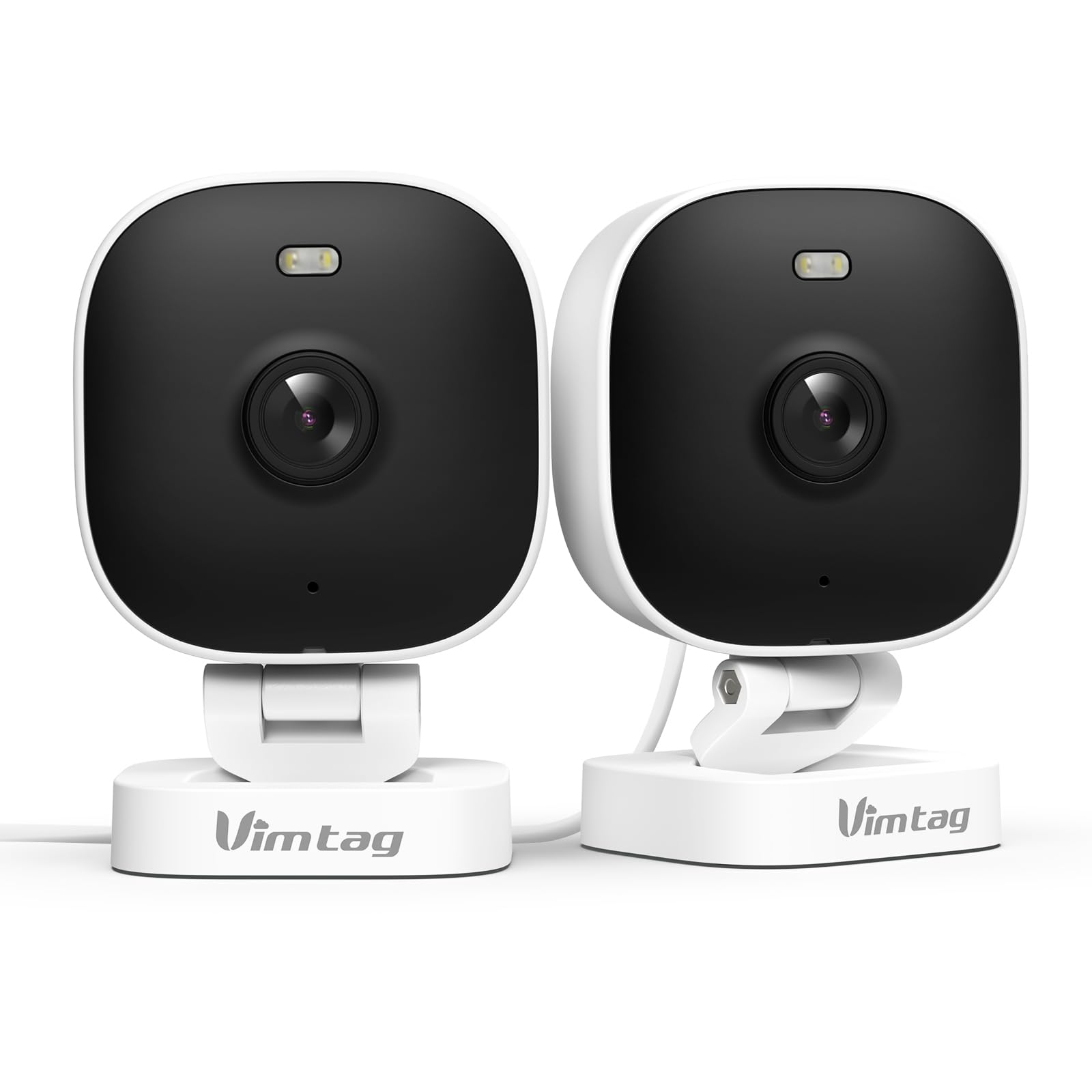
1. Ro-ràdh
The VIMTAG 8310 2.5K Security Camera is designed to provide comprehensive surveillance for your home, pets, and loved ones. This manual provides detailed instructions for setting up, operating, and maintaining your camera to ensure optimal performance and security.
Prìomh fheartan:
- Gnìomh leantainneach: The camera operates 24/7 via a plug-in power cable, eliminating the need for battery charging. It supports 2.4GHz and 5GHz dual-band WiFi, including WiFi 6 technology, for stable connections.
- Àrd-rùn bhidio: Provides 2.5K resolution for clear day and night visibility. Features full-color night vision, enhanced by a built-in LED light, for detailed monitoring in various indoor and outdoor environments.
- Dearbhadh Glic: Offers advanced detection capabilities for motion, people, and sound up to 33 feet. Users receive instant alerts for detected activity.
- Frith-aghaidh sìde: Rated IP65, the camera is designed for outdoor use and can withstand rain, snow, heat, and cold, ensuring continuous operation in various weather conditions.
- Remote Access and Two-Way Audio: The mobile app allows remote access to live video footage and recorded content. Built-in two-way audio enables real-time communication through the camera.
- Stiùireadh Meadhanach: Up to 32 Vimtag WiFi cameras can be managed within a single application. Features include smart cloud storage (subscription required), motion detection, and event filtering.
2. Dè tha sa bhogsa
Thoir sùil air susbaint a’ phacaid gus dèanamh cinnteach gu bheil a h-uile rud ann:
- Camera with cable
- Sgriubha stàladh
- Adapter cumhachd
- Leabhar-stiùiridh (an sgrìobhainn seo)
3. Suidhich
3.1 Suidheachadh Tùsail agus Ceangal Aplacaid
- Luchdaich sìos an App: Lorg airson "Canny Cam" in your smartphone's app store (iOS or Android) and download the application.
- Clàradh cunntas: Open the Canny Cam app and follow the on-screen instructions to register a new user account.
- Cumhachd air: Connect the camera to the power adapter using the provided cable and plug it into an electrical outlet. The camera will power on automatically.
- Cuir inneal ris: In the Canny Cam app, select the option to add a new device. Enable Bluetooth and Wi-Fi on your smartphone as prompted by the app.
- Lean an stiùireadh san aplacaid: The app will guide you through the process of connecting the camera to your home Wi-Fi network. Ensure your Wi-Fi network is 2.4GHz or 5GHz compatible.
- Dearbhadh ceangail: Once successfully connected, the app will confirm the device has been added.

Image: Visual guide showing the steps to download the Canny Cam app, enable Bluetooth and Wi-Fi, and connect the camera.
3.2 Roghainnean sreap
The VIMTAG 8310 camera offers flexible mounting options to suit various indoor and outdoor locations. Use the provided mounting screws for secure installation.
- Mount Wall: Securely attach the camera to a wall using the mounting bracket and screws.
- Sliabh mullach: Install the camera on a ceiling for an overhead view.
- Tabletop Mount/Freestanding: Place the camera on a flat surface such as a table, shelf, or desk.
- Door Mount/Window Mount: Position the camera near doors or windows for specific entry point monitoring.

Image: A hand using a screwdriver to mount the VIMTAG camera to a surface.
Ìomhaigh: Examples of various mounting positions for the camera, including freestanding, wall-mounted, and ceiling-mounted.
4. A’ cleachdadh a’ chamara
4.1 Beò View agus Clàradh
Faigh cothrom air a’ bhidio beò agus biadh clàraichtetage through the Canny Cam app on your smartphone or tablet.

Image: A comparison demonstrating the enhanced detail of 2.5K QHD resolution compared to 1080p.
4.2 Sealladh Oidhche Dathte
The camera features full-color night vision, providing clear and detailed images even in low-light conditions, unlike traditional black-and-white night vision.

Image: A visual comparison illustrating the difference between color night vision and traditional night vision.
4.3 Dual-Band Wi-Fi Connectivity
The camera supports both 2.4GHz and 5GHz Wi-Fi bands, offering flexibility for network connection. 2.4GHz provides a stable connection over longer distances, while 5GHz offers faster speeds for shorter ranges.

Image: Explanation of 2.4GHz and 5GHz Wi-Fi benefits for the camera's connectivity.
4.4 Lorgaireachd is Rabhaidhean Glic
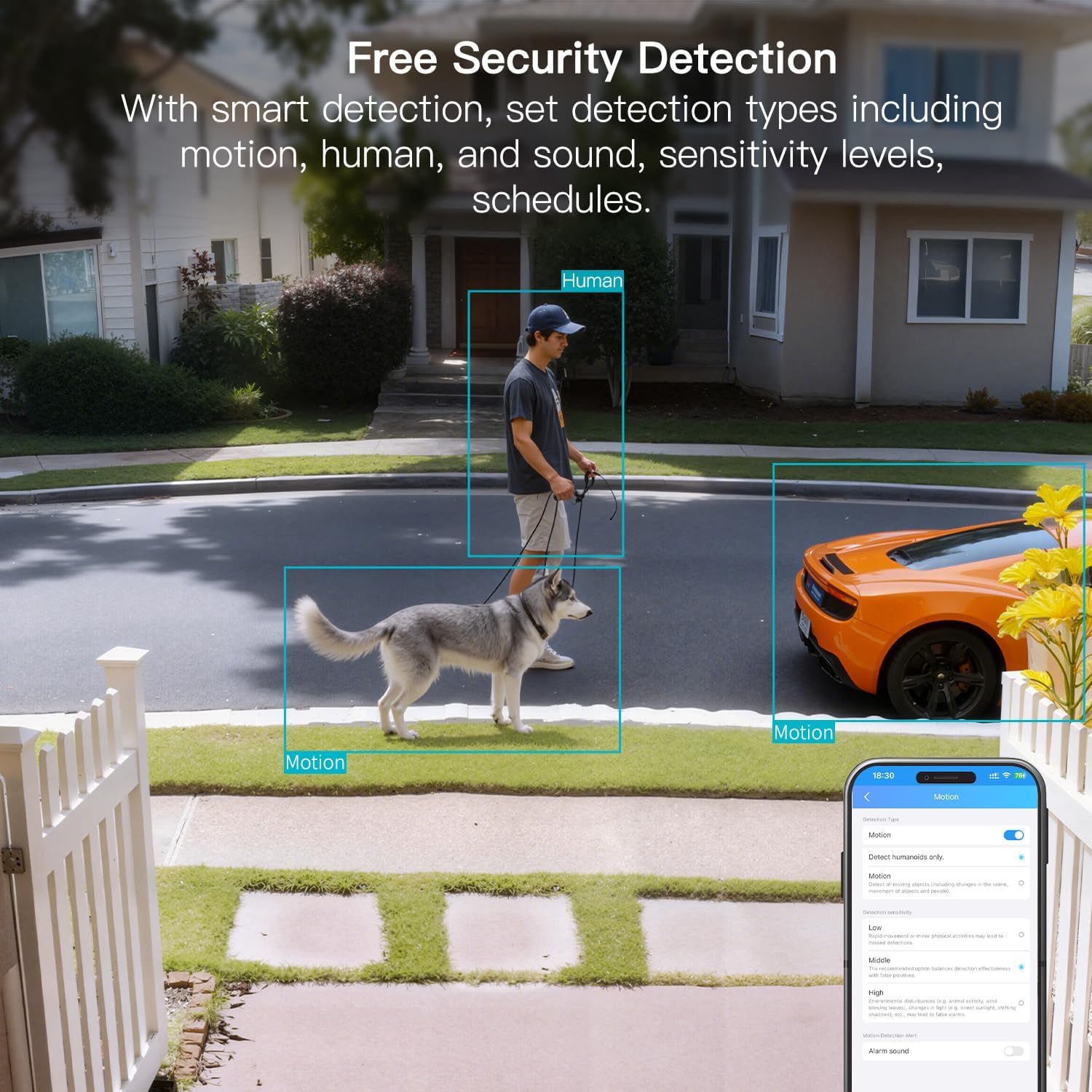
Configure motion, human, and sound detection settings within the Canny Cam app. The camera can trigger a smart sound and light alarm and send instant notifications to your smartphone upon detecting activity.

Image: Depiction of the smart sound and light alarm feature in action.

Image: App interface showing options for setting detection types and sensitivity levels.
4.5 Fuaim Dà-shligheach
Utilize the built-in microphone and speaker for two-way communication. This allows you to speak to visitors, deter intruders, or comfort pets remotely.
Ìomhaigh: Example of using two-way audio to communicate through the camera.
4.6 Roghainnean Stòraidh
The camera supports local storage via a MicroSD card (up to 512GB, sold separately) for continuous or event-triggered recording. Cloud storage is also available through a subscription service, offering event recording and multi-device playback.

Image: The camera's recording capabilities to a TF card or cloud storage.

Ìomhaigh: Tharview of Canny Cam app features, including those available with and without a cloud subscription.
4.7 Amalachadh Alexa
The VIMTAG 8310 camera is compatible with Alexa, allowing for hands-free control and live streaming to compatible Alexa-enabled devices.

Ìomhaigh: Example of using Alexa to view biadhadh a’ chamara.
5. Cumail suas
To ensure the longevity and optimal performance of your VIMTAG 8310 camera, follow these maintenance guidelines:
- Glanadh: Regularly wipe the camera lens and body with a soft, dry cloth to remove dust and smudges. Avoid using harsh chemicals or abrasive materials.
- Ùrachaidhean firmware: Check the Canny Cam app periodically for available firmware updates. Keeping your camera's firmware up-to-date ensures you have the latest features and security enhancements.
- Solar cumhachd: Ensure the camera is connected to a stable power source. Avoid using damaged cables or adapters.
- Dìon Àrainneachdail: While the camera is IP65-rated for weather resistance, avoid direct exposure to extreme conditions or prolonged submersion in water.
6. A ’dèanamh trioblaid
If you encounter any issues with your VIMTAG 8310 camera, please refer to the following common troubleshooting tips or contact support:
- Gun chumhachd: Dèan cinnteach gu bheil an inneal-atharrachaidh cumhachd ceangailte gu tèarainte ris a’ chamara agus ri socaid dealain ag obair.
- Cùisean ceangail Wi-Fi: Verify your Wi-Fi network is active and the camera is within range. Try restarting your router and the camera. Ensure you are connecting to the correct 2.4GHz or 5GHz network as supported by your router and camera settings.
- Duilgheadasan Ceangail App: Check if your smartphone has a stable internet connection. Ensure the Canny Cam app is updated to the latest version. Try restarting the app or your phone.
- Càileachd bhidio truagh: Check your internet speed. A slow connection can affect streaming quality. Ensure the camera lens is clean.
- Dearbhadh gluasad nach eil ag obair: Review the motion detection settings in the Canny Cam app to ensure they are configured correctly and sensitivity levels are appropriate.
Note: No relevant product videos with 'creator_type: Seller' were found in the provided data to include in this section.
7. Sònrachaidhean
| Feart | Mion-fhiosrachadh |
|---|---|
| Cleachdadh a-staigh / a-muigh | A-staigh, a-muigh |
| Innealan co-fhreagarrach | Smartphone, iPhone, iPad, Android Phone, Android Pad |
| Stòr cumhachd | Electric Corded |
| Pròtacal ceangail | Wi-Fi |
| Seòrsa Rianadair | APP |
| Seòrsa stàladh | Wall mount, Ceiling mount, Tabletop Mount, Freestanding, Door mount, Window mount |
| Fuasgladh glacadh bhidio | 1440p (2.5K) |
| Dath | Geal |
| Àireamh de nithean | 2 |
| Àireamh nan Sianalan | 2 |
| Teicneòlas conaltraidh gun uèir | Wi-Fi |
| Factor foirm | Ciùb |
| Fuasgladh bhidio èifeachdach | 4 BP |
| Viewann an Ceàrn | 130 ceum |
| Raon Lèirsinn Oidhche | 33 troigh |
| Ìre frèam | 25 frèamaichean gach dàrna |
| Stuth | Plastaig |
| Voltage | 5 Volt |
| Dètage | 5 watt |
| Meud an nì L x W x H | 2.28 x 1.85 x 2.8 òirleach |
| Ìre an aghaidh uisge | Uisge-dhìonach (IP65) |
| Bataraidhean a dhìth? | Chan eil |
| Seòrsa Cuimhne Flash | Micro SD |
| Cuideam nì | 0.19 cileagram (6.7 unnsa) |
| Còdachadh bhidio | H.264 & H.265 |
| Cruth | Ceart-cheàrnach |
| Seòrsa Fòcas | Fòcas fèin-ghluasadach |
| Teicneòlas solais ìosal | Dath na h-oidhche |
| Seòrsa Zoom | Zoom didseatach |
| Co-mheas Zoom | 8 |
| Seòrsa rabhaidh | Fuaim agus Gluasad |
| Seòrsa Stòr Solais | LED, IR |
| Cruth glacadh bhidio | MPEG-4 |
| Teicneòlas sensor dhealbhan | CMOS |
| Fuasgladh fhathast èifeachdach | 4 BP |
| Ìre Dìon Eadar-nàiseanta | IP66 |
| As àirde WebFuasgladh Ìomhaigh camara | 4 BP |
| Modh smachd | App, iomallach |
| Àireamh de LEDan IR | 2 |
| Cuimhne Flash le taic Meud as àirde | 512 GB |
| Ìre toraidh | Sgìre còmhnaidh |
| Co-fhreagarrachd dachaigh glic | Smart Home Compatible |
| Teicneòlas cealla | 2.4G 5G |
| Comasan Clàraidh Claisneachd is Lèirsinneach | Audio, Still Image, Video |
| Clas Còmhlan Tricead | Dà-chòmhlan |

Image: Product dimensions of the VIMTAG 8310 camera.
8. Barantas agus Taic
For expert support with setting up and optimizing your VIMTAG cameras, please contact our support team:
- Taic Fòn: +1 (978) 437-5767
- Ri fhaotainn: Monday to Friday, 9:00 AM - 6:00 PM (ET)
VIMTAG is committed to providing lifetime technical support for its products. For any inquiries or assistance, please reach out to our dedicated support channels.

Image: VIMTAG Free Expert Support contact information.