
1. Ro-ràdh
Thank you for choosing the Powerology Portable Air Compressor Jump Starter. This multi-functional device is designed to provide reliable assistance in various emergency situations, including jump-starting vehicles and inflating tires. Please read this manual thoroughly before use to ensure safe and optimal performance.

Figure 1.1: The Powerology Portable Air Compressor Jump Starter, showcasing its main unit, jump starter cables (red and black clamps), and the air inflation hose. The digital display is visible on the unit.
2. Fiosrachadh Sàbhailteachd
Cùm na ceumannan sàbhailteachd a leanas an-còmhnaidh gus casg a chur air dochann no milleadh air an inneal:
- Na cuir an inneal fo theodhachd anabarrach, solas dìreach na grèine no taiseachd.
- Cùm a-mach à ruigsinn chloinne.
- Dèan cinnteach gu bheil fionnarachadh ceart ann rè obrachadh agus cosgais.
- Na cuir às a chèile no na atharraich an inneal. Thoir aire do luchd-obrach teisteanasach airson a h-uile seirbheiseachadh.
- Use only the provided accessories and cables.
- Avoid short-circuiting the jump starter clamps.
3. Toradh thallview
3.1 Co-phàirtean
- Main Unit (Portable Air Compressor Jump Starter)
- Smart Jump Starter Cables
- Air Inflation Hose
- Càball cosgais USB-C
- Various Nozzle Adapters for inflation
3.2 Prìomh fheartan
- Comas bataraidh: 8800 mAh
- Peak gnàthach: 800A (for jump starting)
- Max Inflation Pressure: 150 PSI
- Luas Atmhorachd: 31.4 liotair/mionaid
- Co-fhreagarrachd einnsean: Up to 5.0L Gasoline, 3.0L Diesel
- Gnìomh Banca Cumhachd: Dual USB Output, including 20W Power Delivery (PD) via USB-C
- Taisbeanadh: Digital LED screen for real-time pressure and battery status

Figear 3.1: Mion-sgrùdadh view of the digital display on the Powerology unit, indicating battery charge, selectable pressure units (PSI, BAR, KPA, KG/CM²), and control buttons for mode selection and pressure adjustment.
4. Suidhich
4.1 Cìs tòiseachaidh
Before first use, fully charge the device. Connect the provided USB-C charging cable to the device's USB-C input port and the other end to a compatible USB power adapter (not included). The digital display will indicate the charging status. A full charge typically takes approximately 2 hours with a 20W PD charger.
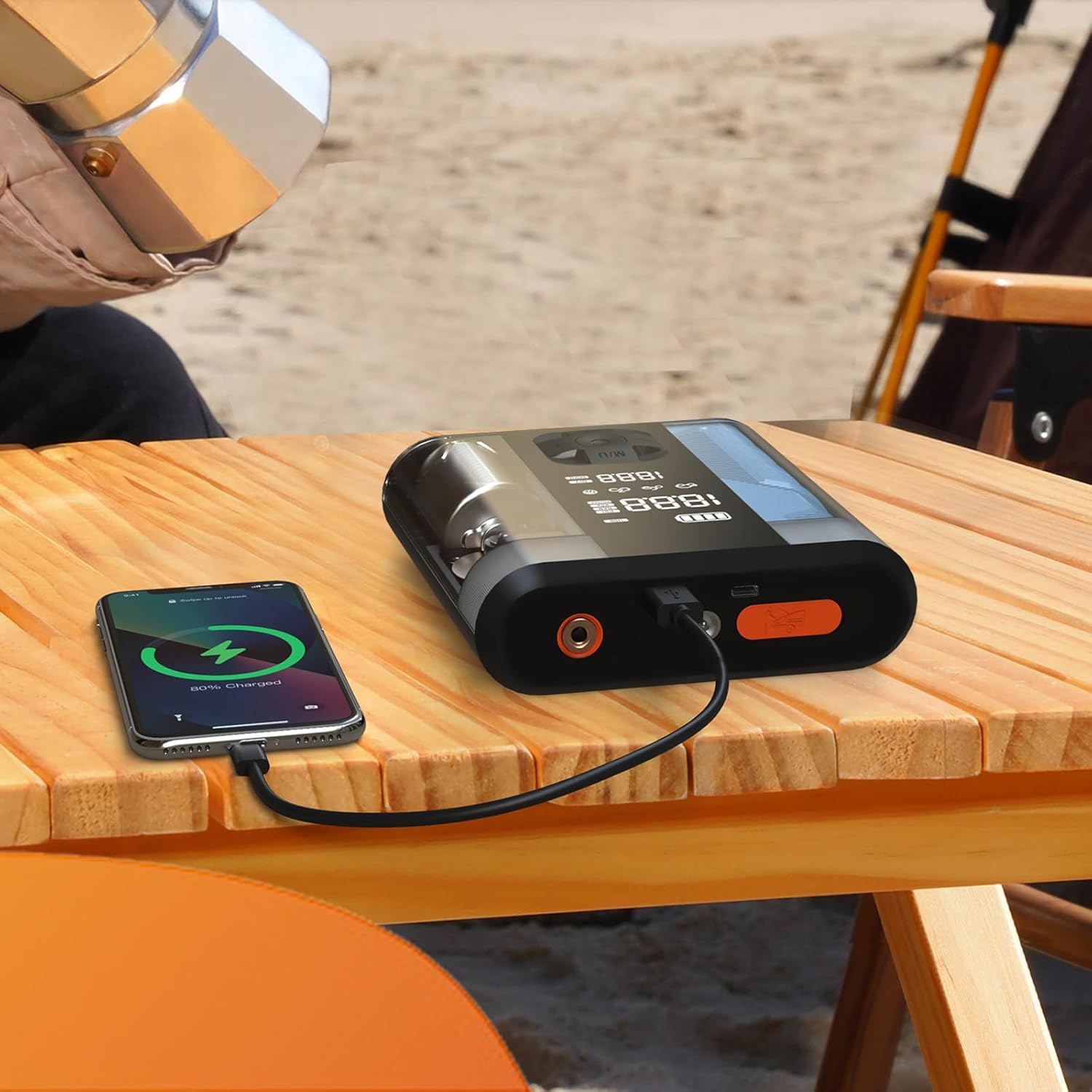
Figure 4.1: The Powerology device connected via USB-C cable to a smartphone, demonstrating its power bank functionality. The phone screen shows a charging indicator.
5. Stiùireadh Obrachaidh
5.1 Leum a' tòiseachadh carbaid
- Ensure the jump starter is at least 50% charged.
- Cuir dheth lasadh a’ chàir agus a h-uile goireas.
- Ceangail an dearg (+) clamp chun an ceann-uidhe dheimhinneach (+) air bataraidh a’ charbaid.
- Ceangail an dubh (-) clamp chun an teirmeanail àicheil (-) de bhataraidh a’ charbaid.
- Connect the smart cable connector to the jump starter port on the device.
- Start the vehicle. If it doesn't start immediately, wait 30 seconds and try again. Do not attempt more than 3 consecutive starts.
- Once the vehicle starts, disconnect the smart cable from the jump starter, then remove the black (-) clamp, agus an uairsin an clò dearg (+)amp.
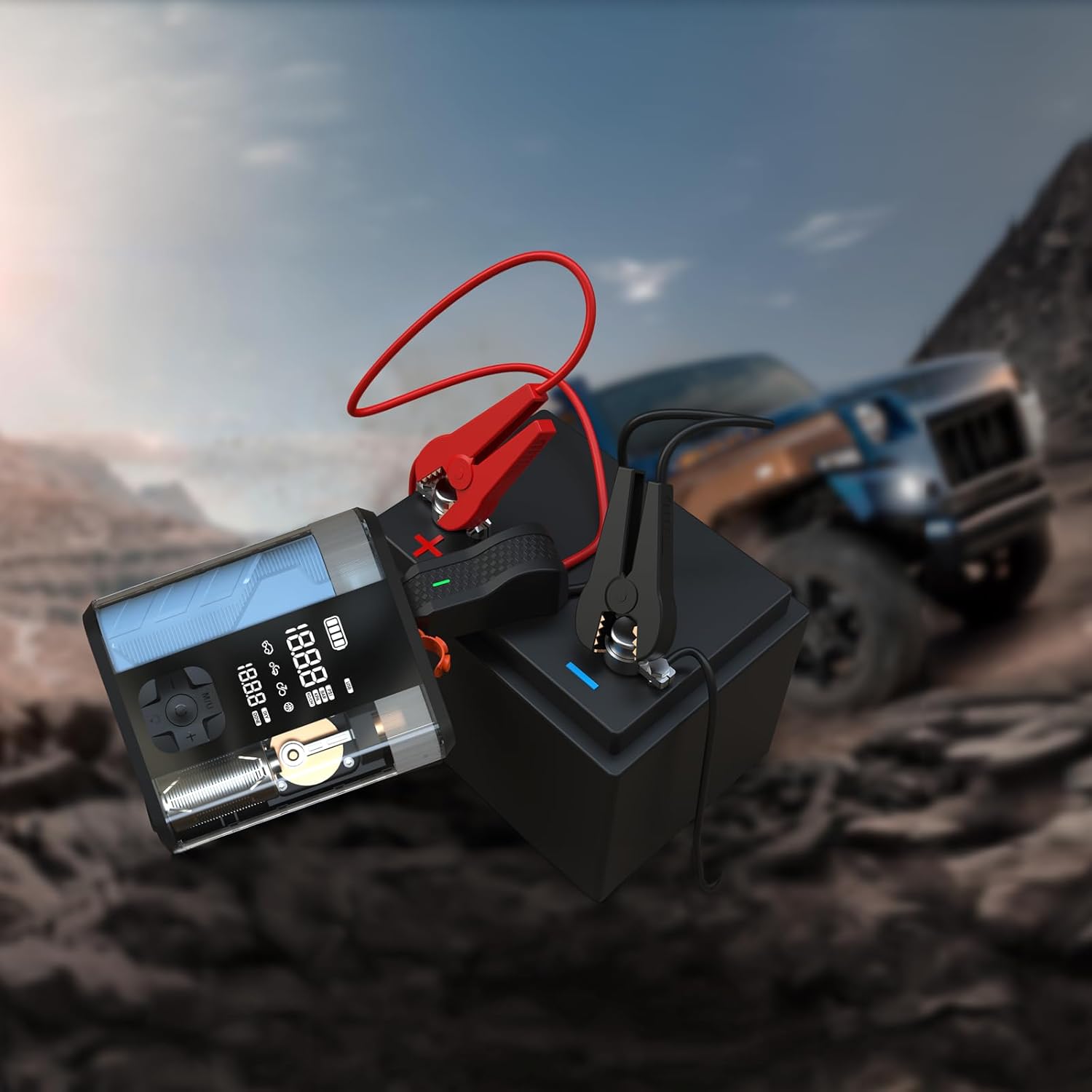
Figure 5.1: The Powerology device with its jump starter cables connected to a vehicle battery, illustrating the process of jump starting a car in an outdoor setting.
5.2 Inflating Tires
- Connect the air inflation hose to the device's inflation port.
- Attach the other end of the hose to the tire valve.
- Turn on the device. The digital display will show the current tire pressure.
- Cleachd na putanan '+' agus '-' gus an cuideam a tha thu ag iarraidh a shuidheachadh.
- Brùth air a’ phutan tòiseachaidh gus tòiseachadh air lìonadh. Stadaidh an inneal gu fèin-ghluasadach nuair a ruigear an cuideam ro-shuidhichte.
- Disconnect the hose from the tire valve and the device.

Figure 5.2: The Powerology device positioned next to a car tire, with the inflation hose connected, demonstrating its use as an air compressor for tire inflation.
5.3 A’ cleachdadh mar bhanca cumhachd
Connect your electronic devices (e.g., smartphones, tablets) to the USB-A or USB-C output ports on the Powerology unit using a compatible charging cable. The device will automatically begin charging your connected device.
6. Cumail suas
- Glanadh: Sguab an inneal le clò bog, tioram. Na cleachd ceimigean cruaidh no innealan-glanaidh sgrìobach.
- Stòradh: Store the device in a cool, dry place away from direct sunlight and extreme temperatures. Ensure it is fully charged before long-term storage and recharge every 3-6 months to maintain battery health.
- Cùram Bataraidh: Seachain a bhith a’ dì-luchdachadh a’ bhataraidh gu tur gu tric gus a fad-beatha a leudachadh.
7. A ’dèanamh trioblaid
| Trioblaid | Adhbhar a dh’fhaodadh a bhith ann | Fuasgladh |
|---|---|---|
| Cha bhith inneal a ’tionndadh air | Bataraidh ìosal no gun chosgais | Luchdaich a-nuas an t-inneal gu h-iomlan. |
| Vehicle does not jump start | mì-cheart clamp connection; vehicle battery too low; engine too large | Check connections; ensure device is fully charged; verify engine compatibility. |
| Tire not inflating | Hose not securely connected; wrong pressure unit selected; hose kinked | Ensure hose is tight; check pressure unit; straighten hose. |
| Inneal a 'dèanamh cus teasachadh | Prolonged use; blocked vents | Allow device to cool down; ensure vents are clear. |
8. Sònrachaidhean
| Feart | Mion-fhiosrachadh |
|---|---|
| Brand | Cumhachd-eòlas |
| Modail | PPBCHA47 |
| Seòrsa bataraidh | Lithium-ian |
| Comas Bataraidh | 8800 mAh |
| Peak an-dràsta | 800A |
| Bruthadh Atmhorachd as Motha | 150 PSI |
| Astar na h-atmhorachd | 31.4 l / min |
| Toradh USB-C | 20W PD |
| Meudan toraidh | 4.1 x 13.6 x 15.7 cm |
| Cuideam toraidh | 740 g |
9. Barantas agus Taic
This Powerology product comes with a standard manufacturer's warranty. For detailed warranty information, technical support, or service inquiries, please refer to the warranty card included in your product packaging or visit the official Powerology weblàrach. Cùm do chuidhteas ceannach mar dhearbhadh ceannach.