
Ro-ràdh
Thank you for choosing the Cherub WST-670 Rechargeable Clip-On Tuner. This compact and versatile tuner is designed for precise tuning of various musical instruments, including chromatic, guitar, ukulele, and violin. Featuring a high-contrast color LCD display and a long-lasting rechargeable battery, it offers convenience and accuracy for musicians of all levels.
Susbaint pacaid
Thoir sùil air a’ phacaid airson nan nithean a leanas:
- 1 x Cherub WST-670 Clip-On Tuner
- 1 x càball cosgais USB
- 1 x Leabhar-làimhe Cleachdaiche (an sgrìobhainn seo)
Bathar seachadview
The Cherub WST-670 tuner features a robust clip mechanism and a clear display for easy readability. Its intuitive controls allow for quick mode selection and precise tuning.

Ìomhaigh: Aghaidh view of the Cherub WST-670 Clip-On Tuner, showing the display and clip mechanism.

Image: Close-up of the Cherub WST-670 Tuner's color LCD display, showing tuning indicators and battery level.
Prìomh fheartan:
- Modhan gleusaidh: Chromatic (C), Guitar (G), Ukulele (U), Violin (V).
- Bataraidh ath-thagraidh: Built-in Li-Po battery provides over 10 hours of continuous use per charge.
- High-Contrast LCD: Bright and clear color display shows tuning status.
- Clip a ghabhas atharrachadh: Strong and flexible clip for optimal viewceàrn ing.
- Cumhachd fèin-ghluasadach dheth: Automatically turns off to maximize battery life.
Suidhich
1. Charging the Tuner
Before first use, fully charge the tuner. The built-in rechargeable battery ensures long operation time.
- Connect the included USB charging cable to the tuner's charging port.
- Ceangail ceann eile a’ chàball USB ri inneal-atharrachaidh cumhachd USB àbhaisteach (nach eil air a ghabhail a-steach) no ri port USB coimpiutair.
- The battery indicator on the display will show charging status. Once fully charged, the indicator will show a full battery.
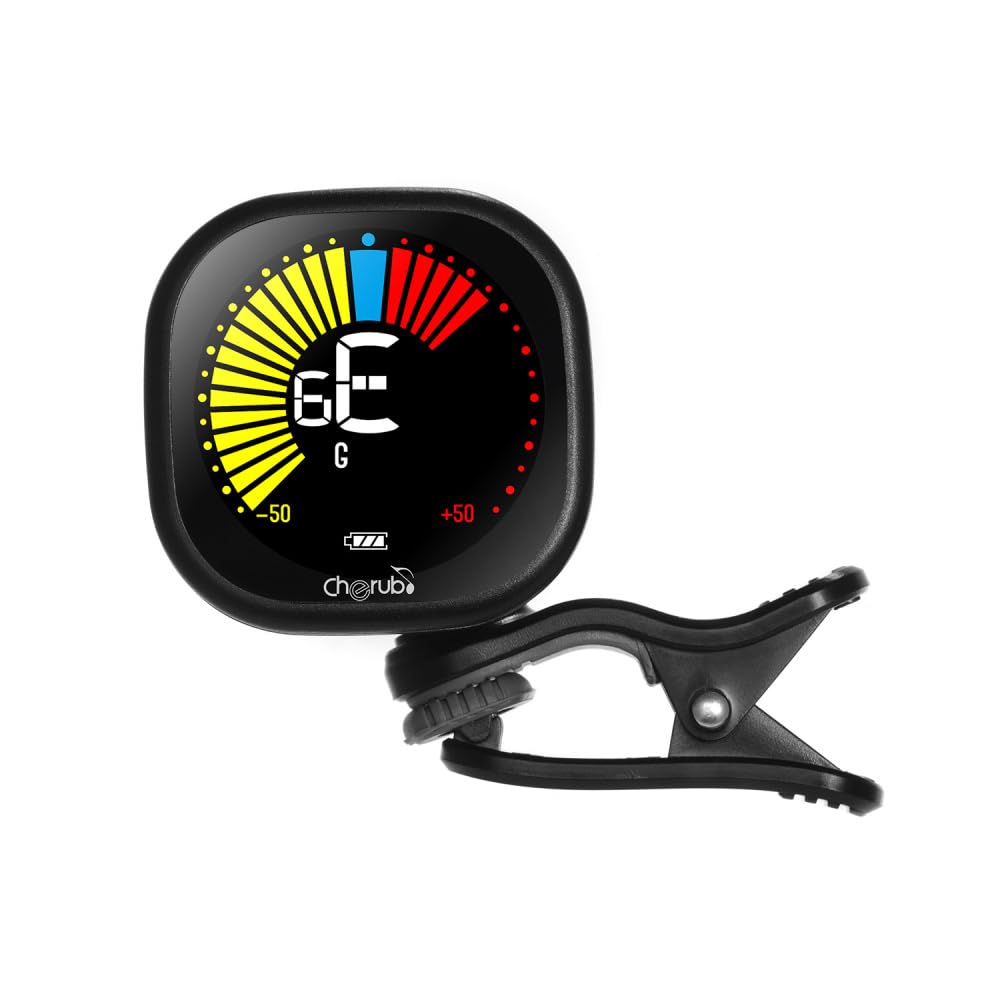
Image: Diagram illustrating how to connect the USB charging cable to the Cherub WST-670 Tuner for recharging.
2. Attaching the Tuner
The clip-on design allows for easy attachment to the headstock of your instrument.
- Gently open the clip and attach it securely to the headstock of your guitar, ukulele, or violin.
- Adjust the tuner's display angle for optimal visibility.

Image: The Cherub WST-670 Tuner securely clipped onto the headstock of an acoustic guitar.
Stiùireadh Obrachaidh
1. Cumhachd air / dheth
- To power on, press and hold the power button (usually marked with a power symbol) for a few seconds.
- To power off, press and hold the power button again. The tuner also features an auto power-off function to save battery.
2. Selecting Tuning Mode
The WST-670 supports multiple tuning modes:
- Cròmatach (C): For all instruments, displays the exact note.
- Giotàr (G): Optimized for guitar tuning.
- Ukulele (U): Optimized for ukulele tuning.
- Fidheall (V): Optimized for violin tuning.
To change the tuning mode, press the "MODE" button repeatedly until the desired mode (C, G, U, or V) is displayed on the screen.
3. Tuning Your Instrument
- Ensure the tuner is powered on and the correct tuning mode is selected for your instrument.
- Tionndaidh aon sreang air an ionnsramaid agad. Mothaichidh an tiùnair an crith agus taisbeanaidh e an nota.
- A’ Mìneachadh an Taisbeanaidh:
- If the needle points to the left and the display is red/yellow, the note is flat. Tighten the string.
- If the needle points to the right and the display is red/yellow, the note is sharp. Loosen the string.
- When the note is in tune, the needle will be centered, and the display will turn green.
- Dèan a-rithist airson gach teud gus am bi an ionnsramaid agad ann an tiùnadh foirfe.
Cumail suas
Glanadh
To clean the tuner, use a soft, dry cloth. Do not use liquid cleaners or abrasive materials, as they may damage the display or casing.
Cùram Bataraidh
- Seachain a bhith a’ dì-luchdachadh a’ bhataraidh gu tur gu tric gus a fad-beatha a leudachadh.
- If storing the tuner for an extended period, charge it to about 50% capacity and recharge every few months.
- Use only the provided USB cable or a compatible cable for charging.
Fuasgladh thrioblaidean
Chan eil an tiùnair a’ tionndadh air:
- Dèan cinnteach gu bheil am bataraidh air a luchdadh. Ceangail an tiùnair ri stòr cumhachd USB agus leig leis a bhith air a luchdadh airson co-dhiù 30 mionaid mus feuch thu ri a thionndaidh air a-rithist.
- Brùth agus cum sìos am putan cumhachd gu daingeann airson beagan dhiog.
Tiùnadh neo-mhionaideach:
- Check that the tuner is securely clipped to the instrument's headstock. Loose attachment can affect vibration detection.
- Ensure the correct tuning mode (C, G, U, or V) is selected for your instrument.
- Tune in a quiet environment to avoid interference from external sounds.
- If using Chromatic mode, ensure you are aware of the specific notes for your instrument's standard tuning.
Tha an taisbeanadh beag no flickering:
- The battery might be low. Recharge the tuner using the provided USB cable.
Sònrachaidhean
| Brand: | Cherub |
| Modail: | WST-670 |
| Modhan gleusaidh: | Chromatic (C), Guitar (G), Ukulele (U), Violin (V) |
| Raon lorgaidh: | A0 (27.50 Hz) - C8 (4186 Hz) |
| Dòigh lorgaidh: | Piezo (Criomag) |
| Raon fiosrachaidh: | 440 Hz |
| Cruinneas tuning: | +/- 1 cheud |
| Solar cumhachd: | Built-in Rechargeable Li-Po Battery (3.7V 180mAh) |
| Cuideam nì: | 30 g / 1.1 oz |
| Meudan toraidh: | 10.5 x 9.5 x 5 cm (mu 4.1 x 3.7 x 2 òirleach) |
Barantas agus Taic
This product comes with a standard manufacturer's warranty. For specific warranty details, please refer to the documentation provided at the time of purchase or contact your retailer. For technical support or further assistance, please contact the customer service department of your retailer.
Note: The guitar shown in images is for illustration purposes only and is not included with the tuner.