
1. Toradh thallview
The UNIWA F41 is a rugged 4G Android mobile phone designed with walkie-talkie capabilities, featuring a durable build, long-lasting battery, and support for various communication applications like Zello. It combines smartphone functionality with push-to-talk (PTT) features, making it suitable for professional and outdoor use.

Figear 1: Aghaidh agus cùl view of the UNIWA F41 device, showing the display, keypad, PTT button, and rear clip.
Prìomh fheartan:
- Siostam-obrachaidh: Android 8.1
- Pròiseasar: MT6739 Quad Core
- Cuimhne: 1GB RAM + 8GB ROM (expandable up to 64GB with Micro SD)
- Taisbeanadh: 2.4-inch IPS capacitive touch screen (320x240 resolution)
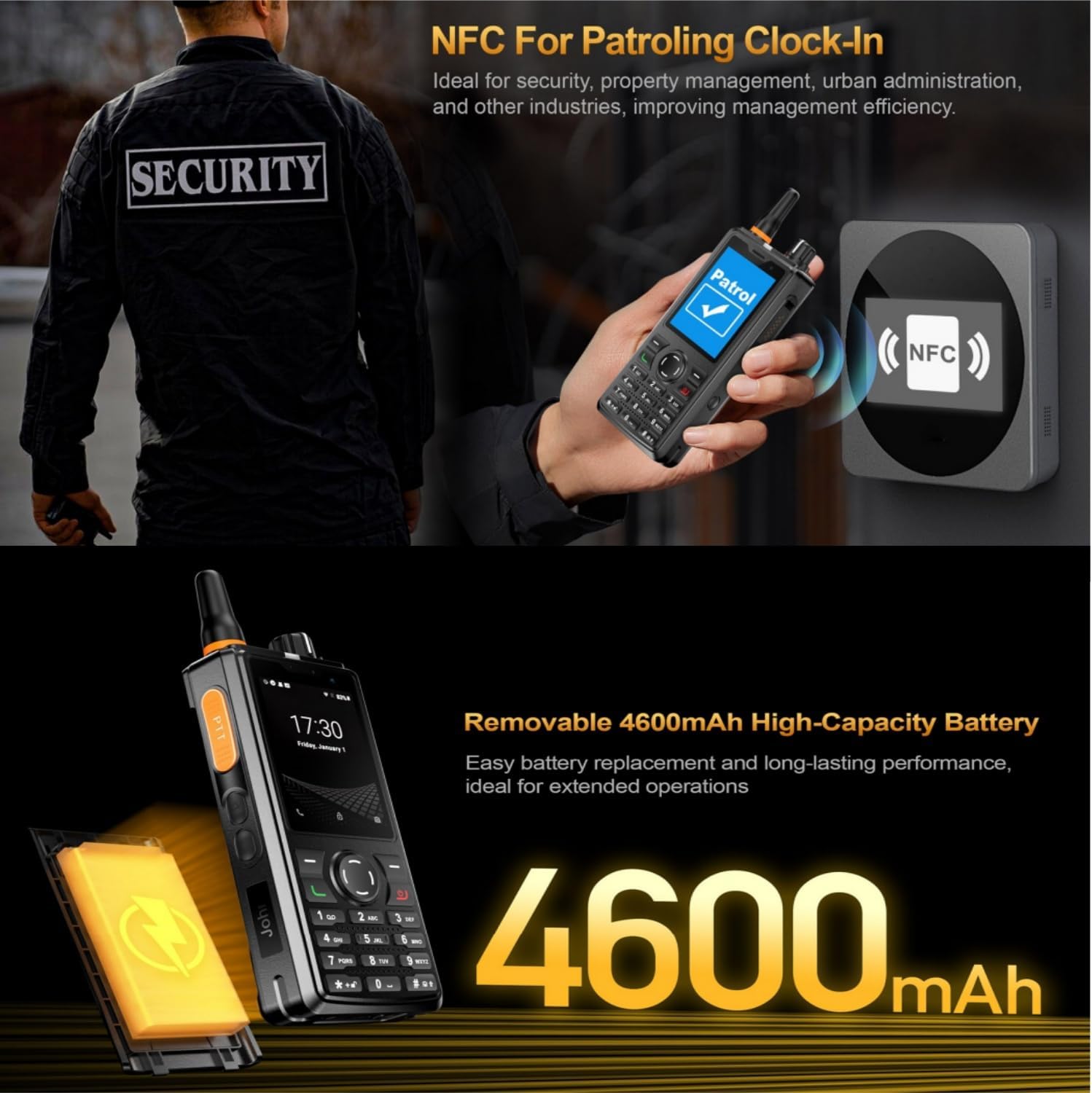
- Bataraidh: Removable 4600mAh Li-Polymer battery with 10W fast charging
- Seasmhachd: IP54 waterproof, drop, and shockproof
- Ceangal: 2G/3G/4G global network bands, Wi-Fi (2.4GHz/5GHz), Bluetooth 4.2, GPS/BeiDou/GLONASS
- Camara: Aghaidh 5MP, cùl 8MP
- Fuaim: Front Φ36/3 Watt BOX Speaker
- Feartan sònraichte: Zello intercom, Smart PTT, Posctar support, NFC for patrolling, SOS button, Dual SIM
2. Pasgan-susbaint
Dèan cinnteach gu bheil a h-uile nì anns a’ phacaid:
- UNIWA F41 Talkie Walkie Smartphone (x1)
- Power Adapter (5V/2A) (x1)
- Càball USB (x1)
- Clip (x1)
- Antena (x1)
- Leabhar-làimhe Cleachdaiche (x1)

Figear 2: Contents of the UNIWA F41 retail package.
3. Suidhich
3.1. Stàladh Bataraidh agus Cosgais Tùsail
- Thoir air falbh còmhdach cùil an uidheim.
- Insert the 4600mAh Li-Polymer battery into the battery compartment, ensuring the contacts align.
- Cuir a-steach an còmhdach cùil gu tèarainte.
- Connect the provided USB cable to the device's USB Type-C port and the power adapter.
- Plug an adapter cumhachd a-steach do bhalla a-muigh.
- Charge the device for at least 1 hour before initial use. The charging indicator will show progress.

Figear 3: The UNIWA F41 device with its high-capacity 4600mAh removable battery.
3.2. Stàladh Cairt SIM agus Cairt Micro SD
The device supports dual SIM cards and one TF (Micro SD) card.
- With the device powered off, remove the back cover and battery.
- Locate the SIM card slots (SIM Card Slot *2) and TF Card Slot *1.
- Carefully insert your SIM card(s) into the designated slots with the gold contacts facing down.
- Insert your Micro SD card (up to 64GB) into the TF card slot.
- Ath-stàlaich am bataraidh agus an còmhdach cùil.
3.3. Ceangal Antenna
Screw the provided antenna onto the top of the device until it is finger-tight. Ensure it is securely attached for optimal signal reception.
4. Stiùireadh Obrachaidh
4.1. Cumhachd air / dheth
- Cumhachd air: Brùth is cum sìos am putan Cumhachd (mar as trice air an taobh) gus an las an scrion suas.
- Cumhachd dheth: Brùth is cum sìos am putan Cumhachd, agus an uair sin tagh “Cumhachd dheth” bho na roghainnean air an sgrion.
4.2. Seòladh Bunaiteach
The UNIWA F41 features a 2.4-inch IPS capacitive touch screen and a T9 keypad for navigation.
- Sgrion-suathaidh: Tap gus taghadh, swipe gus sgrolaich.
- Meur-chlàr: Use the directional keys for menu navigation and the central button to confirm selections.
- Putan air ais: Tilleadh chun sgrion roimhe.
- Putan Dachaigh: A ’tilleadh chun sgrion dachaigh.

Figear 4: The 2.4-inch IPS capacitive touch screen of the UNIWA F41, displaying various application icons.
4.3. Using Walkie-Talkie (Zello/PTT) Functionality
The UNIWA F41 is pre-adapted for popular PTT applications like Zello, Real PTT, and Pocstar.
- Ensure you have an active internet connection (Wi-Fi or 4G).
- Open your preferred PTT application (e.g., Zello).
- Log a-steach no cruthaich cunntas.
- Join a channel or contact.
- Press and hold the dedicated PTT Intercom Button (located on the side) to transmit your voice. Release to listen.
- Use the Group Switching Knob (if available on your model) to quickly switch between talk groups.

Figear 5: The UNIWA F41 showcasing its integration with Zello and other PTT applications, highlighting the ergonomic PTT button.
4.4. Network Connectivity (4G, Wi-Fi, Bluetooth)
- Lìonra 4G: Ensure your SIM card supports the device's network bands (2G: GSM850/900/1800/1900MHz; 3G: WCDMA B1/B2/B5/B8, TD-SCDMA B34/B39; 4G: FDD-LTE:B1/B3/B7/B8/B20; TDD-LTE:B38/B39/B40/B41). The device will automatically connect to available cellular networks.
- Wi-Fi: Go to Settings > Network & Internet > Wi-Fi to connect to available Wi-Fi networks.
- Bluetooth: Rach gu Roghainnean > Innealan ceangailte > Bluetooth gus paidhir a dhèanamh le goireasan Bluetooth.

Figear 6: The UNIWA F41's capability to support global 2G/3G/4G network bands for seamless communication.
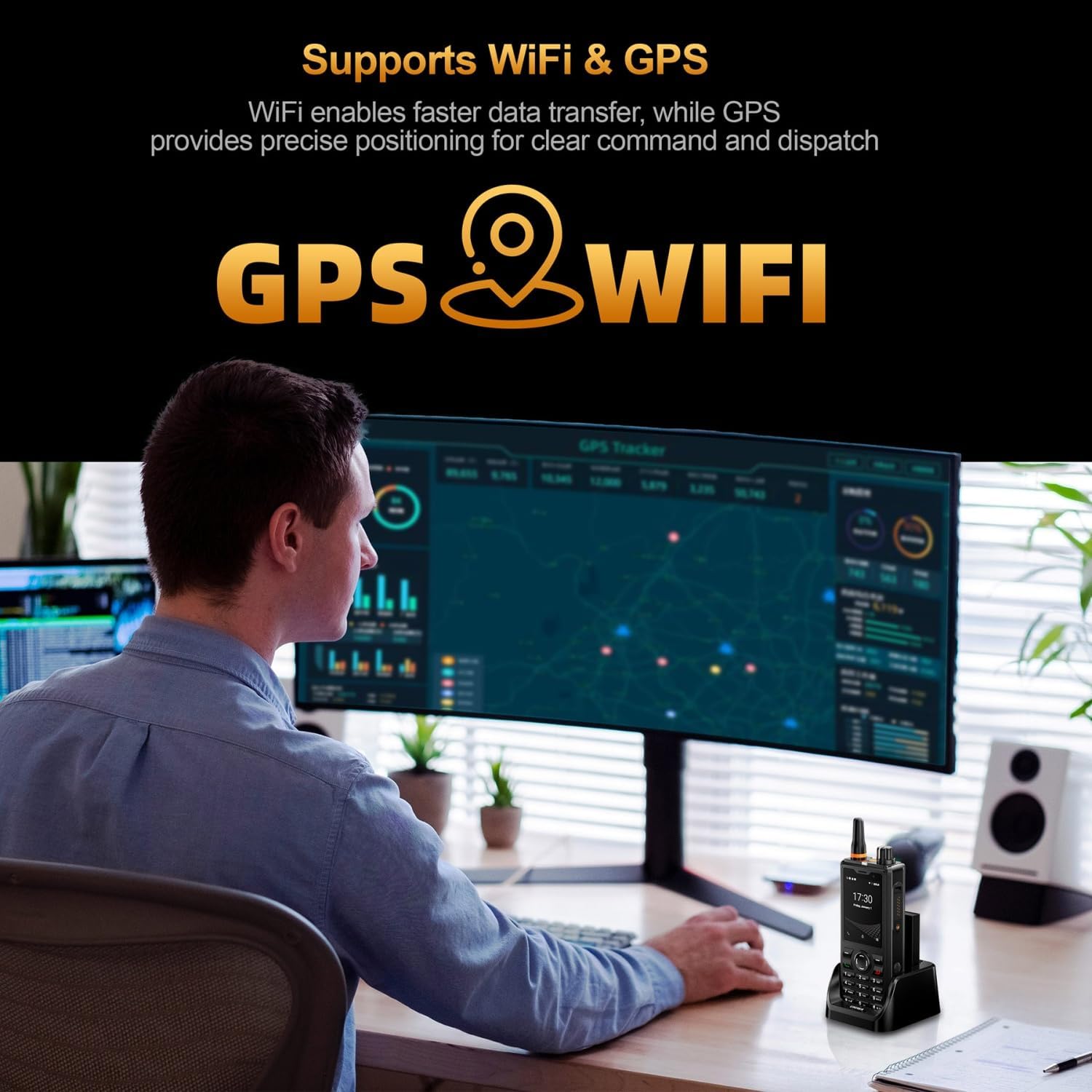
Figear 7: Illustration of the UNIWA F41's integrated WiFi for faster data and GPS for precise positioning.
4.5. Cleachdadh Camara
The device features a 5MP front camera and an 8MP rear camera.
- Fosgail an aplacaid Camara bhon sgrìn dachaigh no drathair an aplacaid.
- Tap air a’ phutan còmhlaiche gus dealbh a thogail.
- Gluais eadar camarathan aghaidh is cùil le bhith a’ cleachdadh ìomhaigh toggle a’ chamara.
- Tagh modh bhidio gus bhideothan a chlàradh.
Figear 8: The UNIWA F41's dual camera system, featuring a 5MP front camera and an 8MP rear camera for high-definition capture.
4.6. Gnìomhachd NFC
The built-in NFC can be used for applications such as patrolling clock-in.
- Ensure NFC is enabled in Settings.
- Open the relevant NFC-enabled application.
- Tap the device near an NFC tag or reader to perform the desired action (e.g., clock-in).

Figear 9: The UNIWA F41 utilizing its NFC feature for applications like patrolling clock-in, ideal for various industries.
4.7. SOS Emergency Call
The device includes a dedicated SOS button for emergency situations.
- Configure emergency contacts in the device settings.
- In an emergency, press the SOS Button (usually on the side) to initiate an emergency call or send an SOS message to pre-set contacts.
5. Cumail suas
5.1. A ’glanadh an inneal
- Cleachd clò bog, gun lint gus an sgrion agus corp an inneil a sguabadh.
- Airson salachar stòlda, beagan dampen the cloth with water or a mild screen cleaner.
- Avoid using harsh chemicals, abrasive cleaners, or aerosols.
- Dèan cinnteach gu bheil na puirt uile tioram mus cuir thu cosgais no mus ceangail thu goireasan.
5.2. Cùram Bataraidh
- Cuir cosgais air a ’bhataraidh gu tur mus cleachd thu an toiseach e.
- Seachain teòthachd anabarrach, oir faodaidh iad coileanadh bataraidh a mhilleadh.
- Na bi a’ puncture, disassemble, no shortcircuit am bataraidh.
- Mura tèid an inneal a chleachdadh airson ùine mhòr, cuir cosgais air gu mu 50% agus stòraich e ann an àite fionnar, tioram.
5.3. Ùrachaidhean bathar-bog
Important Note: Currently, the F41 only supports Android 8.1. Do not upgrade the Android version, otherwise the phone will not work.
Regularly check for official software updates from UNIWA to ensure optimal performance and security. Follow the instructions provided by the update notification or check in Settings > System > System update.
6. A ’dèanamh trioblaid
| Trioblaid | Adhbhar a dh’fhaodadh a bhith ann | Fuasgladh |
|---|---|---|
| Chan eil cumhachd aig an inneal. | Bataraidh ìosal; Bataraidh gun a bhith air a stàladh gu ceart; Cùis bathar-bog. | Charge the device for at least 1 hour. Reinstall the battery. Perform a force restart (refer to device specific instructions if available). |
| Chan eil comharra lìonra ann. | Cairt SIM gun a bhith air a cur a-steach gu ceart; A-mach à còmhdach lìonra; Roghainnean lìonra ceàrr. | Reinsert SIM card. Move to an area with better coverage. Check APN settings in Network & Internet settings. Ensure antenna is securely attached. |
| PTT function not working. | No internet connection; PTT app not configured; App permissions. | Verify Wi-Fi or 4G connection. Ensure PTT app is logged in and configured correctly. Check app permissions for microphone and network access. |
| Bidh bataraidh a’ drèanadh gu sgiobalta. | High screen brightness; Many apps running in background; Poor network signal. | Reduce screen brightness. Close unused apps. Disable Wi-Fi/Bluetooth when not in use. Use power-saving mode. |
| Tha an inneal slaodach no neo-fhreagairteach. | Too many apps open; Low storage; Software glitch. | Close background apps. Clear cache. Free up storage space. Restart the device. |
| Cannot upgrade Android version. | Cuingealachadh innealan. | The UNIWA F41 is designed to operate on Android 8.1. Attempting to upgrade may cause the device to malfunction. Do not upgrade the Android version. |
| Speaker volume is low or distorted. | Volume settings; Speaker obstruction; Software issue. | Increase volume using the volume buttons. Ensure speaker is not blocked. Restart the device. |
| GPS not accurate. | Poor satellite signal; GPS settings. | Dèan cinnteach gu bheil thu ann an àite fosgailte le speur soilleir view. Check location settings and ensure GPS is enabled. |
| Chan eil NFC ag obair. | NFC disabled; Incorrect positioning. | Enable NFC in settings. Ensure the device's NFC area is close to the tag/leughadair. |
7. Sònrachaidhean
| Feart | Mion-fhiosrachadh |
|---|---|
| Brand | UNIWA |
| Modail | F41 |
| Siostam-obrachaidh | Android 8.1 |
| CPU | MT6739 Quad Core |
| Cuimhne (RAM) | 1 GB |
| Stòradh (ROM) | 8 GB |
| Stòradh a ghabhas leudachadh | Suas gu 64GB (Micro SD) |
| Taic Cairt SIM | SIM dùbailte |
| Meud taisbeanaidh | 2.4 òirlich |
| Seòrsa Taisbeanaidh | Sgrion-suathaidh comasach IPS |
| Fuasgladh Taisbeanaidh | 320x240 |
| Camara cùil | 8MP |
| Camara aghaidh | 5MP |
| Comas Bataraidh | 4600mAh Li-Polymer (Removable) |
| A 'cur cosgais | 10W Fast Charging, USB Type-C, Dock charging connectors |
| Meudan | 135.6 x 60.5 x 26.0 mm |
| Cuideam | 265g (including battery and clip) |
| Frith-aghaidh uisge / duslach | IP54 Waterproof, Drop and Shockproof |
| Còmhlan lìonra | 2G: GSM850/900/1800/1900MHz; 3G: WCDMA B1/B2/B5/B8, TD-SCDMA B34/B39; 4G: FDD-LTE:B1/B3/B7/B8/B20; TDD-LTE:B38/B39/B40/B41 |
| Wi-Fi | 2.4GHz / 5GHz |
| Bluetooth | BT4.2 |
| GNSS | GPS/BeiDou/GLONASS |
| NFC | Tha |
| Labhraiche | Front Φ36/3 Watt BOX Speaker |
| Putanan | PTT Intercom Button, Volume +/-, SOS Button, Customize Button, T9 Keypad |
| Jack headphone | M6 Headphone Jack |
| Teòthachd Obrachaidh | -20 ℃ gu +60 ℃ |
8. Fiosrachadh Sàbhailteachd
- Leugh a h-uile stiùireadh gu faiceallach mus cleachd thu an inneal.
- Na cuir an inneal fo theodhachd anabarrach, solas dìreach na grèine, no cus taiseachd.
- Use only manufacturer-approved accessories (battery, charger, antenna).
- Na feuch ri an inneal a thoirt às a chèile, a chàradh no atharrachadh thu fhèin. Bruidhinn ri luchd-obrach seirbheis teisteanasach.
- Cuir às don inneal agus am bataraidh gu ciallach a rèir riaghailtean ionadail.
- Seachain an inneal a chleachdadh fhad ’s a tha thu a’ dràibheadh no ag obrachadh innealan troma.
- Maintain a safe distance from medical implants (e.g., pacemakers) when using the device.
- The device is IP54 rated for water and dust resistance, but it is not fully submersible. Avoid prolonged exposure to water.
9. Barantas agus Taic
For warranty information, please refer to the warranty card included with your product or contact UNIWA customer support. Keep your purchase receipt as proof of purchase.
For technical support or service inquiries, please contact your retailer or visit the official UNIWA weblàrach airson fiosrachadh conaltraidh.