
Bathar seachadview
The HUANUO 32" Small Electric Standing Desk is designed to provide a versatile and ergonomic workspace. Featuring a wide height adjustment range and convenient memory presets, this desk allows you to effortlessly switch between sitting and standing positions, promoting better posture and productivity. Its durable construction ensures long-lasting performance, making it an ideal solution for home offices and computer workstations.
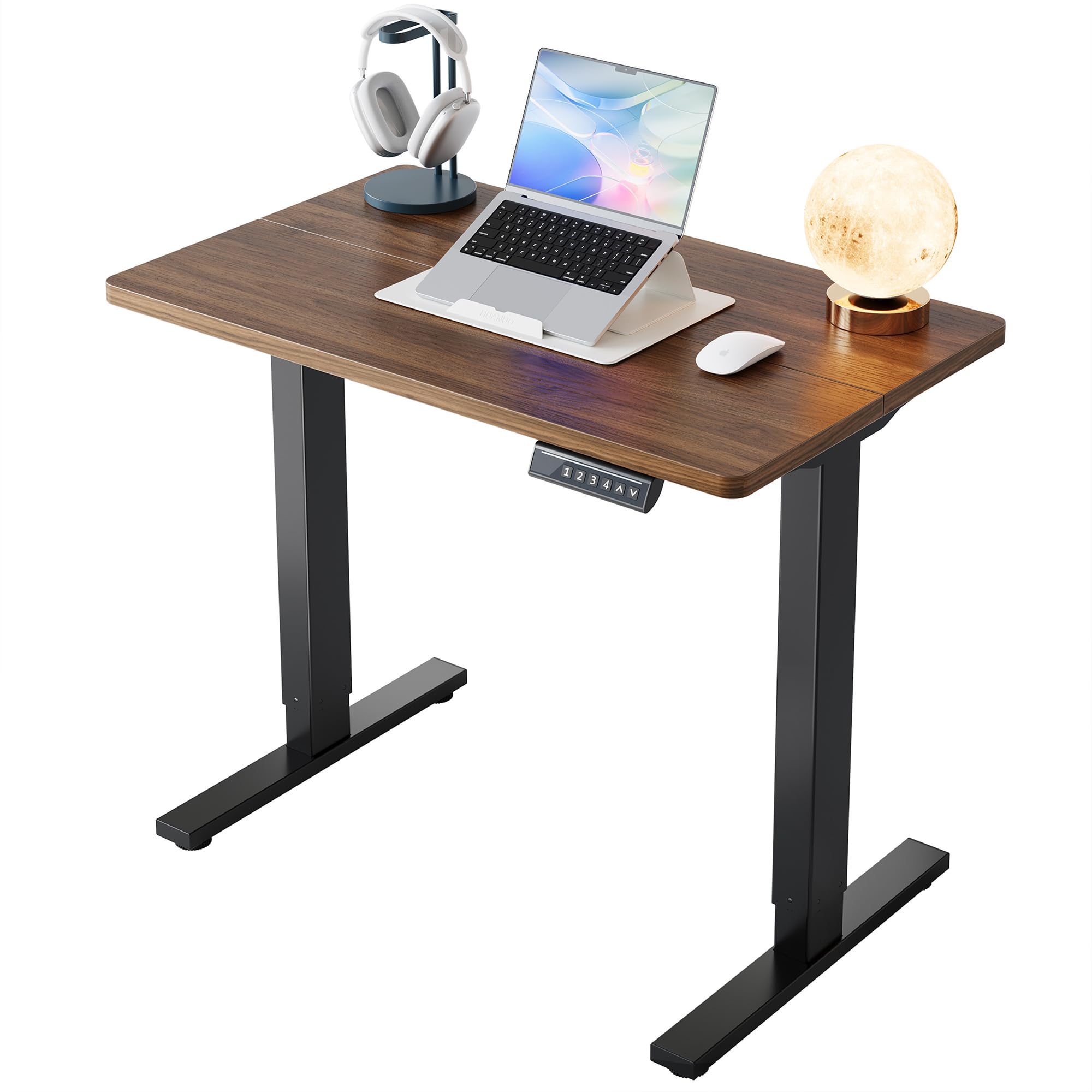
Ìomhaigh: Meudan an Deasc. This image illustrates the compact dimensions of the HUANUO 32" Electric Standing Desk, showing a width of 32 inches, a depth of 19 inches, and an adjustable height range from 28.3 inches to 46.5 inches. The desk features a black walnut desktop and black alloy steel legs.
Stiùiridhean rèiteachaidh
Seanadh
The HUANUO Electric Standing Desk is designed for quick and easy assembly with a streamlined process. All necessary tools are included. Please refer to the detailed assembly video below for step-by-step guidance.
Video: HUANUO Electric Standing Desk Assembly. This official seller video provides a visual guide for assembling the HUANUO Electric Standing Desk. It demonstrates how to connect the frame components, attach the desktop, and connect the controller and motor, ensuring a smooth setup process.
Prìomh Cheumannan Cruinneachaidh:
- Cruinnich am frèam: Attach the motor to the designated table legs and secure the crossbar.
- Assemble the Desktop: Use wooden dowels to secure the two-piece desktop. Attach the steel plate to stabilize the tabletop.
- Attach the Frame to the Desktop: Secure the assembled frame to the underside of the desktop using the provided screws.
- Install Control Panel and Accessories: Mount the control panel on the side you prefer. Attach any additional accessories like headphone hooks.
- Ceangal Wiring: Connect the controller and motor cables. Organize cables using the provided ties for a tidy setup.
Stiùireadh Obrachaidh
Atharrachadh àirde
The desk offers a wide height adjustment range from 28.3" to 46.5", allowing you to easily switch between sitting and standing positions. The electric lifting mechanism operates smoothly and quietly, ensuring minimal disruption.

Image: Wide Adjustment Range. This image demonstrates the desk's ability to adjust from a sitting height of 28.3 inches to a standing height of 46.5 inches, accommodating various user preferences and postures.
Presets cuimhne
The smart control panel features four programmable height settings. This allows you to save your preferred sitting and standing heights and switch between them with a single touch, eliminating the need for manual adjustments.

Image: Effortless Controls. This image highlights the desk's control panel, featuring an LED display for real-time height, up/down arrows for smooth control, and four memory buttons (1, 2, 3, 4) to save favorite heights for quick switching. The lifting speed is 20mm/s.
Video: HUANUO Electric Standing Desk, 4 Memory Height Settings. This official seller video demonstrates the functionality of the 4 memory height settings on the HUANUO Electric Standing Desk, showing how users can easily program and recall their preferred sitting and standing heights.
Obrachadh sàmhach
The desk is designed for ultra-quiet performance, ensuring you can work without distractions. The motor operates at less than 50dB.

Image: Ultra-Quiet Performance. This image visually compares the noise level of the HUANUO desk (less than 50dB) to city traffic (80dB) and talking (60dB), emphasizing its quiet operation for an undisturbed work environment.
Cumail suas
- Glanadh: Sguab an deasg agus am frèam le clò bog, tioram.amp clò. Seachain ceimigean cruaidh no innealan-glanaidh sgrìobach.
- Riaghladh càbaill: Periodically check and re-organize cables to prevent tangles and ensure smooth operation during height adjustments.
- Sgrùdadh cunbhalach: Ensure all screws and connections are secure. Do not overtighten.
Fuasgladh thrioblaidean
- Desk Not Adjusting: Check all power connections. Ensure the power cable is securely plugged into both the desk and the wall outlet.
- Còdan mearachd: If the control panel displays an error code, refer to the full user manual for specific instructions or contact customer support.
- Gluasad neo-chothromach: Ensure the desk is placed on a flat, stable surface. Check for any obstructions under the desk that might impede movement.
Sònrachaidhean
| Feart | Mion-fhiosrachadh |
|---|---|
| Brand | HUANUO |
| Modail Àireamh | MSESD202WN-80A-US |
| Meudan toraidh | 19"D x 32"W x 28.3"H |
| Dath | Cnothan-cnò dubh |
| Raon rèiteachaidh àirde | 28.3" gu 46.5" |
| Memory Height Settings | 4 |
| Comas Cuideam | 154 Punnd |
| Inneal togail | Dealanach |
| Ìre fuaim | <50dB |
| Stuth frèam | Alloy Steel |
| Seòrsa stuth as àirde | Fiodh innleadaireachd |
| Co-chruinneachadh a dhìth | Tha (Innealan air an toirt a-steach) |
| Lift Cycles Tested | 50,000+ at full capacity |

Image: Reliable Lifting. This image highlights the desk's durability, stating it is 50,000 times lift tested and has a weight capacity of 176 lbs (note: specifications list 154 lbs, using the more conservative value from specifications). It shows a sturdy desk with items on top, emphasizing stability.
Barantas
The HUANUO Electric Standing Desk comes with a Limited Warranty. Please refer to the product packaging or contact customer support for detailed warranty terms and conditions.
Taic
For any questions, technical assistance, or support regarding your HUANUO Electric Standing Desk, please contact our customer support team.
Post-d taic: taic@huanuo.com
Mus cuir thu fios gu taic, dèan cinnteach gu bheil fiosrachadh agad mu dheidhinnviewed this instruction manual and the assembly video.